


Loopysue
Loopysue
About
- Username
- Loopysue
- Joined
- Visits
- 10,414
- Last Active
- Roles
- Member, ProFantasy
- Points
- 10,161
- Birthday
- June 29, 1966
- Location
- Dorset, England, UK
- Real Name
- Sue Daniel (aka 'Mouse')
- Rank
- Cartographer
- Badges
- 27
Latest Images



-
Ferraris Style; Ramparts Not Working
Transparency acne (the pitting) happens when the same or similar textures are used on top of one another on different sheets and the overlying sheet has either an Edge Fade Inner or one of the bevels on it. The rendering engine finds the edges of the polygon on the topmost of the two sheets by comparing the pixels with those underneath it. Where those pixels are the same it interprets an edge. So if the pixel in the top polygon is the same colour as the underlying one the rendering engine sees a pinhole, and will apply the sheet effects to the edges of that hole. It looks particularly bad with this texture because there is quite a pronounced bevel effect on the upper sheet, which is being applied to all those little pinholes right across the polygon.
The reason these pinholes tend to shift around as you zoom in and out is because CC3 is switching between the different resolutions of the textures and the pinholes will appear in different places on the different resolutions where different pixels suddenly match colour and others become different again.
The copy polygon is a backing sheet to separate those two to make sure the pixels don't match. Normally, and logically, you then use change properties on that copy to make sure it's a different colour so that none of the pixels match, but sometimes a straightforward copy is all it takes



-
Does CC3 licence allow the product to be use by multiple Windows 10 accounts on the same laptop?
Hi Gianluca :)
I recommend you contact Profantasy directly with your question.
The email address for licencing questions is at the bottom of the list of contact emails on this page:

-
Live Mapping: Napoleonic Battles
Hi Everyone :)
In tomorrow's Live Mapping Session Ralf will be mapping a rank and file Napoleonic-era battle, based on the Napoleonic Battle Maps style from the Cartographer's Annual Vol 3.
Come along and join in the fun, or watch later :)


-
Making hand drawn seamless tiles
Every now and then I get asked how I make the textures - the seamless bitmap tiles I add to new styles.
For a long time now its been the same answer, and one that I've been increasingly troubled about giving because the main node-driven procedural texture generating software I've been using for the past 5 years now became abandonware probably about 2 years ago and shouldn't really be recommended because the image library is no longer available - and while you can add your own photos the image library is quite a big part of it.
The second bit of software I use is Krita, which is a free bitmap app that has a wraparound mode that allows you to hand draw seamless tiles. However, Krita brushes are remarkably complicated to create, so you tend to get a bit stuck with the default brushes (as I do), or have to buy brushes made by other artists which might not be what you want.
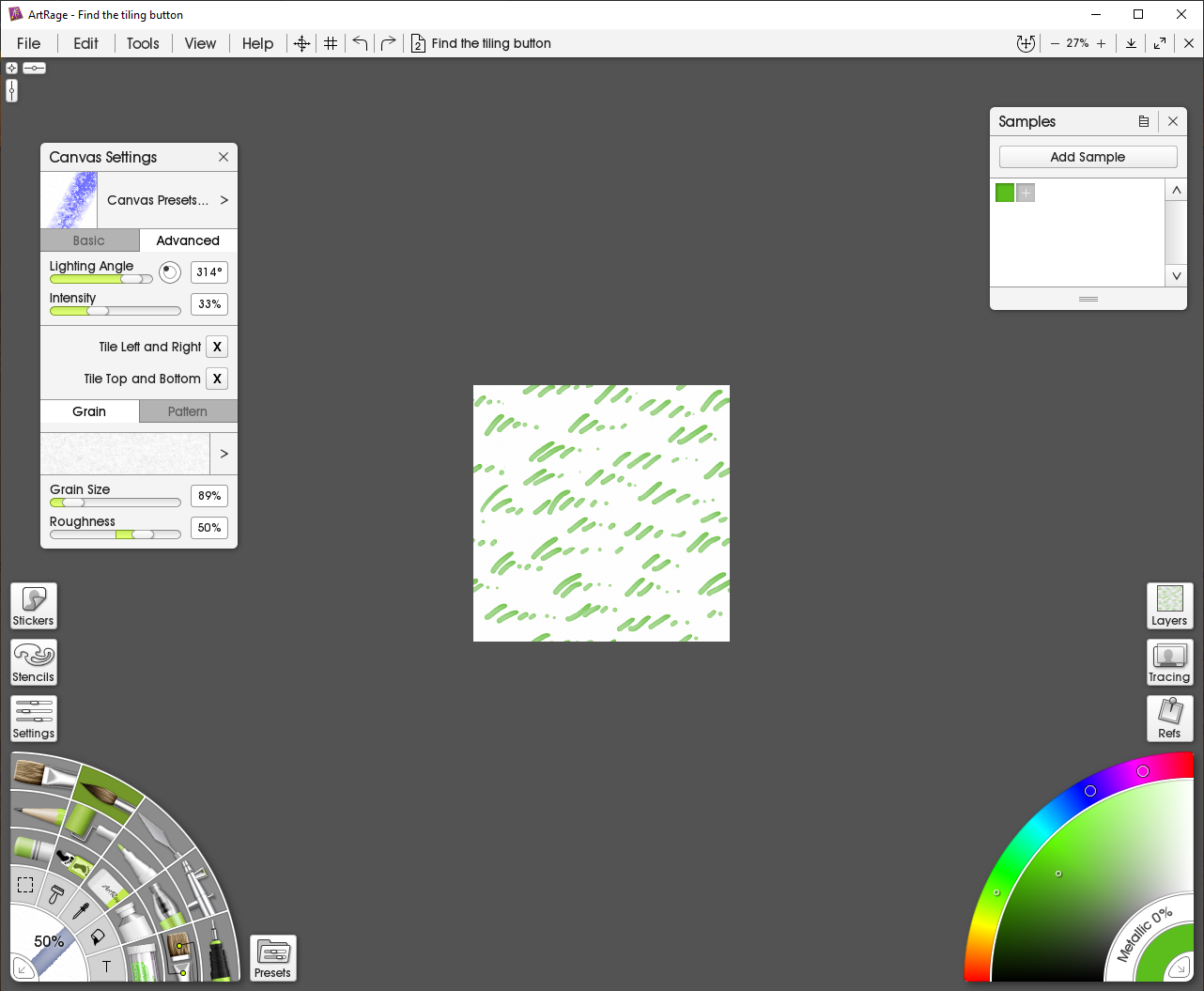
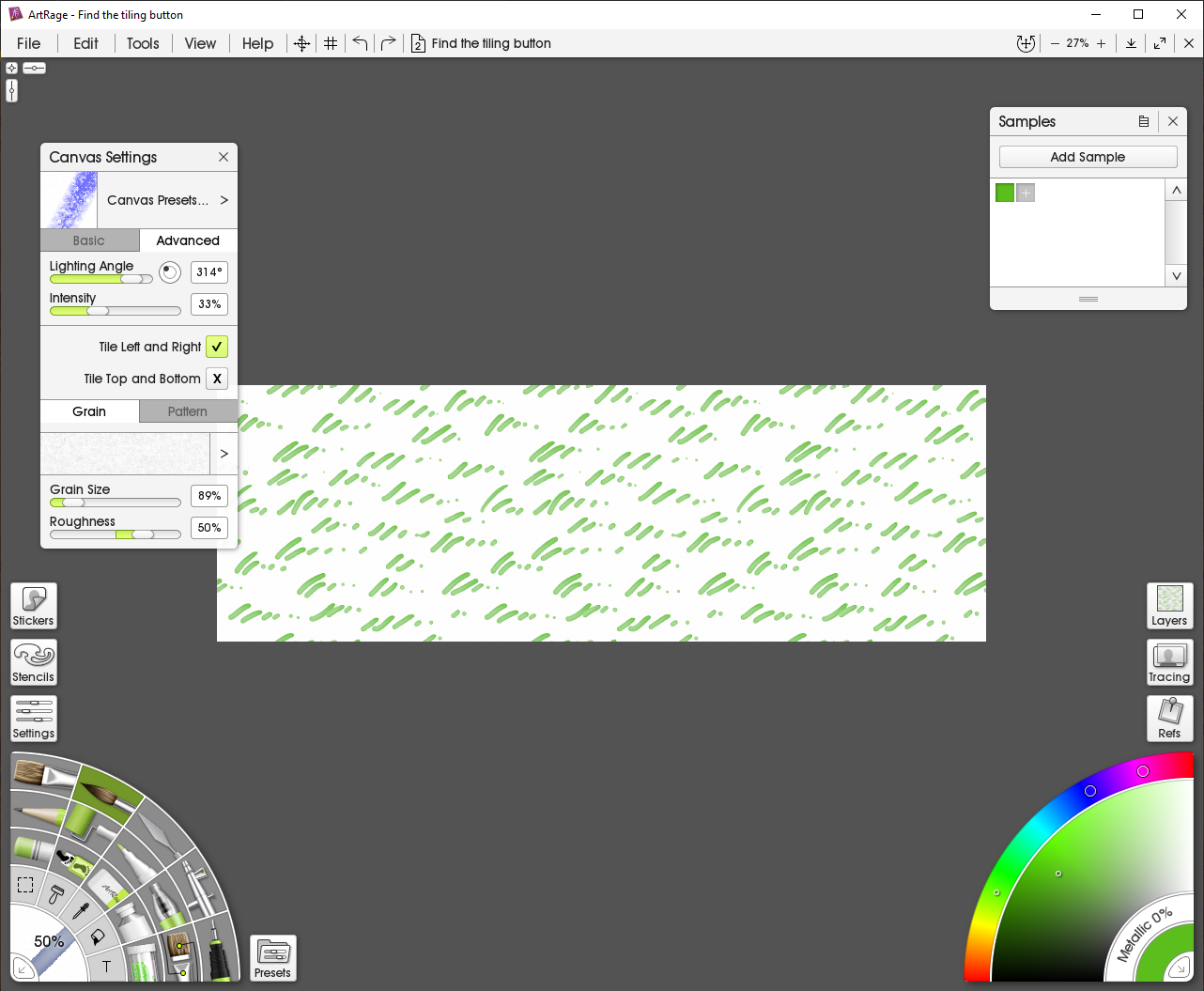
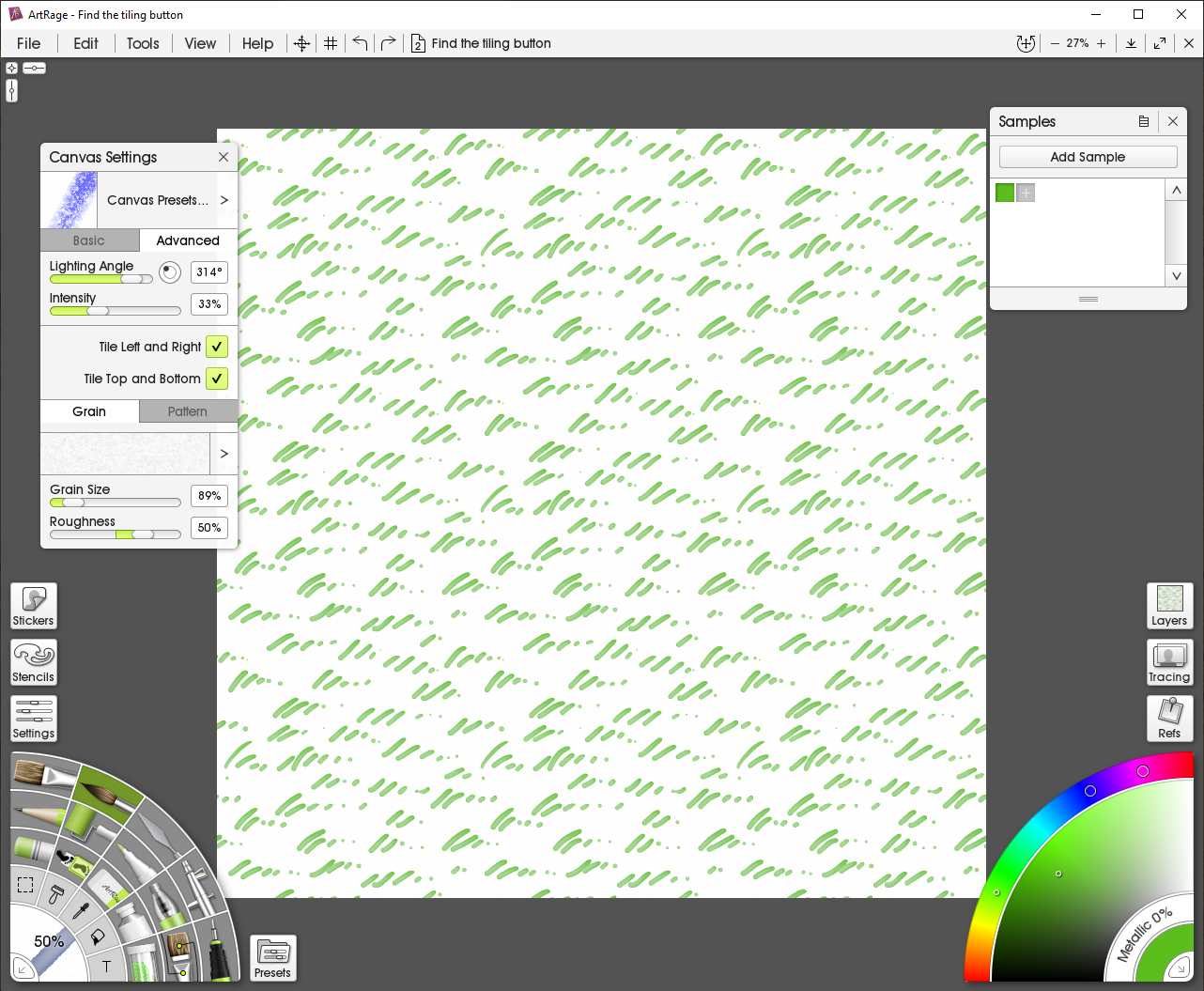
However, today I purchased the latest version of Artrage (Artrage Vitae) and discovered you can now hand draw seamless tiles by activating the two tile options available under the Advanced tab of the Canvas Settings dialog, from the View menu. I've told you these details because it took me 2 hours of really intensive googling to find out how to activate it. Apart from this little difficulty, once you've found it making hand painted seamless tiles in Artrage is a lot easier than in Krita - mainly because Artrage is better designed for casual use as a painting app and doesn't have a seriously complicated brush engine.
So here is a 5 minute example I did earlier with the tiling switched off.
With left and right tile activated...
And with top and bottom tile activated.


![[Deleted User]](https://secure.gravatar.com/avatar/c75d9a245b74d9c59be0999ea81ca541/?default=https%3A%2F%2Fvanillicon.com%2F92add7f8c954488718110edc4896ad39_200.png&rating=g&size=200)



-
Panzer sample thread
I think I prefer the ones with better definition. The tanks, I mean. You can have well defined tanks with soft trees because tanks are hard edged and trees are not.





 and 1 other.
