


Loopysue
Loopysue
About
- Username
- Loopysue
- Joined
- Visits
- 10,414
- Last Active
- Roles
- Member, ProFantasy
- Points
- 10,161
- Birthday
- June 29, 1966
- Location
- Dorset, England, UK
- Real Name
- Sue Daniel (aka 'Mouse')
- Rank
- Cartographer
- Badges
- 27
Latest Images



-
A Quick B&W Village
It's probably more than a basic map. You've considered quite a lot of things a lot more carefully than you would for a sketch map. The plan of the village is realistic, and you've thought about where there might be single trees or avenues of trees instead of just blocking them down and leaving it. You've even considered that the main road might be older than the smaller roads and be more jiggly as a result of time and various deviations to the original course.
If I have any suggestions it would only be that the river banks would probably be less jiggly where it's narrower, since the water will flow faster there and tend to erode in a straighter line - unless there are huge boulders causing those jiggled edges to it's channel.

-
Asian Town Housing Keeps Crashing
Asian Town
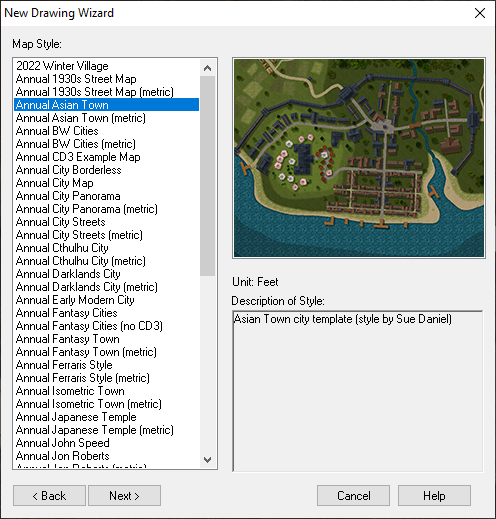
If you try to use the House tool to draw a long thin building it crashes every time.
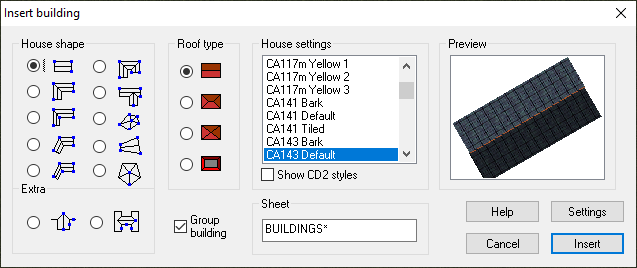
Here is an FCW showing at what point the crash happens. (I saved after each successively longer building and attached the file once it crashed).
The limit seems to be somewhere around 120 feet long.
The reason such very long buildings are quite likely to be drawn is that the Mapping Guide indicates using them to draw the city walls. I noticed that the example map for that style has a building that is 175 feet long. I was trying to separate it out from the rest of the wall to take a screen shot of it with a result of the Distance tool to show you, when moving it caused a crash. Maybe it is something that has happened since the publication of Asian Town in November 2018?
![[Deleted User]](https://secure.gravatar.com/avatar/c75d9a245b74d9c59be0999ea81ca541/?default=https%3A%2F%2Fvanillicon.com%2F92add7f8c954488718110edc4896ad39_200.png&rating=g&size=200)

-
First Ferraris Style Map
It looks good to me :)
The Ferraris Style is based on the actual Ferraris map. You might find it useful to examine the original here:https://maps.arcanum.com/en/map/belgium-1777/?layers=37&bbox=624622.0609151967%2C6665485.106049%2C634191.0213936471%2C6669048.982492796
This is just one section of marsh. Because the map was a team effort you will find other sections of marsh that will appear to be quite different because they were drawn by different cartographers.
The Ferraris style isn't so much an artistic style, but a historical style, so there is less emphasis on things looking beautiful, and more emphasis on the resulting map looking like it might be part of the real Ferraris map.


-
[WIP] The Dancing Princess (Community Atlas, Artemisia, Spiros Isle, Helinesa)
You might need to do all those split level differences on the deck with a separate set of sheets for each one, so that you can cause the upper ones to cast a shadow or a dark glow over the lower ones. You've got 3 levels, as far as I can see. The highest one is the stern, or aft deck (and now we are going to see if I can remember all the terminology!). The next level down is the mid and fore deck, and the lowest level between them is... ummm. I've run out of terms, but that's kind of a mid deck also! LOL! And its about the same level as the bow, so you could put them on the same set of deck sheets as well.
I'm not sure how that would translate as far as the general outline goes, but if there's a step up or down in the deck level, then there will also be a step up or down in the freeboard. The bit that sticks up above the water line. So you could draw it as 4 separate decks (on different sets of sheets) that just happen to make the shape of a ship.
I think you might find that the part of the plan view not shown as planked down the sides is the bulge of the lower decks, which if you look at the stern elevation plan stick out beyond the extent of the deck. If you look at where the gun ports are located in all the plans you will suddenly see what I mean. The true extent of the deck is where you have drawn the paler planking. The extra extent should be very steep flanks with the guns poking out of them.

-
Text Angle
Another way is to hold down both the CTRL and SHIFT keys at the same time. The disadvantage of using them together like that is that its very easy to press only the CTRL key for a split second before you hit the SHIFT key, which makes it easy to accidentally scale the label instead of rotating it.



