Loopysue
Loopysue
About
- Username
- Loopysue
- Joined
- Visits
- 10,414
- Last Active
- Roles
- Member, ProFantasy
- Points
- 10,161
- Birthday
- June 29, 1966
- Location
- Dorset, England, UK
- Real Name
- Sue Daniel (aka 'Mouse')
- Rank
- Cartographer
- Badges
- 27
Latest Images



-
Creating a Template to simulate the Khorvaire Map
Ok, that's good to know :)
For the landmass and ocean I recommend Darklands Overland style from the 2021 annual. Read the mapping guide for that one carefully since the sea goes on top of the land. That will give you a parchment land mass and will allow the different colours blended onto the land to extend right up to the coast despite being broadly blurred to give that soft colouration effect. there are set colours for the drawing tools, but you can clone and modify the drawing tools if you want different colours.
Once the land is put down and all the colours sorted out I think your ideas for the symbols are pretty good as it goes, though you might find it a little tricky matching them on a comparatively dark background like Darklands Overland. If that happens use the Mike Schley inks style and add a Blend Mode sheet effect to the symbols sheets set to Multiply to get rid of the white parts.
As for the structure symbols Remy has already explained those.
That leaves just the escarpment symbols. The closest I can think to that style is possibly the escarpments from the new E Prybylski Watercolor style in this year's annual, but they might not match that well.


-
(WIP) Night City
You can easily set up your own House style, and then use it to create your own Street styles.
The process is shown in several of the live mapping sessions. I will be back to edit and add a few links when I've found a good one.
EDIT: Try this one, Julian. https://www.youtube.com/watch?v=7dLtzBiObwY

-
Can anyone explain why sheet affects aren't working?
I have noticed that sometimes the sheet effects stop working for reasons I can't quite nail down to being because of A or B (if I could identify the cause I'd have reported it ages ago), but usually unchecking the Activate Sheet Effects checkbox, then checking it again and then clicking Apply will sort it out.
If that doesn't work please can you upload the FCW file, Elfling?
EDIT: to take a screen shot press the "prt sc" button and then paste in a comment by pressing CTRL+V
EDIT2: Also check if you have any layers hidden. If the MERGE layer in particular is hidden the effects aren't likely to work correctly if they work at all.

-
echoes of fill
Hi Helen :)
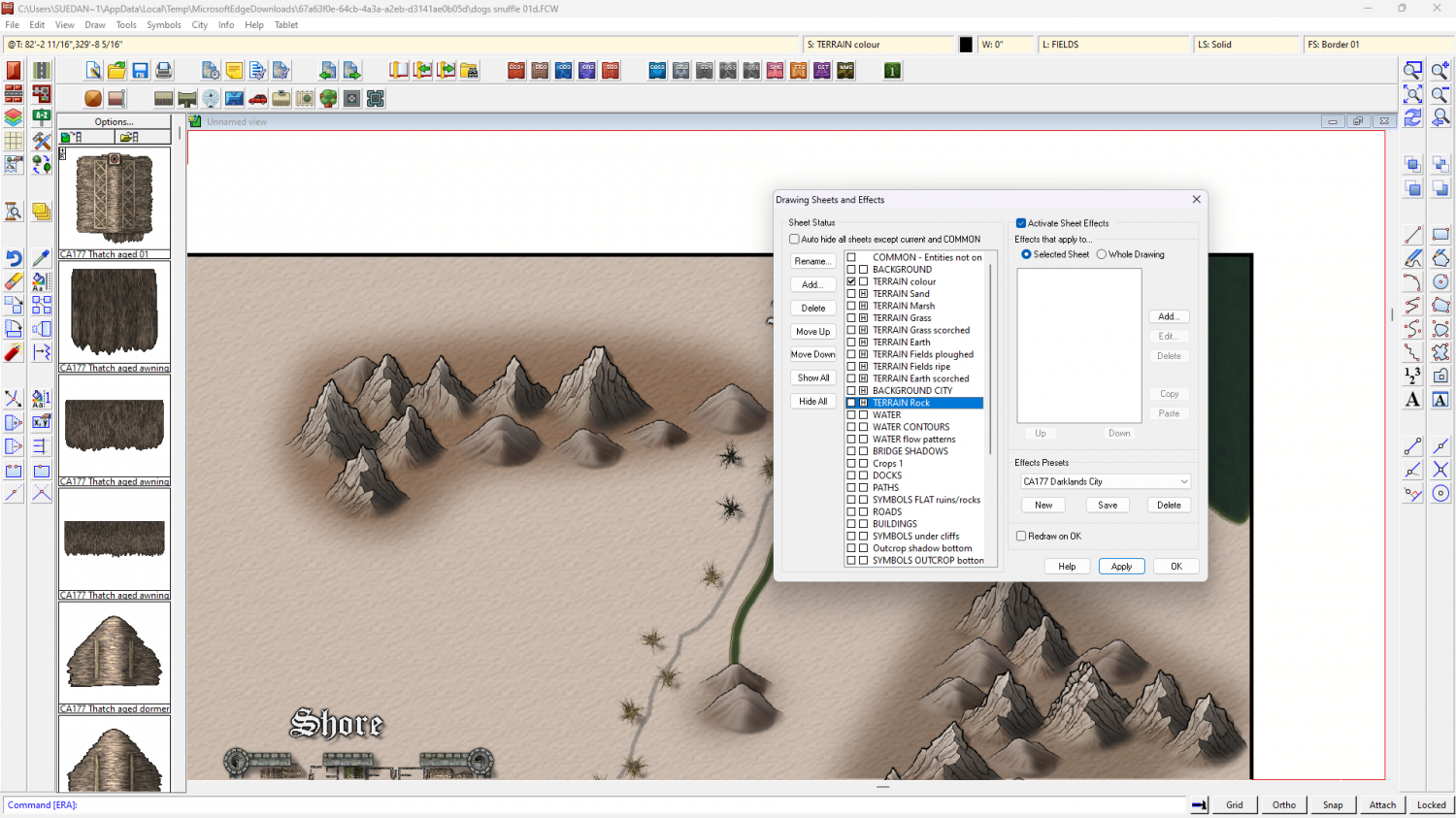
I'm not sure I really understood the problem, but if you hide all the sheets called TERRAIN... except fro the "TERRAIN colour" sheet there are patches of colour visible. Maybe you just need to reorganise the sheet order?
-
Darklands City walls questions
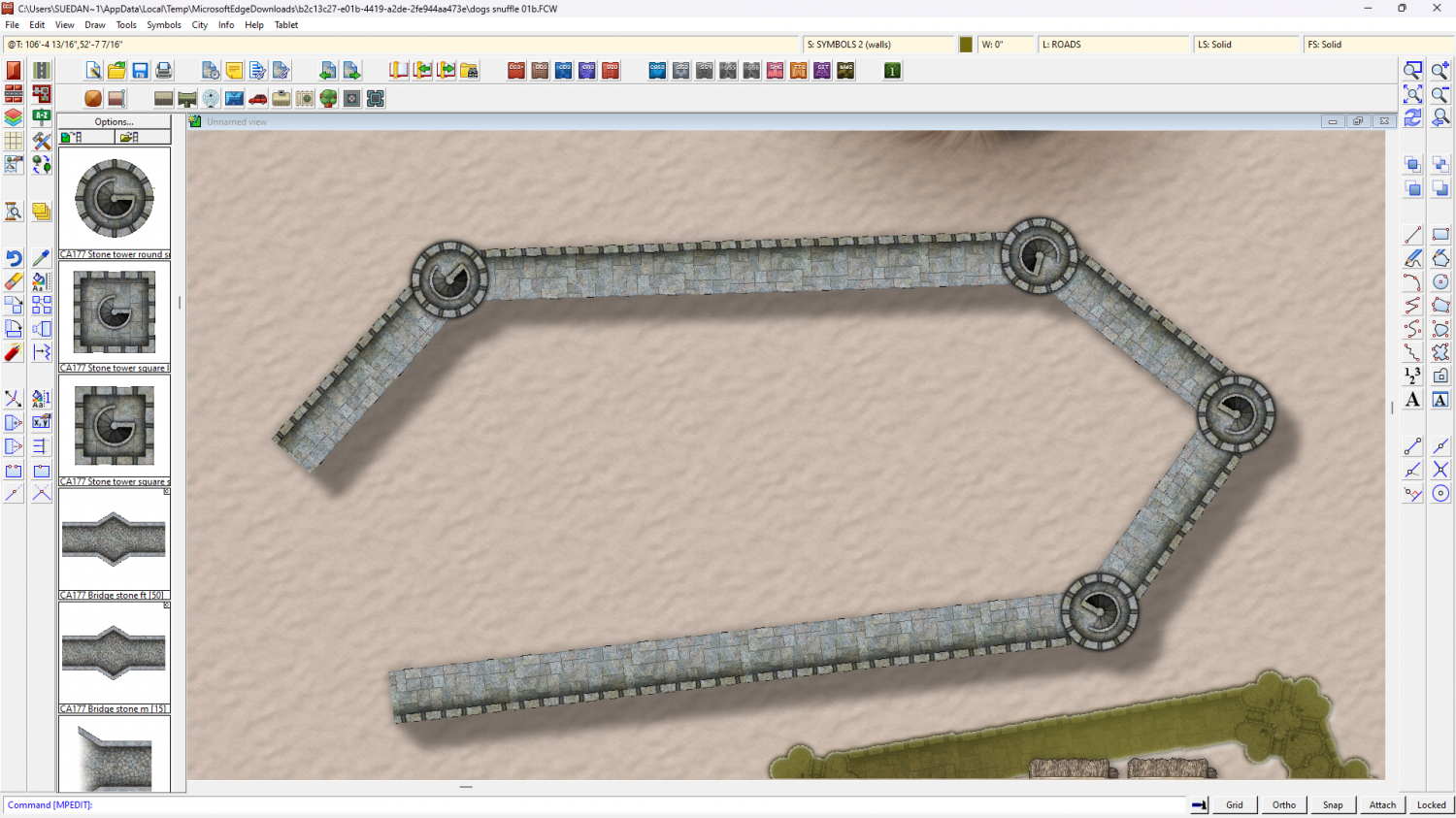
I can't make the connecting symbols break so I'm assuming you mean the gaps at the corners? Those gaps are intentional and are meant to be covered by the tower symbols. The best way to draw them is by going in straight lines between the towers in a single click.
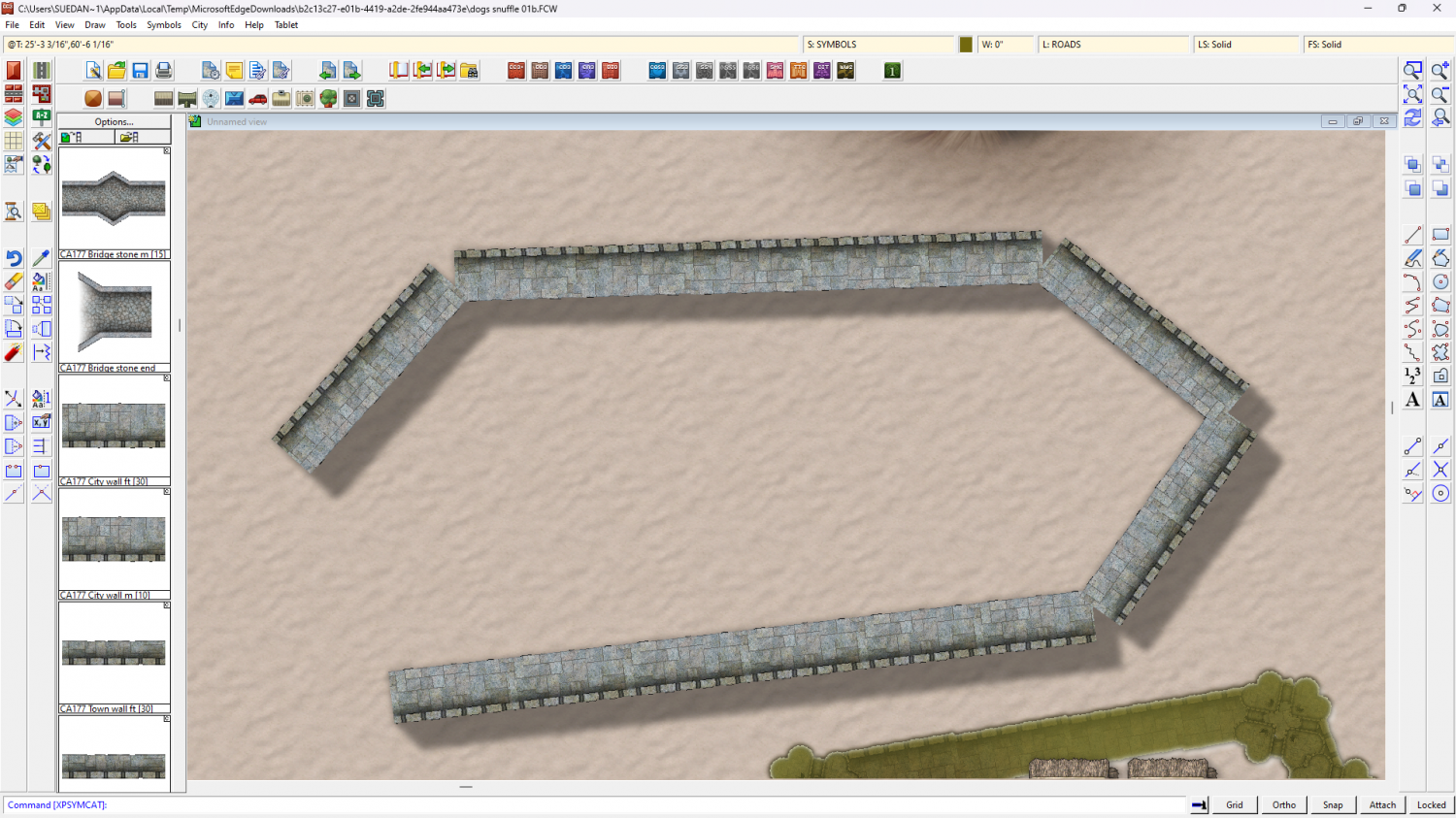
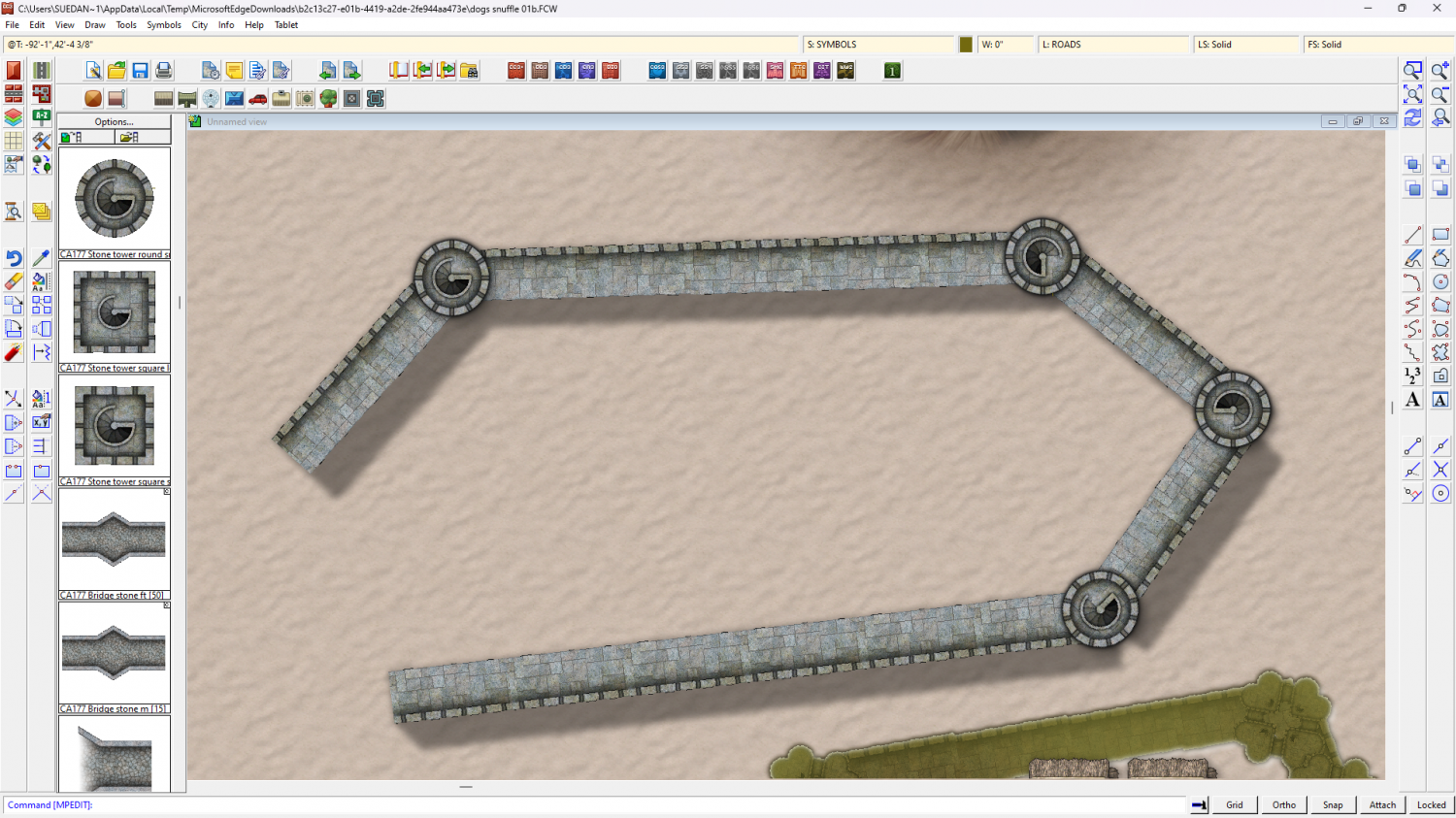
Also make sure that your default symbol scale is set to 1 in this imperial map, and that you haven't accidentaly adjusted the scale you are pasting them at by right clicking to check the current symbol scale setting.
EDIT: I also notice that the sheet effects on the SYMBOLS 3 (towers) sheet are a little off. If you make the shadow as long as the one on the SYMBOLS 2 (walls) sheet those gaps in the shadow will disappear.
Or alternatively, if you don't like the shadow overlap, you can copy the towers to the SYMBOLS 2 (walls) sheet so they cast the same contiguous shadow as the wall. in the shot below the towers are on thier correct sheet with a glow around them to raise them from the wall a little, but they are duplicated on the SYMBOLS 2 (walls) sheet for the shadow.