


Loopysue
Loopysue
About
- Username
- Loopysue
- Joined
- Visits
- 10,413
- Last Active
- Roles
- Member, ProFantasy
- Points
- 10,161
- Birthday
- June 29, 1966
- Location
- Dorset, England, UK
- Real Name
- Sue Daniel (aka 'Mouse')
- Rank
- Cartographer
- Badges
- 27
Latest Images



-
How do I stop lines from bitmap fills?
I think Wyvern has the answer above. Draw the forest in smaller patches and increase the scale of the bitmap fill. You do that by opening the Fill Style Properties dialog (click the status bar where you see "FS:...."), pick the Bitmap Files tab, then find the fill you want to scale up in the dropdown box. The scale in the hieght and width boxes is in map units, whether that happens to be feet or metres.
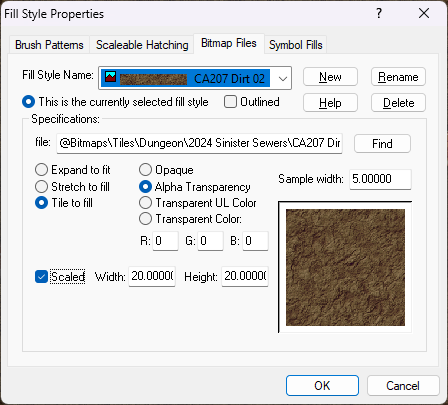
Don't scale the fills up too much or you will end up with pixelation, which is where the fill shows it's pixels as squares.

-
WIP: Ruined Temple (transparency acne problem)
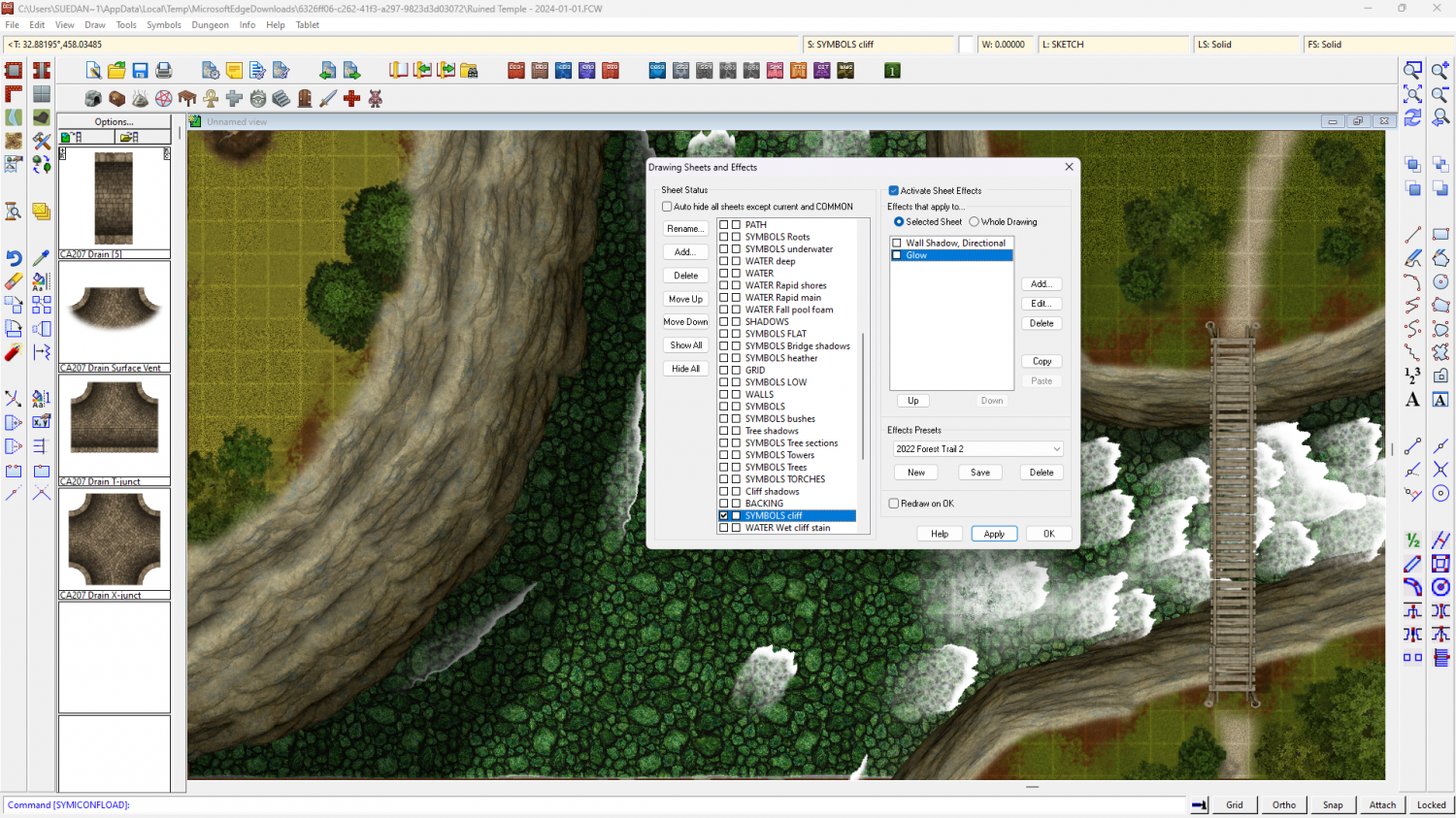
There is a pink glow on the SYMBOLS CLIFF sheet. I've hidden it in this screen shot.


-
Slow down with custom made symbols.
The main thing that slows CC3 down is the number of nodes, whether that is in an enormously intricate coastline, or a highly precises vector drawing of a tree used lots of times over the map.
The alternative to using lots of vector symbols is to create a png bitmap symbol of the same thing and use that instead.
-
Question regarding connecting Catalogs and Templates
There is no way of specifying the layer within a symbol catalogue.
Layer specification occurs at a later stage when you create a new catalogue setting and filter for the catalogue when attaching it to a button. This process is explained on page 103 of the Tome of Ultimate Mapping, or in this blog by Remy Monsen (which also includes a link to a section of a live mapping session he did that may be more useful than trying to read reams of text in English).
Layers cannot be set for individual symbols, but they can be set for the entire catalogue. That is why the symbols of most styles are carefully separated into catalogues that reflect their type and the layer they should end up on, such as Structures.FSC, Vegetation.FSC, Traps.FSC, etc.
Whatever translator you are using is working very well - better than Google Translate... unless they've massively improved Google Translate since I last attempted to read an article in a language foreign to me :)
...
This is just a personal observation here, but you do seem to be placing a huge emphasis on the importance of layers. They really aren't that important, as can be seen from the way there are generally fewer controls and settings for them wherever you look. Far more important are the sheets and effects.

-
Setting default sheets for personal symbols?
Unless you have specific reasons for wanting a symbol to be predefined in the template itself, it's better to have an empty Symbols in Map pane when you do the final save on your template.
Examples of symbols left in the template at the final stage can be examined in any style you are using by checking what's already there when you start a new map and before you do anything else. I believe some of the overland styles have things like compasses, titles, and scale bars predefined that way.
This way, the symbols you then paste from your carefully crafted catalogues will behave exactly as expected.

