Loopysue
Loopysue
About
- Username
- Loopysue
- Joined
- Visits
- 10,413
- Last Active
- Roles
- Member, ProFantasy
- Points
- 10,161
- Birthday
- June 29, 1966
- Location
- Dorset, England, UK
- Real Name
- Sue Daniel (aka 'Mouse')
- Rank
- Cartographer
- Badges
- 27
Latest Images



-
Torstan Holy Head Sewers
Ralf has kindly uploaded an update to the style with bug fixes and an improved set of templates. You should be able to redownload and install it over the top of the old version from your registration page.
I recommend doing that before you start any new maps.



-
Torstan Holy Head Sewers
Connecting symbols with actual corner pieces have never worked in metric maps. This may change at some point in the future, but that is just the way it is for now.
Connecting symbols that have no actual corner pieces, like a fence or a hedge where the pieces are all straight sections, will work in metric templates as long as you use the set that has 'metric' in the symbol name.
Yes, you could make the map as an imperial map; sizing the map to be the same area as the metric map. Draw the drains using the connecting drain symbol in the imperial map, and then copy paste the resulting drains into your metric map. I'm not sure if you would have to scale them down during pasting, but the pattern and width of the drains would be correct.
One more thing - the corners or bends are done in 15 degree steps, so you may have to slightly modify your layout if you want to be able to connect everything smoothly.

-
One Page Dungeon with CC3?
Looking at lots of other OPD contest entries here (beware the results that aren't valid OPD entries), It looks like at least half the page is text, so the map would have to be really tiny. It might also be easier to do the map part in CC3, but then export it as an image to paste into a suitable word processor (or desktop publishing app if you have one), to add the blocks of text.
It is very much up to you what style you chose to use, though I would recommend you chose one that is pleasing to you to look at, and which has all the textures and symbols you will need.

-
FT3+ to CC3+ export with style?
When you export your file there should be a small range of styles you can pick at the top of the list. At the moment these appear to be the core styles plus 'Jerion', which I think you may already have used.
This is FT3+ by the way. FT3 doesn't have these options.
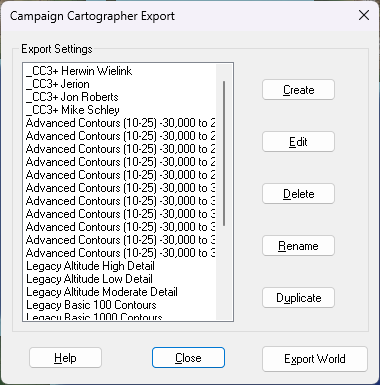
I think there might be a way to add to that list, but I'm not entirely sure how it's done.

-
Wondering about new file extensions
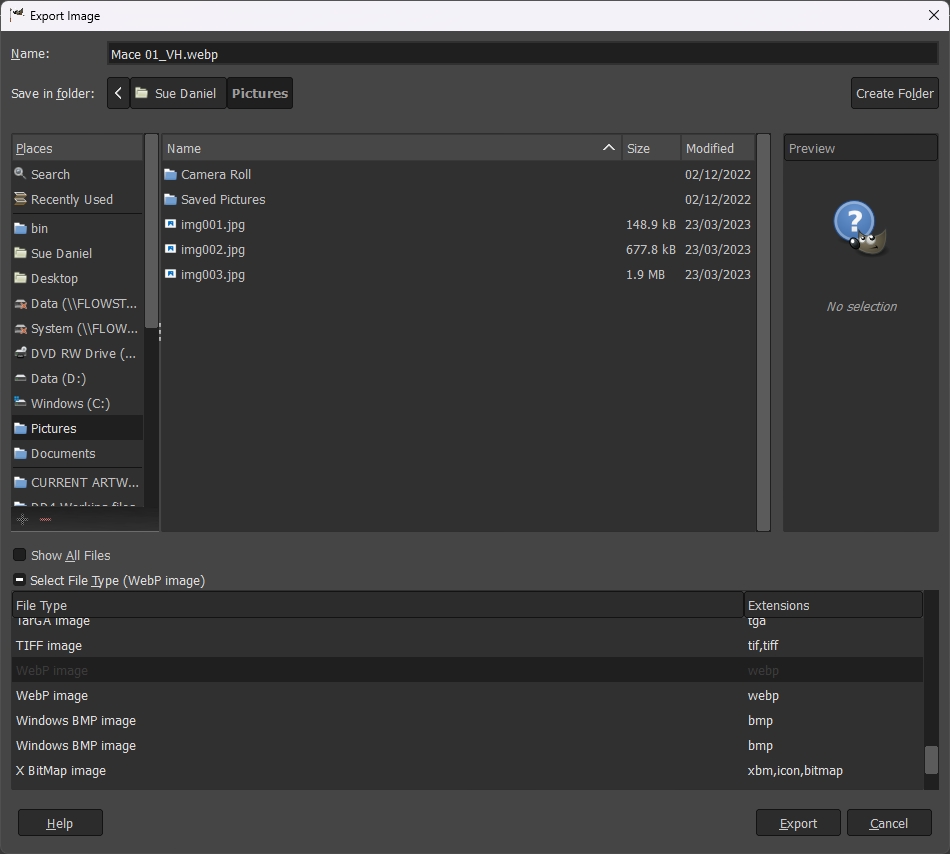
It's possible this might be considered in developments in the future if there is more demand for it, but in the meantime you can very easily convert any of the bitmap exports from CC3 to WEBP format in GIMP, which is free software you can get here.
Open the bitmap in GIMP and then go to Export as... in the File menu, and pick your export file type from the dropdown Select File Type, name it, and away you go.