


Loopysue
Loopysue
About
- Username
- Loopysue
- Joined
- Visits
- 10,413
- Last Active
- Roles
- Member, ProFantasy
- Points
- 10,161
- Birthday
- June 29, 1966
- Location
- Dorset, England, UK
- Real Name
- Sue Daniel (aka 'Mouse')
- Rank
- Cartographer
- Badges
- 27
Latest Images



-
[WIP] Trying to design a barrel roof
You are almost there in your thinking towards the end.
Instead of drawing just two slabs how about drawing many strips along the length of the roof, using Shaded Polygon on all of them and then editing the pitch of the resulting strips. It's not as easy as I've just made it sound, but it's achievable. I made an onion dome out of shaded polygons once. You might pick up a few tips on how to do this barrel roof from the blog I wrote about it.


-
Knock Dungeon - An Experiment
When you open the palette there are two rows at the top that can't be edited. The rest of the palette can be edited just by picking one of them and clicking Define Color.
If you set one of the editable colours as your knockout colour and then edit that colour in the palette at a later date the polygons of that colour will become the new shade, but the colour in the Color Key will remain the same. That means the knockout will no longer work.
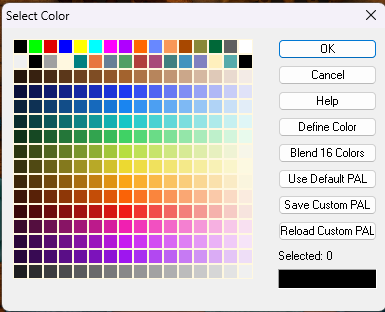
That's why the default knockout colour for the Color Key effect is colour number 6 - the magenta in the top row of the palette.


-
Chasm/Crevices in SS4 dungeon?
That's another way of doing it I think, and there are many alternatives.
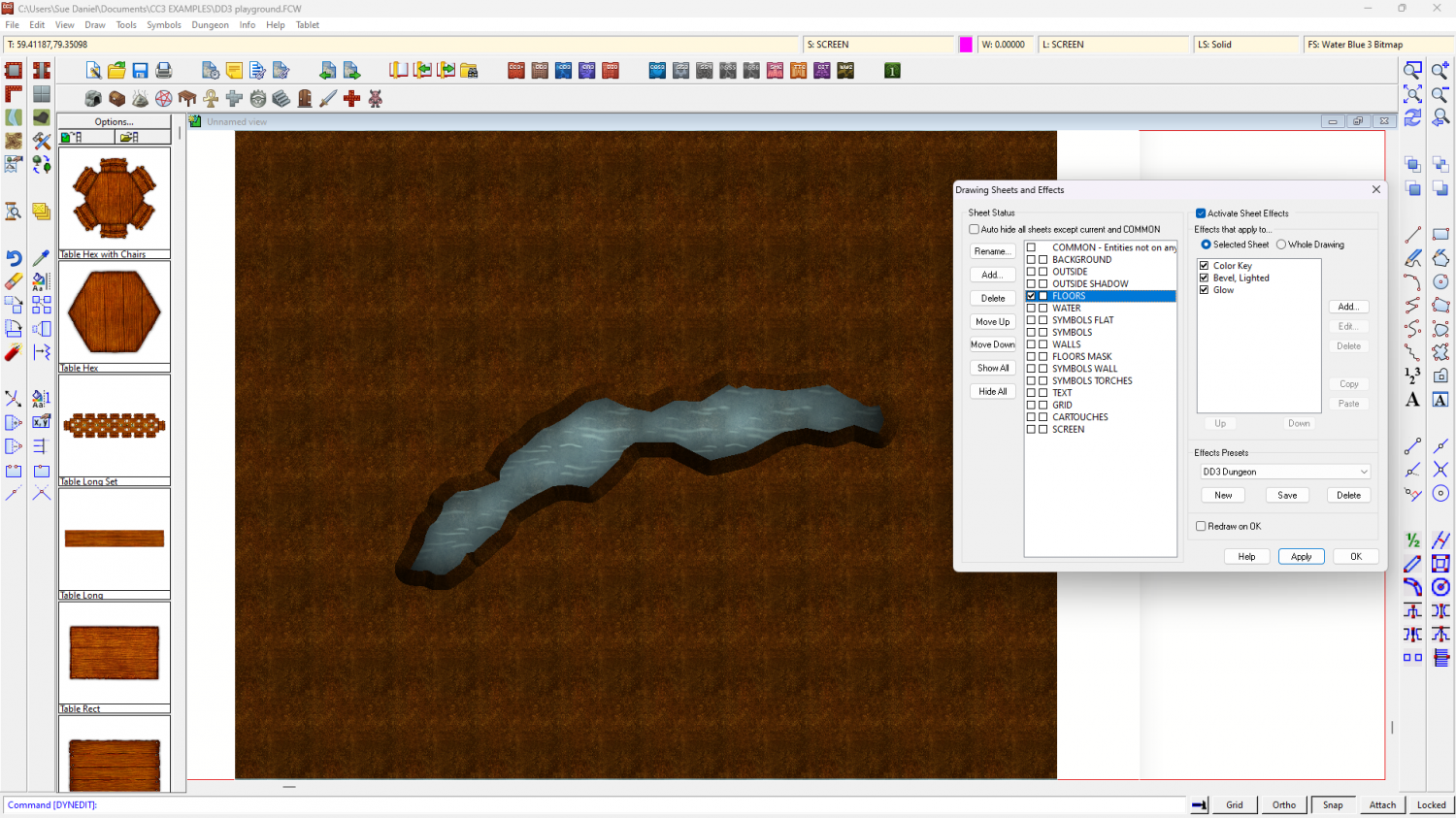
I made an example file using DD3 to show what I described above if you would like to have it.
The water is the background polygon, and the dirt is a polygon on the FLOORS sheet that extends beyond the edge of the map to hide the bevel where it appears on the outside edge as well as the edge of the crevice. If you hide the sheet called SCREEN you will see what I mean about hiding that outer edge.
I added 3 effects to the FLOORS sheet and drew the magenta cut out shape on that sheet. The first two effects were as I described above, and the third was a glow to enhance the illusion of there being a shadow cast on the water below by the edges of the crevice.
-
Chasm/Crevices in SS4 dungeon?
There are lots of ways to do this with sheet effects. This is just one of them.
You could add a Color Key sheet effect to the sheet you have your 'floor' level on and draw a magenta polygon (Colour 6) where you want the crack, then add a narrow Bevel, Lighted effect. You would have to uncheck the global sun direction in that effect and adjust the azimuth angle to be opposite the global sun azimuth (that usually means making it 135 instead of 315 degrees), but that should give you a crevice.
Then you would need to add a new sheet for your flooded level under that floor level so there is something to be seen through the hole you just ripped in the floor.
The reason the bevel would have to be narrow is to make it possible to hide the outside edges of that floor either beyond the extent of the map or under a wall. The bevel will be applied all around the edges, including the outside edge.
-
Watabou City REVISED (annual 157)
Ok. I think it's coming along pretty well. The main thing I would adjust if I was using it myself for a map is the hills. I would use effects and settings similar to those found in SS5, though I adjust those to make the bevel lighter again than it is in the template.
The HILL sheet uses polygons of "Solid 20", and my personal settings for the Bevel, Lighted sheet effect give the hill a highlight as well as a shadow. It's personal taste, of course, but I find the template setup makes the hills a little too dark for my liking.
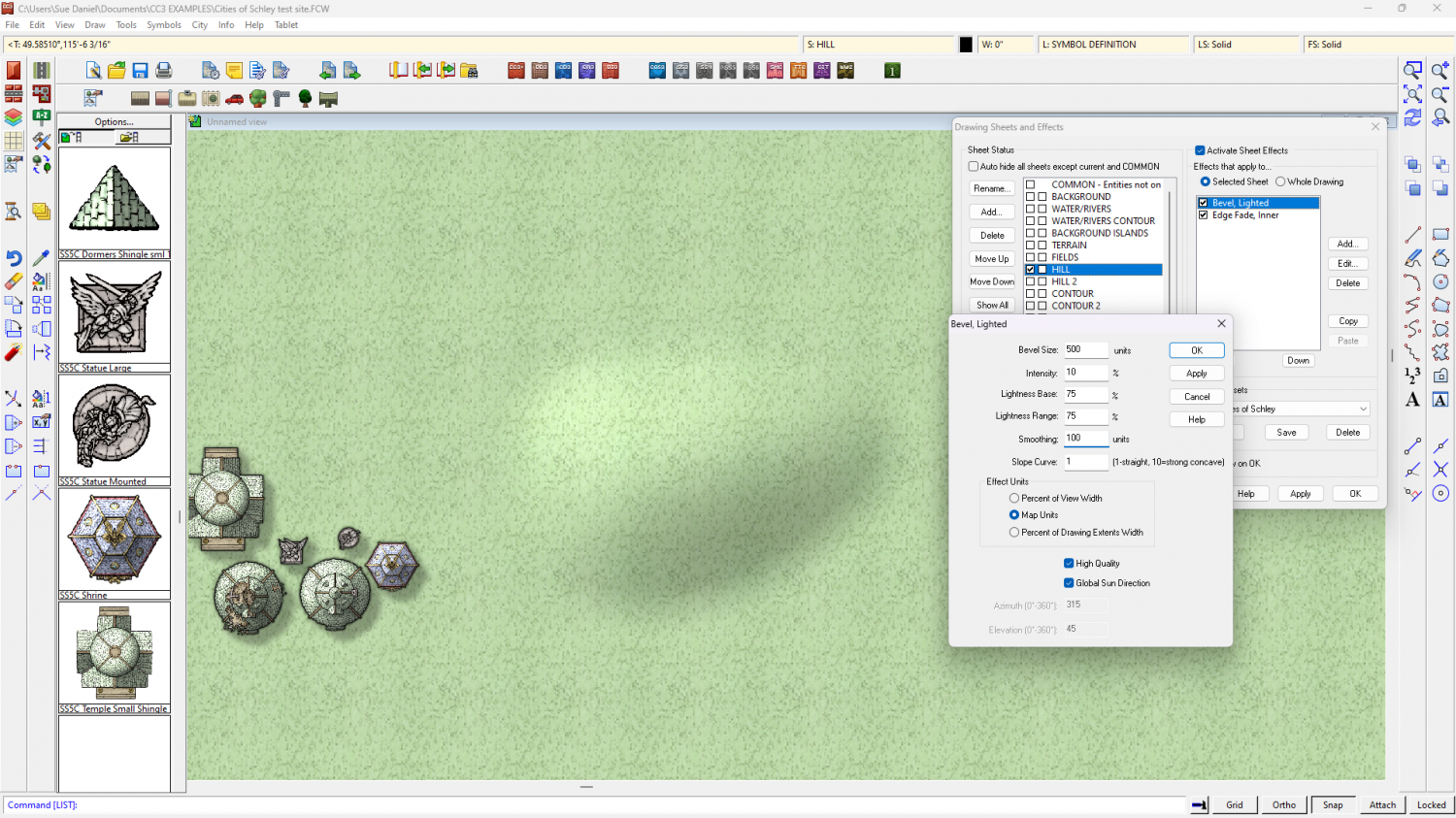
These settings also use a lot more smoothing than you have in your template. It gets rid of the knife edge ridge which feels a bit unnatural for a relatively small hill - unless they are meant to be mountains.
Having sufficient edge fade on the hill after the bevel also helps to make the hill look like it's a rise in the ground, rather than something stuck down on top of it - a curve into the slope rather than a sharp line, or a line that hasn't been faded enough with a wide enough EFI. I increase mine from 10ft to 15ft, though it could be wider.


