


Loopysue
Loopysue
About
- Username
- Loopysue
- Joined
- Visits
- 10,413
- Last Active
- Roles
- Member, ProFantasy
- Points
- 10,161
- Birthday
- June 29, 1966
- Location
- Dorset, England, UK
- Real Name
- Sue Daniel (aka 'Mouse')
- Rank
- Cartographer
- Badges
- 27
Latest Images



-
Problem with combining path
I started writing this before Quenten made his first comment, so it may repeat several things he mentioned.
....
The northernmost piece of the two appears to have been duplicated at some point, so there are two of them on top of each other on the same sheet and layer. Starting with your original map you can delete one of those copies by picking them both with a tool that will only ever select one entity at a time, like Edit Properties (that's the lower paint can button on the left), cancelling that edit and then using Delete and selecting 'prior' in the right click menu to recall that previous single selection for deleting.
The next obstacle in your path is that these two entities are polygons. You can't join them together until you break them to form lines or paths using the Break tool on the left. Here is a shot of where I have deleted the extra copy of the northern continent and broken the polygons by taking out the section in the middle where they are supposed to be one landmass. I have selected the southern line to show that it is still in two halves at this point.
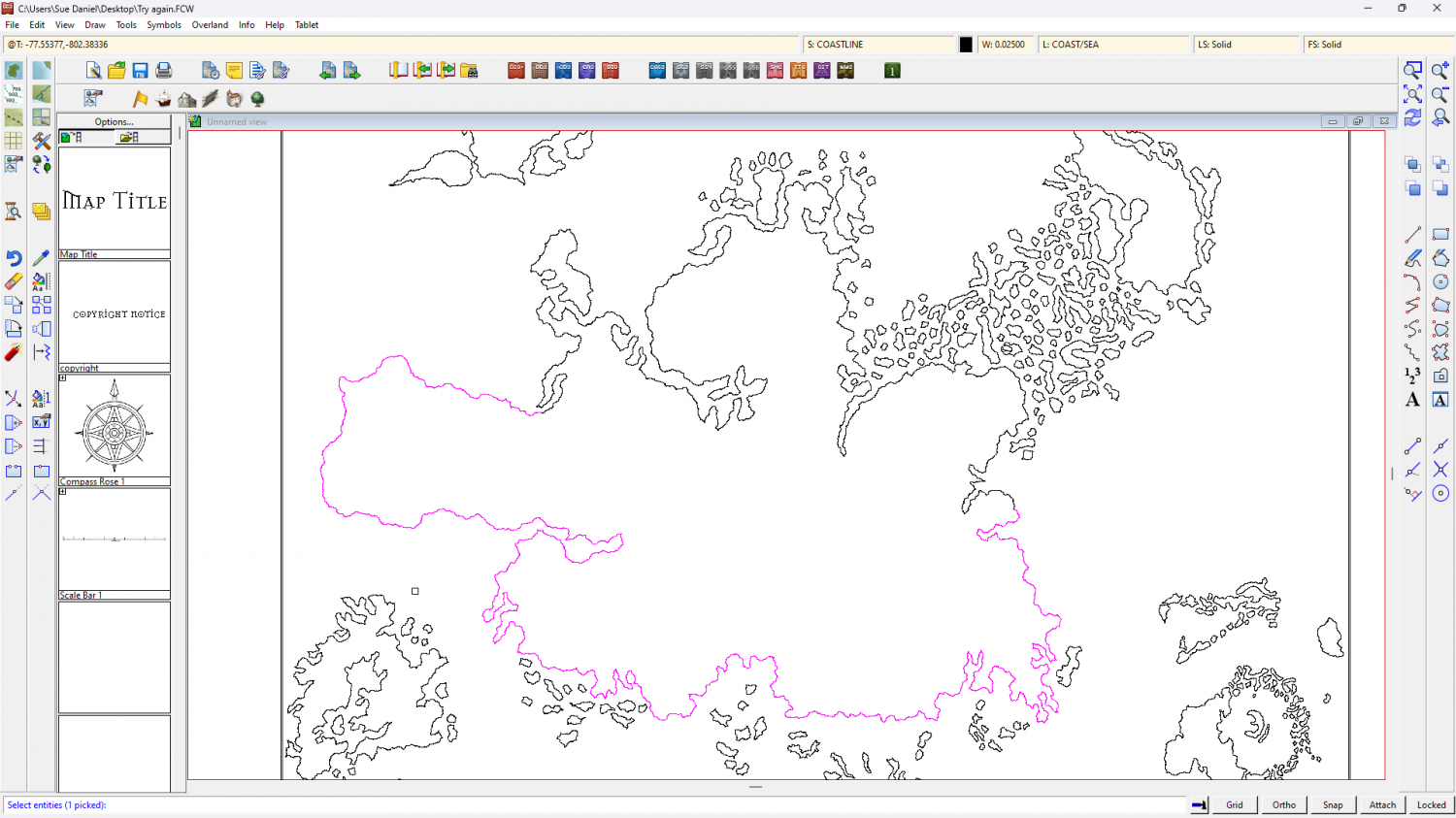
As Quenten has just pointed out there are a lot of nodes in this drawing, so I have used the Keyboard SIMPLIFY command to remove a significant number - from ALL the landmass entities.
Next I used the Change Properties tool on all of them to reduce the line width to zero and fill the landmasses with the land texture. This was to check that the operation had worked. If it had not, then the land mass would not have filled.
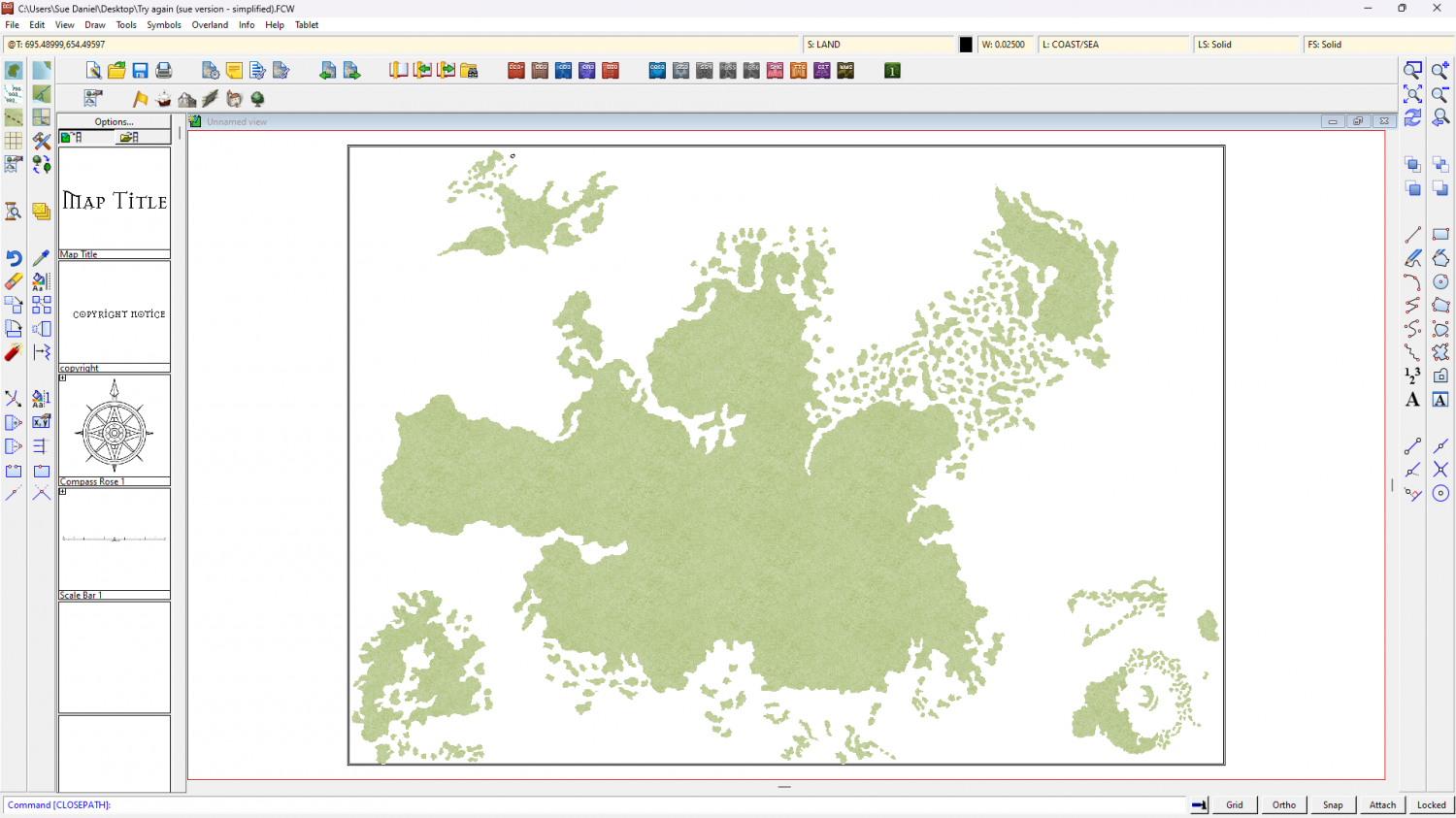
It seems a waste to just delete it, so here is my version of the file.
PS - If you wanted your land masses as outline you can change it back using the same Change Properties tool.

-
How to edit lake borders
In this style the outlines are entities in their own rights and separate to the land and lake polygons that contain the corresponding green and lighter blue textures.
Both outlines are on the same COASTLINE sheet, but the sheet order means that where the land polygon is below the coastline, the LAKES are above the coastline. So half the width of the line around the lake is obscured by the lake polygon.
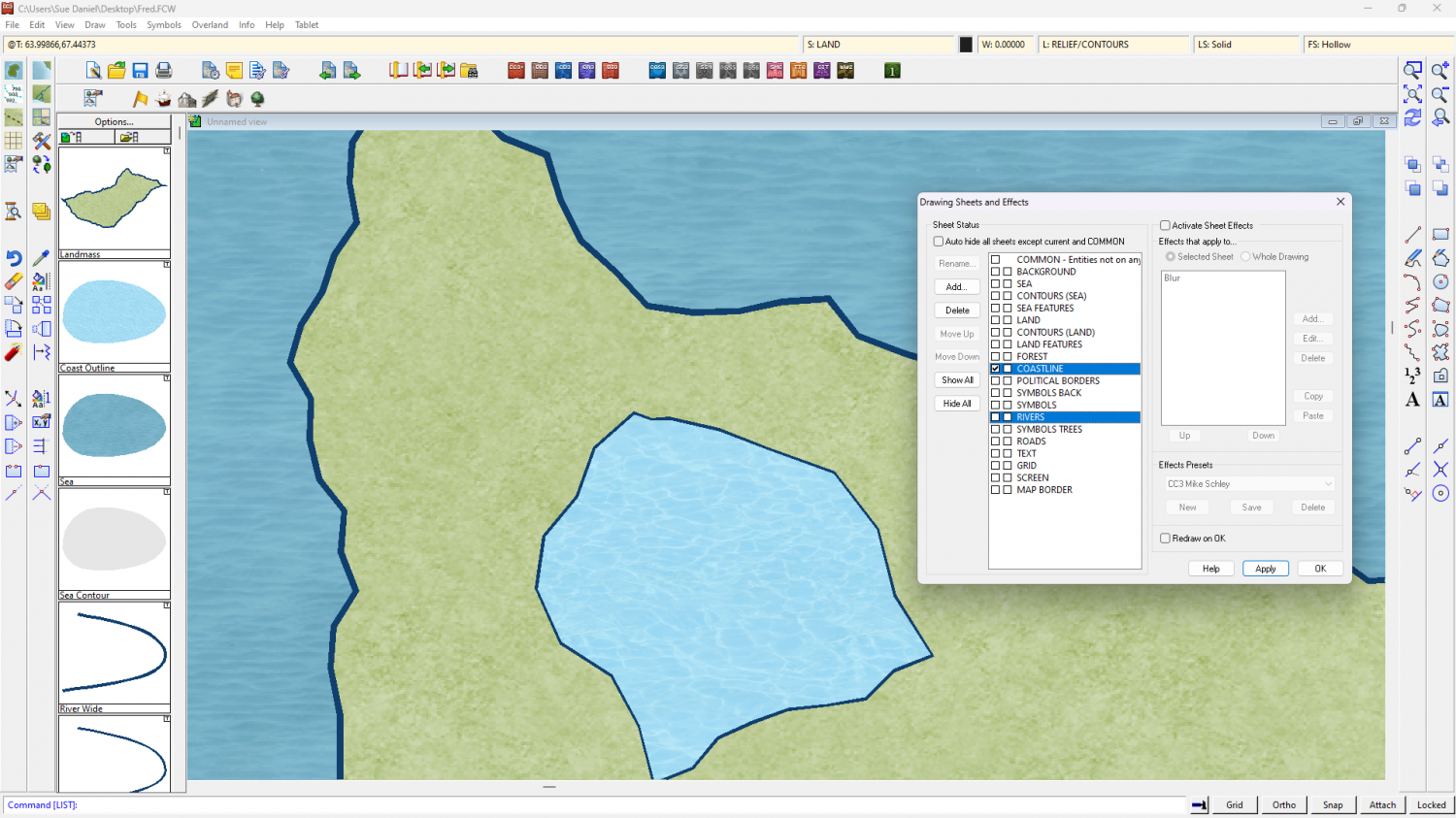
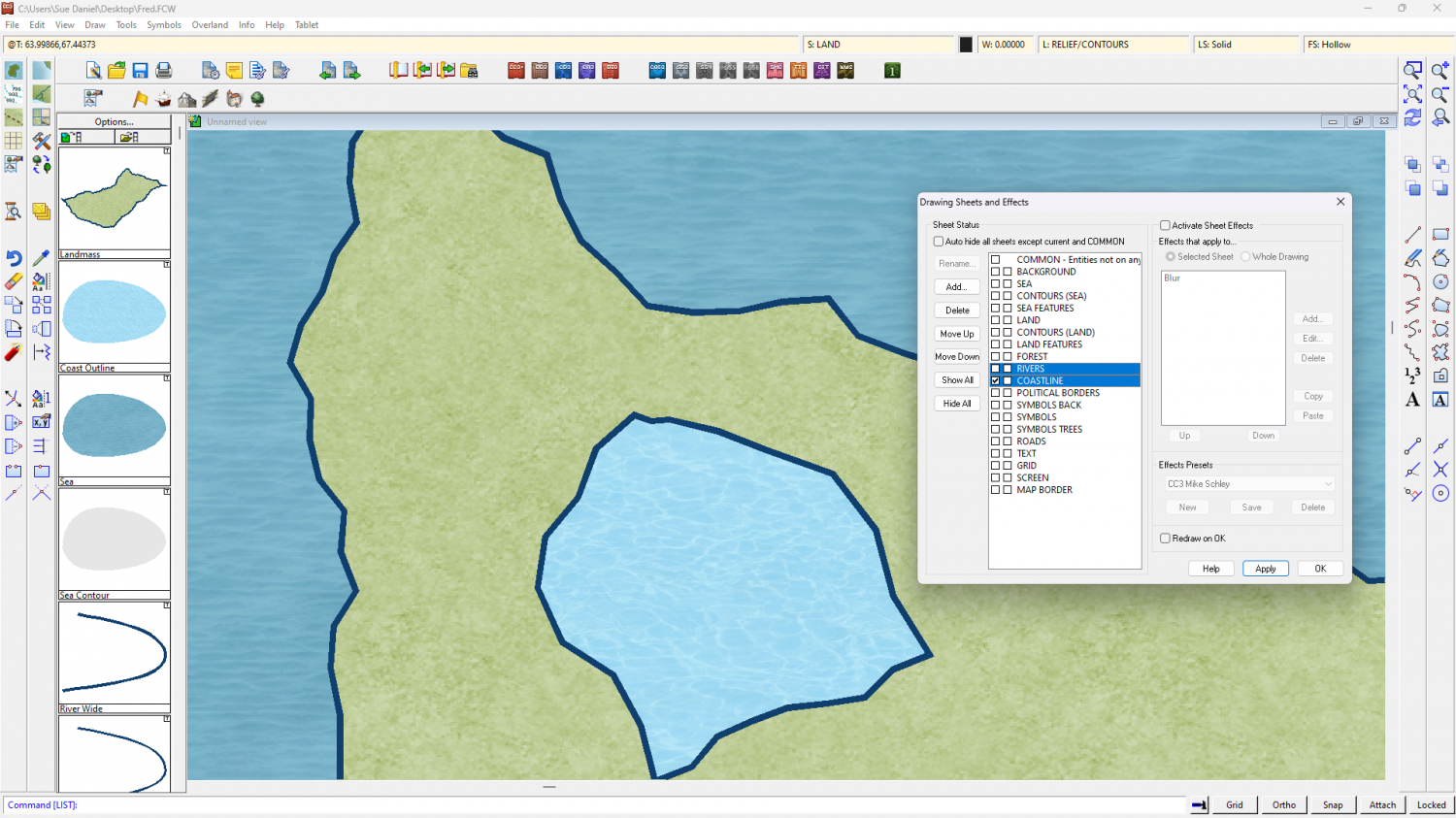
If you move the RIVERS sheet up to just above the COASTLINE sheet the coastline and the line around the lakes will appear to be the same width.


-
MY MUNDI IS READY!
If they are on a separate sheet you could hide everything else and then pretend to delete or move them, and select all of them. That will give you a count in the command line.

-
Quoting an Old Post in a New Discussion
You can copy the relevant text and paste it into your new thread, then click the syntax mark to the left of the pasted paragraphs and set the style to be a quote.
Like this
Don't forget to add credit to the person who wrote it.
...
Or you could just hyperlink to the comment:
Go to the comment you want to quote, right click the time stamp under the name of the person who made it and copy the link. You can then paste it into your new comment and hit return. Providing the quoted comment isn't a mile long it should appear in a box.


-
[WIP] Trying to design a barrel roof
A Blend Mode effect is similar to the blend modes used in PS or other bitmap apps to apply effects between their layers, only in this case it's between sheets. If you turn all the polygons mid-grey their shading will create a relatively smooth 'arch' without the fizzy appearance of any texture. You can then blend this to a nice simple rectangular polygon of a roof texture of your choice on an underlying sheet using a Blend Mode set to 100% opacity and Soft Light. Soft Light is a Blend Mode that will shade and highlight the underlying roof texture according to the shade and light of the roof arch.


