Loopysue
Loopysue
About
- Username
- Loopysue
- Joined
- Visits
- 10,354
- Last Active
- Roles
- Member, ProFantasy
- Points
- 10,108
- Birthday
- June 29, 1966
- Location
- Dorset, England, UK
- Real Name
- Sue Daniel (aka 'Mouse')
- Rank
- Cartographer
- Badges
- 27
Latest Images



-
an inverted bevel ???
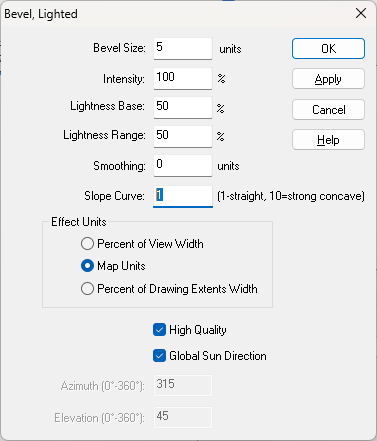
On the Bevel, Lighted it is possible to make the bevel concave by increasing the value of the Slope Curve.
With a bit of fiddling you can reverse the shading to show the effect of a hollow by unchecking the Global Sun Direction and setting the Azimuth to 180 degrees from the global sun settings.
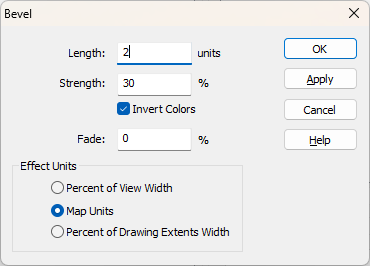
With the ordinary Bevel, you can't make the curve concave, but you can reverse the shading by checking the Invert Colors box. That would make the polygon appear to be sunken instead of raised.



-
Why are Bitmaps so HUGE
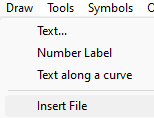
If you use Draw -> Insert file, you can import the bitmaps and decide at that point how big they will be by the placement of the corners with the cursor.
CC then asks you for the first corner, and then the second corner. If you have a snap grid turned on you can put them down at any exact size you want.
I don't know if there are any settings you can alter for the result of drag and drop.
-
Making outlines thicker?
Yes. But every last one of those several contours would have to go on it's own sheet.
At a rough count that would be 12 more sheets than current.
-
Scaling a forest tool
The easiest way is probably to pick a single tree symbol and scale it to the size you want all the trees to be (without actually pasting it). Then right click with the tree still on your crosshairs and note the scale you are at. Here, below the scale is 0.2.
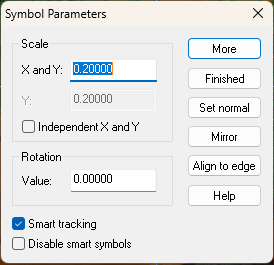
Then click Finished and go to the Drawing Properties button and set the scale in the Drawing Presets that it opens to be the same as the scale of the single tree.
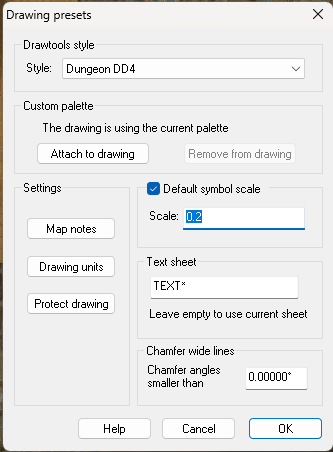
Then, delete the forest you've just drawn and redraw it. The new default symbol scale will cause the trees used by the tool to be rescaled to the size you want them to be.
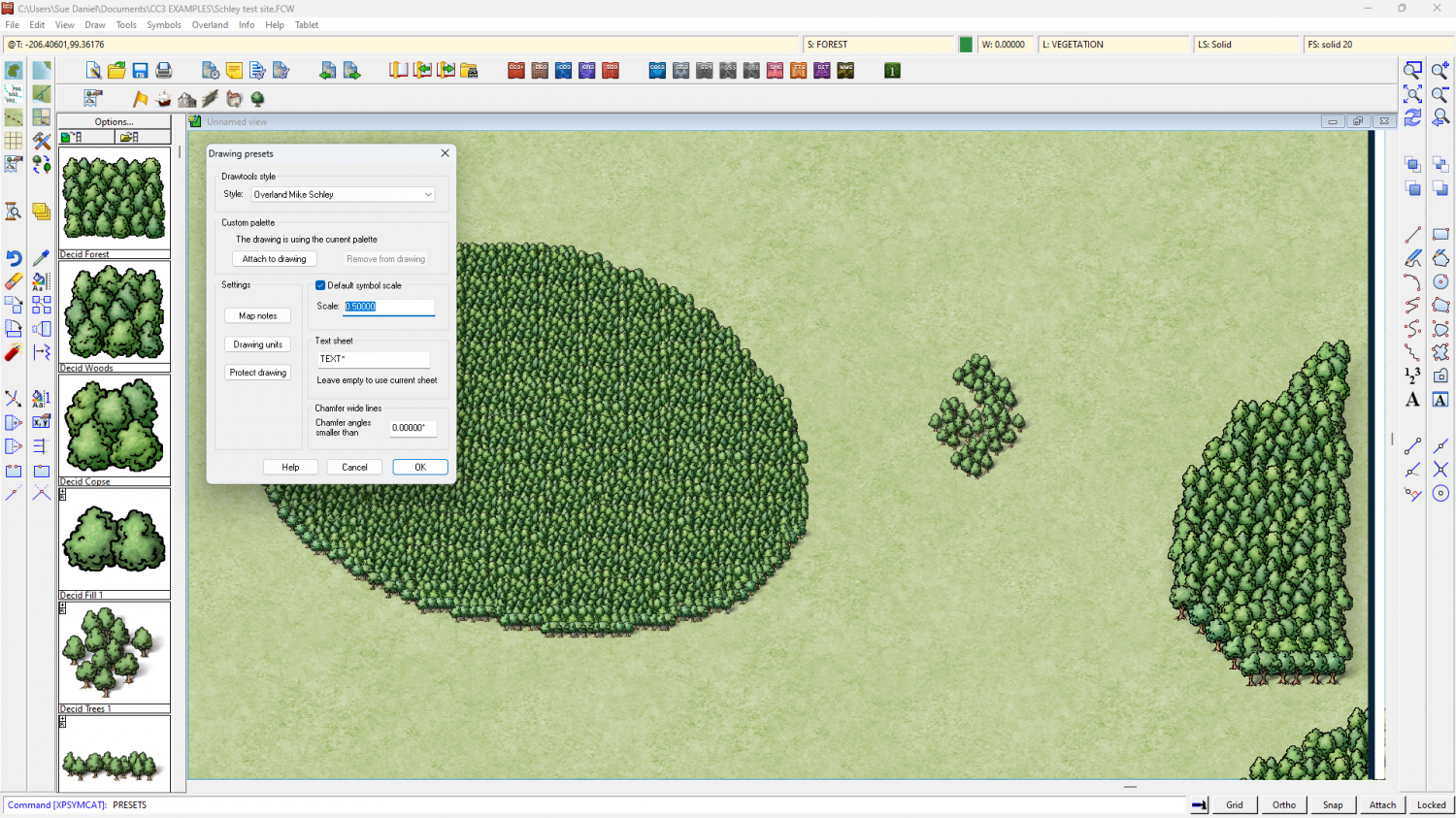
In this test map below I set the default symbol scale to be 0.5 instead of 1, then drew a new patch of forest on the left. The existing patches of forest on the right remain at the original default scale that was set when they were pasted (1). That is why you need to delete and redraw the existing forests that are the wrong scale.

-
Reinstalling - query re Symbol Set 3 modern & Cosmographer Pro
Since you already own the older versions it might be an idea to contact Profantasy and ask if there is any upgrade price. Since I wasn't around when they were upgraded I don't know if there were or were not.
Try the 'General Manager' on the Contacts page. That's Ralf. He will know if there was any reduced price upgrade and if it still applies.
EDIT: He might be a couple of days getting back to you, though, since he's currently at Gen Con.