


Loopysue
Loopysue
About
- Username
- Loopysue
- Joined
- Visits
- 10,413
- Last Active
- Roles
- Member, ProFantasy
- Points
- 10,161
- Birthday
- June 29, 1966
- Location
- Dorset, England, UK
- Real Name
- Sue Daniel (aka 'Mouse')
- Rank
- Cartographer
- Badges
- 27
Latest Images



-
Performance on Windows with a Graphics card.
Hi Jossy :)
Zoom and pan delays are normal for CC, particularly when you are using mouse pan and zoom. It's faster when you use the zoom controls in the top right corner:

Zoom to extents |CC2ZEXT|, then define a rectangle any size you wish for the part you want to fill the window |CC2ZWIN|.
If you are working on a large map you might occaisonally see a green window for a second or two. This is also quite normal. The display will recover without crashing. On seriously massive maps the green screen can appear for several seconds, but CC still won't crash if you let it do it's thing.
There are two main ways to increase the speed on such a map. Hit the Display Speed Settings button on the left |CC2RESMODE| and either pick Medium Automatic bitmap quality, or use a Fixed bitmap quality of High or Low. These modified settings only last the current session and I don't think they affect your export resolution settings.
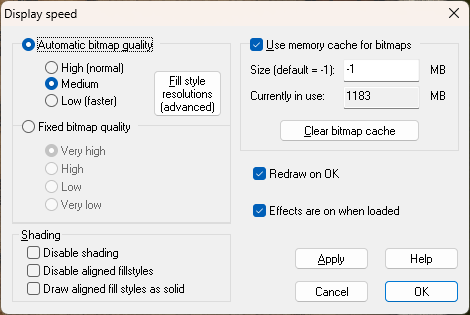
In really large city maps many of us put different districts on newly created layers (same sheet, different layer) so we can show or hide districts depending on what we are working on. Then it's generally only slow when it's time to export the map and you have to show all the layers.
I hope that helps a little.





-
Disappearing polygons in Pencil Sketch annual
The sea tools draw on the CONTOURS (SEA) sheet, and are therefore hidden by the land.
You can find the ones you've already drawn by hiding all the other sheets, so you can use the Change Properties tool on them to move them to the WATER/RIVERS sheet.
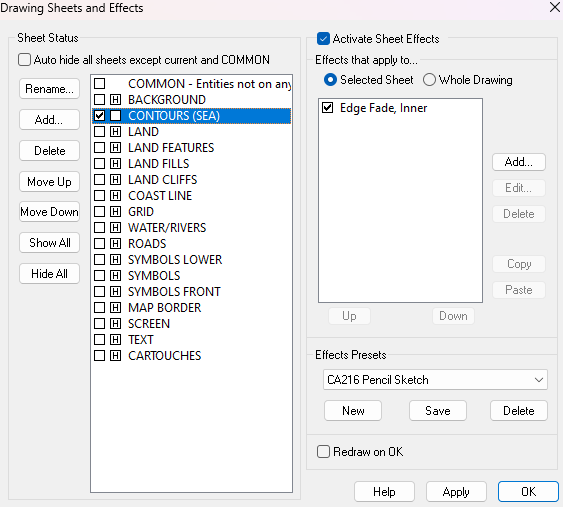
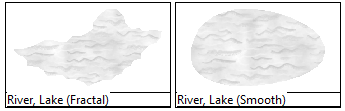
There are better tools to use to draw more rivers and lakes in the future. Try using one of these two.

-
[WIP] - Sakherma Ruins
Whichever fill you use for the dunes, I recommend making the bevel wide enough that the dunes have a ridge at the top instead of a bump. If you add an Edge Fade, Inner to the dunes as well, the bottom of the slope doesn't hit the ground so sharply. Adding an EFI also blends the fill of the dunes with the background a lot better.
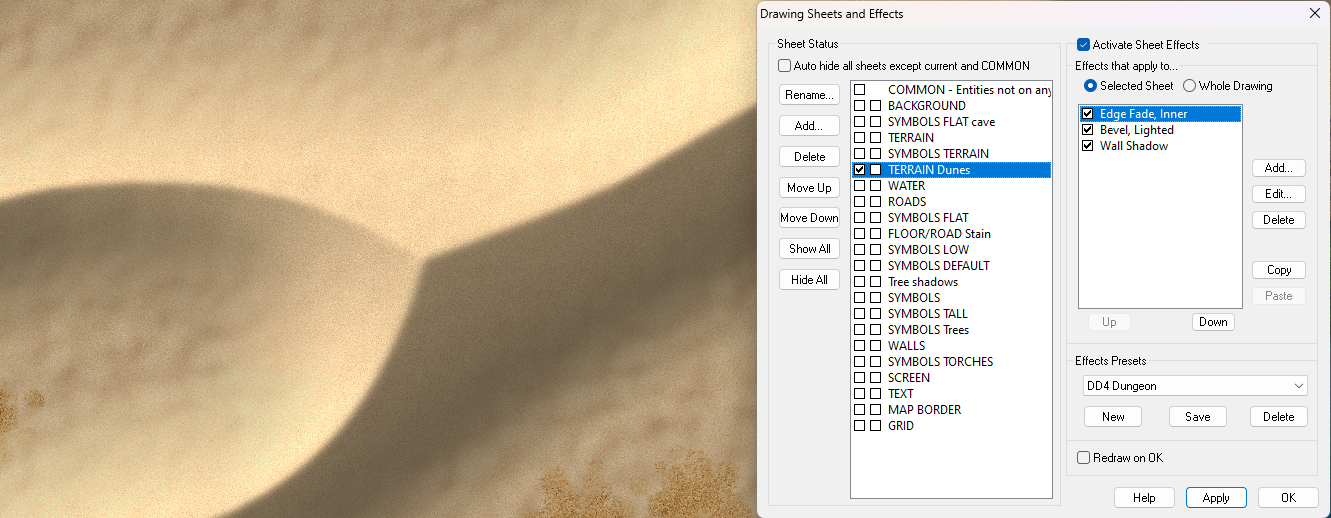
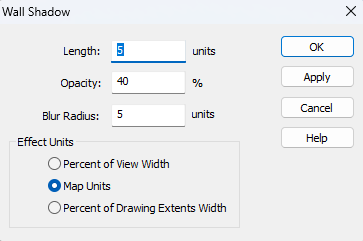
These are the sheet effects settings for the above example:
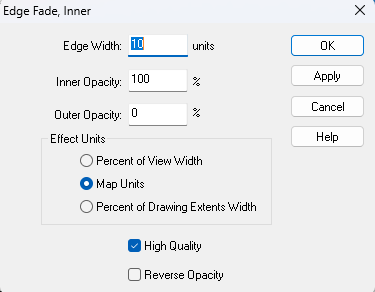
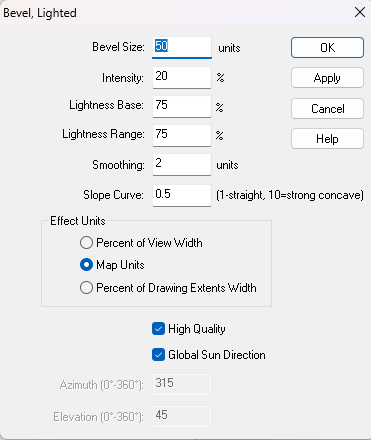
You may or may not want the shadow. That's up to you. But if you do want it I recommend using an ordinary "Wall Shadow" and not the usual directional one. It plays better with the other effects.



-
Deep sea problem
How about this?
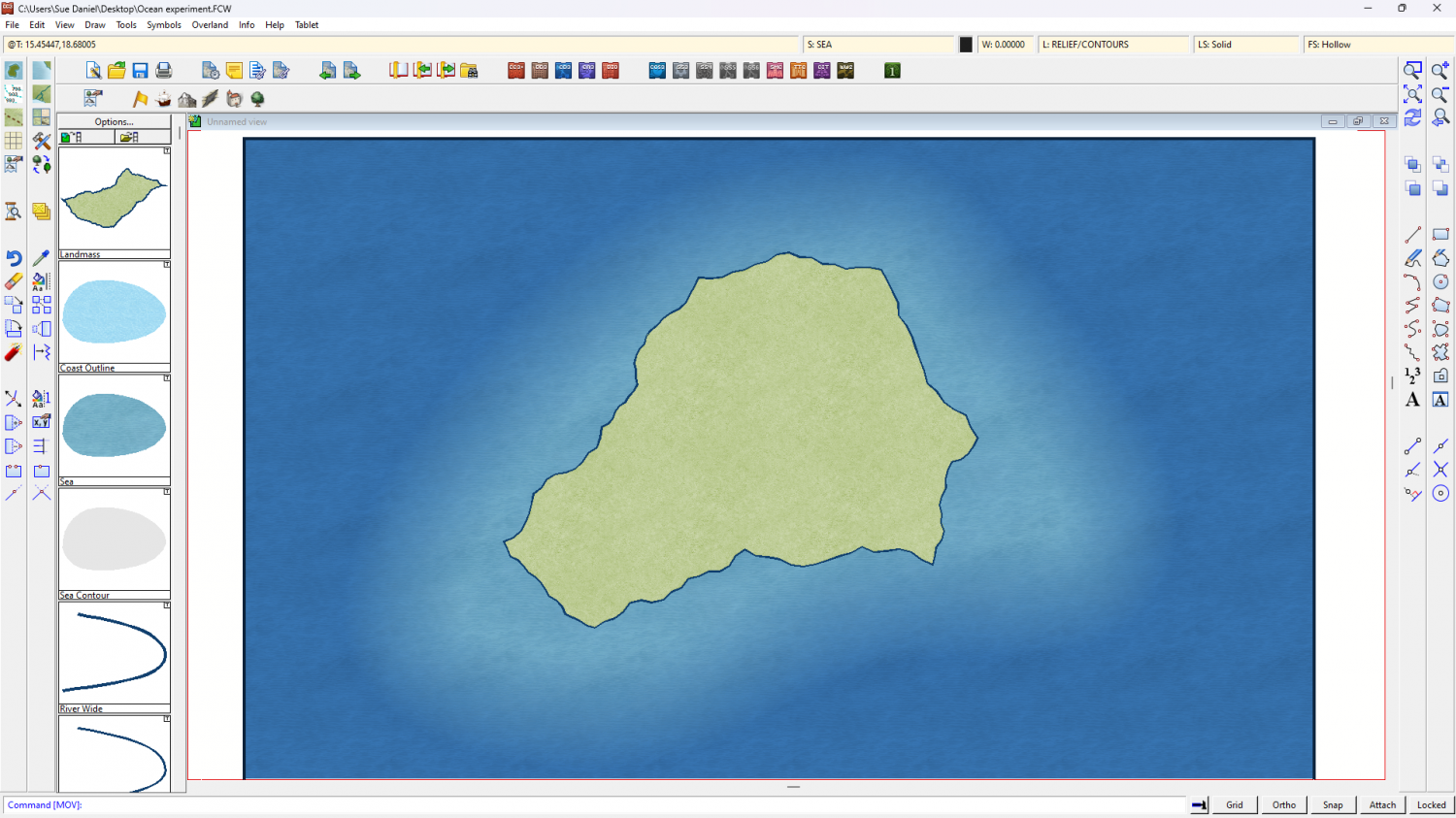
I added a Colorize to the background and then drew the shallow water under the land with the "Sea" drawing tool.

-
WIP Thyra
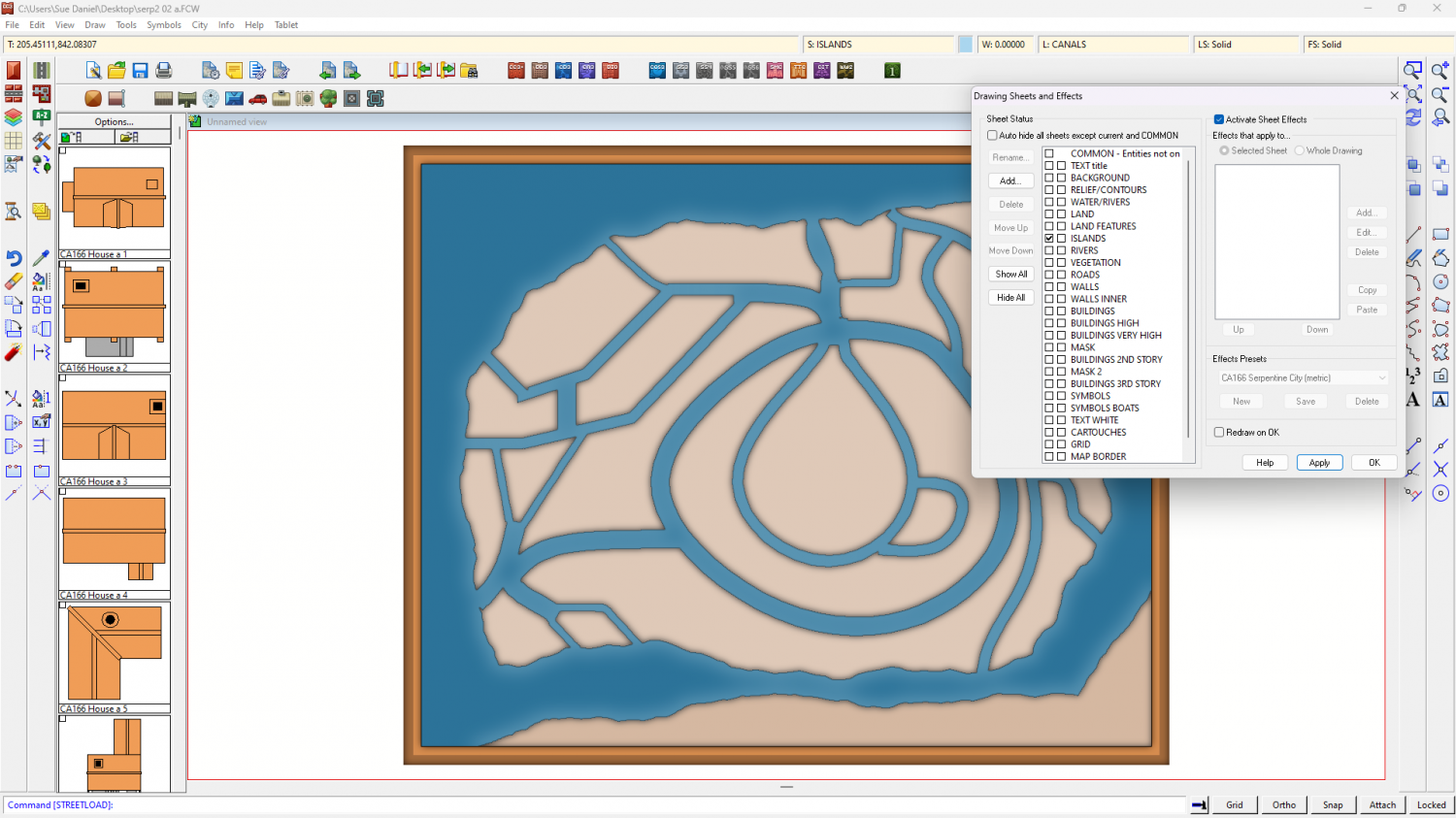
Yes, the original Color Key matches the canals you drew - in that blue colour.
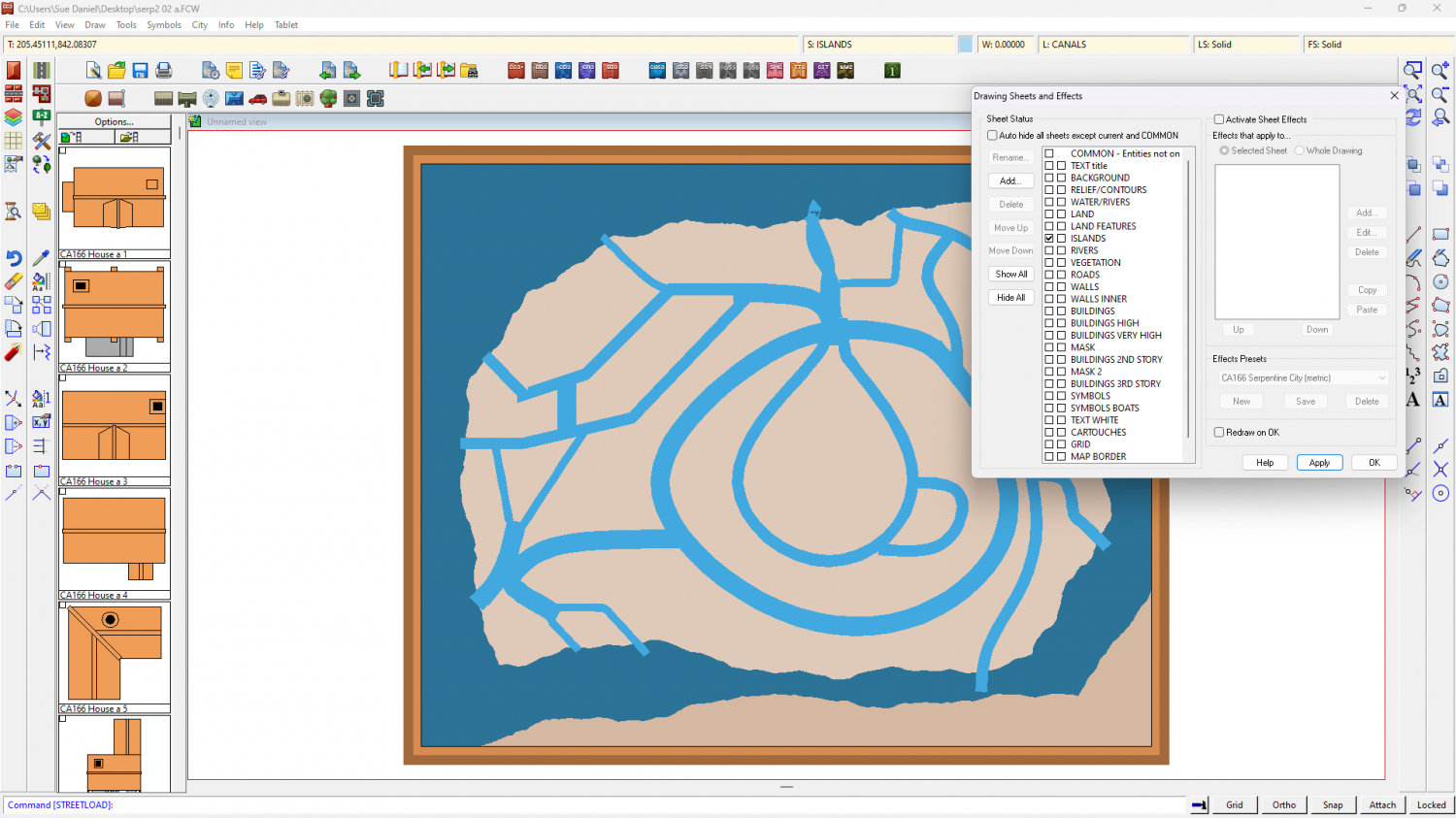
If you switch off the sheet effects you see them light blue, instead of the ocean. They are cutting (at least on my machine they are), but adding a magenta patch as you did in your screen shot above won't work until you add the second Color Key as Joe indicated.
No sheet effects.
Sheet effects.
Don't delete or alter that first Color Key, or these blue shapes will no longer work. Just add the new default one.

