


Loopysue
Loopysue
About
- Username
- Loopysue
- Joined
- Visits
- 10,354
- Last Active
- Roles
- Member, ProFantasy
- Points
- 10,103
- Birthday
- June 29, 1966
- Location
- Dorset, England, UK
- Real Name
- Sue Daniel (aka 'Mouse')
- Rank
- Cartographer
- Badges
- 27
Latest Images



-
Map Blanking Out When Moving From Last Entry
Hi Mike :)
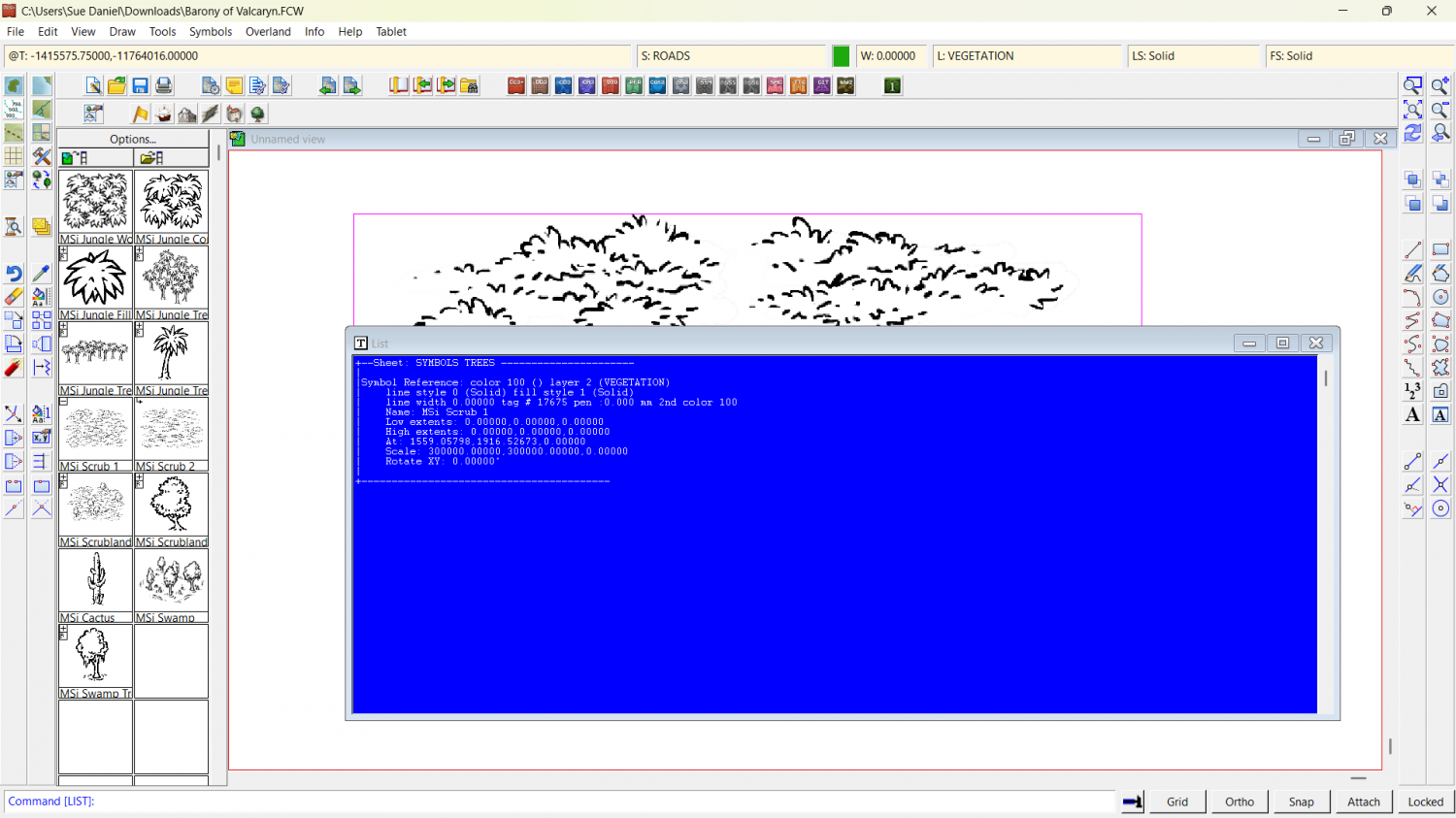
For some reason there is a humungously gigantic copy of that very same symbol pasted in the drawing that completely dwarfs the entire map to the relative size of a pinhead. What you see is the one symbol that is 300,000 x the default scale. I have deleted it in the attached copy of your map.
If it happens again, check what scale you are pasting symbols at (right click while you have a symbol on the crosshair), and hit the Set Normal button if necessary.
I discovered the size by using List in the Info menu on that one symbol.



-
How to Merge Roads CC3+ Pro
Hi :)
Roads drawn as lines can't be joined. Most of the time that's ok because the cobbles are small enough that you can't really see where the texture joins. In your example, however, the cobbles are quite huge and the misalignment in the texture between the two roads is easily visible.
Click the box in the Status Bar (along the top) where you can see FS:..., and pick the Bitmap Fills tab, and the Cobble Bitmap from the Fill Style Name: dropdown.
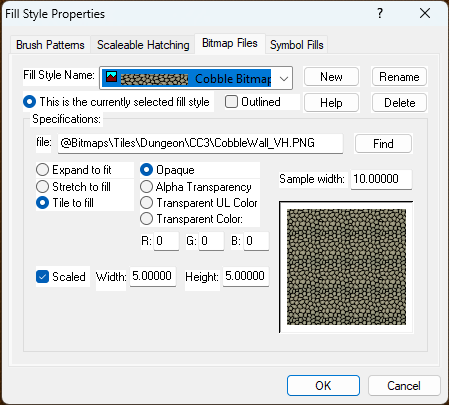
Check that the Scaled box is checked, and that you have a reasonable scale set in the Width and Height text boxes. You can set those numbers to anything you like, but remember that they represent metres in a metric map, and feet in an imperial map, and dictate the size of the area that one patch of that texture should cover.
...
If you want the cobble scale as large as you have it in your screen shot, and you really need the roads to match, you might have to draw the shape of them as a polygon with zero line width, instead of a line with a road width. That solution is ok in a dungeon map or a very tiny village map, but in a city map that would be unrealistically labour-costly.




-
Dungeon Designer 3... anyone made a big, DEEP dungeon?
I strongly recommend creating a map with as many levels as you need. Yes, it's multiple maps, but they are hyperlinked together so you can switch levels with a click.
You can set this up in the 5th dialog of the New Map Wizard:
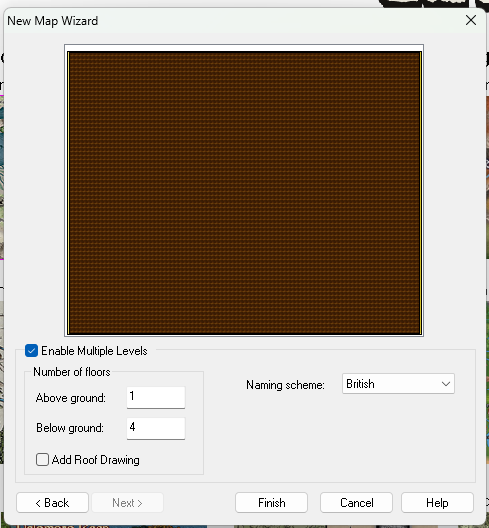
Check the "Enable Multile Levels" box and set your numbers. Make sure that you have the correct Naming scheme selected, as this will be reflected in the resulting maps. Then name and save your 'map' (which is actually a collection of maps) in an appropriately named subfolder of the folder where you keep all your maps. That makes it easier to move them all together - by moving the folder around.
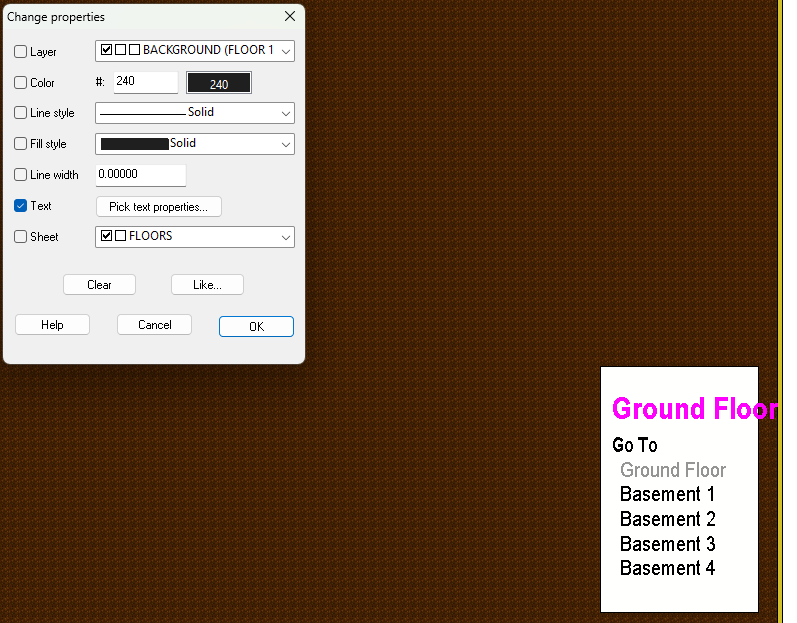
Here is the main map I just created in a new subfolder of my CC3 EXAMPLES folder, called "Multi level dungeon". The list in the box shows all the other levels - hyperlinked to this main map.
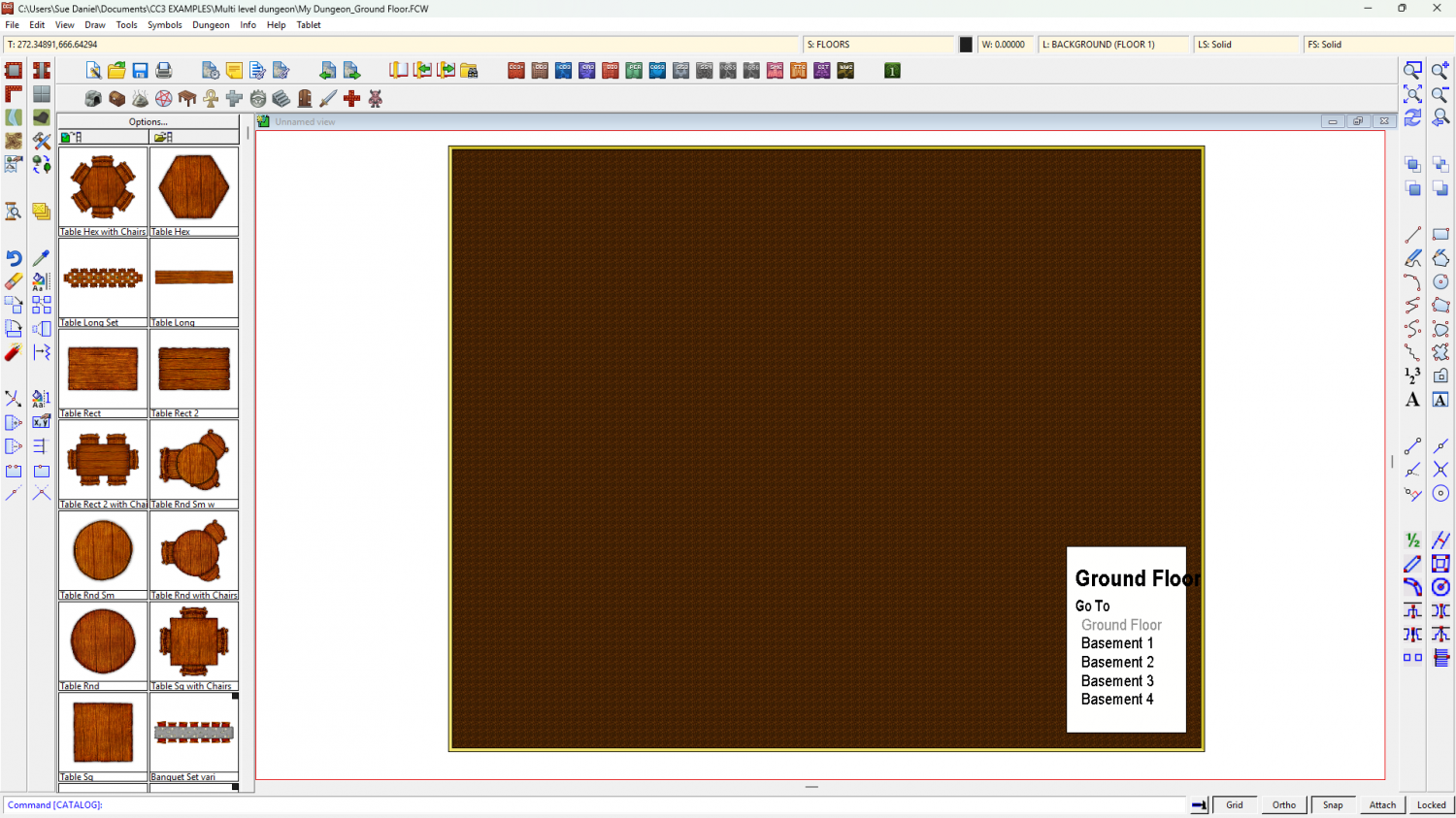
(Please ignore the font issues I seem to be having. I think some of the fonts are possibly missing from my PC).
You can change the font and size of the items on that list if you want using Change Properties, and then picking the Text - Pick text properties... option in the dialog.
-
New Map Maker, Hardware Question
Hi Joseph :)
Try it with a mouse first.
I've tried it both ways because I use Intuos Pro tablets for my work, but I never use it in CC3. Mouse is simply easier.
Having said that, I know of at least one mapper who uses it on a Windows OS screen tablet and seems to be quite happy with it.
-
A couple of questions about Bird's Eye terrain types
As I recall, rich grassland is darker and greener, and more what you would find in a fertile valley, whereas poor grassland is more like plains, impoverished areas, or dry places bordering deserts.
If you look at GoogleEarth view of the Himalayas you will see there is a dark greenish brown covering of the slopes between the peaks at the highest extent of the vegetation - before it all becomes bare earth and rock. I called it scorched alpine because it's alpine, but probably frost scorched at that altitude.
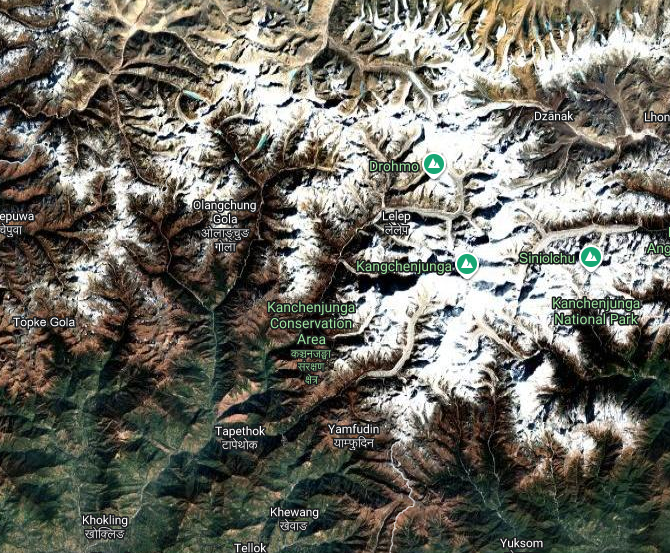
I also used a little artistic licence with all the colours.


