


Loopysue
Loopysue
About
- Username
- Loopysue
- Joined
- Visits
- 10,413
- Last Active
- Roles
- Member, ProFantasy
- Points
- 10,161
- Birthday
- June 29, 1966
- Location
- Dorset, England, UK
- Real Name
- Sue Daniel (aka 'Mouse')
- Rank
- Cartographer
- Badges
- 27
Latest Images



-
WIP - Cahokia symbol collection
There are all kinds of ways to do seamless texture editing. Many bitmap apps claim to be able to do it, but the results are highly variable. and depend very much on the size and detail of the initial image. A more or less evenly packed image of 50 or so daises scattered in a relatively large and even grassy patch, for instance might work a lot better than an image of a single object on a relatively plain background, which ends up looking like some kind of printed curtain pattern.
Krita (free) is an exception to the rule, and allows you to work on an infinite canvas where you draw your texture by hand and if you press the W key on your keyboard lets you draw (for example) a horizontal line that can roll off the right side and come back on the left side to meet itself. I used Krita to make most of the textures for the Ferraris Style in the February 2020 Cartographer's Annual issue here https://www.profantasy.com/annual/2020/2020-cartographers-annual.asp#February
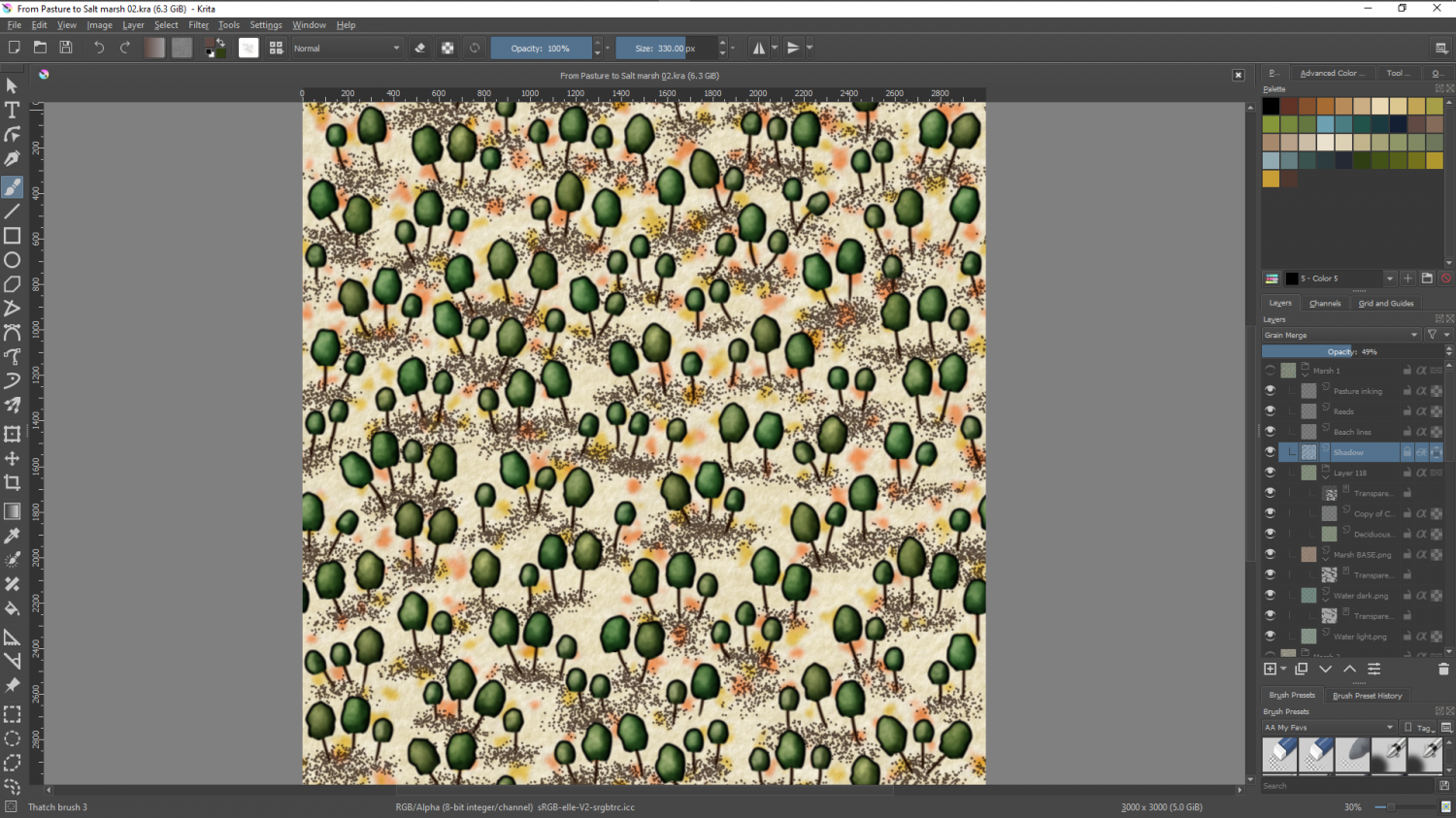
Press W, and you get the infinite canvas.

It is a very handy and completely free piece of software.
Bitmap apps work mostly with photographs or hand drawn patterns for the most part. There are also some relatively expensive bits of software you can get that will allow you to generate them the same way that land is generated in FT3, using fractals. Most of these use nodes and can be a bit tricky to get used to. The one I use is almost certainly on its way out as abandonware. I can no longer access the image library that once existed and the forum is dead, though the app itself is still apparently for sale. I don't actually recommend you buy this one at all, but I can use a screen shot of it to show you what I mean about building a texture with fractal nodes. In this snapshot you can see the nodes on the left and the result of their particular combination on the right.
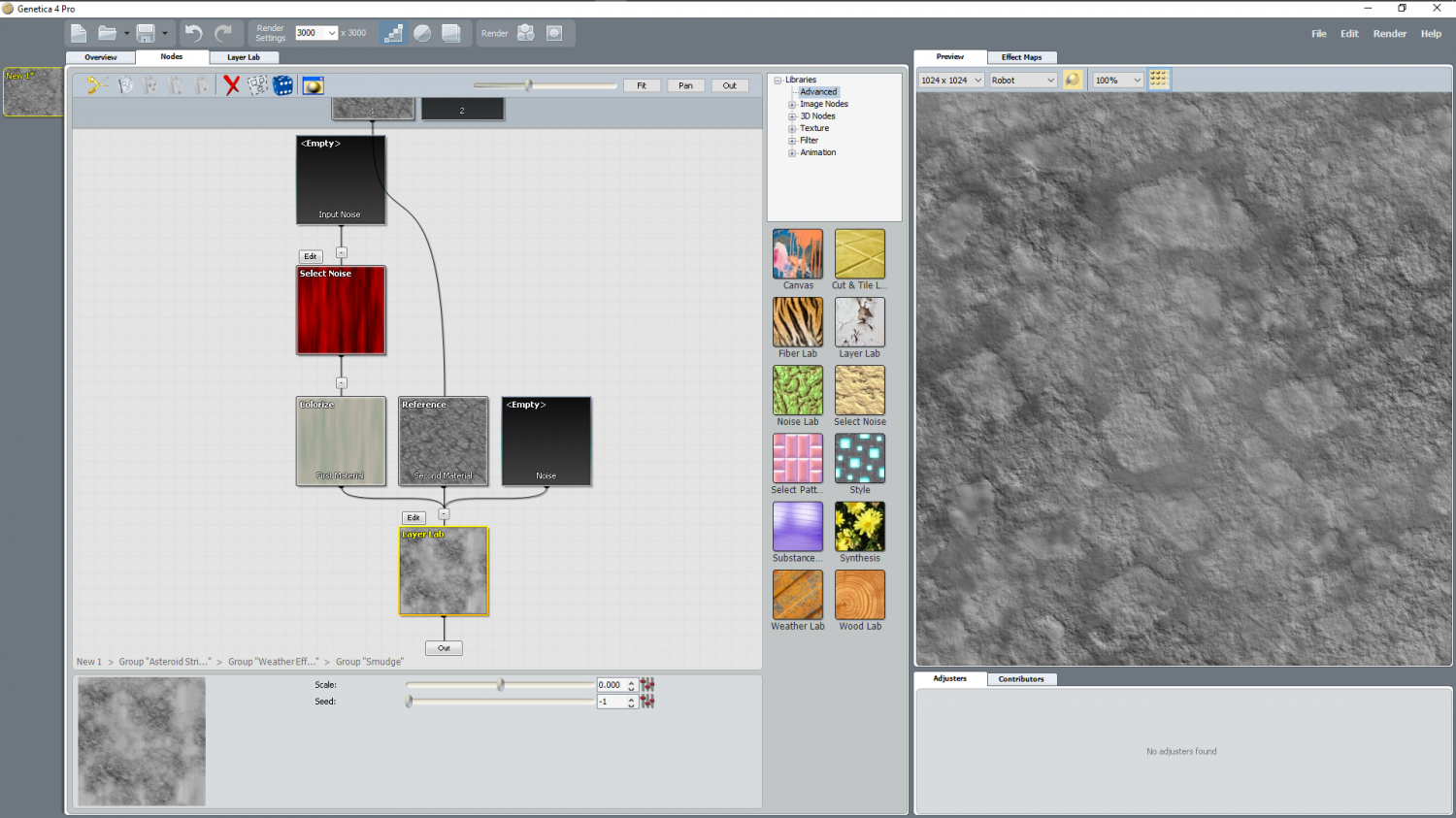
And that's about it. I think if I was just starting out all over again with seamless textures I might get hold of Krita first and have a play with it



-
Too early for a CC4 wishlist thread, or is it timely?
@DoubleDouble You can probably speed up final output by increasing the Maximum Pixels Per Pass. Use the EXPORTSETMPPP command and if you only get four million in the command prompt enter forty million instead and try exporting the same map again.
-
Help with editing a landmass
Hello pabadger :)
The simplest way to do this is to Use the Land drawing tool to draw a third landmass that traces both of the existing ones.
1. First, ensure that both those landmasses are made of straight polygons instead of smooth ones by right clicking the Fractalise button |CC2FRX|and picking smooth to straight. Use the tool to turn both landmasses straight. This may make it look slightly different if they happen to be smooth, but you can reverse the process using Straight to Smooth from the same right click menu on the new landmass when you are done tracing.
2. Pick the land drawing tool (preferably the straight one if there is a choice) and click once on any point of the land, then press letter T on your keyboard to enter tracing mode.
3. Pick the coast not far away from where you started, and then start the trace with a second click between where you started the line and where you indicated the trace operation.
4. Drag the trace line to where the two landmasses join, making sure you don't trace any of that bit where it overlaps, and end the first trace by clicking there. Don't end the drawing. Just end the trace operation. Then press T again and start a second trace operation to trace all the way around the other landmass until you get back to the other side of the overlap.
5. Do a third trace to finish the job by completing the trace around the first landmass back to where you started. When you get there, that is the point where you need to end the third trace and then finish the drawing operation.
Once the single landmass has been drawn in that single 3 part tracing operation you can delete the 2 older parts, and turn the coastline back to smooth if you prefer it that way.


-
Ruining a perfectly good building!
I think the only way to do it is move the ladder onto a new sheet called something like SYMBOLS LADDER, and move it in the sheet stack so that it is behind the top and the front to right wall, then use the same effect on that wall where you want the ladder to be visible. Color Key will work on the polygon that is the wall.
Then you might have to put some kind of a background WALLS sheet in there underneath the whole lot to add a back wall behind the bit you cut out.
-
Trace not selecting entity
Enixine, if you are ending up with that situation it may be that you are clicking in the wrong place just after you hit T.
Hit T, then click somewhere in the middle of where you want to trace, then back up to start the trace where you wanted to start it and click your second click to start tracing.
Until you cross the point where you first clicked the section the trace will appear to be going in the wrong direction, but as soon as you cross over that point it will flip to the right direction.
EDIT: ninjad by Remy :)
