Dak
Dak
About
- Username
- Dak
- Joined
- Visits
- 752
- Last Active
- Roles
- Member
- Points
- 1,192
- Rank
- Surveyor
- Badges
- 7
Latest Images
Reactions
-
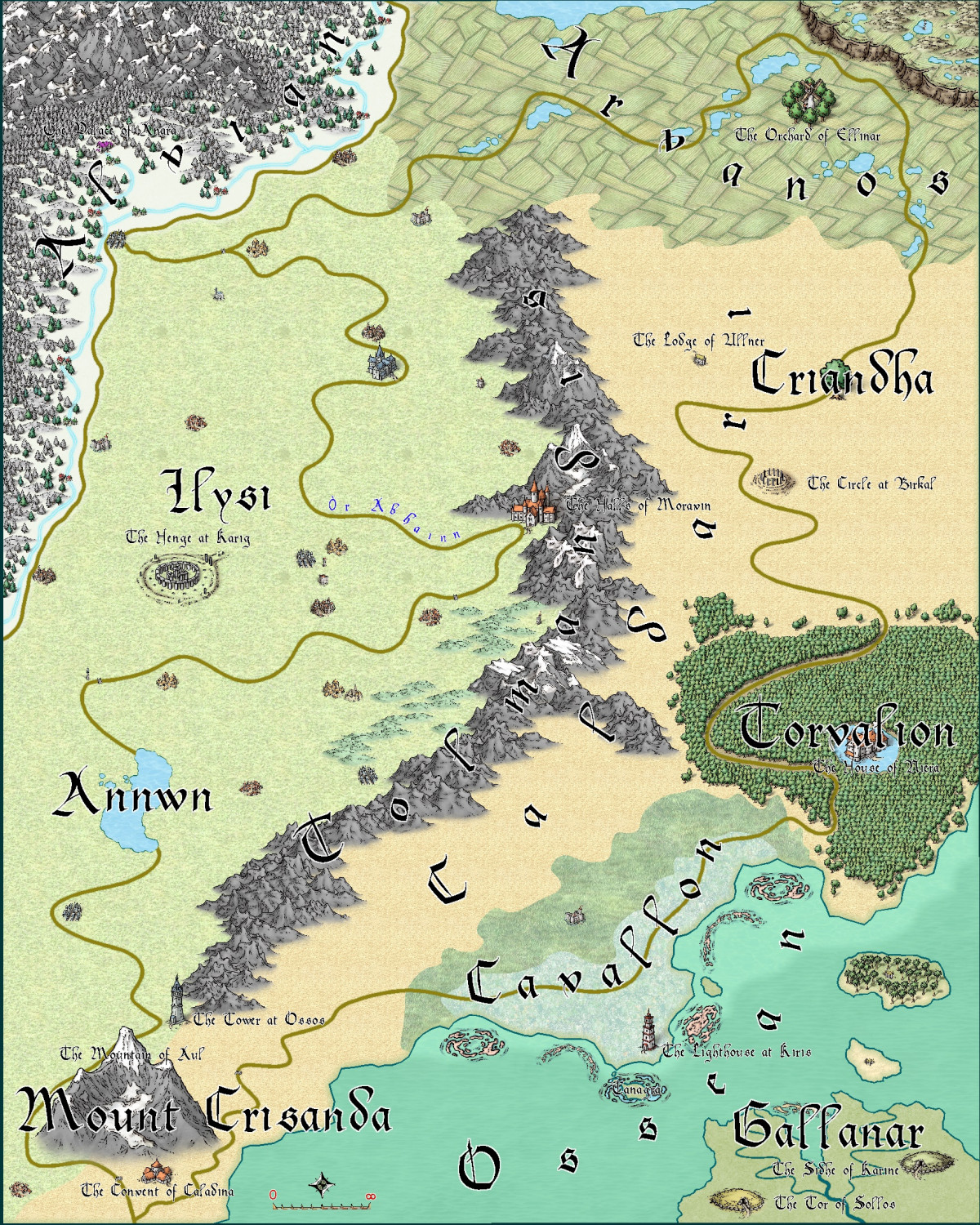
Arctic regions next to hot deserts, are you mad?
It's taken a while, but here is the 2nd map that kind of goes with the first map. These are the Heavens and the Hells for my campaign world. Or the way one of the religions interprets these things.
They are 2 parts of a triptych, inspired by Bosch.

![[Deleted User]](https://secure.gravatar.com/avatar/c75d9a245b74d9c59be0999ea81ca541/?default=https%3A%2F%2Fvanillicon.com%2F92add7f8c954488718110edc4896ad39_200.png&rating=g&size=200)






-
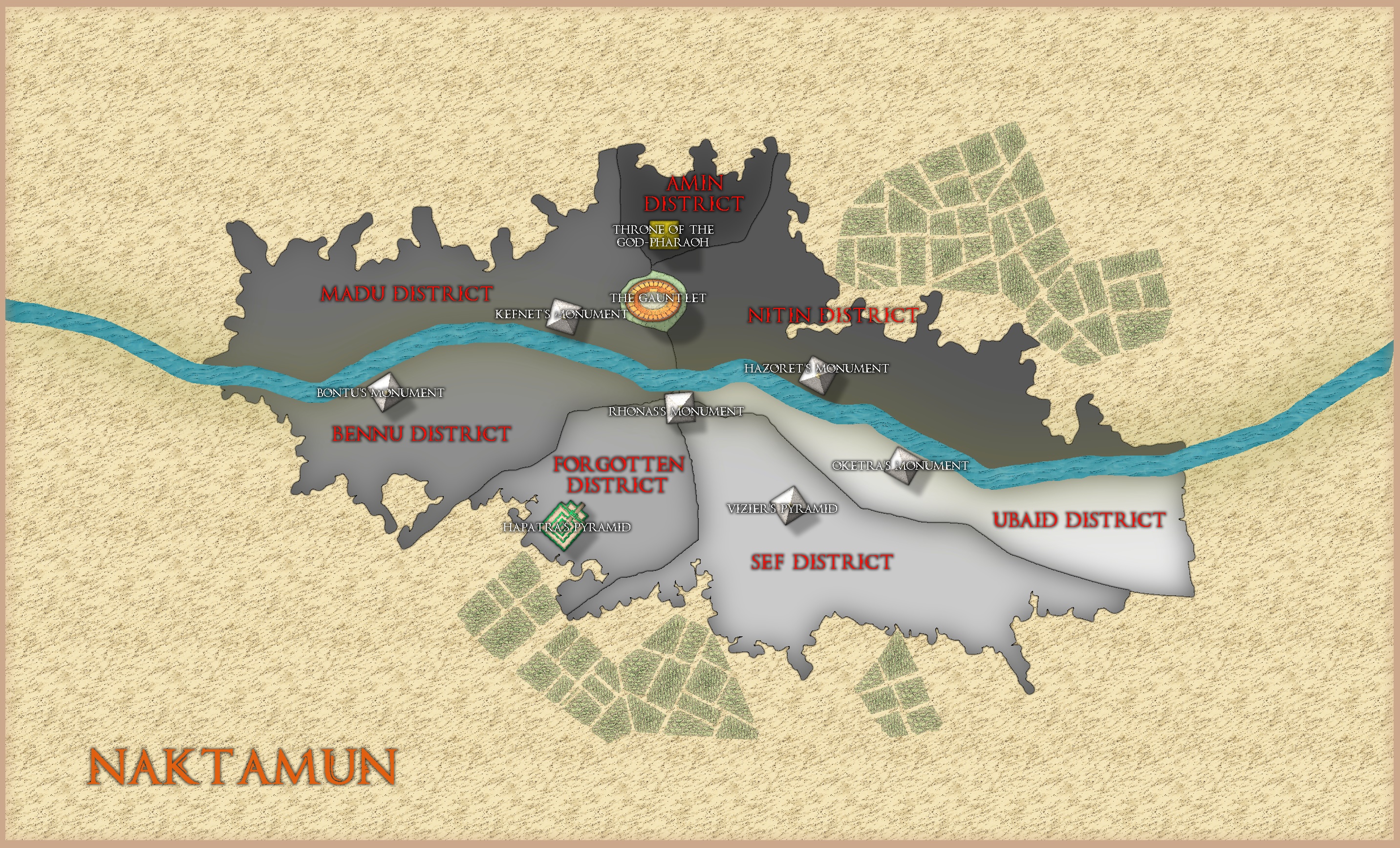
WIP - Naktamun District Map
In a previous post Monsen advised me against making a huge city map with regular building symbols and suggested I start with a district map with major features.
Here is what I've done so far.
I'm going to make the river smaller (and make it fit the map this time), but does anyone know a technique where I can make the different districts more 3D, and does anybody have any ideas for how I can show the Hekma (a water based magical barrier that protects the city from the desert). I'm using Mike Schley again for the map.
Any other ideas of how I can improve the map will be appreciated.
Dak.





-
The Permian
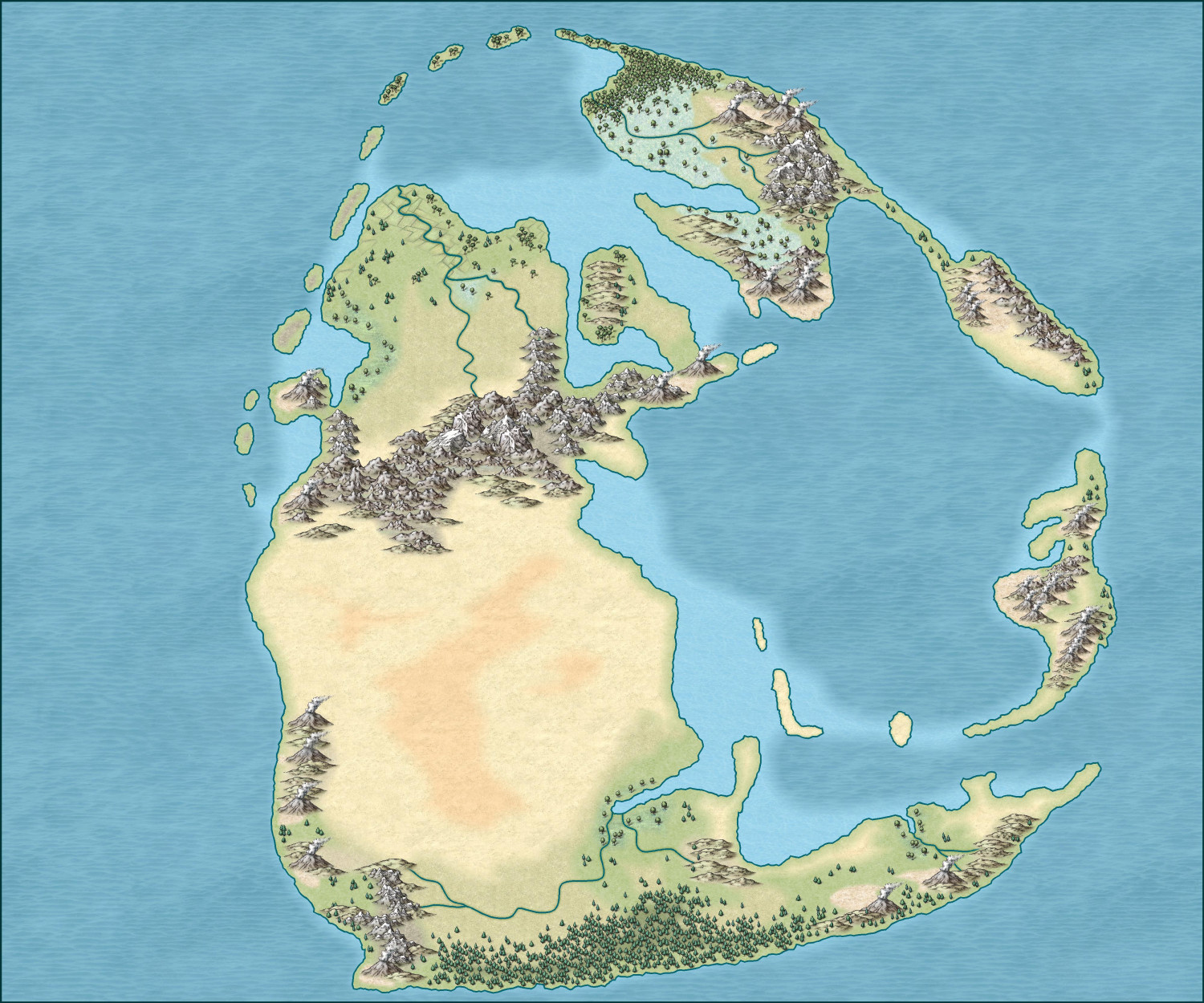
This is a fantastical version of the Late Permian (circa 250 million years BC).



-
Quo Vadis Monthly Symbols?
Steps for Mike Schley that are straight at both ends and don't go over a 5ft area.
Marsh terrain for dungeon maps
When new symbols are added can we have them the same size as existing symbols please. The recent snowy trees are great, they're just a little too big, bigger than a conifer symbol that already exists.
Autumnal trees and Spring trees.
More basic symbols for cities and towns etc, eg as opposed to having art of buildings on overland maps, have various circles or squares or icons to represent towns and capitals and ruins etc, more like an Ordnance Survey map.
A new tundra terrain, I really don't like the current one.
In the same vein as the dwarven/elven/orc symbols for towns and cities, hellish/angelic towns/cities.
More Oriental building styles (Arabian/Japanese) and African style city symbols.
For dungeons, more pillars and statues.
Carpeted floor terrain.
Marbled floor terrain.
Round stone steps.
Round Houses.
A darker natural stone terrain.
Sandstone terrain
Roof tiles/slates terrain





-
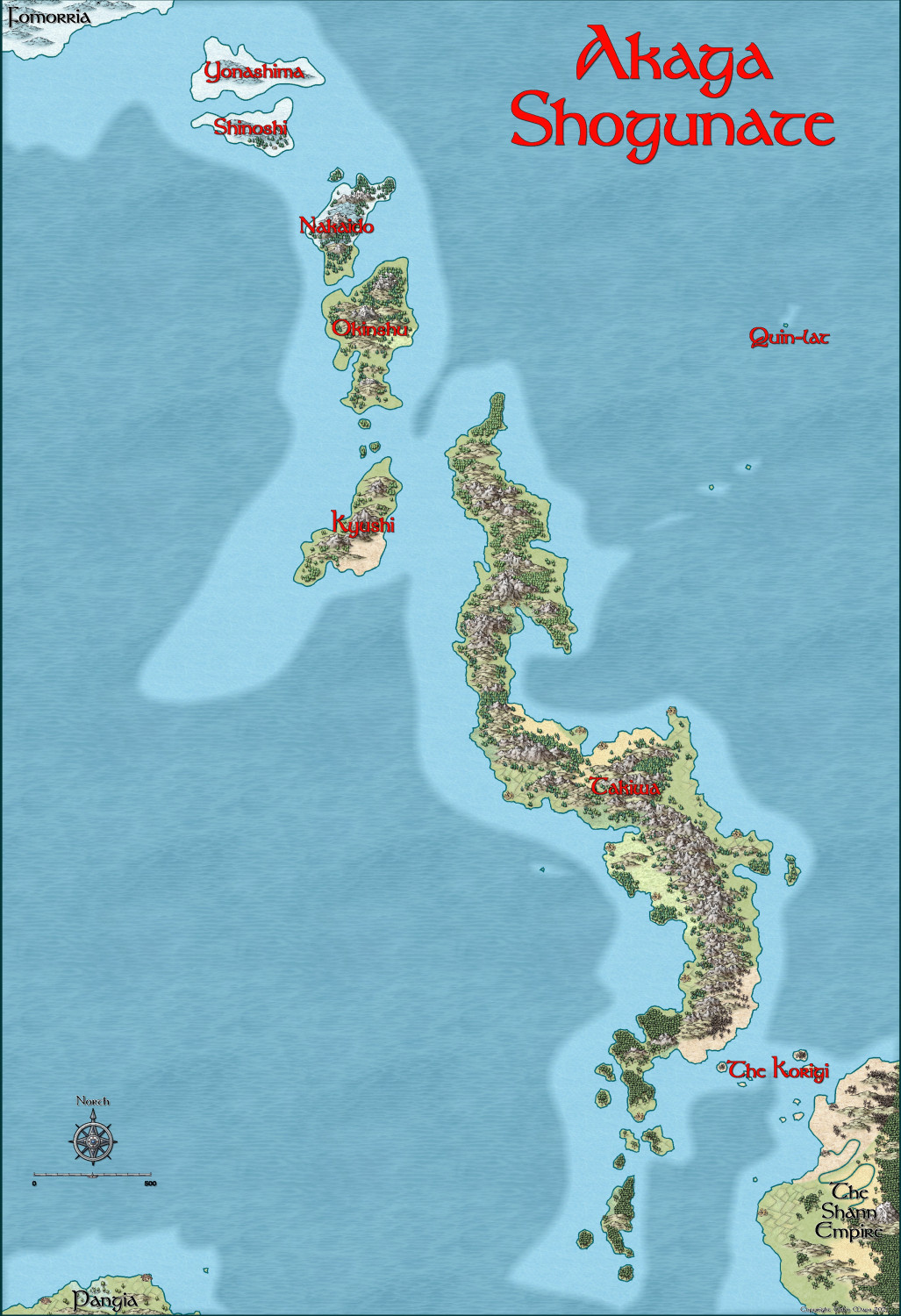
First continent sized map
Here is my attempt at a continent sized map. Once again, I've been dithering with this map for months. I've probably started it 5 or 6 times only to delete the work as I was not happy with it. The other day though I started again and liked the look so finally completed it.
It is my game world's version of feudal Japan. I have run adventures here, but have always wanted to run a full Dragonlance campaign using the 1st edition modules from the 80's in Takiwa and in the large continent below Takiwa, called Jian, which is based upon Asia.
Any comments of pointers for improvement would be very much appreciated.
-
The Battle of Borodino
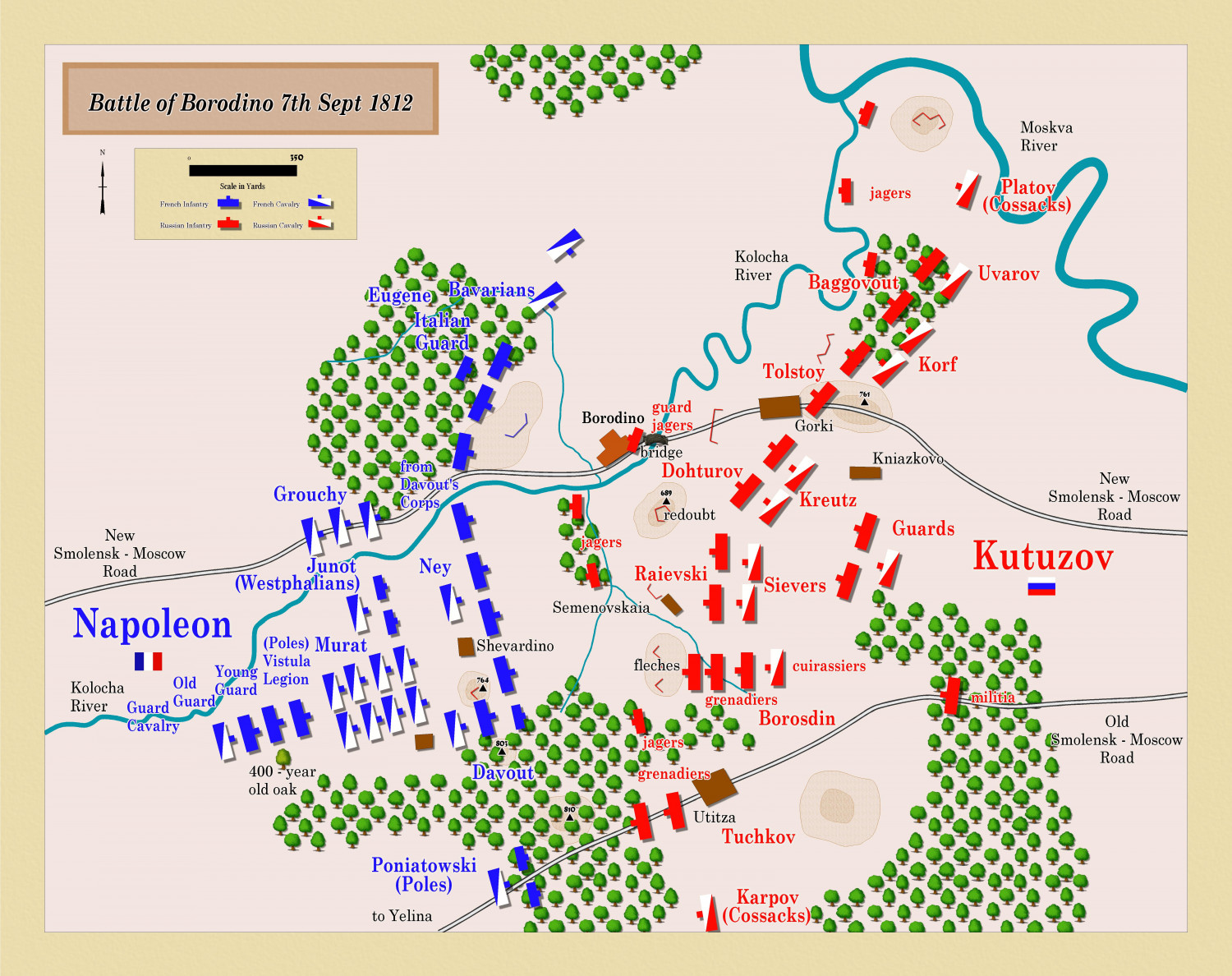
Hi Don,
I made additions. Not sure if I can find the info' or have the artistic skill to do unit crests, but I agree it would look amazing. It took me long enough to do the basic flags!



-
Oh No, Not Another Homlet!
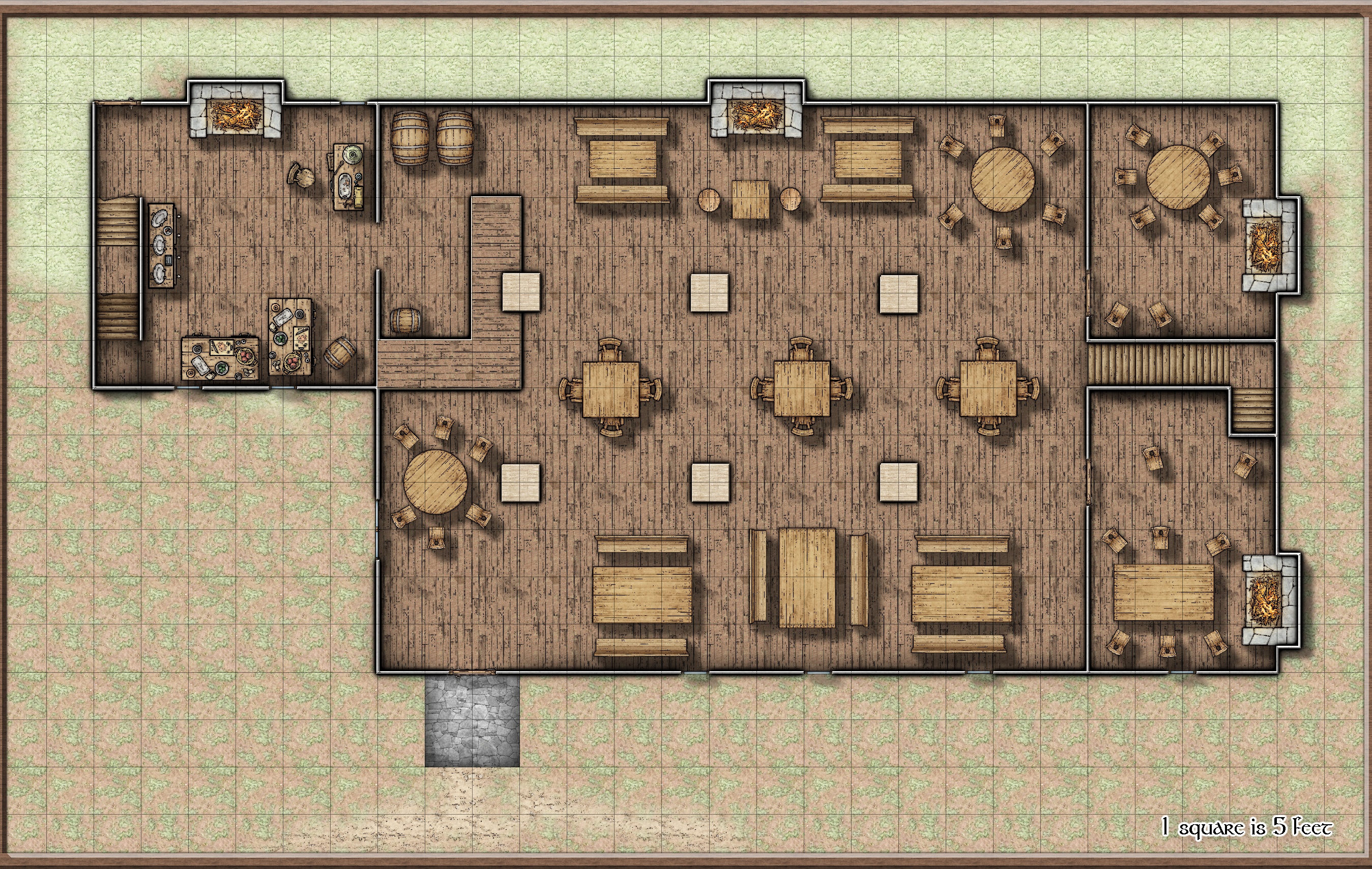
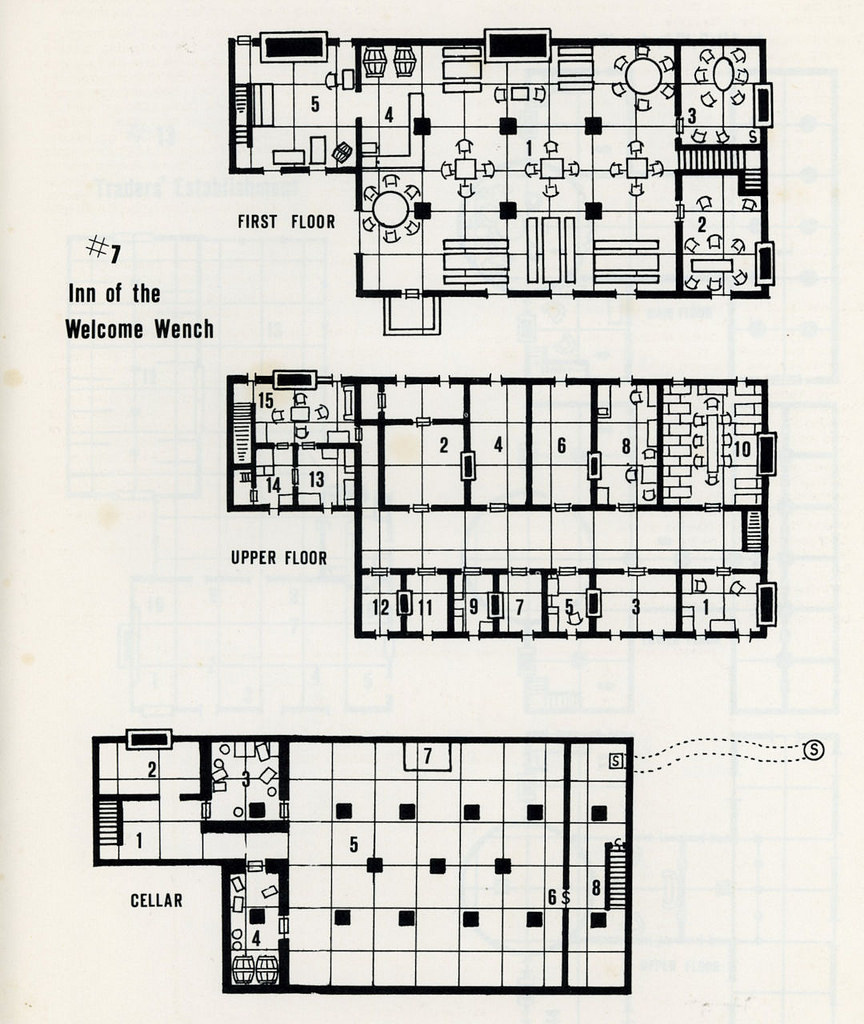
It's a coincidence but I have been working on these maps this weekend, and today I noticed that pkfrye had posted the same maps.
I thought I'd post mine as an example of how 2 people can interpret the same original map.
My maps are player maps so they don't show any secrets or text (beyond the scale), and I have just tried to copy the maps as presented, unlike pkfrye who has added detail and excellently decorated each room.
I also needed a tavern for a Ravnica game and this will do for that.
I have also posted the original maps for comparison.
Welcome then to the Welcome Wench, pull up a stool, have an ale, and listen to tales of the Temple of Elemental Evil.





-
Water Temple
I found an old map I made years ago. This one is so old I don't remember which campaign it was from. The only thing I remember from it is it was inspired by Black Adder 2 when Edmund says "Whereas if I don't admit that I'm in love with Satan and... and... all his... his little wizards, y-you will hold me upside down in a vat of warm marmalade."
So, the room with the pentacle in had a necromancer and 7 demon manes dancing around him in a circle.
I recently bought all the Annuals so have increased the styles available to me drastically. Here is that old map made with Sue's Marine Dungeon style, with some added symbols such as doors and the pentacle.
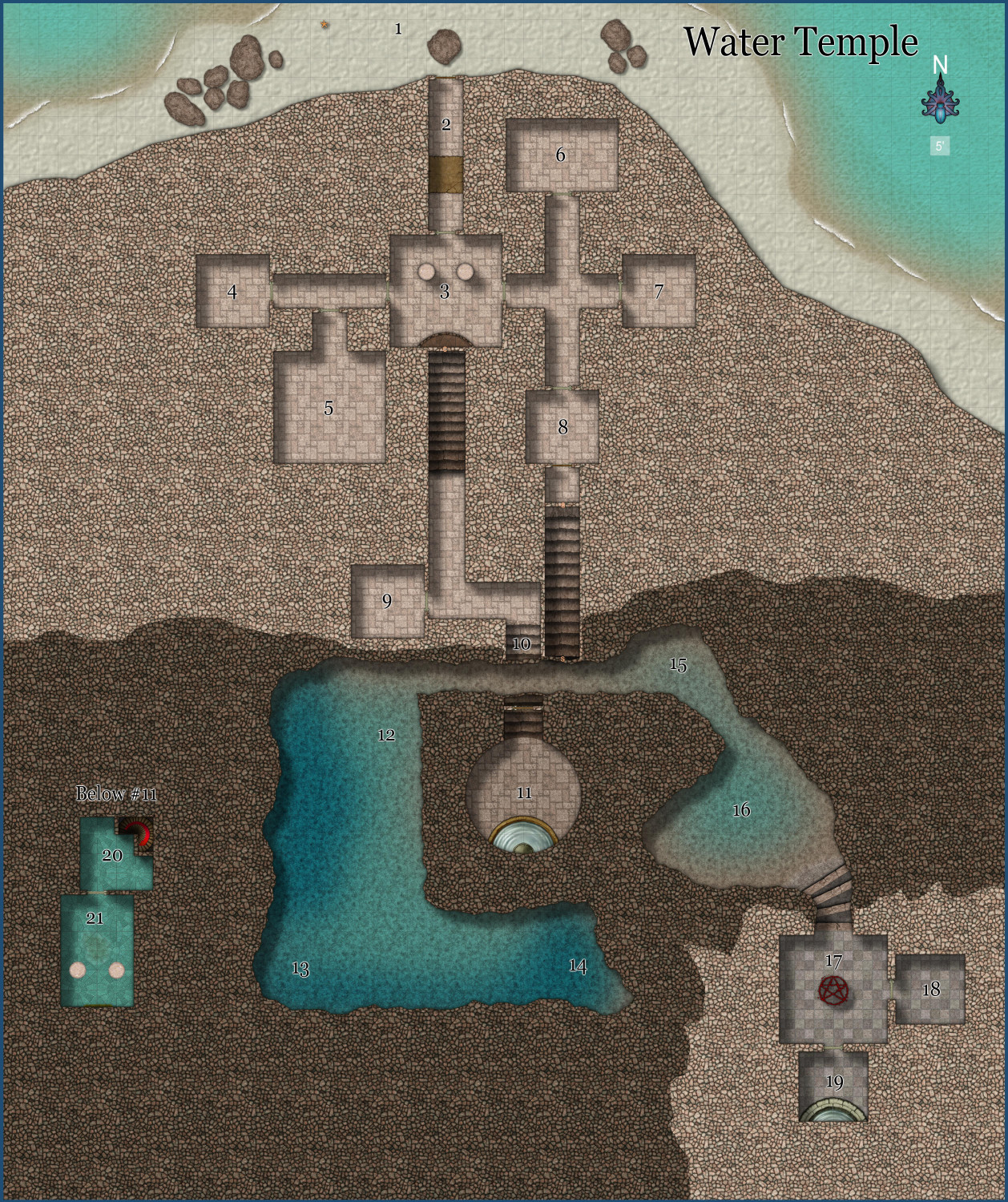
Here is the map for players in case anybody would like to use it in a game. It's 260 x 310 ft (52 by 62 squares in Roll20).
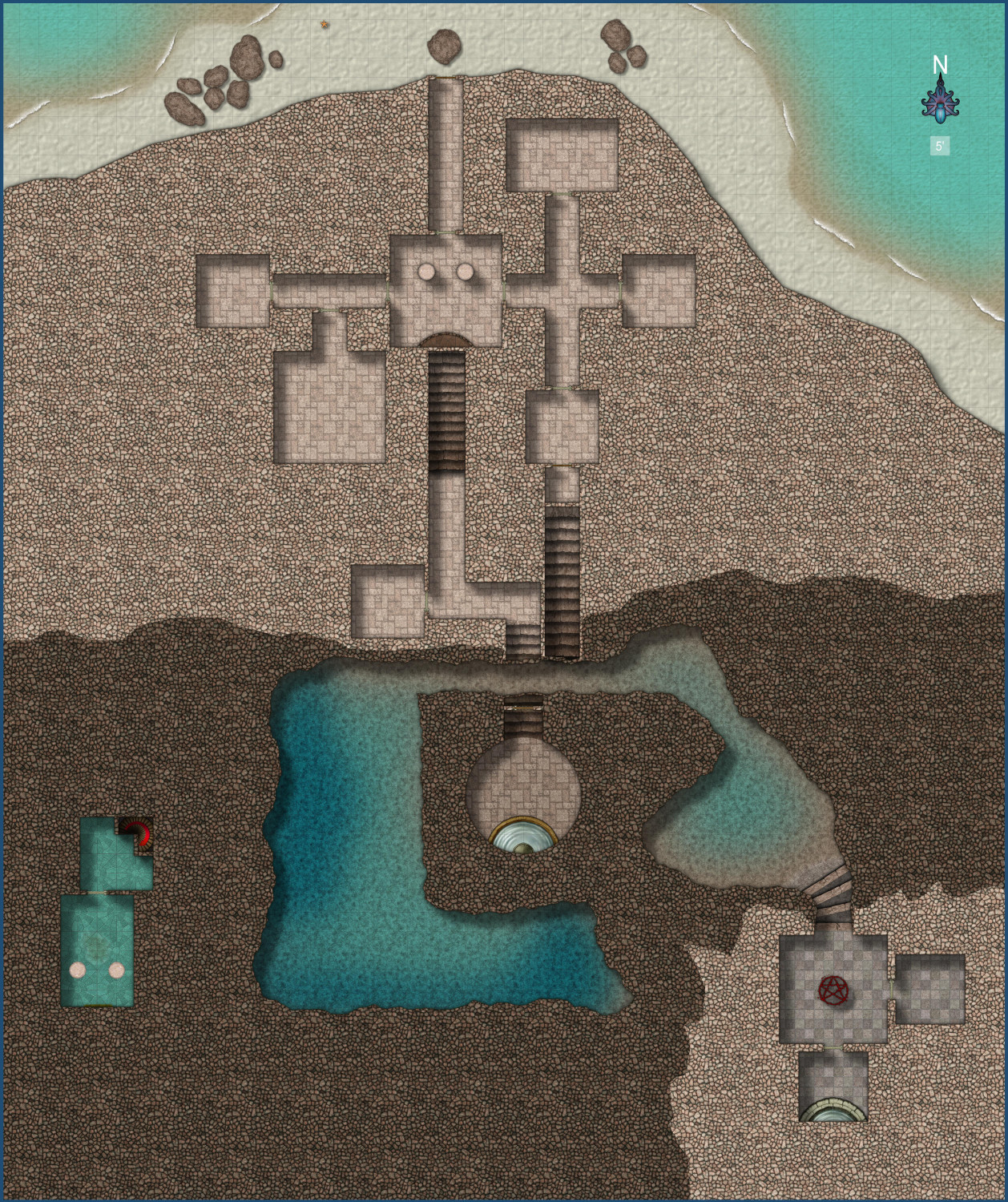


-
WIP: New Dungeon Commission
Hi Jim,
Your map is looking awesome.
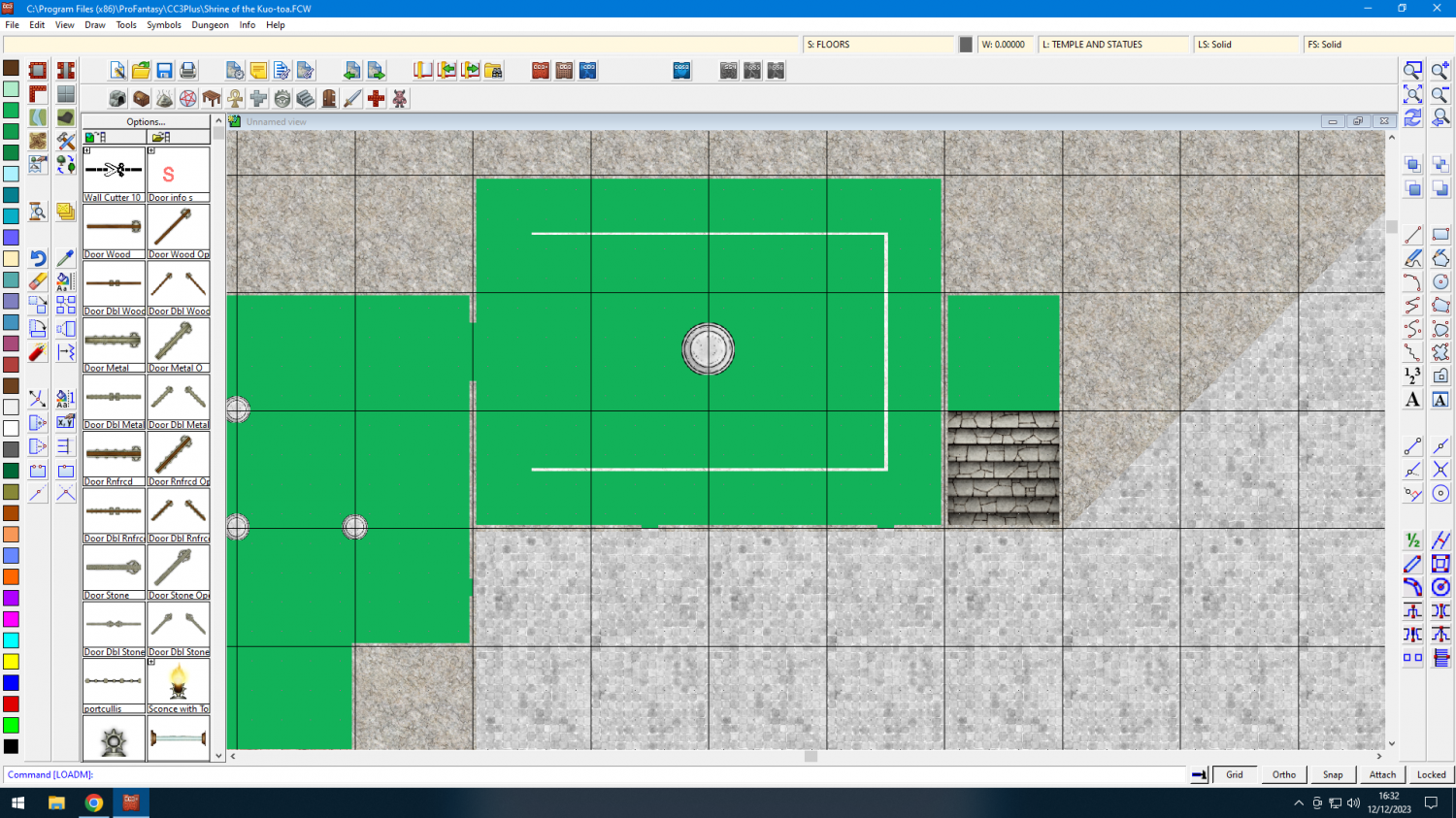
Sometimes I use the RGB matrix Jim, but more often I create a mask, and I do it like this:
Create a new sheet above the area to colour - usually above the floor sheet. Call it whatever you like.
Add sheet effect - Transparency - to the new sheet.
Draw a new floor/cave area on the new sheet that covers the area you want to colour, then use the change properties tool to change that new floor/cave to the colour you want.
Edit the Transparency effect to the Opacity you want.
Here's one I'm working on atm. It's the Shrine of the Kuo-toa, from the classic 1st ed module. This is without effects on.
This is with effects on.
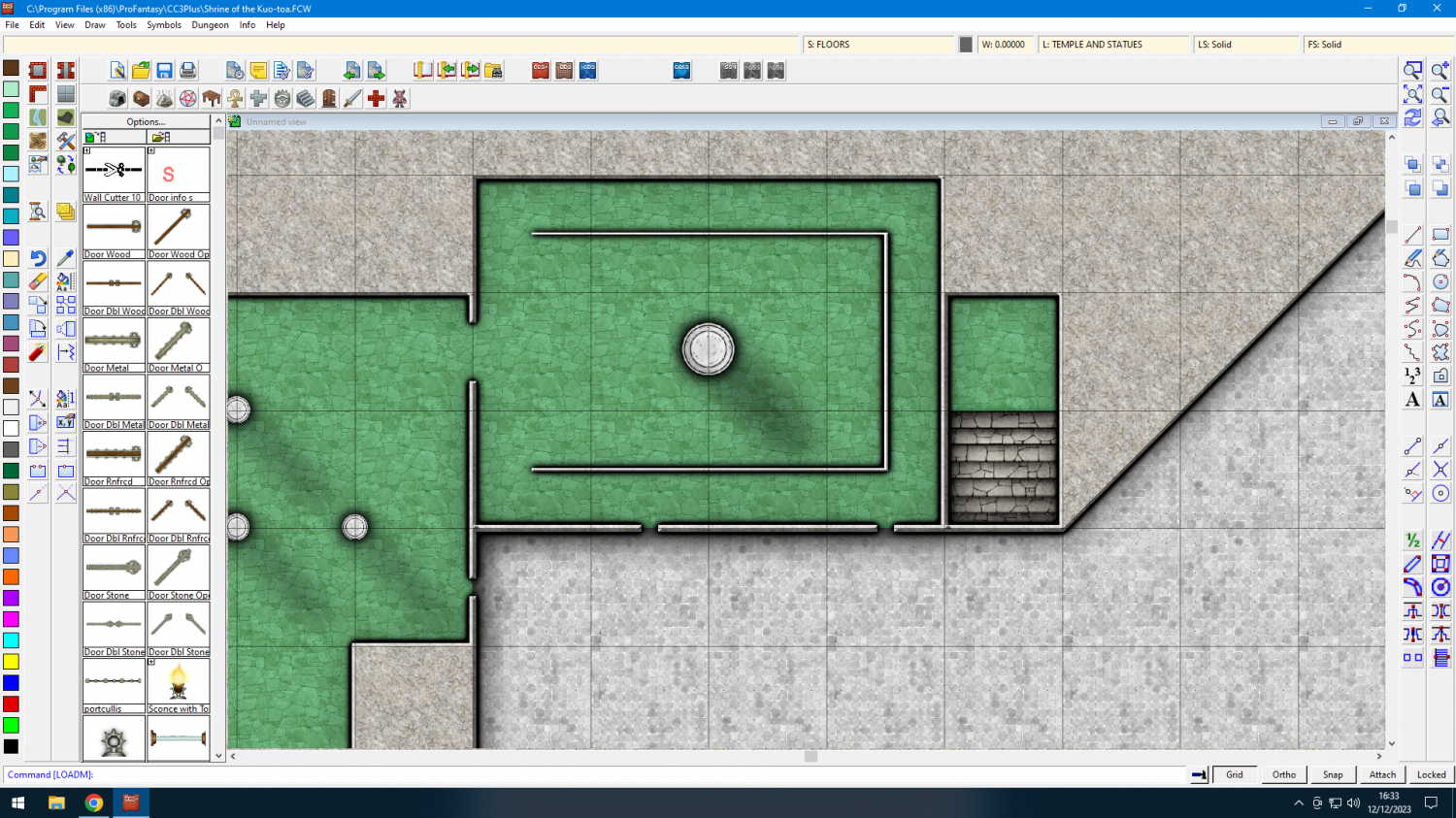
This is the area with the sheets showing. I've just covered the normal flagstone flooring with a green mask. I called it Serpentine floor.
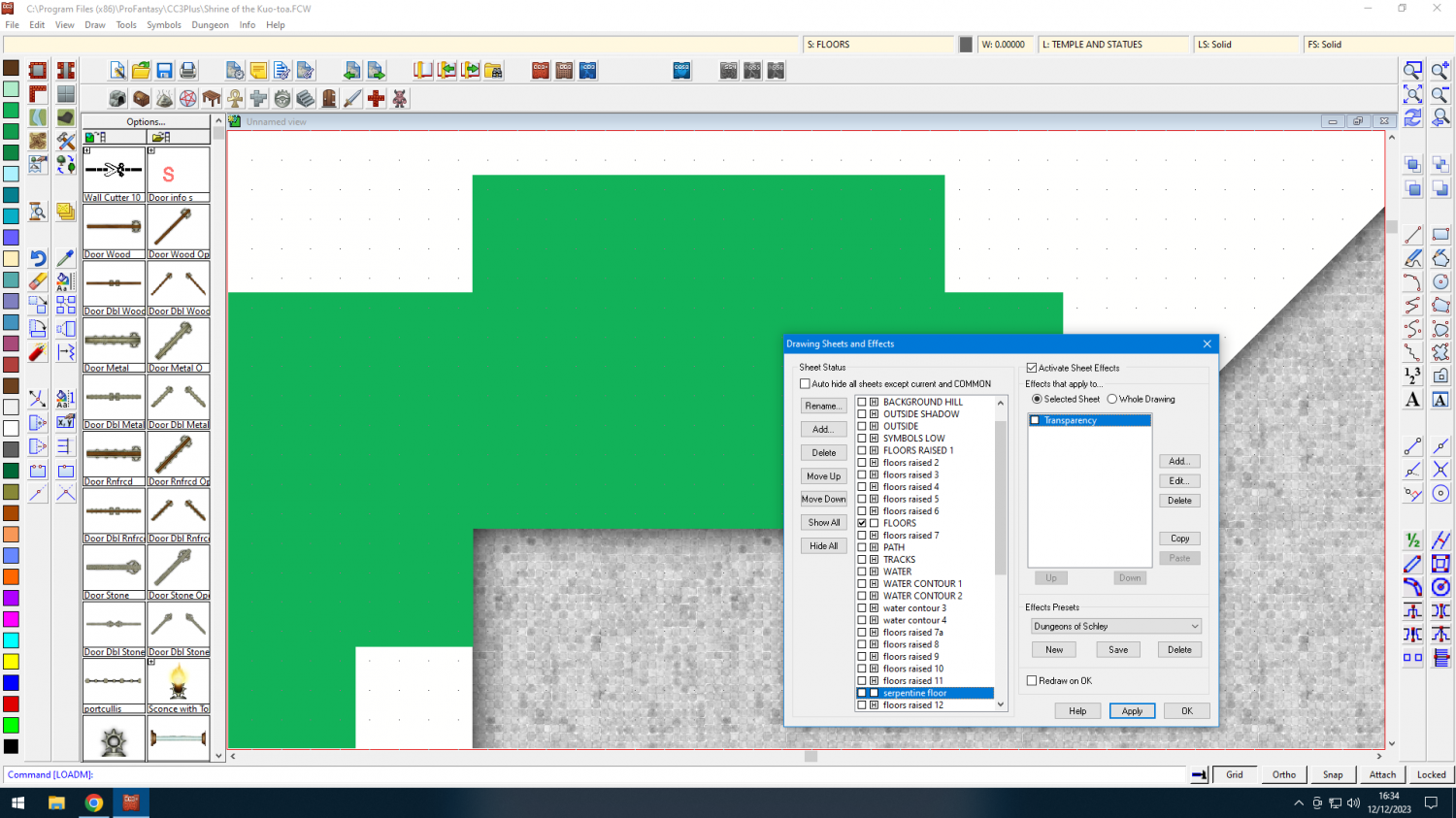
now with the effect on
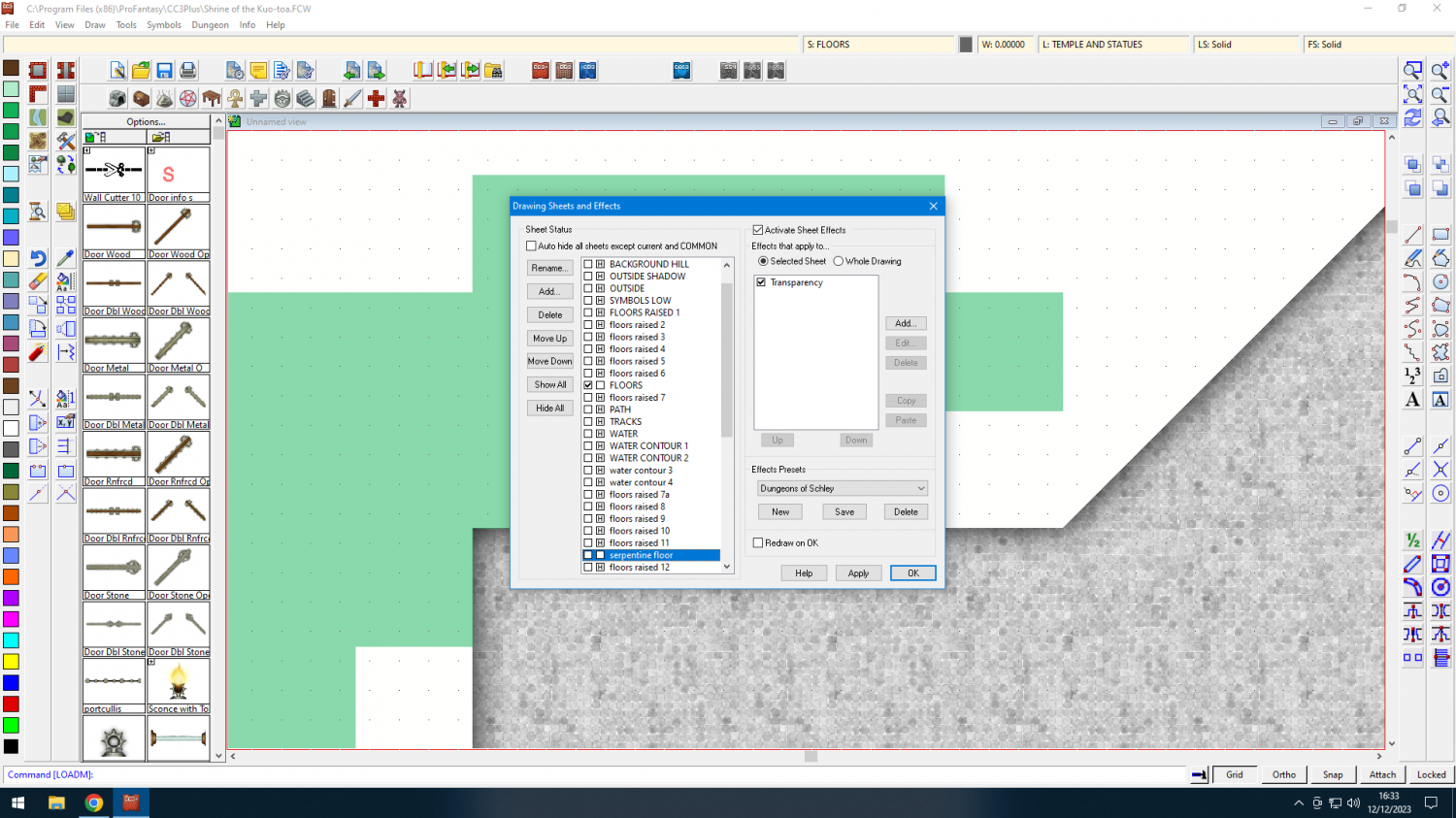
This is at 50% Opacity
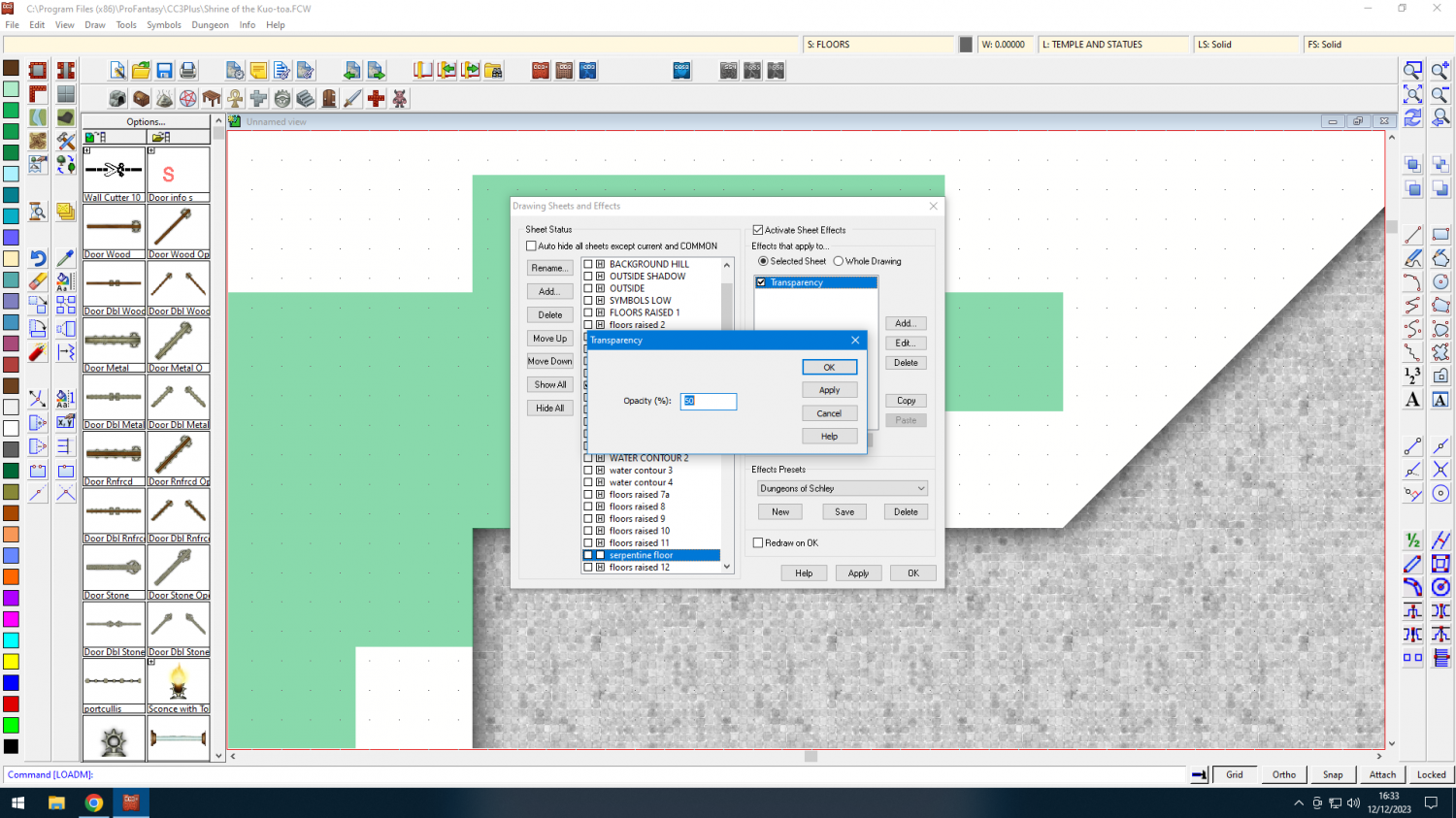
I'm sorry if I'm teaching you to suck eggs Jim, but if you haven't thought of doing this, I hope it helps.
Dak.


-
Temple of Rama-Tut
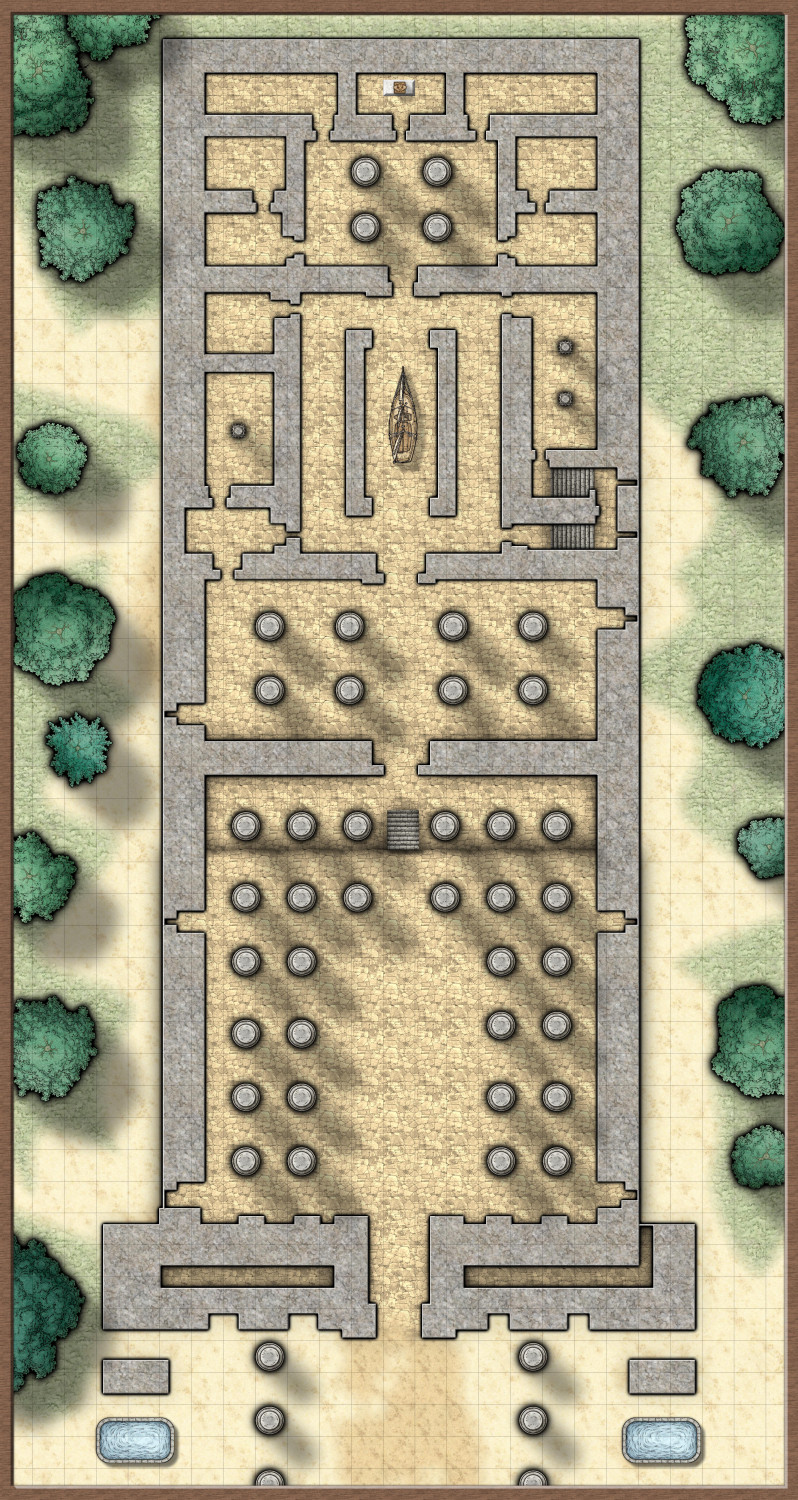
This is with Mike Schleys style, which is the one I'm going to use as the first 3 don't seem grand enough and this is a copy of part of the temple at Karnak.