


Wyvern
Wyvern
About
- Username
- Wyvern
- Joined
- Visits
- 3,230
- Last Active
- Roles
- Member
- Points
- 5,507
- Rank
- Cartographer
- Badges
- 24
Latest Images



-
Lighting Exclusions
That's what we like to see - people solving problems before we can leap in with the wrong explanation! 😁
Glows can be tricky beasts, I've found, which sometimes don't work well with other Effects even when they're on different Sheets on a map, and in variable ways (so they might affect some things on a Sheet but not others; I have no explanation for this...). Always worth experimenting though, to see what works best for what you want.


-
City of Nyxotos for the Community Atlas
For @DoubleDouble and anyone else interested, this page on ancient port structures has some notes on the archaeological/historical use of constructed breakwaters and other artificial port structures, beginning around 2600 BCE (Egypt, Gulf of Suez). I'd recommend taking time to check through the other links and references if this subject catches your attention, though your life can end up taken over by such matters without due care...
-
City of Nyxotos for the Community Atlas
Mystara rather passed me by @Tonnichiwa, as I'd moved on to my own version of D&D, and other RPG systems, even by the time it first featured, as the Known World (in Module X1 "The Isle of Dread" according to online sources, in 1981). I have gone back in more recent times and looked over some of what was published for the Known World/Mystara setting, though after getting back strongly involved with D&D only when 5e appeared, I've concentrated more on finding past details for the Forgotten Realms setting, because of its intimate connection with 5e from the outset.

-
Yet Another Wargame Map set in ...
I suspect my (ongoing) connection to miniatures (and scenery, and everything else that goes with it) is because I started out as a model-maker, and only got involved in wargaming proper a few years after that, at the end of the '60s and early 1970s. Many tabletop rule systems are, and always were slow, but most of what I've done has been for my own interest and solo, so that was never a great issue for me. And a lot of the larger-area battles are fought using the miniatures as little more than markers, so I quite understand your "scale" problems.
I never understood why so many wargames have to be "balanced", when reality very rarely is (unless somebody's really screwed-up their reconnaissance and planning), which I think is why I never took to needing a group to game with. That was just too much like chess to me, whereas I wanted to try to better understand real, or potentially real, situations.

-
CA style development - "Darklands City" (issues for September and December 2021)
"A" looks more natural to me too, Sue.
The cross-hatched decoration (don't know what the proper term for it is, sorry!) seems undamaged despite the roof holes beneath it. As this seems to be of fairly flimsy outer surface material (compared with the depth of roof thatching), it seems unlikely it would have survived intact when the entire thatch below it has rotted away - even if it had just broken and raggedly partly fallen-in, say. I'd guess in some cases it might partly survive sort-of intact, but not always.
It does also look a little odd that none of the holes are where the greenery is; the extra weight and implication that that's where water's collecting, so mulching the thatch down into a growing medium plants can root into, might suggest that kind of area would be ripe for collapse as well.

-
Community Atlas: Gruvrå's Mine, Serkbergen, Peredur
Thanks RS! I've done this quite a few times for my Atlas mapping. It's worth noting that when you're doing thumbnails, if there isn't room for the full figure, or it doesn't look right, you can always simply choose to copy over just the head and shoulders bit of the portrait, although depending on how you've created the CA3 portrait, you may need to hide some of the clothing and torso on your other map. That's what I did with the Lich Queen's Temple Tomb map in Tlok-Pik recently, for instance (link's in my posting today, just above here).

-
Community Atlas: Embra - Watery Places
The third set of Embra "Places" are the Watery Places of Interest, accessed from the appropriate pie-segment of the "Official Guide" map:
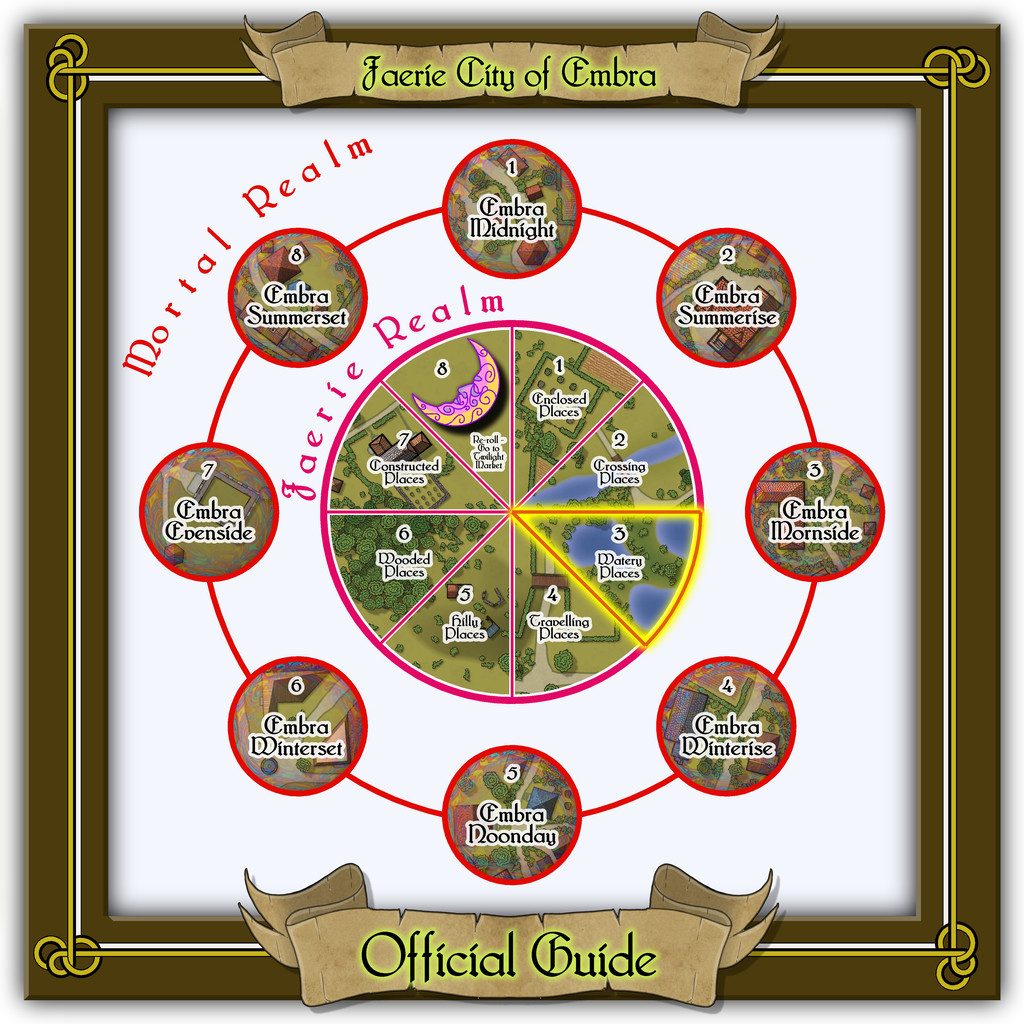
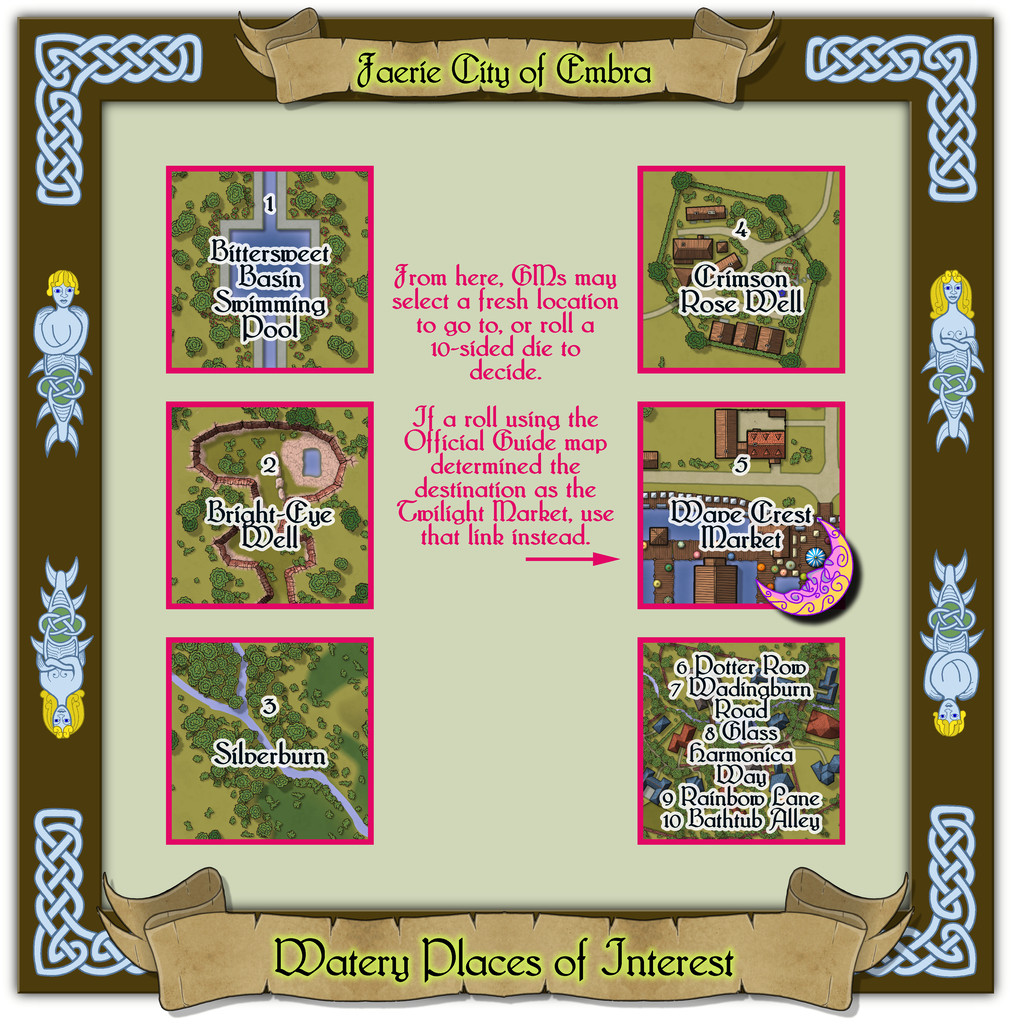
One of the aspects that caught my attention from when I originally bought it in the Dover Clip-Art "Celtic Borders on Layout Grids" hardcopy book, was a page of individual knotwork creatures. Here, I simply couldn't resist the two merfolk to add to the borders for the Watery Places, with a neat little criss-cross design just in the frame's corners. As previously, the link-spaces on this schematic drawing are simply labelled extracts from the actual linked maps, with GM notes. The pattern for the layout here was basically the same as for the first of these Places of Interest maps, the Enclosed Places.
-
Community Atlas: Embra - Hilly Places
Hilly map 5 is Sunset Mound, a rather more characterful hill than some in this set, looking a little like a fish with a small tail, the dominant upland in the area, with a swarm of much smaller, elongated hills clustering nearby:
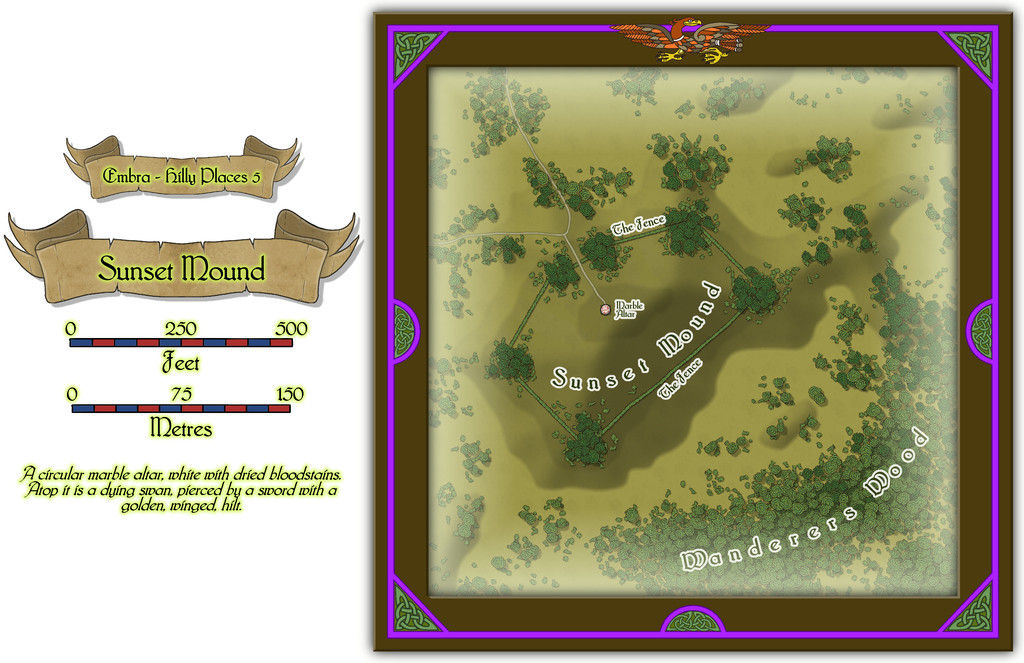
While the shape for The Fence hedge-lines with its dense corner copses was largely determined by the base-map being a castle, most of the interior for that was ignored, replaced instead with a small focal-point derived from the map's accompanying featured text, that bloodstained Altar of the Dying Swan. Why such a huge, empty space surrounds it, is for GMs to expand upon.
![[Deleted User]](https://secure.gravatar.com/avatar/c75d9a245b74d9c59be0999ea81ca541/?default=https%3A%2F%2Fvanillicon.com%2F92add7f8c954488718110edc4896ad39_200.png&rating=g&size=200)
-
Community Atlas: Embra - Hilly Places
Last of the individual Hilly Places is the segment of the Twilight Market for this set, Fair Market:
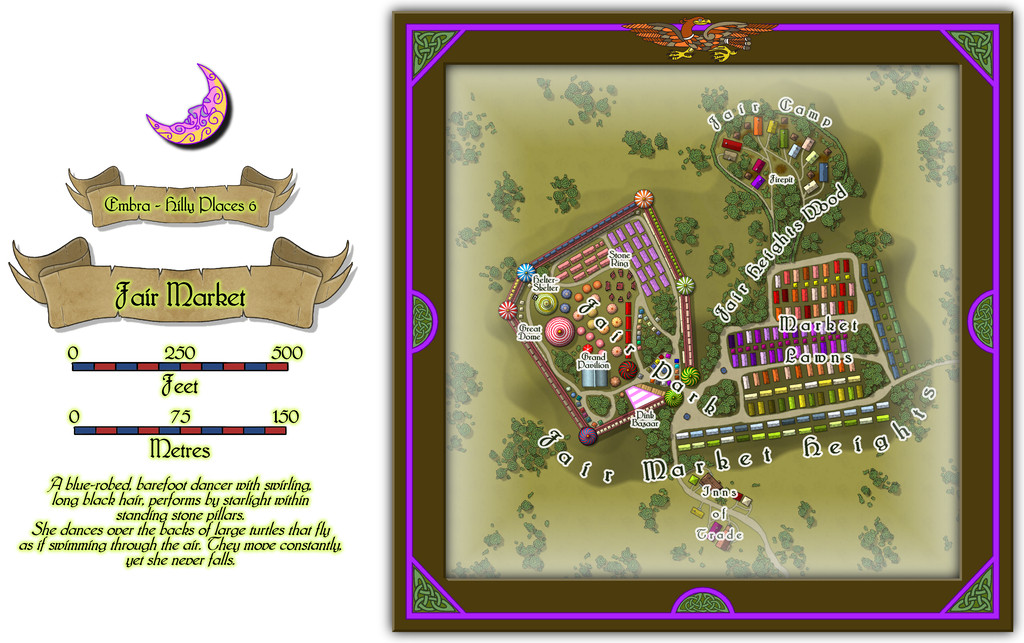
The overall nature of this location was decided well in advance - a hilltop funfair and market, with a living-wagon camp nearby for the funfair folk and some of the traders. And another chance to play "spot the castle" as determined by the original base map! Here though, that allows the easy segregation of the funfair from the main part of the market, though there is a degree of mixing as well.
Most of the features are temporary structures, stalls, tents, etc. Even those "walls" are beautifully-crafted wooden lookalikes, with huge tents at the "turret corners", though stout enough to support an array of stalls built into the lower part of the walls, and more along the upper level's walkway. There is a handful of buildings too, in the Inns of Trade area south of the hill and market proper:
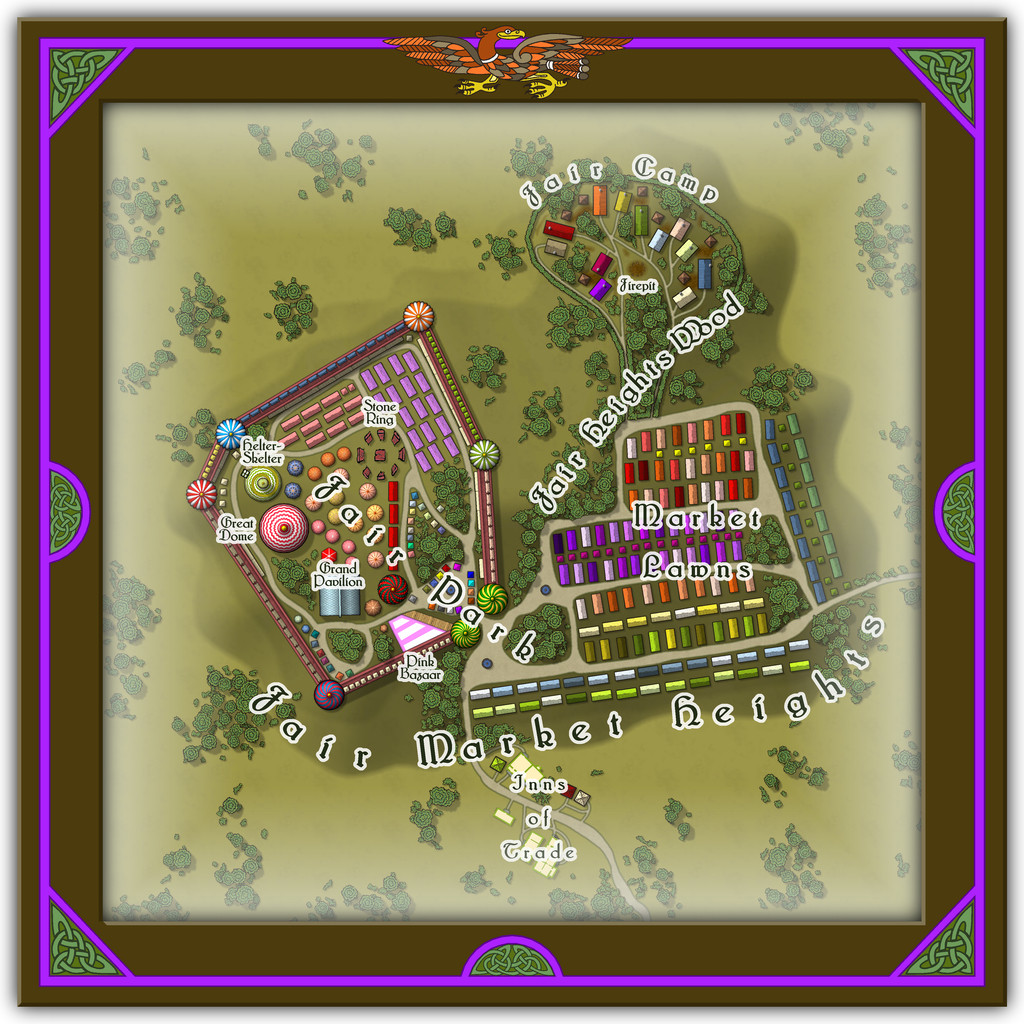
Those varicolor, chimneyless, long, wooden buildings, and the small, square ones, from the CA169 Fantasy Town Annual, are amazingly versatile, I've discovered. Change their sizes a little, and an entire array of market stalls appears as if by magic, especially once some of Sue's City Domes from CA144A are added to the mix for circular tents, stall roofs or awnings, including here for a theatre/performance venue (Great Dome) and a Helter-Skelter tower (with a couple of drawn additions), not to mention that square Grand Pavilion. And the wooden long-houses also work nicely as the living-caravans (with the addition of a drawn, little round chimney top for each), as well as more of the square buildings for the stores/privies alongside the vans in the Camp. Plus there are a few more oddities in the written information to go with this drawing, as normal.
-
Live Mapping: Napoleonic Battles
@mike robel commented:
The contour line in the 1930 annual does not appear to print the hash marks.
It does Mike, but it actually creates a Symbols Along line to do so (assuming you're meaning CA84 1930s Overland Maps). There are detailed instructions on how to set this up in the PDF Mapping Guide that comes with this Annual issue, which is worth carefully reading and following, to get the best from this style.
I don't really understand "map units"
Map Units are simply what CC3+ recognises as the number to be used for the size-ratio of the area of your map. For an overland map, the default is that CC3+ calls 1 Map Unit 1 Mile (or 1 Kilometre if you opt for metric). This has nothing at all to do with what physical size anything will be in whatever final printouts you choose to do.
You simply draw your map to the correct ground scale and size using only Map Units (so ONLY Miles or Kilometres; forget the "inches" thing; forget the "scale ratio" thing - at this stage they're irrelevant), including any hexes, so the hex has the correct scale-size for the map as you're drawing it. If the hex has to represent an area 100 metres from flat side to flat side, say, you can check that the distance across it is exactly 100 metres using the drop-down menu's "Info - Distance" option.
If you're tracing an imported map image, make sure that's correctly scaled in the same way before you start copying it, so the scale CC3+ is using is exactly the same as that on the map image you're copying.
Once you've finished mapping, you can then export an image of whatever size and resolution you need for your final printout using the drop-down menu's "File - Save As..." option. This is the point you can finally switch to thinking about what inch-size you'd like your hexes to be; just don't worry about it before this point. At all!
Simplest way for this is probably to choose one of the "Rectangular section" graphic image export options, PNG or JPG, say, as the dialogue box allows you to set the size of your export by width and height in either pixels (and you can set the pixels per inch or per centimetre at the same time too) or physical dimensions (again, inches or centimetres). Then just select which area you want to export from your CC3+ map. If you've set your snap grid correctly, you can just use that to help draw the area you want.
If you need the hexes to be a specific physical size on the final print graphic, say 1 inch from flat side to flat side, and there are 20 columns of hexes across either the width or height of the map that fit flat-side to flat-side, it's clear you need one of those dimensions to be 20 inches. The other has to fit the hex width, which is usually around 1.15 times the flat-flat size, thus about 1.15 inches per hex, times however many columns/rows of hexes in the area you need the graphic to be.
Remember, what you're drawing in CC3+ is a map, NOT a hex-board printable for gaming on. Only the final exported graphic - which you can always resize precisely in a separate graphics-manipulation program, if you're happier using that - is where you need to worry about what inch-size what feature is meant to be.

