


Wyvern
Wyvern
About
- Username
- Wyvern
- Joined
- Visits
- 3,303
- Last Active
- Roles
- Member
- Points
- 5,647
- Rank
- Cartographer
- Badges
- 24
Latest Images
-
Mythic Carpathia map by Free League Games
Free League issued a fresh Kickstarter update for their forthcoming "Mythic Carpathia" setting for the Vaesen RPG earlier today. In that are a couple of images of maps that will be coming in that supplement. Those images are linked to higher-res versions, there are folks here I'm sure who would like to see them. The regional map is truly wonderful to my eyes! The KS link to find the two new maps is here.

-
Flooring Maps
So, as far as I'm reading, I should be able to have 2 separate maps open, then?
Because every time I try to do that CC3+ crashes.
Are you using a PC with Windows 10 or 11? If so, that shouldn't cause any problems such as you mention, unless there's a problem with one of the files you're trying to open, and that's what's causing the program to crash.
As a test, I opened one CC3+ file I've been using today through Win Explorer - just double-clicked on the file to open it, as Sue said - and then right-clicked the cursor while over the CC3+ icon in the toolbar to bring up the list of recent CC3+ files, picked one of those at random by clicking, and it opened immediately, so I currently have two different maps in two separate CC3+ windows open while I'm typing this.
Again, as Sue mentioned though, you can't open multiple files from an open CC3+ window, as that simply replaces whatever map it's showing with the other one (after asking if you want to save the first one before doing so).

-
Add or remove precise amounts with drawtool "edit" function?
Don't forget to keep a separate copy of your original map file too - let's face it, you'll never be that precise by-chance again! - and it's handy in case you end up with something you're less happy with after making some adjustments to it.
-
Galery of NPC
Mathieu Gans remarked@Mathieu Gans: At the moment, I've kind of given up on Character Artist 3, as I find the characters too static. I'd really like an Add-on that would allow me to give different poses to NPCs, have more assets for equipment, and effects to put on characters.
There are more options in the original, vector-style, Character Artist, and it's much easier to draw additional elements when you need them in that. It is a simpler and much less "artistic" drawing style, however. It does though give you more control over what characters drawn using it look like.
-
Community Atlas: Aenos Isle North, Demosthenes Swamp, Artemisia
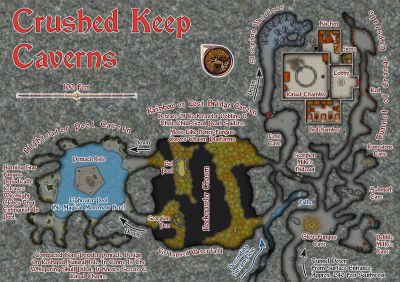
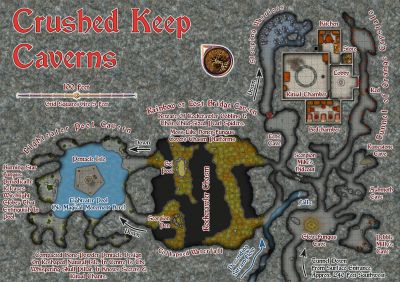
In this instance, the map layout left irritating amounts of space around the main, almost octopoid, shape of the caverns, so that provided an opportunity to go more to-town with some decorative elements here than usual.
Of course, they could be used too to illustrate where dangers lie on an overland map, using a similar "roundel" look to the Ancient Realms style, for things instead of places, as another example.

-
Game Masters: Preferences for Labeling on Game Maps
Battlemaps for physical tabletop use shouldn't be labelled at all, because that distracts from the scenic element, and if the map's reasonably clearly drawn, the key features should be obvious anyway - that's largely the point, after all! If you'll need to add hidden elements, use cut-out markers you can drop-in on the map when & where appropriate (or use suitable 3D miniatures/items, like doors, treasure chests, etc.). The process/theory stands for VTT use as well, except everything is digital, of course.
As I've never used VTT, I can't advise much on that element, although hiding and showing features using the CC3+ Layers is straightforward enough in the FCW files, and easy enough too to store as separate digital images of the relevant views. I'd assume swapping between such separate images should be relatively simple in VTT, but I may be assuming too much on the part of such systems' designers, I realise! (Given that Windows still has to catch up with where some of the alternative PC systems then were 30+ years ago...)
The only labelled maps are the ones the GM needs to see, other than any props the players may be given/shown - such as a treasure map - and on such props the labels can be as clear or obscure as the needs of the game require.
-
Community Atlas: Kara's Vale, Ethra, Doriant
Nah!
Once you start using it, you're simply concentrating on what links with the current level you're on, and everything else doesn't really matter. I also found it was really quick to work out how to get from one place to another through several levels rapidly just using this.
I was less sure about using just red and green arrow lines, given red-green colour-blindness is an issue for quite a number of folks, but having set up the portals with those colours already (because they looked a bit clearer on the individual Level maps), I didn't want to change them. Hopefully the single and double arrow heads will help alleviate any issues that way though.

-
[WIP] The Griffon's Eyrie Redux: Spectrum Overland
Get some magma flowing under there, and it's a perfect god's frying pan - breakfast time already 😉.
-
Dark Fantasy Annual river-line weirdness
No, it was just as if it were a glitch that happened when I reopened the Dark Fantasy map today Sue. I think it's somehow been a hangover from the Handdrawn Fantasy style I was using the day before, as if the program was somehow "remembering" that, instead of only using the correct set of tool templates.
I wanted to flag it here, since it seems possible there's something going on in the software causing this to occur, as I couldn't think of an alternative explanation for why it happened.
After it switched back to the correct tools, it never happened again, as I was reusing the river drawing tools (as amended) for some time after that. As I said though, weird 😁!
-
[WIP] The Griffon's Eyrie Redux: Spectrum Overland
A better map already, simply for the name-change, of course 😉.
The sea looks a bit odd now though, as if it's actually a sea of mist, not water. Previously, the base of the cliffs had hints of white about them, a little like spray, and the sea surface had some texture to it. Now it just seems oddly textureless and flat.
For the crescent moon, we've had this discussion before, sort-of, in regard to using the CA22 Star Systems dynamic-lighting planet symbols. It's not really possible to use the dynamic lighting to create a proper crescent, though you can get a crude earthlit-crescent-ish effect, using a negative value for the Global Sun's Inclination (try around -20 to -40 degrees). Beyond that, you could simply take a suitable flat planet image, even a photo of Earth's Moon, and create a mask for the unlit part of the crescent using one of the darker Solid bitmap fills.

