


Wyvern
Wyvern
About
- Username
- Wyvern
- Joined
- Visits
- 3,303
- Last Active
- Roles
- Member
- Points
- 5,647
- Rank
- Cartographer
- Badges
- 24
Latest Images
-
[WIP] Community Atlas: Snakeden Swamp, Lizard Isle, Alarius - Dedicated to JimP
Clearly, something was needed to add further character to the swamps, and the first thing was slotting-in some lakes, ponds and smaller watercourses:
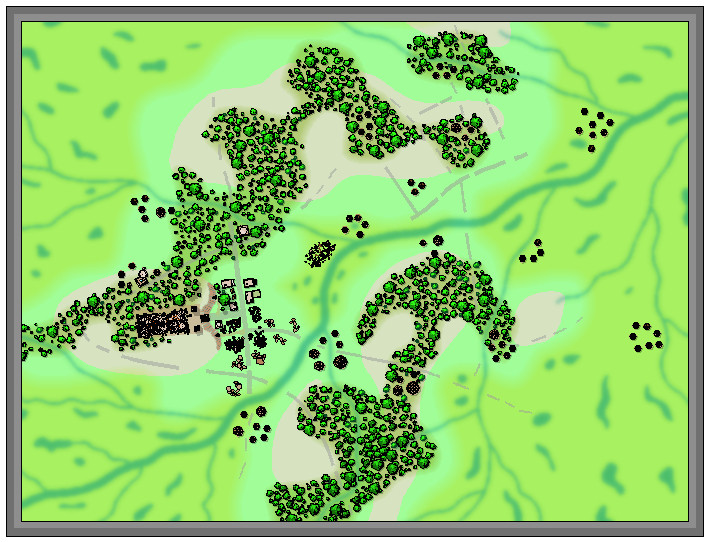
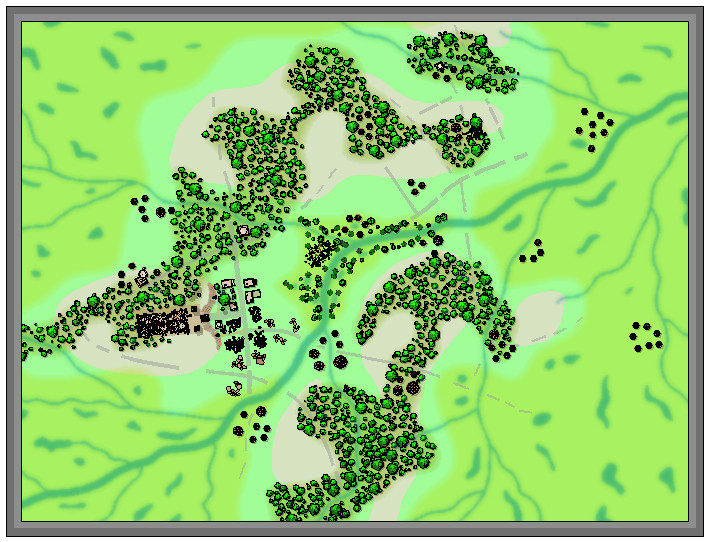
The new river lines were all kept deliberately the same size, and perhaps a little wider than necessary, to try to ensure they'd still be sufficiently visible after adding the vegetation. That latter was to be a mixture of mostly lower (lesser shadow), smaller, patches of greenery, including little-shadowed palm tree symbols to represent stands of swamp reeds, with a scatter of taller, = longer-shadowed, trees. This next shot shows the opening trial of this in the central hollow, although the sharp-eyed may also spot a couple of fresh structures have appeared in the northeastern woods as well, as I'd missed a couple of still-standing places there earlier, hidden among the chaos of my hand-scrawled base map:
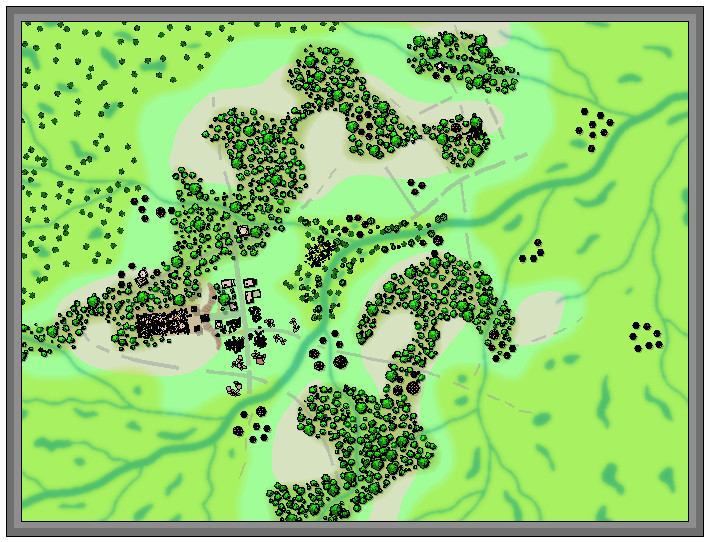
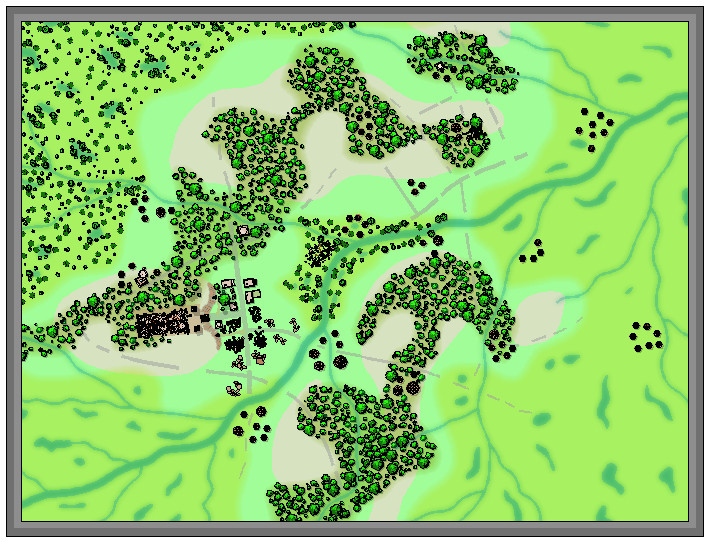
Another two screenshots help indicate the general "vegetising" process over the top left swampy region, the first image with just the flattened-palm-tree "reeds", and the second with the remaining bushes and trees:
Two more images illustrate how the remaining regions were similarly filled-in, and how some vegetation scatter was added to the stream-lines linking between the edges of the swamps and woodlands:
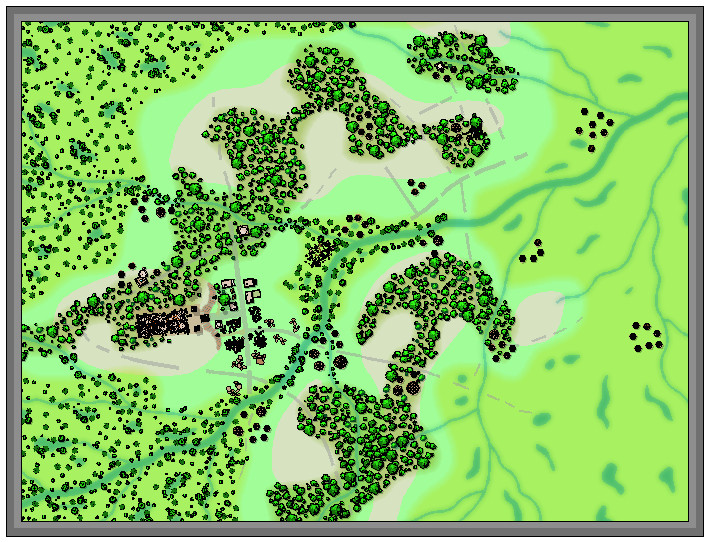
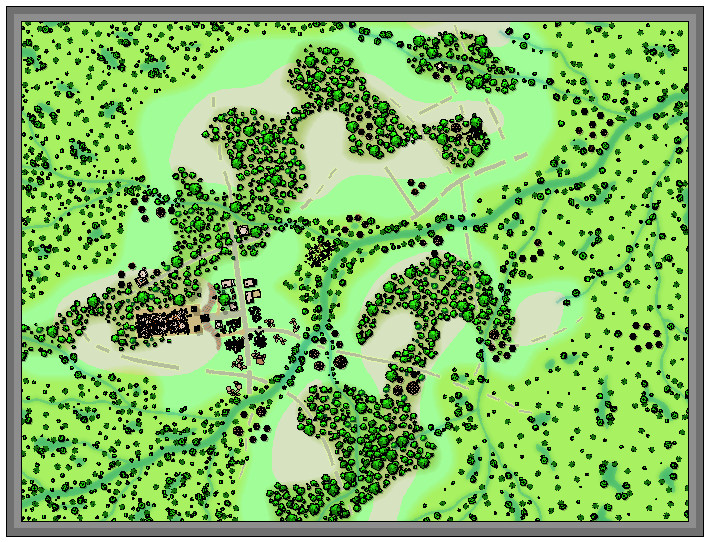
I've left the swampland vegetation somewhat sparser on the right side of the map to give some space for possible other features to be added, as I hadn't firmly decided if some of the roads and tracks might be continued into it at this stage, or exactly what structures might be near those there already. Plus I also wanted to add some more stream lines at some stage later on (still haven't done those).

-
Best Map Style(s) for Creating a Set of Maps from Large Scale, to Medium, and then Small
I've been enjoying mapping with the earlier CC2 Pro style of options recently (cities need something like the CD3 Vector Shaded option instead, as there isn't a CC2 version for those), and they also provide a near-Schleyian-huge range of vector symbol options, from continental overland right down to dungeon scales. The vector styles are also easier to create additional symbols with, should you need to, as they are straightforward drawings in the main, with a simple colour scheme.

-
Creating Hollow Tree Dungeon Style
This tree took on a life of its own...
Trees are apt to do this, of course 😉
-
What's your favourite overland style?
Not sure this will be the most useful answer, as I have tried out a lot of different overland styles (and continue to do so), and they all have their own merits.
However, of the more pictorial styles, I do have a fondness for the Herwin Wielink style, possibly because it's the one I drew my first detailed overland map in (the northern Sword Coast region from the Forgotten Realms, although that remains unfinished after I became too distracted by the Community Atlas!). There's something about the symbol and fill colourings, and the way many of the symbols blend easily into the bitmap fills in that one that gives it a more "organic" feel for me. That and the fact there's a degree of sketchy, non-linear texturing to the bitmap fills as well (actual thin, drawn lines), which again helps distract the eye away from any repeating patterns.
For mapping precision, it would have to be one of the top-down styles, to be able to draw elements such as contour lines properly, and ensure everything was correctly located, something the pictorial styles have problems with quite often. I suspect that isn't what you're looking for the new CC4 Overland style here though, Sue!
And of course, it would be wonderful to have a full suite of shallow to deepest seafloor textures and symbols to work with at an overland scale 😉 (which I seriously doubt will be on the cards for this project either!).

-
CC4 Overland Development Thread
Sue commented: Don't forget this is just a first draft. There may be many different versions.
That's a shame; I kinda want a complete style with this look now 😉😁! Could be a lot of new Annual issues in it, Sue 😎!
-
Community Atlas: Barrows of the Ferine Magi area, Feralwood Forest, Alarius
Thanks very much Remy. And apologies for sending yet another batch of new maps to you for the Atlas yesterday... Still, this way we get to watch the Atlas grow and grow!

-
[WIP] Community Atlas: Snakeden Swamp, Lizard Isle, Alarius - Dedicated to JimP
And I forgot to mention that next time's mapping is to be for a location in Statrippe, Artemisia, where I've already found a curious small island just offshore with a ruined castle...
-
Your favourite settings? (worlds)
Slightly surprised to find the comments earlier suggesting Greyhawk was the first world setting in/around 1979, given that Judges Guild's Wilderlands of High Fantasy setting was first published in 1977, along with City State of the Invincible Overlord. I mention these, because they were parts of the first world setting I bought for D&D as soon as they were available in the UK, in 1977-78, and there was nothing else like them for D&D at that time. They really were astonishing products, and expanded my thinking about large-scale settings considerably, and how they could be created and mapped, because of course they had lots of large paper maps! Everything published subsequently that I've seen, while having pros and cons, I've always been mentally comparing their impact on me with what "Wilderlands" had been. Probably unfair, but accurate!

-
What Are People Doing for Backups
That would be an option, although the ones that have survived best have commonly been accidentally baked when the buildings they were in caught fire! That would certainly get rid of most paper and electronic materials as well, of course - so maybe the ancient Sumerians really had electronic computers we don't know about too 😉!
Carved on stone might work as well.
Keep taking the tablets...
-
What got you into cartography?
I've no real recollection of what started my interest in maps, mostly because I don't remember a time when I wasn't aware of them. The earliest maps I recall, from when I was very young, were maps of the night sky and maps of the region around where I was born, as my parents had these, and I was encouraged to look over them from then onwards. The particular blue of the 1957 Philips' Star Chart is what I still associate with maps of the night sky. The fact books often had maps in, notably, if not exclusively, fantasy fiction ones, kept that momentum going until I discovered D&D in 1976, along with interests and studies in physical geography and geology, by when drawing my own maps by hand was just something I did. Never quite got round to stopping.
When I started having increasing dexterity issues from 2010, I looked around for computer mapping options to help accommodate those, and discovered CC3, widely-held as the best there was, and still the most powerful fantasy mapping tool from what I've seen. I've been using it since 2013. Most of the maps I draw with it now are items for the Community Atlas, something I'd hope to continue with, although I always seem to have ideas and plans for more that time rarely allows to bring to fruition...

