


Royal Scribe
Royal Scribe
About
- Username
- Royal Scribe
- Joined
- Visits
- 9,944
- Last Active
- Roles
- Member
- Points
- 3,476
- Birthday
- February 5, 1968
- Location
- San Francisco, California
- Website
- https://legacy.drivethrurpg.com/browse/pub/31814/Royal-Scribe-Imaginarium
- Real Name
- Kevin
- Rank
- Mapmaker
- Badges
- 16
Latest Images
Reactions
-
WIP: My version of Royal Scribe's Most Excellent Wizard Tower
I love it! And I am thrilled to pieces that folks are using it.

-
Community Atlas submissions: the Gold Coast (Doriant) and areas within it
I'm ready to submit this intermediate map for the Kingdom of Enía, along the northern edge of the coast for the parent map above. This map will be the parent (or possibly grandparent) for a few villages I will be submitting to the contest.
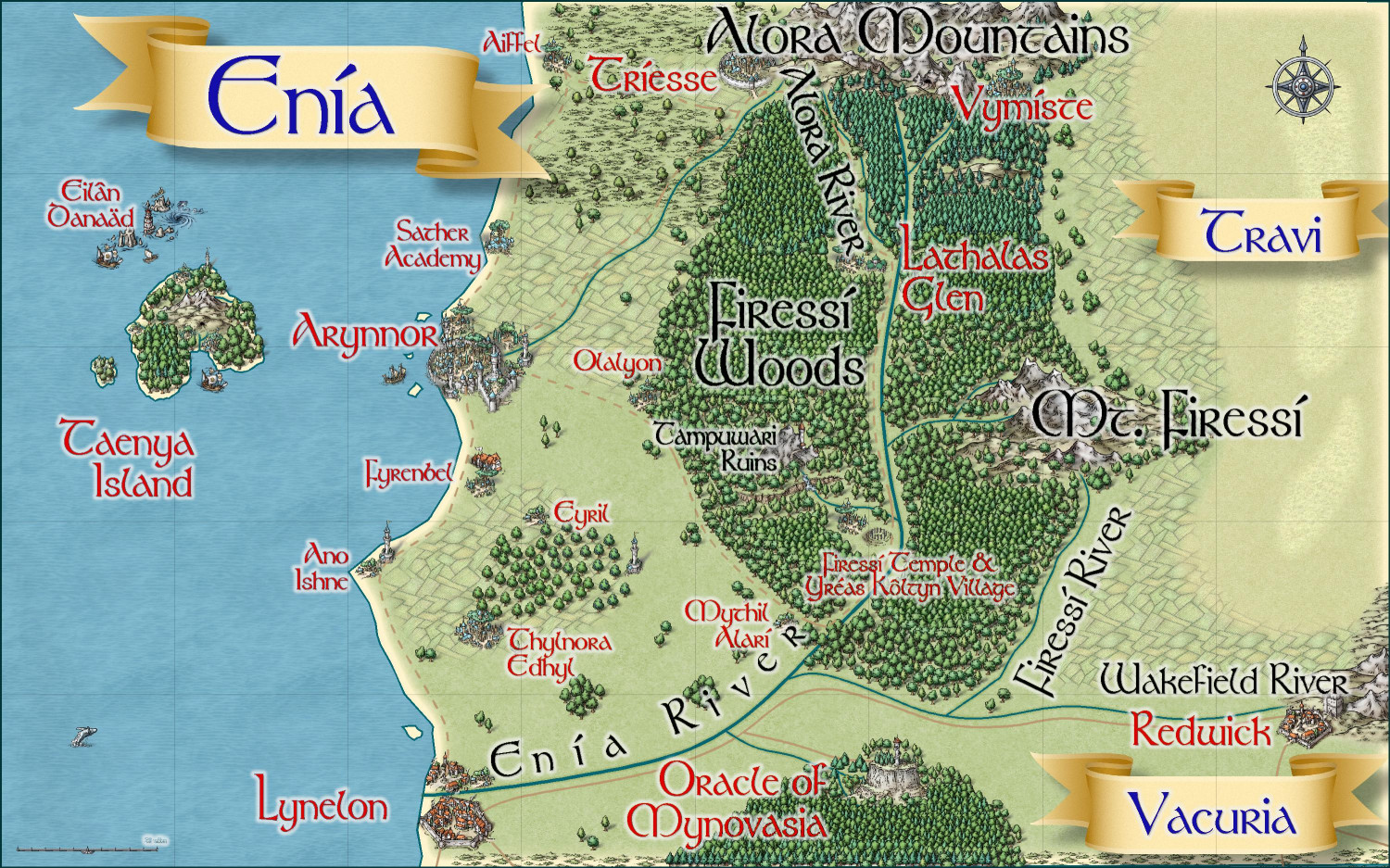
Primary Style: Mike Schley Overland
Toggles: BORDERS/POLITICAL to show/hide political borders
Here is the FCW along with a PDF of the description:
Should I do a plain text file that strips out the accent marks? Here's the text of the description (with accent marks):
The elven kingdom of Enía is the northernmost coastal kingdom in the Gold Coast region of Dórian. The human Kingdoms of Vacuria and Travi lie to the south and east, respectively. Enía is significantly smaller in both population and geographic size than its neighboring kingdoms. The kingdom’s borders are marked by the Enía River along its southern border, and the Firessí River and edge of the Firessí Woods along its eastern border.
Enía is governed by a hereditary monarch who is advised by two political bodies: the Council of Adept Mages, and the People’s Assembly. The Council of Adepts consists of those archmages and adept mages able to cast the most powerful spells. The People’s Assembly includes a hundred citizens elected throughout the realm.
Major points of interest include:
Arynnor: The capital of Enía, called the “city of glass.” Here, elves pioneered glassblowing techniques both for ornamentation and practical purposes. This includes a technique to make glass nearly as strong as steel, which has allowed the elves to safely cover their towers with brightly colored glass domes.
Sather Academy: To the north of Arynnor, Sather Academy is an institution of higher learning with academic classes of all sorts, from history to astronomy, poetry to accounting, but it is most famous for two things: its Bardic Colleges, and its Arcane Academy for the formalized study of wizardry and arcane lore.
Lynelon: The coastal city on the northern bank of the Enía River, Lynelon is a bit smaller than the Vacurian city of the same name on the southern bank.
Firessí Woods: Much of the realm is covered by a mighty forest, the Firessí Woods. The woods are home to numerous tiny elven hamlets along with a few notable features. Towards the southern edges of the Firessí Forest lies an ancient henge of standing stones, the Firessí Temple, erected to honor the elven gods. It is the holiest place in all of Enía, and the seat of power for the Archdruid of Firessí, the most powerful religious figure in the kingdom. A small village, Yréas Kôltyn, provides a home for the elves who tend to the temple and provides accommodations for the temple’s many pilgrims. To the northwest of the temple lies the Tampuwari Ruins, the haunted ruins of a people so ancient, they disappeared long before the elves moved to the area. The ruins are best to be avoided. Farther to the north, Lathalas Glen is a town built up around a monastery of the same name.
Taenya Island: The small island is home to a few small villages and hamlets of wood elves Just to the north of the island among rocky reefs, Eilân Danaäd is a harbor village of sea elves with homes both above and below the waves.



-
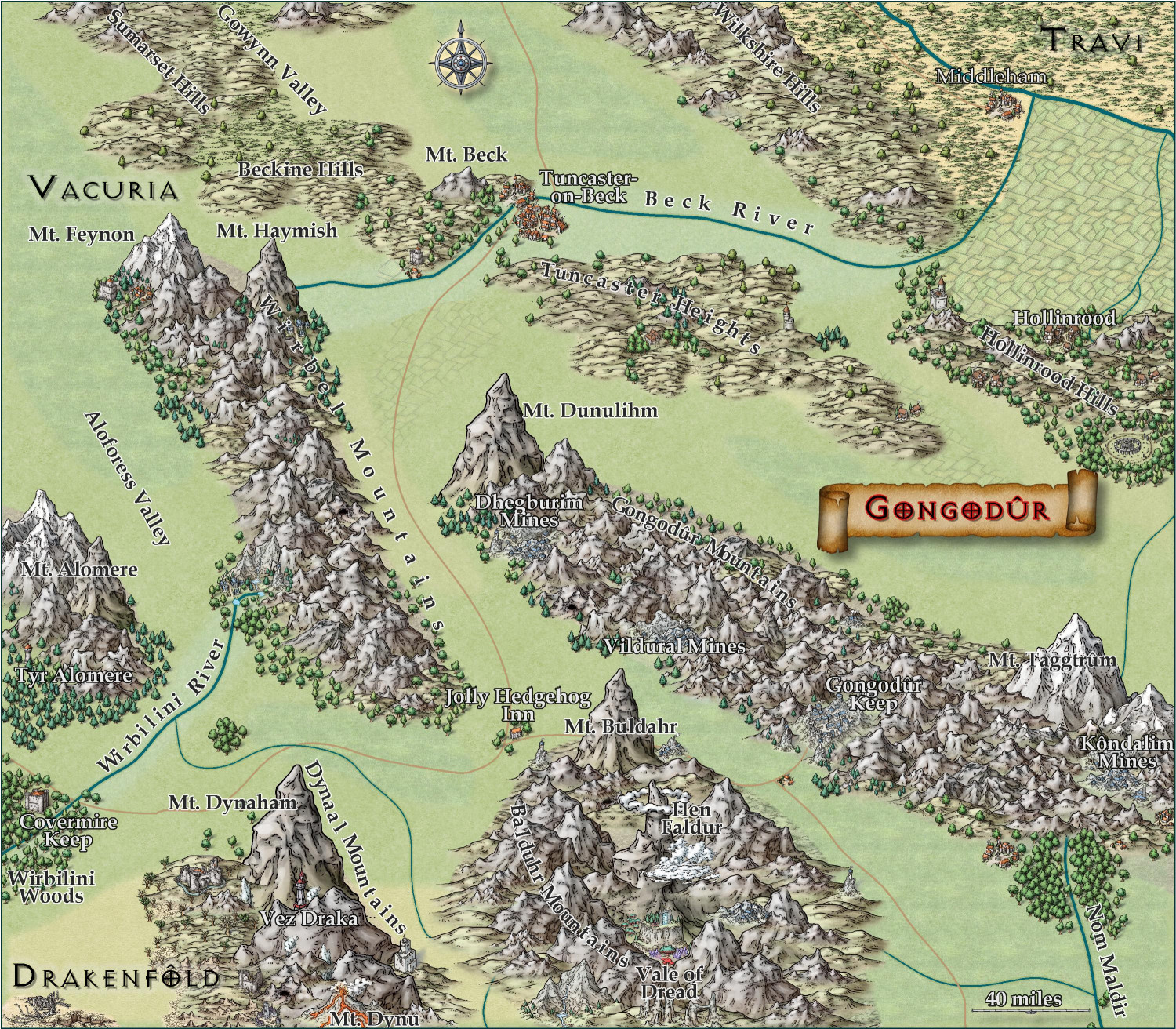
[WIP] Kingdom of Gongodûr
I changed the two labels to near-white for settlements and near-black for geographical names. (Let me know if you think I should reverse that, with dark names for settlements and light ones for geography.) Playing with text-along-a-curve for some mountain ranges and rivers, and moved some to the side to make them easier to read. (For a few of them, I had to explode the text and ungroup temporarily to adjust the kerning.) Made some effects changes to the political borders but I need to redraw them to reflect the river changes. Oh, and I embiggened the compass and moved it. It also has an inner glow to make it stand out a little.
May not have more time today to work on this -- about to head out to a family function for the day. Hoping to finish it this weekend.

-
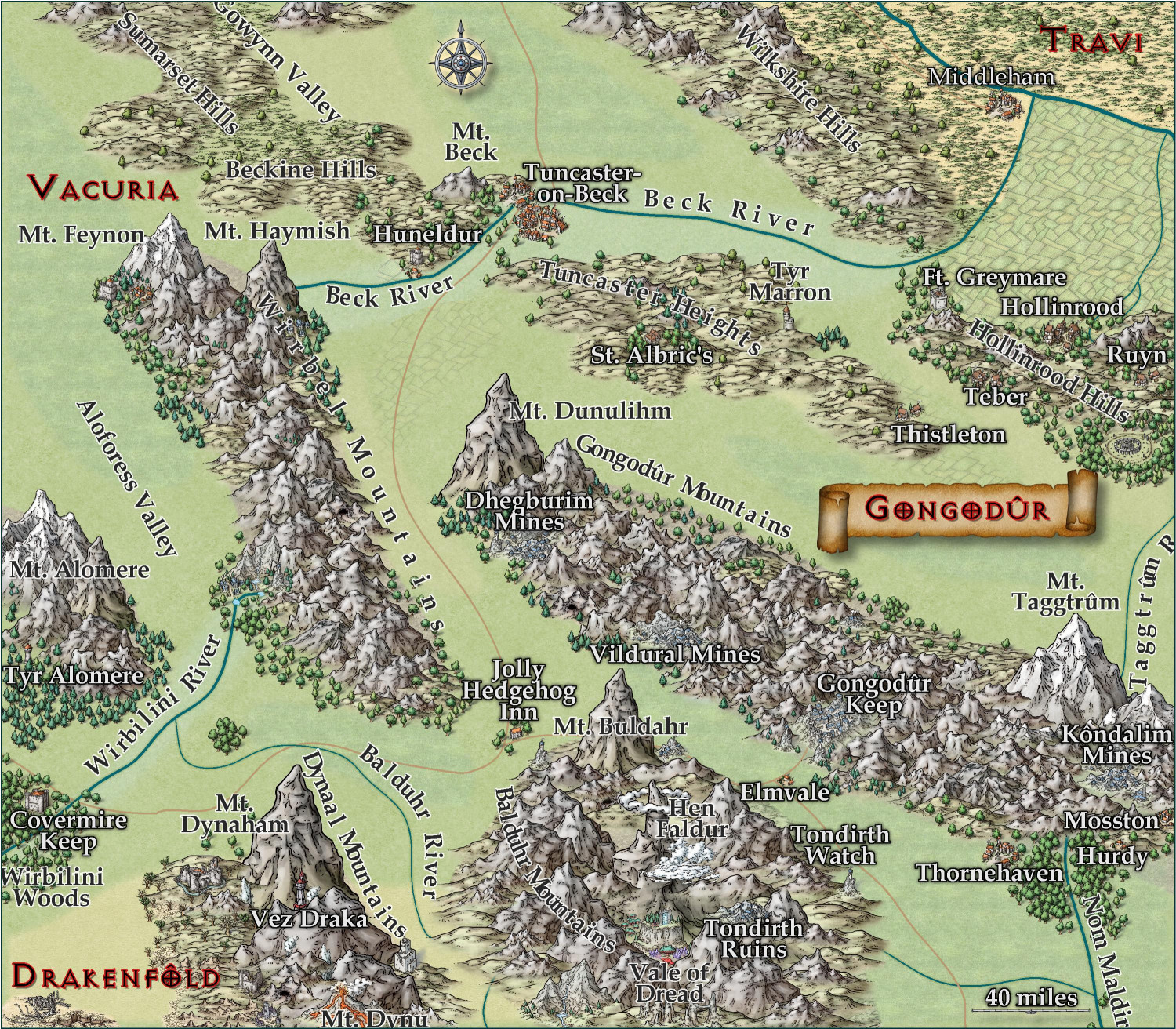
[WIP] Kingdom of Gongodûr
Still working on this. Text is slightly larger, and the glow is as well. Added more names, though I still have a few more rivers and settlements to do. Should I be naming the roads, too?
I am think about putting country names, settlement names, and geographic names each on a separate layer so that end users can toggle them on and off as desired. They're already on separate sheets, though, so maybe that's sufficient for toggling individually, and a single layer for all of them to toggle all names on/off simultaneously?

-
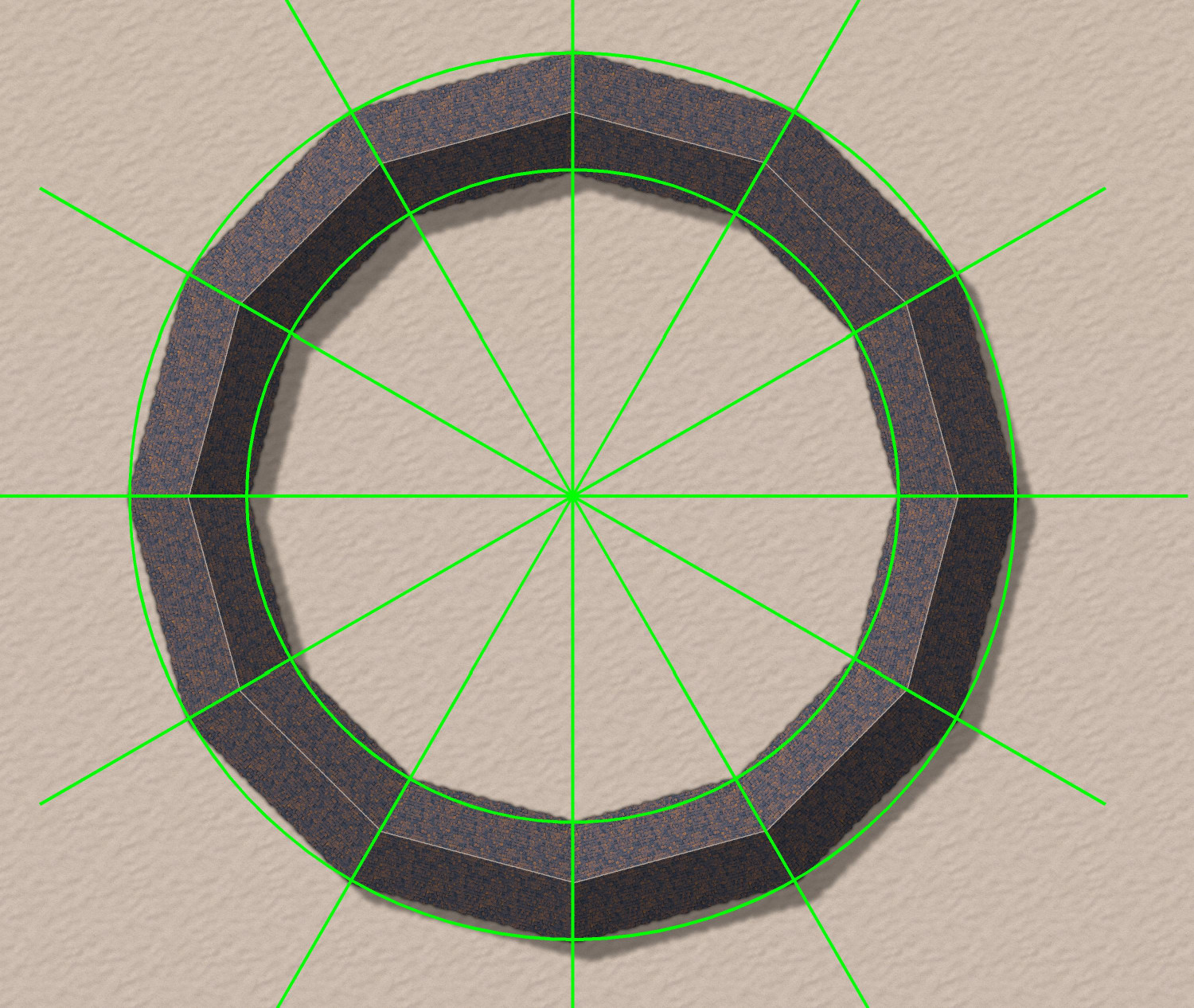
Donut-shaped buildings?
Oh, fantastic! I will try that.
As soon as I posted it, I had an idea for how to do a semi-circular one using drawing lines to draw an irregular building that was 1/12th of a circle, and then copying 12 in a circular array. But yours will allow me to do an oval-shaped stadium. Thank you!
-
Seven Pines Lodge (1930s Floorplan)
Separate entrance for privacy makes sense.
I have done maps where I have discovered that I forgot to put in entrances to certain rooms. (My Sea Elves Outpost had three rooms with that problem!) Fortunately, the Color Key effect can solve that problem. If you look at the Outpost on the Atlas, you’d never know which rooms had forgotten doorways (until you turn off sheet effects, that is.)
-
[WIP] - An audience with the King
Oh no! Calamity! In the immortal words of Nancy Sinatra:
You keep playin' where you shouldn't be playin'
And you keep thinking that you'll never get burnt, ha!
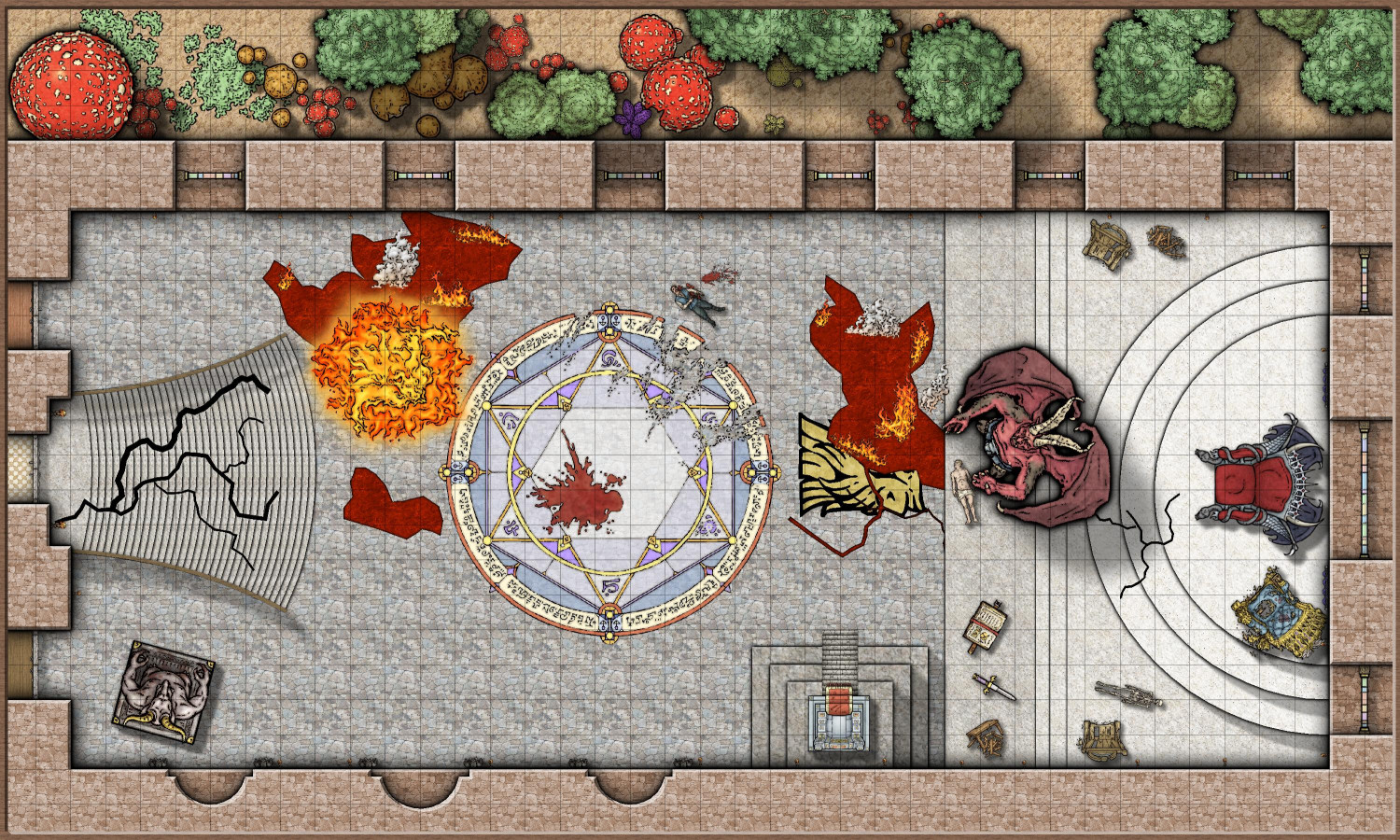
Looks like someone's been messin' where the shouldn't have been a messin'.
And it gave me an opportunity to use not only the evil and broken thrones, but also some of Mike's other symbols from this year that I haven't had a chance to use yet.

-
Trouble with Layers, priority, etc.--help?
In fairness, it's an awfully long manual. It's great for reference, but I struggled when I tried to learn the software with just the manual. For me, the video tutorials were very helpful.
One of the things I struggled with, and this may be the same for you, was understanding how layers and sheets differ, and how layers differ from the other art design and desktop publishing software I was more experienced with.
In CC3, layers help with organizing similar things so that you can hide, reveal, or freeze them, but they have no impact on the order in which things are shown. You'll notice that the layers are all listed alphabetically because the order they appear in the list doesn't affect anything.
Sheets have the big impact here. The software renders things in order they appear on the list. In this screenshot, the BACKGROUND would render, then BACKGROUND HILL, then OUTSIDE SHADOW, etc.
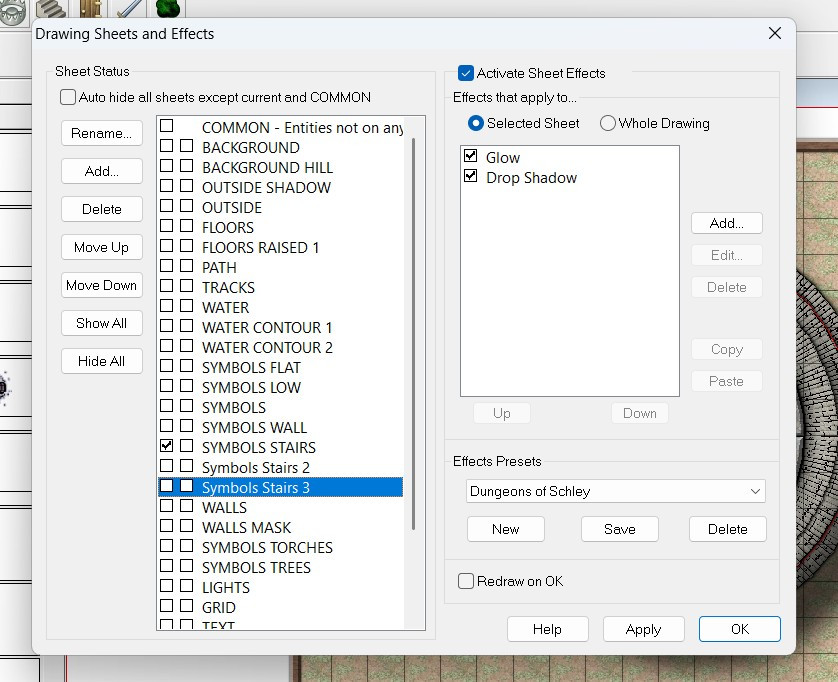
This allows you to control in how your symbols and drawn polygons sort, so that your floor will always be below your furniture, for example.
The Move to Front command only affects things on the same sheet (regardless of layer). If you have two symbols on the SYMBOLS LOW sheet, then the Move to Front command could force that symbol to be on top of the other one. Both symbols, however, will be above any other symbols on the SYMBOLS FLAT sheet (because the SYMBOLS FLAT sheet would render first, and then the SYMBOLS LOW). And both symbols would be below the regular SYMBOLS sheet, because it will render after the SYMBOLS LOW sheet.
Screen captures are always helpful, but I hope this gets you on the right track.


-
[WIP] Haunted Mansion
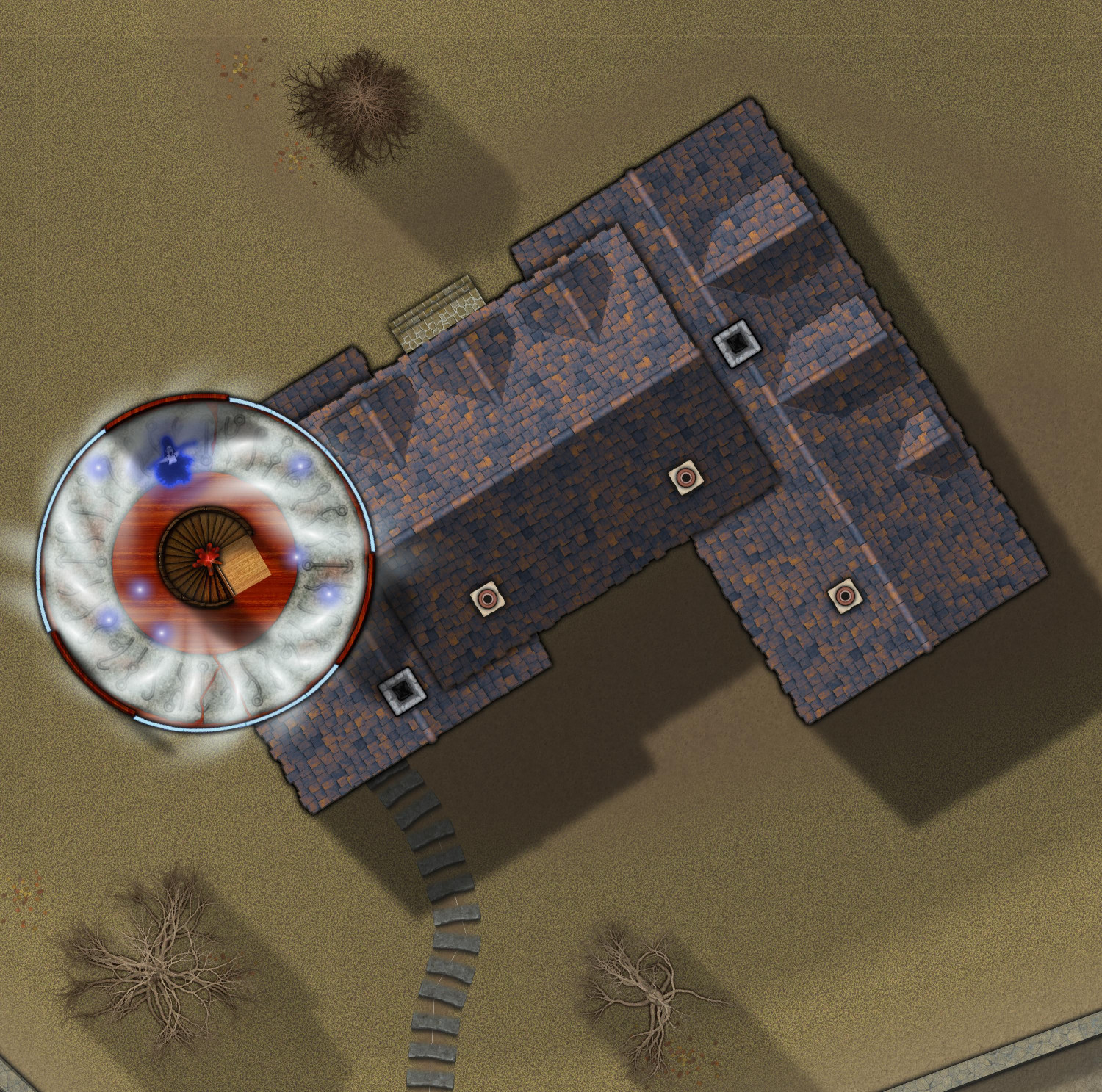
Top story of the tower. On to the wine cellar (and the rest of the basement).
-
What's your rank and points?
I used to work for a community-written search directory. Never underestimate the power of intangible psychological rewards! They work on me. 😉


