Royal Scribe
Royal Scribe
About
- Username
- Royal Scribe
- Joined
- Visits
- 9,942
- Last Active
- Roles
- Member
- Points
- 3,476
- Birthday
- February 5, 1968
- Location
- San Francisco, California
- Website
- https://legacy.drivethrurpg.com/browse/pub/31814/Royal-Scribe-Imaginarium
- Real Name
- Kevin
- Rank
- Mapmaker
- Badges
- 16
Latest Images
Reactions
-
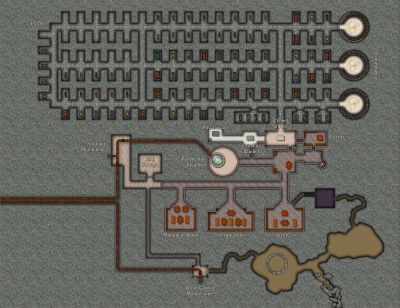
Atlas Submission: Doriant - Gold Coast - Tyr Alomere
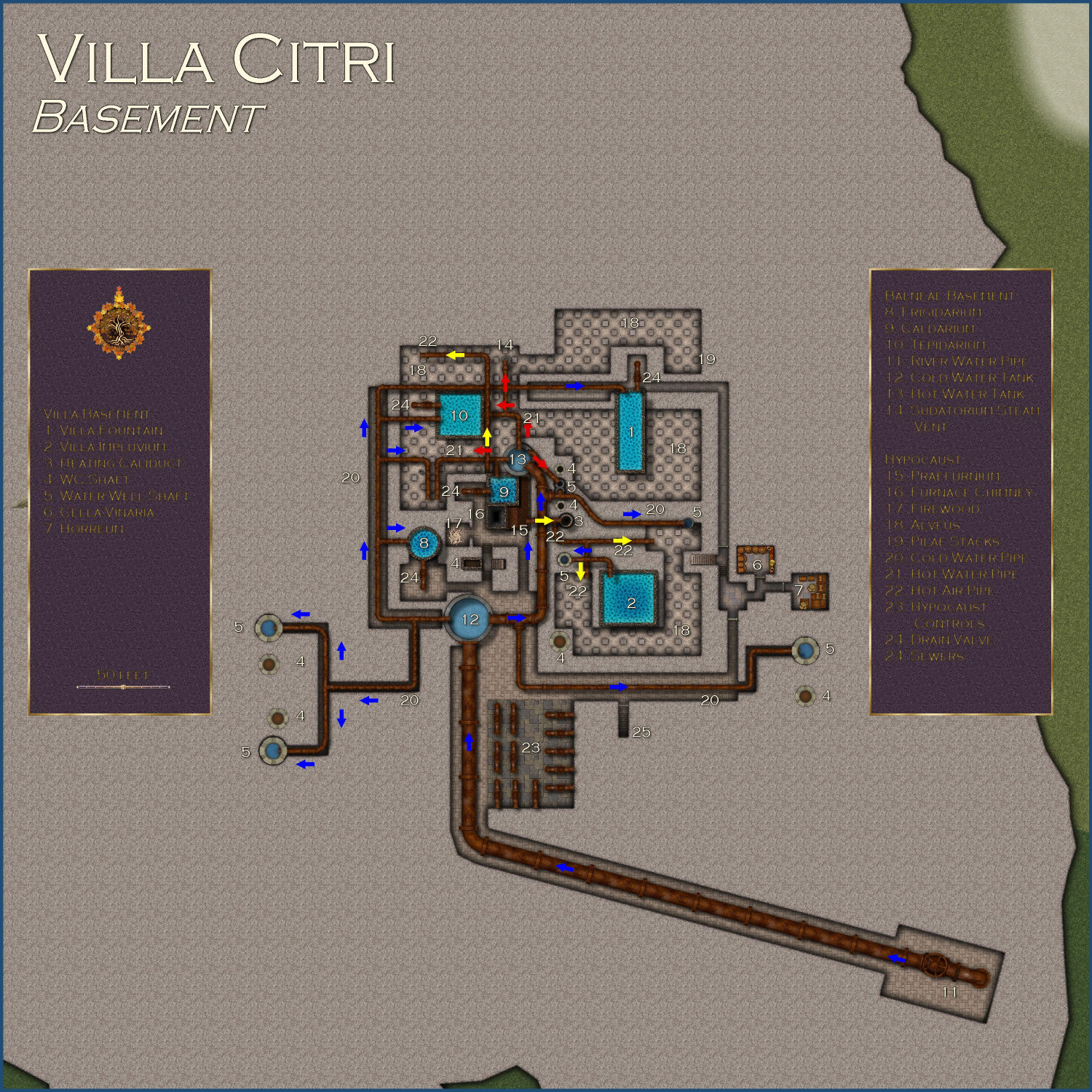
The basement of the villa.
Toggles
FURNACE ROOF layer to hide/display the roof over the furnace
FLOW ARROWS layer to hide/display arrows showing direction of hot water, cold water, and warm air
PARCHMENT layer to hide/reveal the layer of parchment that provides a sort of sepia filter over the outdoor areas.
TEXT LABELS (NUMBERS) layer to hide/display the numbered labels.
TEXT LABELS layer to hide/display the legends describing the labeled numbers.
Files
Description
The basement of the Villa Citri and its estate.
Villa Basement
1. Villa Fountain
The base of the fountain in the villa’s peristylium courtyard, with water pipes to keep it filled even in the dry months, and a drain valve to empty the fountain for maintenance.
2. Villa Impluvium
The base of the villa’s impluvium.
3. Heating Caliduct
Heat vent brings hot air from the hypocaust to the upper levels of the villa.
4. WC Shaft
Shaft brings waste from the lavatories to the sewers.
5. Water Well Shaft
Pipes bring river water to the upper floors of the villa.
6. Cella Vinaria
The villa’s wine cellar.
7. Horreum
A storage room.
Balneae Basement
8. Frigidarium
The lower portion of the cold-water pool, with the pipes to bring water in and the release valves to drain it when necessary.
9. Caldarium
The lower portion of the hot-water pool, with the pipes to bring water in and the release valves to drain it when necessary.
10. Tepidarium
The lower portion of the warm-water pool, with the pipes to bring water in and the release valves to drain it when necessary.
11. River Water Pipe
Water piped in from the river.
12. Cold Water Tank
River water is piped to this massive tank to provide water for all of the villa’s operations.
13. Hot Water Tank
River water heated by the hypocaust is stored here to provide the villa and bathhouse’s hot water needs.
14. Sudatorium Steam Vent
This vent provides hot steam to the steam sauna above.
Hypocaust
15. Praefurnium
The wood-burning furnace used to provide hot air and water for the villa and the bathhouse.
16. Furnace Chimney
The chimney to vent the hypocaust’s smoke.
17. Firewood
The hypocaust naturally needs an endless supply of firewood to keep air and water hot.
18. Alveus
The hollow space beneath the building's floor, where hot air from the hypocaust circulates.
19. Pilae Stacks
These are the small pillars of tiles that support the raised floor above the hypocaust, creating the space for hot air to circulate.
20. Cold Water Pipe
Pipes bring cold water throughout the bathhouse and villa.
21. Hot Water Pipe
Water heated by the hypocaust.
22. Hot Air Pipe
Hot air from the hypocaust used to heat the bathhouse and the villa.
23. Hypocaust Controls
A complex series of controls allows water pipes and heating caliducts to be opened or shut as needed, either for maintenance or when warmer weather precludes the need for heated floors.
24. Drain Valve
Used to drain water from pools directly into the sewers.
25. Sewers
Stairs that descend into the portion of the municipal sewers that services the villa.


-
Hey Everybody!
I have noticed a side effect from mapping with CC3 for a year (your mileage may vary). I have always been interested in cool architecture, but now when I am out and about, I am much more aware of little architectural details. Specifically, I find myself wondering, "What would that look like from a birds-eye view...and what techniques would I use to render that in CC3." 😉


-
[WIP] Villa Citri (Roman-style villa)
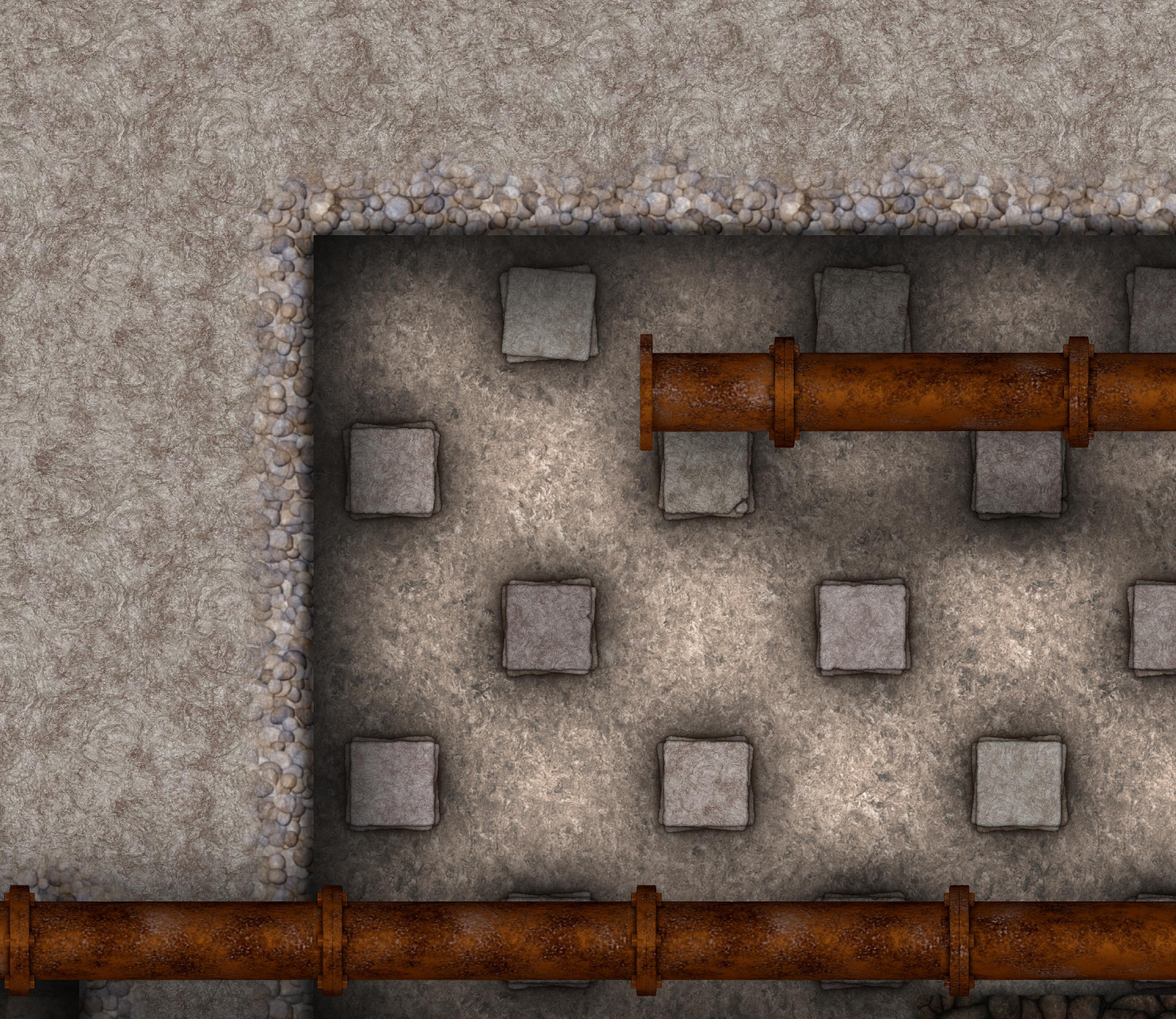
Here are the Pilae Stacks using an outer glow instead of a wall shadow. As with the shadow, the stronger glow is just on the lowest of the three tiles in the stack -- putting it on all of them was just too strong. I set up enough sheets to have ten tiles stacked up for each, but it didn't really gain enough after the third tile to make the effort worthwhile.


-
[WIP] Community Atlas - Eknapata Desert
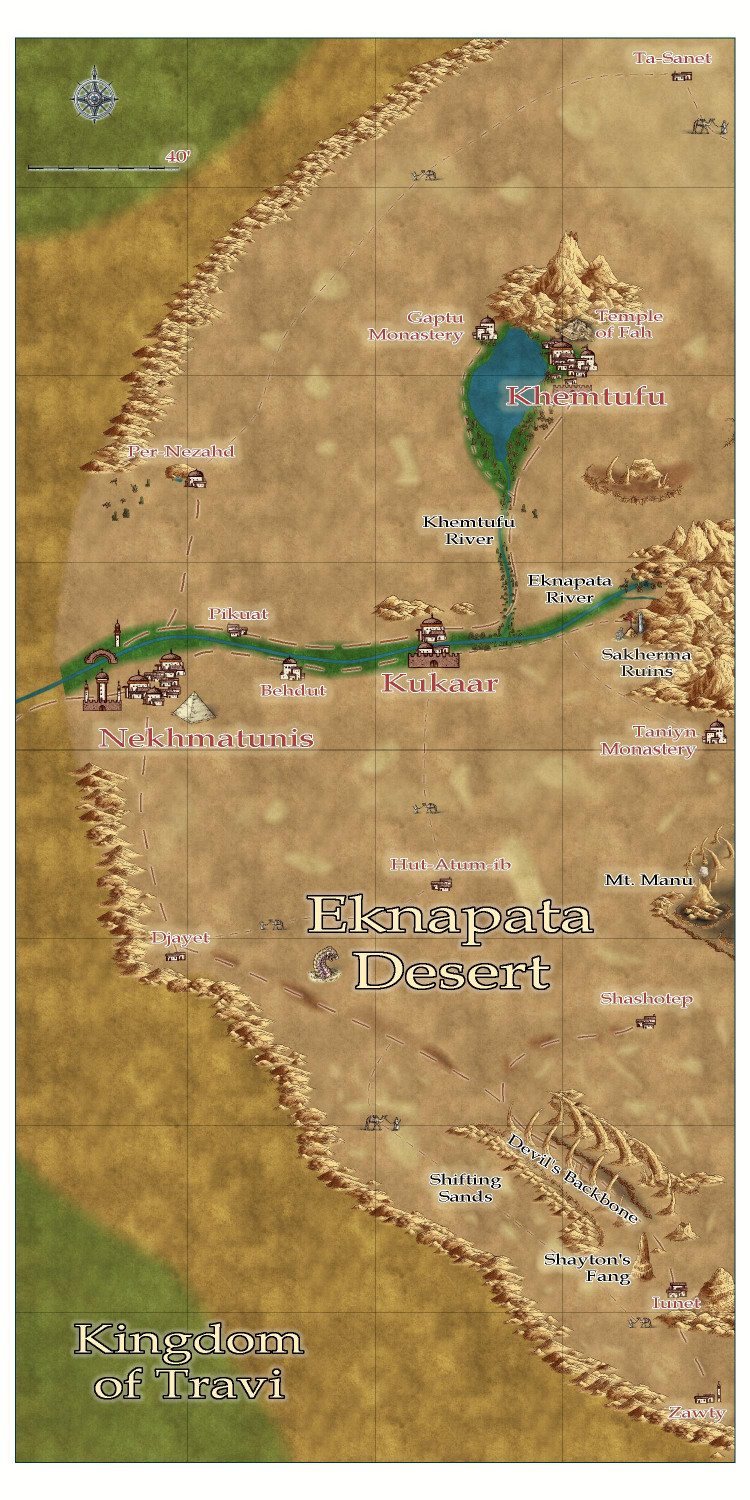
Okay, here's the next iteration.
I tried to use blotchy lighter sands to suggest sand dunes, like the Sahara Desert, and darker blotches to show more solid, earth-packed areas. Not sure if I should try to get them to blend in more with a partial transparency or something?
Tried to make the roads show up a little more, but I can't tell if it was that successful. I liked the idea that the guys with the camels could be used on the trails roads to indicate that it was more of a general route through the sands, where most travelers would need an experienced guide to make sure they don't get lost, since a proper road would be blown away or covered with sand. There is a more treacherous area in the southern part of the desert called the Devil's Backbone, where a proper road on more solid land passes next to a 50-mile long fissure. It's a dangerous route, beset by foul creatures that creep out of the fissure, especially at night. But the road is on solid land, and without a guide, it might be a safer route than braving the shifting sand dunes. (I put a tower next to one of the villages down there -- maybe a wizard is there that the adventurers just have to visit?)
Thoughts?

-
Ideas for future Annuals
In a previous thread, Ralf encouraged us to post ideas for future annuals and artists we’d like to see. I know there’s been threads of these sorts of ideas before, but I thought I would take the opportunity to start a new thread, and I hope folks will add their own thoughts.
There’s this one artist whose style I really love. She’s super busy right now, but if she ever has a spare moment, I always love new additions from … Sue Daniel! ;-)
This month’s annual highlighting Mike Schley’s Overland symbols really emphasizes how much of his stuff we have to work with – not just overland, but city and dungeon, too. Since he’s been a longtime D&D designer, his style is great at capturing the same vibe when designing your own maps for D&D campaigns. In deciding what style I want to use for a new map, I often gravitate to his because of how much variety there is to work with. (If he’s looking for city and dungeon level ideas, I would love more Greco-Roman buildings and furnishings.)
So in that spirit, I would love to see more annuals with stuff that is compatible with other styles, particularly Darklands City and Spectrum Overland. I know that might be tricky to do an expansion of an annual released years ago. When an annual has an expansion, it’s generally in the same year (Marine Dungeons, Darklands City, Forest Trail, Monkey Frog Overland, etc.) so that a customer doesn’t have to buy two annuals to use both sets together. But what about expansions designed to stand on their own but also work complimentarily with previous sets? I’d love to see more settlement and adventure-hook symbols that are compatible with Spectrum Overland, and more structures/buildings for Darklands City (and the snowy versions for Winter Village). Right now I’m on an elves & dwarves kick, so elven/dwarven Darklands City structures would be awesome.
Other ideas:
Jungle/Swamp Adventures: something compatible with Creepy Crypts & Forest Trails, but with more jungle elements – palm trees, tropical trees, swamp trees (like trees in water with the ripple effects from Marine Dungeons), bright flowers and other foliage, monster/beast footprints, vines, traps, treasurers you might find adventuring in ruined temples.
Castle Construction: something like CA149 Beaumaris Castle, but with design tools and more castle-specific symbols. Symbols like gargoyles, varicolor flags & banners, crenellations (like the way Marine Dungeons lets you drop crenellations onto walls), machicolations/murder holes, plate armor, thrones, weapons, murder holes, siege/warfare equipment…
Inlays: I’ve mentioned this before, but I would also love more varicolor vector symbols that could be used for so many things like heraldic charges, floor inlays, stitching on fabric (rugs, banners, etc.) – animals, weapons, flowers, runes (in dwarven and elven styles), Celtic or elven design patterns, astrology and astronomy symbols, etc.

-
Stain Symbols for Maps
I love @ScottA ’s idea! And in addition to map-making tools, actual field equipment for surveyors: lodestone compasses, telescopes, magnifying glasses. And might as well throw is astrolabes and globes. Is this what we call “scope creep”? It started off as a coffee cup ring…


-
Community Atlas submissions: the Gold Coast (Doriant) and areas within it
I am ready to submit the FCW for the Eknapata Desert for the Atlas, knowing that it won't be processed until after the contest ends (though it is a parent map for a village I am submitting to the contest).
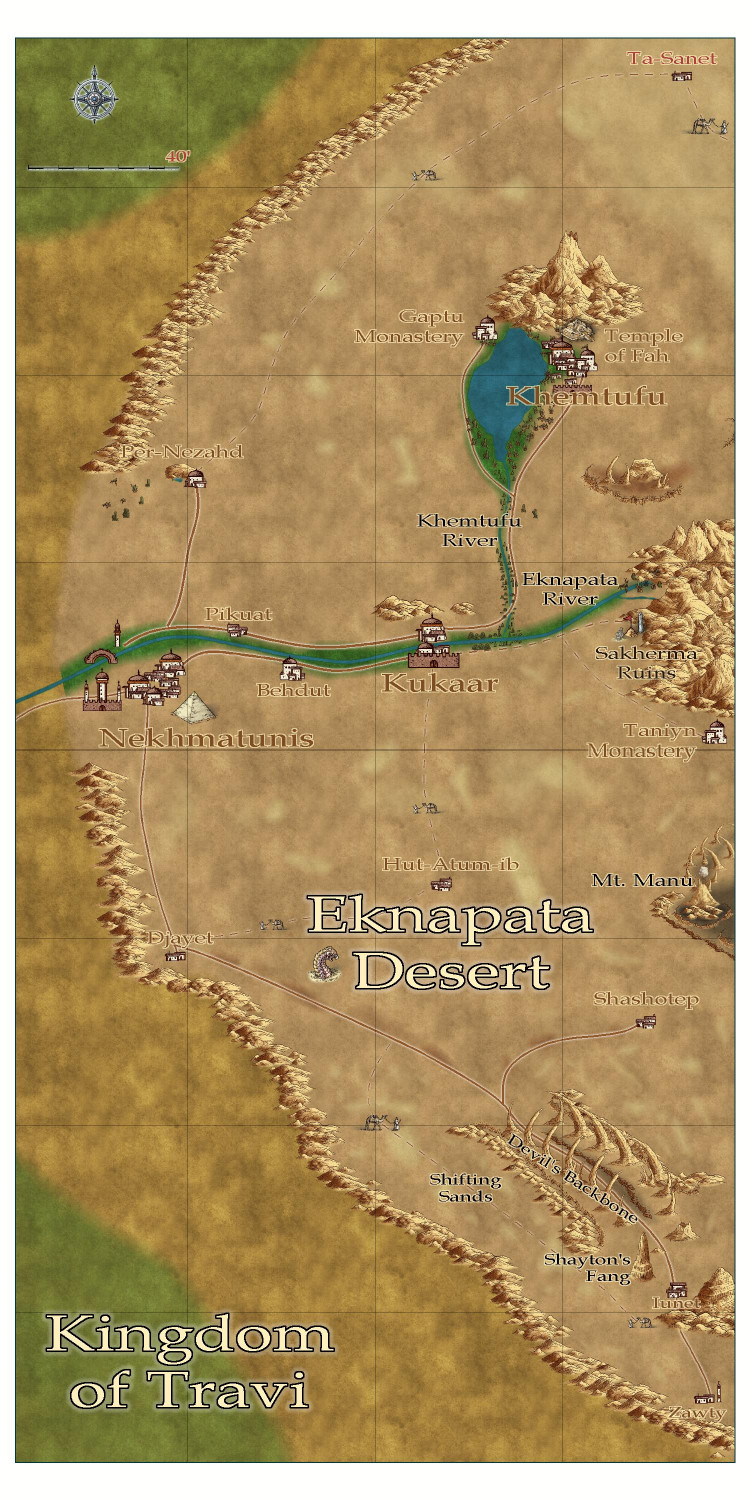
Here is the FCW, along with a PDF Description and a plain text file (with accents replaced with standard ASCII characters).
-
Atlas Submission: Doriant - Gold Coast - Tyr Alomere
Tyr Alomere Township
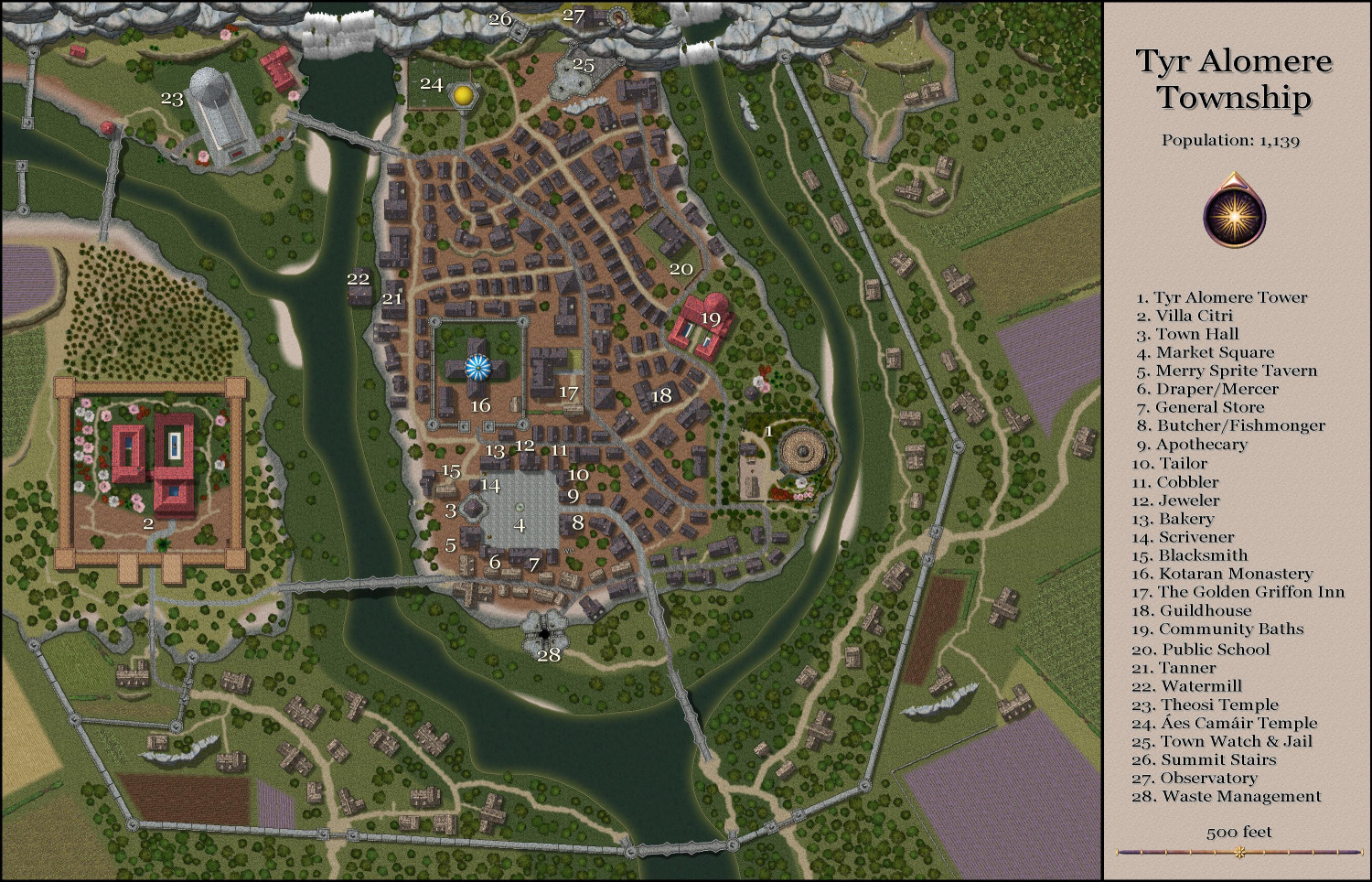
Tyr Alomere Township
Population: 1,259
Nestled in the foothills of Mt. Alomere, the sleepy village of Alomere was primarily notable for being a local lord’s vacation villa. Generations ago, it grew to become a prosperous, bustling town when the powerful wizard Marius built a mighty tower there for his retirement.
The wizard, now known as Marius of Alomere, quickly developed a prosperous business. Adventurers flocked to his tower to seek his counsel about their quests, and to purchase scrolls and potions that Marius and his apprentices created. The adventurers then returned after their quests to have curses removed and magical items identified.
Tyr Alomere Tower was later inherited by Marius’ daughter, a powerful wizard in her own right. She bypassed her own children to leave the tower to her most powerful apprentice, and thus began the tradition of keeping the tower in the hands of a mage.
The town grew to support the influx of visitors, with local retailers well-stocked in the supplies that many adventurers need.
1. Tyr Alomere Tower: The tower is the present home of Madeleine Eyraux, a mighty enchantress, and her husband. The grounds include a cottage where the staff live, and a barn where visitors can stable their mounts.
2. Villa Citri: The vacation villa for the Earls of Westford, Villa Citri is currently occupied by Lady Amfiri Prelcort, Dowager Countess of Westford, widow of the seventh Earl of Westford and mother of the eighth. The villa is known for its orchards of orange trees and its vineyards of wine grapes.
3. Town Hall: Virtually all government functions operate from the Town Hall, including registering businesses, paying taxes, and registering records of births, weddings, and deaths. Two courtrooms are also in the Town Hall, with one generally dedicated to criminal proceedings and the other for civil lawsuits.
4. Market Square: Local farmers and traveling merchants set up carts and stalls in the Market Square three days a week.
5. Merry Sprite’s Tavern: The tavern does a bustling business every night of the week, catering to travelers and locals alike. On many nights, minstrels and bards passing through may be found performing for a few extra coins.
6. Draper/Mercer: Customers can buy bolts of fabric as well as items of clothing here.
7. General Store: In addition to selling foodstuff, the store is unusually well stocked for the typical items needed by adventurers, including torches, lamp oil, and simple tools.
8. Butcher/Fishmonger: In addition to selling fresh meat, jerked meat preserved with salt is available for sale to adventurers.
9. Apothecary: Herbalism and medicine kits are available here, as well as basic ingredients for simple potions. For more exotic ingredients, adventurers will probably have to find a larger city or perhaps go on a quest to find them. The apothecary may have simple, common potions for sale, but the availability is erratic based on what they have been able to purchase from adventurers passing through.
10. Tailor: For the mending and sale of clothing.
11. Cobbler: For the mending and sale of shoes and boots.
12. Jeweler: The jeweler buys and sells both jewelry and individual gemstones. A town this size normally would not be able to sustain a business of this nature, but the wizard’s presence has brought in a lot of travelers with loot to sell, as well as spellcasters who need specialty items for their more complex rituals.
13. Bakery: For the sale of fresh bread, pastries, cakes, and pies.
14. Scrivener: This is another business that is unexpected in a town of this size. In addition to being able to transcribe and notarize documents, the clerks who work here can sell parchment, ink, and books with blank pages suitable for use as a spellbook.
15. Blacksmith: Like most village blacksmiths, the smiths here spend a fair amount of time making horseshoes and making and repairing farm tools. Although they tend not to make arms and armor, they are trained in repairing them. From time to time, they may have armaments for sale that have been purchased from adventurers who have upgraded their equipment.
16. Kotaran Monastery: The Kotaran faith is as much a philosophy as it is a religion. Followers believe that there is strength and power when the universe is balanced, and that that most things in nature are symmetrical for a reason. Kotaran Monasteries are famous for providing support for travelers. Its knights help keep the roads safe from bandits, its priests tend to the injured and sick, and its temples serve as moneylenders and banks in many communities. Adventurers will be able to exchange exotic coins here, and may be able to deposit their excess gold for safekeeping.
17. The Golden Griffon Inn: The inn does a brisk business catering to travelers who seek an audience with the mage. Like at the Merry Sprite’s Tavern, traveling minstrels and bards will often be found performing here in the evenings.
18. Guildhouse: The various merchant guilds share this space for their meetings.
19. Community Baths: Free restrooms and bathing facilities are available for all as a means of controlling the spread of diseases. For those willing to spend a little coin, more luxurious bathing options are available.
20. Public School: The school provides basic reading, writing, and arithmetic instruction for the children of the town and nearby farms. Some will also attend classes at one of the local temples for religious instruction.
21. Tanner: Leathergoods are made, mended, and sold here.
22. Watermill: Locals will bring their own grain here to grind for a small fee, or may purchase ground grain from the miller.
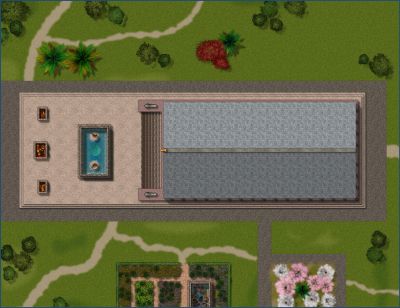
23. Theosi Temple: This Greco-Roman style temple is for the worship of the eight greater gods and twelve lesser gods of the Theosi faith. As with the Kotaran Monastery, the temple has a small medical facility to tend to the injured and the sick,
24. Áes Camáir Temple: For the worship of the five primary gods, the Children of Dawn, and their descendants. Like the Kotaran and Theosi temples, the church has a small medical facility.
25. Town Watch & Jail: The town watch is headquartered here. A basic jail is used to hold prisoners awaiting trial in the courthouse. Those sentenced to longer incarcerations are generally transported to a bigger city to serve their sentence.
26. Summit Stairs: This tower is home to a spiral staircase that allows ascent to the top of the cliffs, and to the observatory housed there.
27. Observatory: Scholars visit from far and wide for the opportunity to study the heavens through the observatory’s rare and valuable lens.
28. Waste Management: The town’s complex sewer systems converge here, where a giant pit allows for the disposal of other forms of rubbish. Captured gelatinous cubes and black puddings are used to dispose of the town’s waste.

-
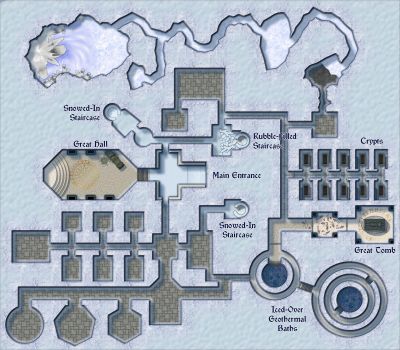
[WIP] The Royal Chapel
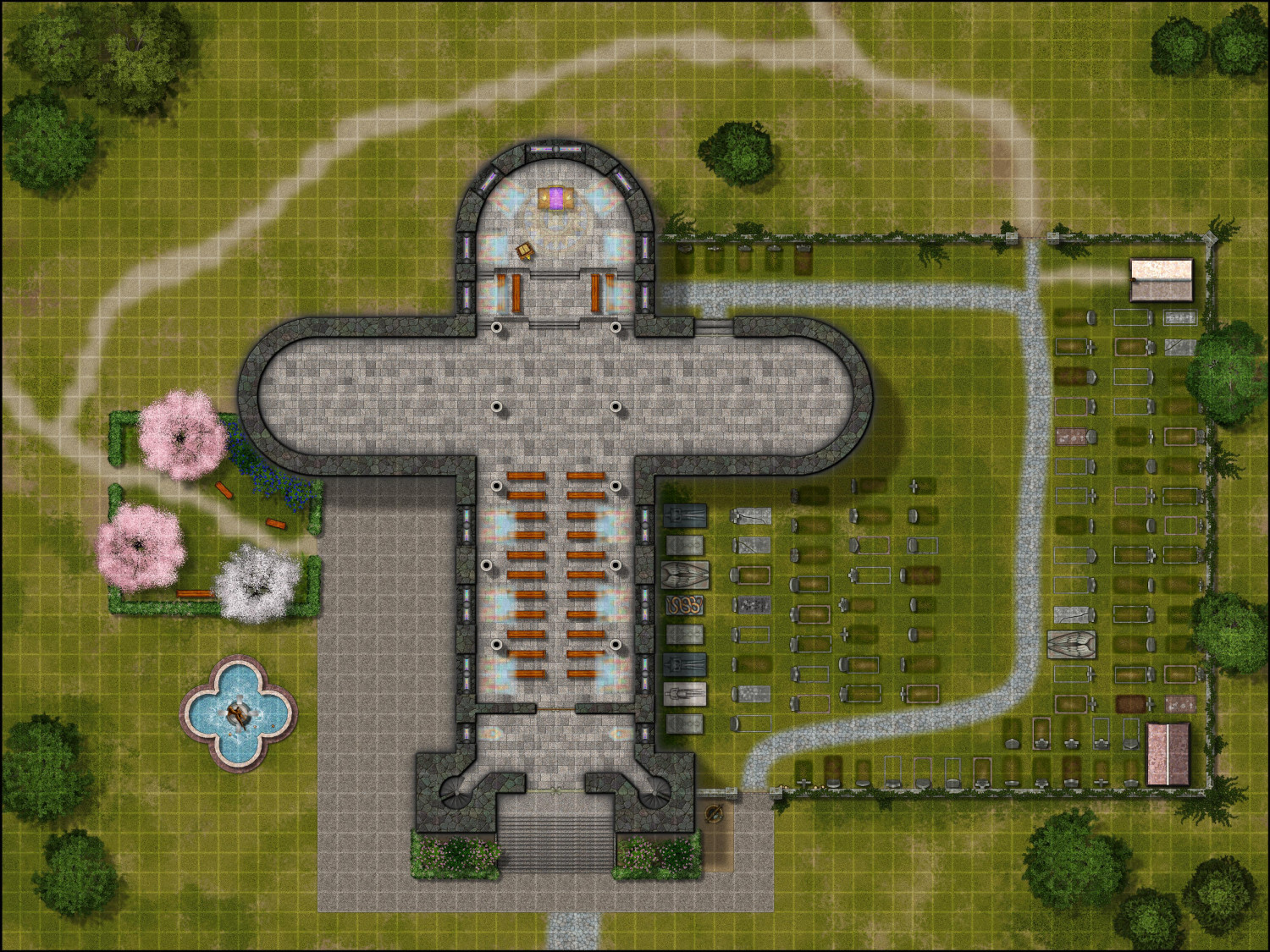
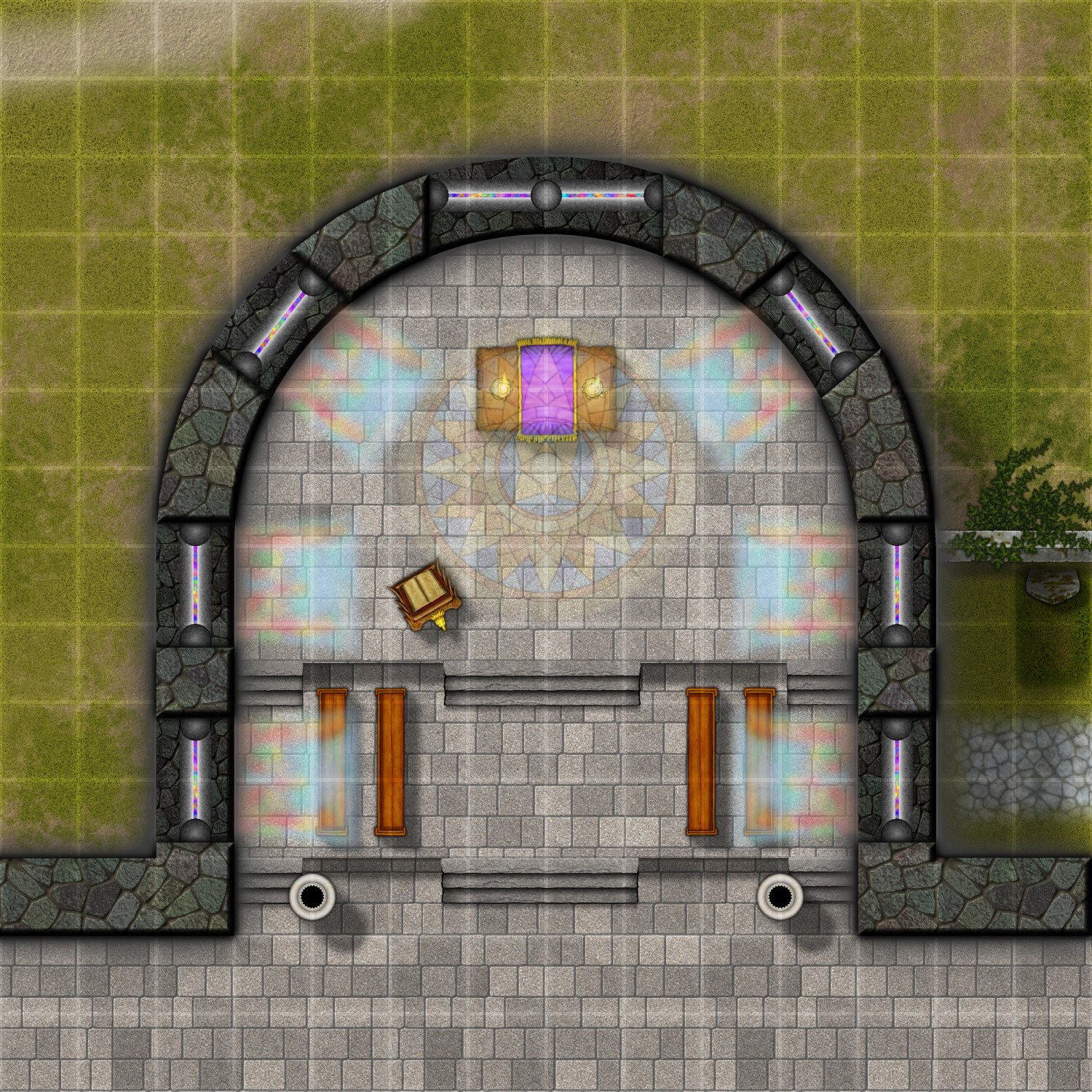
Working on the interiors -- here's the first floor so far, plus zooming in on the apse. (Just noticed that one of my columns isn't lined up properly.)
The pews will continue up to the front. I'm thinking the transept (the side wings) will be closed off with interior walls, rather than fully open. That will let me create a sacristy and other areas on this floor.
Inside the apse, the pews on the sides could be for clergy on one side and the choir on the other, with the royal family seated either in the front row or the balcony. Or the choir could be moved to the balcony with the royal family seated in the choir section.
BTW, the cobblestone path in the graveyard looks like it dead ends at the wall of the chapel. It actually leads to a door going down to the basement. As this floor is elevated, the basement is only partially underground, with enough of the upper portions of the basement walls above ground, allowing for high, barred windows to let light in down there.
-
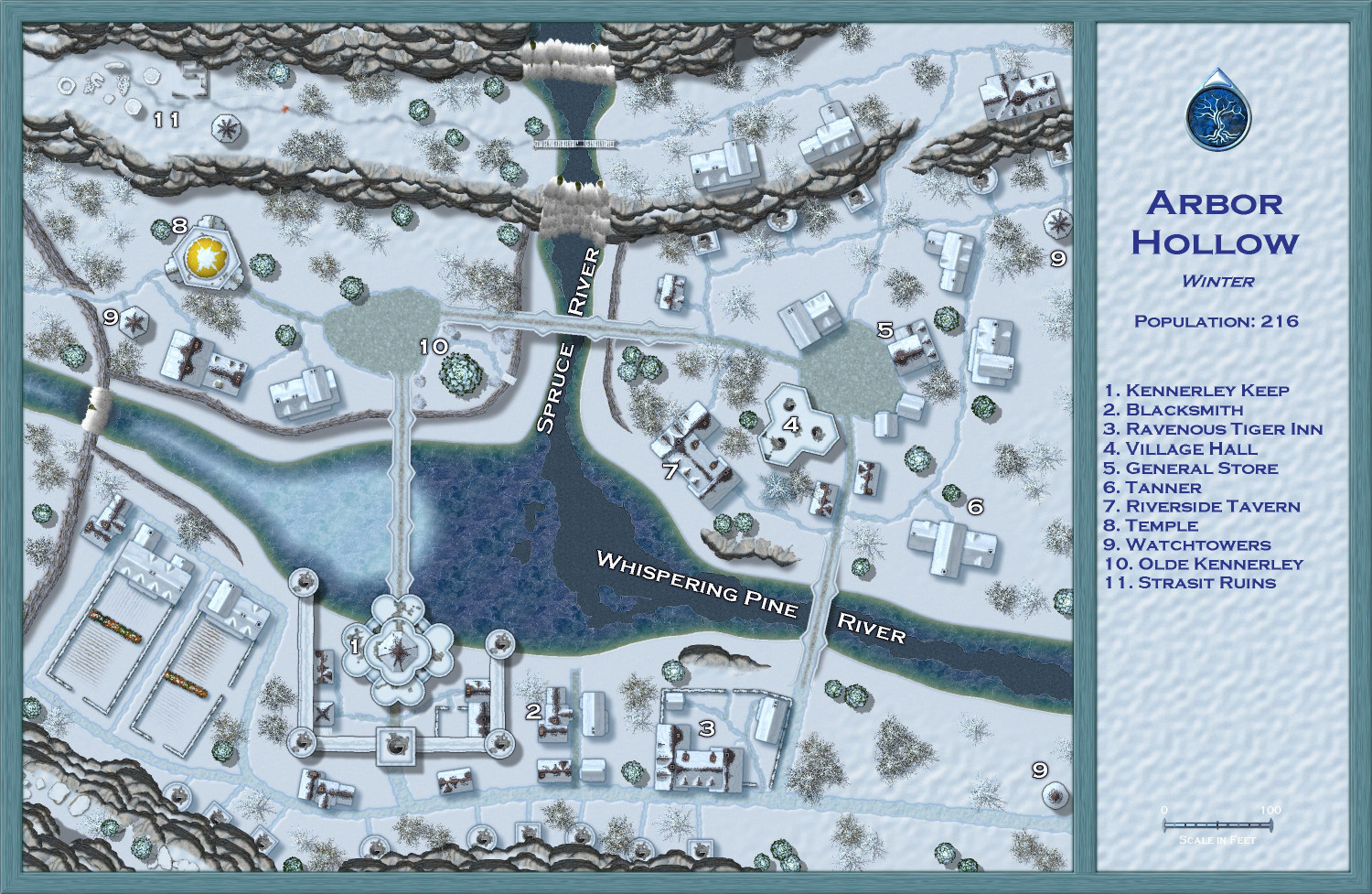
[WIP] Atlas Contest (potentially) - Arbor Hollow (summer, autumn, winter, spring)
I went back to my previous save -- the last version before starting on the trees -- so that I could replace the trees individually to ensure exact placement. Having the coniferous and deciduous trees on separate sheets made it easier so that I could focus on the firs and the barren trees separately. (Another tips: make sure all of your original trees are on the Vegetation layer and then freeze the other layers -- before I did that, it was way too easy to accidentally grab other things unintentionally.)
Also (not sure if I mentioned this before), I used the effects from one of the Winter Trail sample maps on the white text. I think it makes them stand out nicely. One of the other samples used red text, which made for a nice contrast but felt a little jarring for this map. But I could do a dark blue like the legend if folks think that's better.