


Wyvern
Wyvern
About
- Username
- Wyvern
- Joined
- Visits
- 3,240
- Last Active
- Roles
- Member
- Points
- 5,519
- Rank
- Cartographer
- Badges
- 24
Latest Images



-
The Creepy Crypt project
Dee-licious! 🍳



-
Panzer sample thread
So far as I recall from modelling the 8- and 6-rad armoured cars (i.e. also from period images and information), the aerials were fixed in position, and at a height above the turrets all the time. These are the early-war "bedstead" frame aerial types, not the later war smaller "star antennae" which were retrofitted to some models, incidentally.
Oh - and belated congratulations on your ascension to Master Mapper status @Lillhans ! Very well done!


-
Hexcrawling starter maps
The published maps and artwork for ShadowDark all tends to be black-and-white. I don't mean greyscale here, but sharply-contrasting black-and-white line hand-drawings. It would be good to have something similar for CC3+ (especially for dungeon-style maps, as the current CC black-and-white dungeon styles don't have sufficient bitmap options, or high enough symbol and bitmap resolutions, to look sufficiently clear and presentable - I did some tests for this too), particularly given the current popularity of OSR systems overall, which tend to favour this kind of map look in general. It is though easy enough to convert these maps to at least greyscale, simply by adding a suitable RGB Matrix Process effect to the whole map:
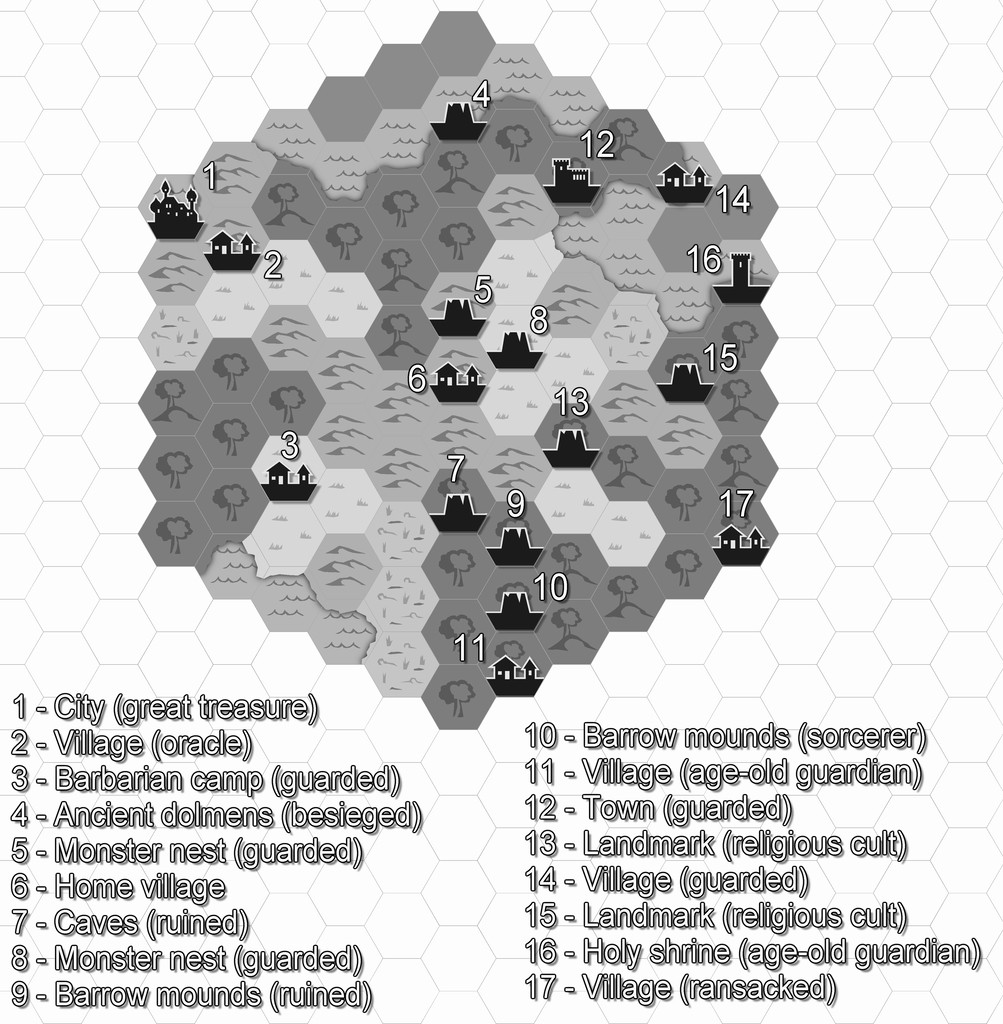
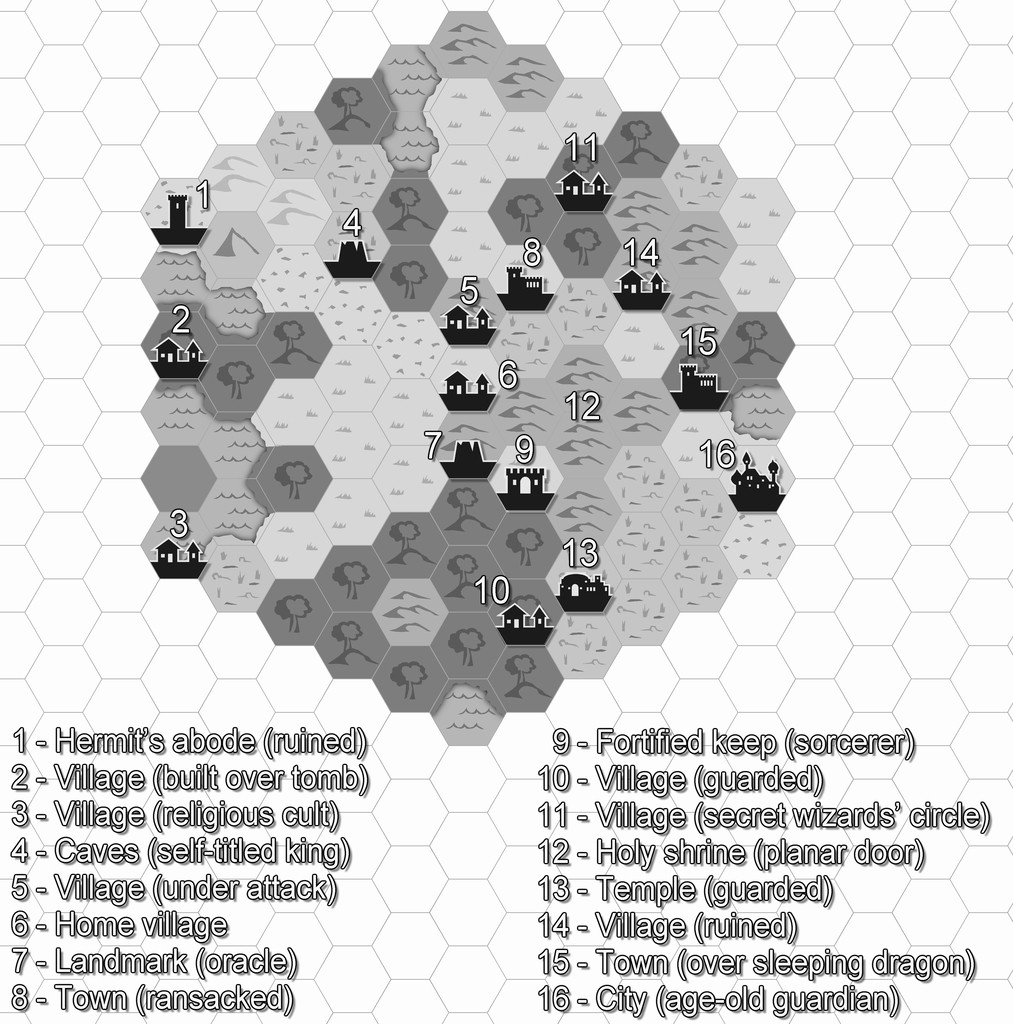
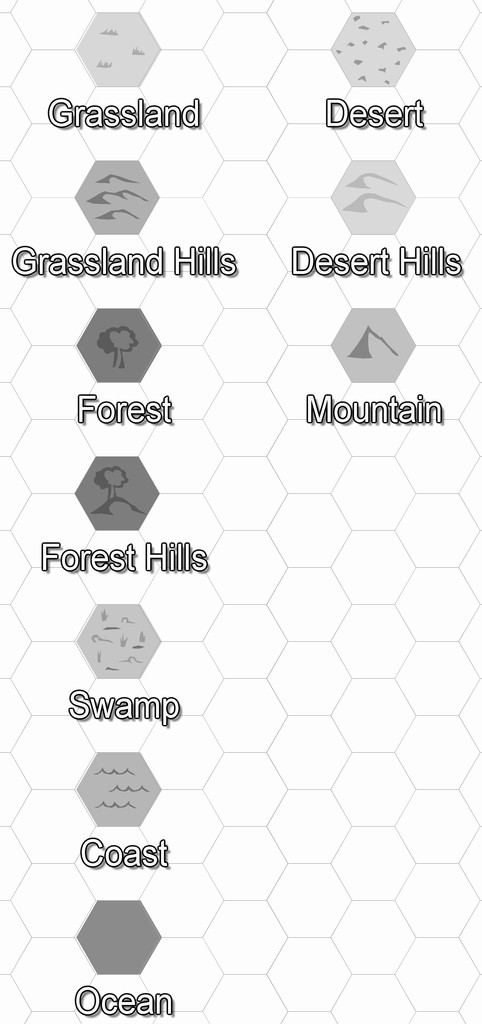
Oh, and a minor tweak to the colour of the lettering!
-
I Can't Buy Campaign Cartographer And Other Such Products
You should though check your card provider's terms and conditions before carrying out the transaction, as you may find there's a small extra fee to convert the currency (about 3% of the transaction value is common, though not universal). Like Loopysue, I'm in the UK, but have carried out transactions this way for some years for US, Canadian and New Zealand Dollars and Euros, for instance, and the transactions have always been pretty straightforward.
Also, if you're concerned, you can pay through PayPal (even if you don't have a PayPal account), and that shows you exactly how much you'll be paying in your own currency, including the conversion fee (and your card provider shouldn't charge you any extra).

-
Community Atlas: Embra - Enclosed Places
Enclosed Place of Interest 3 is the Floating Dale Park:
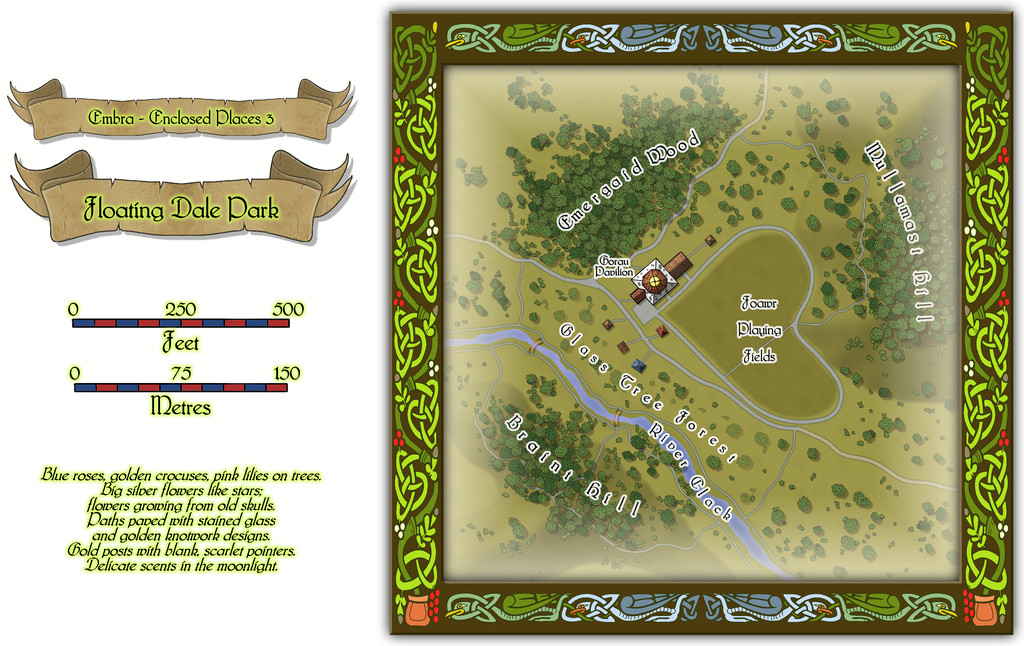
This can be used as a typical real-world park, with opportunities to wander around, or play outdoor games on the central Playing Fields, whose unusual shape may call to mind that Faerie outdoor games and sports may not be quite those familiar from the Mortal Realm.
There are a handful of surface-level buildings scattered around the map's centre, as one of the map toggles will reveal:

These include the Pavilion, where equipment for playing sports and games is available, as well as a restaurant in the central octagon beneath the building's dome. And yes, some of the vegetation is actually intended to be of living glass in Glass Tree Forest. And again yes, those ARE bridges made from rainbows over the River Clack. As ever, the text and PDF files will explain a little more about both facets, and others, from this map. In case this seems not very "Enclosed", there ARE boundaries to the Park which are deliberately less obvious than some.
![[Deleted User]](https://secure.gravatar.com/avatar/c75d9a245b74d9c59be0999ea81ca541/?default=https%3A%2F%2Fvanillicon.com%2F92add7f8c954488718110edc4896ad39_200.png&rating=g&size=200)
-
WIP - Wayward Village and Inn
Glitch commented: 2. Use the select point option to draw grid box. Easy to do, but if you have and irregular building, setting two grid boxes creates a misalignment of the two grids.
It shouldn't create a misalignment if you use the snap grid properly, but you may need to mask the second grid in places. Or you could just draw one grid across all, and mask those areas of the grid that lie beyond the structure's walls.
As with most things in CC3+, there isn't just one option for solving issues like this - it's which one you're more comfortable with that typically wins the day.

-
Live Mapping: Character Artist 3
Just finished catching-up with today's video, as I wasn't able to be there for it live.
I've used Character Artist quite a bit over the years, and it was a shame to discover there are no plans to update or expand it, if perhaps understandably so, given it is something of a "luxury" add-on, compared with the primary mapping purpose of CC3+ in general.
Reviewing the video so soon after it was posted means the chat wasn't available to view (it sometimes is lost anyway, if the video is later edited before its final YouTube posting), but I don't think it was mentioned there that there is also the original Character Artist Pro, which has many more drawn-symbol options than CA3, and is much easier to draw your own additions onto, because it uses the far simpler vector drawing style. I suspect many now wouldn't feel it to be "pretty" enough, compared to the more modern hand-drawn version, unfortunately, but it is a versatile tool that shouldn't be ignored - to me, at least!

-
Dungeon Level Symbols - Celtic Revival Room by Room
Obviously, we need some entwined knotwork wyvern designs for the furniture, but it's otherwise looking wonderful so far 😁😉🐲!

-
Community Atlas: Embra - Hilly Places
Thanks very much Sue!
I wanted the cliffs here to look different to yours, which I'd already decided to use for the red sandstone types at Embra, as the Palace Heights ones are meant to be a harder, volcanic type of rock. Actually, a Faerie type of volcanic rock, which has different properties and abilities to "ordinary" volcanic rock, so I also wanted the forms here to act as a reminder that something a little different to normal was involved. I also used a similar style of cliff drawing in one of the Crossing Places Streets - the Rocky Vale under Seafield Road there, again because the Vale is a weird place that can't be reached, another reminder of something odd happening there.
-
SS6 - free imperial grid
Yes please, another vote in favour of having the grids as options in the final SS6 - imperial and metric!

