


Wyvern
Wyvern
About
- Username
- Wyvern
- Joined
- Visits
- 3,266
- Last Active
- Roles
- Member
- Points
- 5,585
- Rank
- Cartographer
- Badges
- 24
Latest Images
-
Community Atlas: Embra - Wooded Places
Not content with the complexities of a spiralling maze-like design, Wooded Places map 4 was to be a complete maze, the Hydras In Smoke Maze, no less. An apparently overblown title, though one that may make more sense if you consider the woods hereabouts are always notably misty - hydra/hydro-"smoke", or very loosely "water-smoke", if you will... This one DID take quite some time to complete, as it's a big maze. Firstly, the whole map:
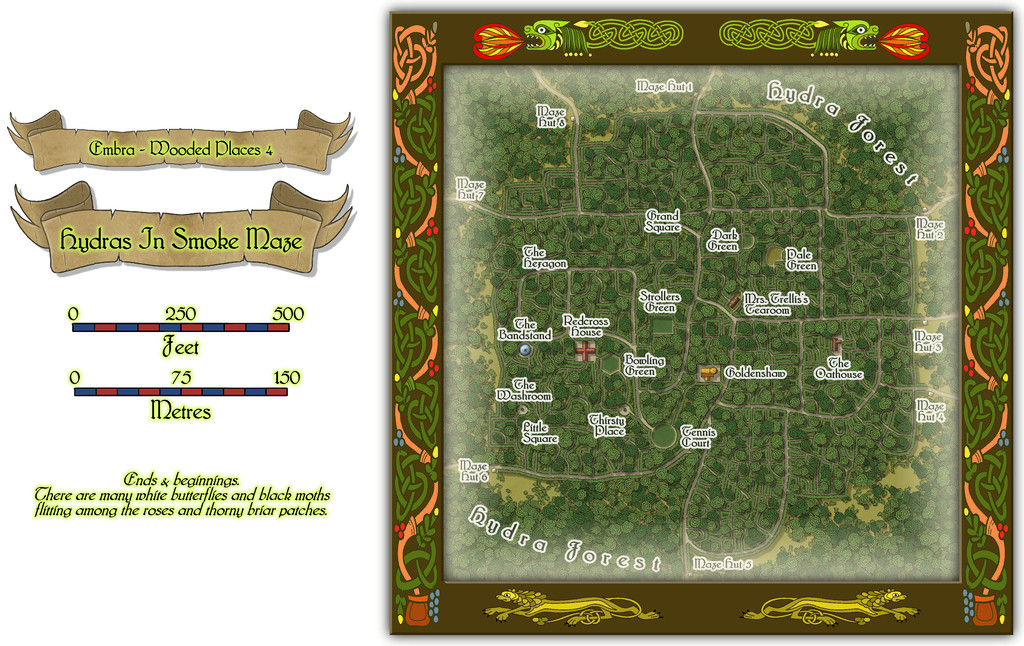
Then a closer view of just the mapped place:
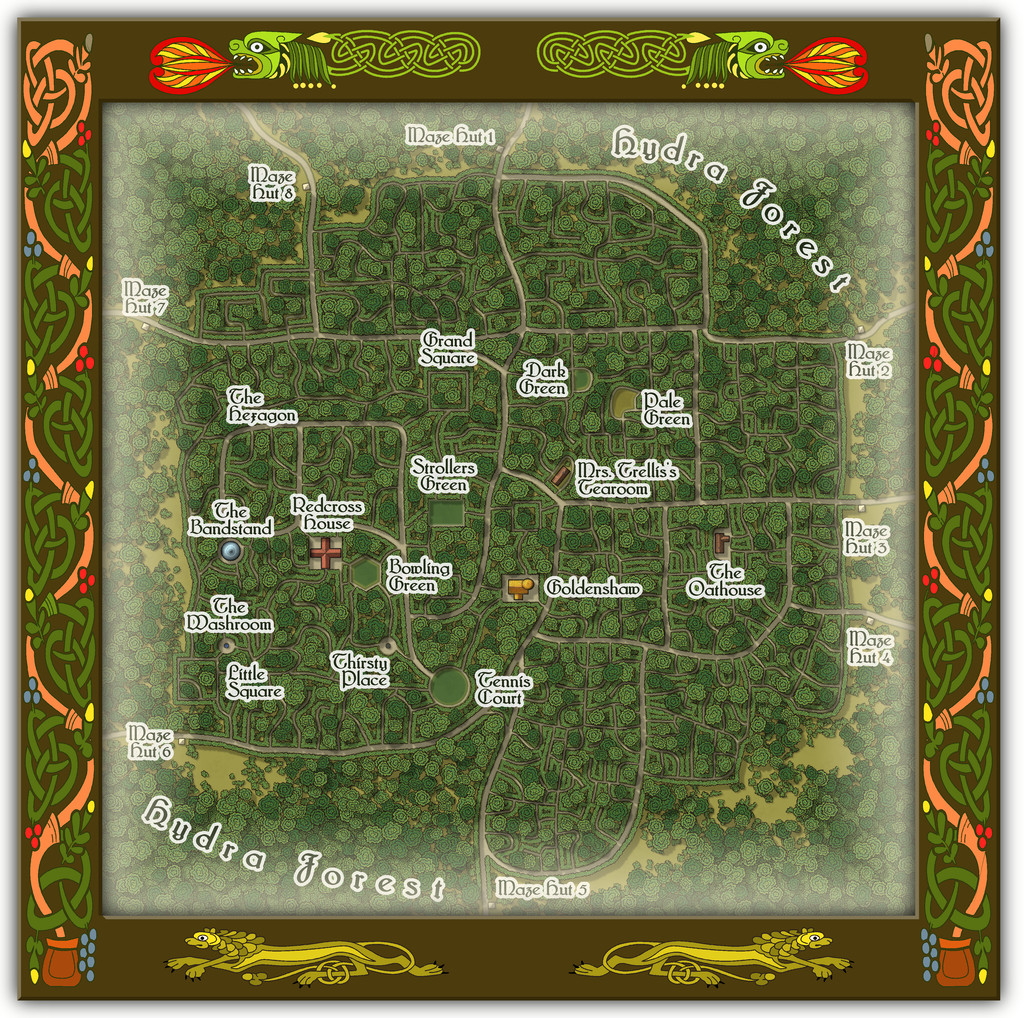
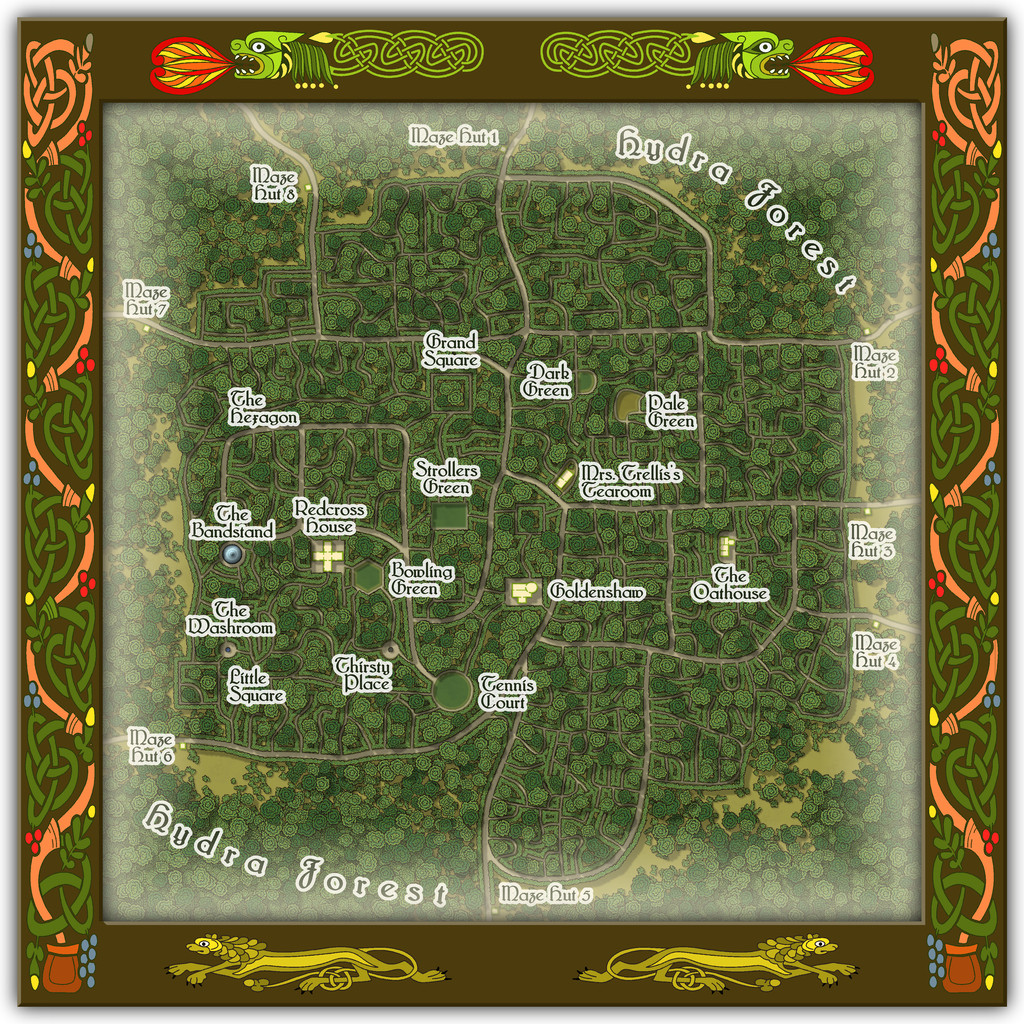
And for anyone wondering, yes it's THAT Mrs. Trellis (from the very long-running "I'm Sorry, I Haven't A Clue" BBC radio comedy series for those unfamiliar; don't worry if this is strange territory, as she features in the series only occasionally in confused, reported written speech). Here, she comes complete with a strong North Welsh accent, now and then lapsing into full Welsh when stressed, albeit also transformed into a powerful Faerie being, serving the most exquisite cream teas.
The handful of buildings have interior views as well:
To help anyone struggling to define the maze pathways, there should be an extra toggle in the Atlas FCW file to show just that layout:
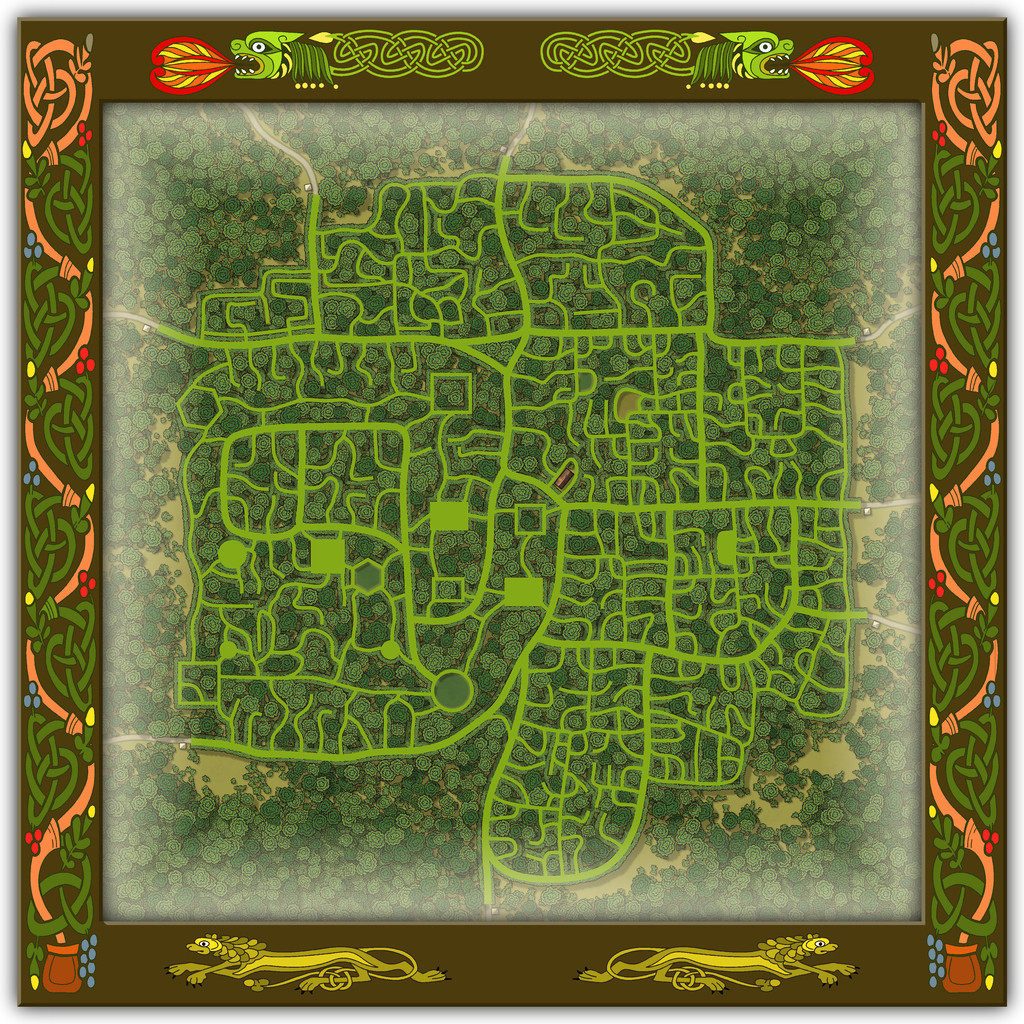
As you'll likely have realised, the choice of what went where within the Maze was very deliberate, such as the circular Tennis Court, the hexagonal Bowling Green and the Bandstand with no room for anyone to sit and listen to the music nearby, when other locations would have been clearly far more "suitable", had this been anywhere other than a Faerie city, at least.

![[Deleted User]](https://secure.gravatar.com/avatar/c75d9a245b74d9c59be0999ea81ca541/?default=https%3A%2F%2Fvanillicon.com%2F92add7f8c954488718110edc4896ad39_200.png&rating=g&size=200)
-
Community Atlas: Embra - Wooded Places
The third map in the Wooded Places set gave me an opportunity to try something I've wanted to do for a long time, map some spiral patterns in woodland. Those sufficiently familiar with fantasy fiction might guess the idea originated in the "Mythago Wood" tales by Robert Holdstock (the original novel, "Mythago Wood", was published first in 1984), which made a lasting impression on me from when I read them back then. The final map though bore only a mild, passing resemblance to its original base. Thus came to be Spiral Glade Park:
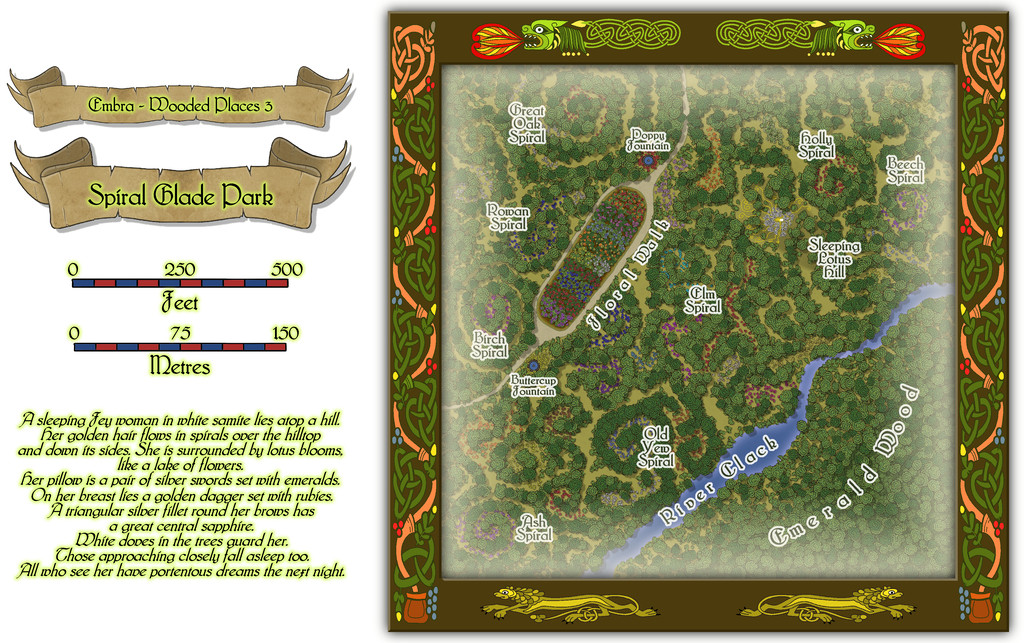
The details are a little tricky to see at this resolution, so again, we can try a somewhat closer view of just the map part:
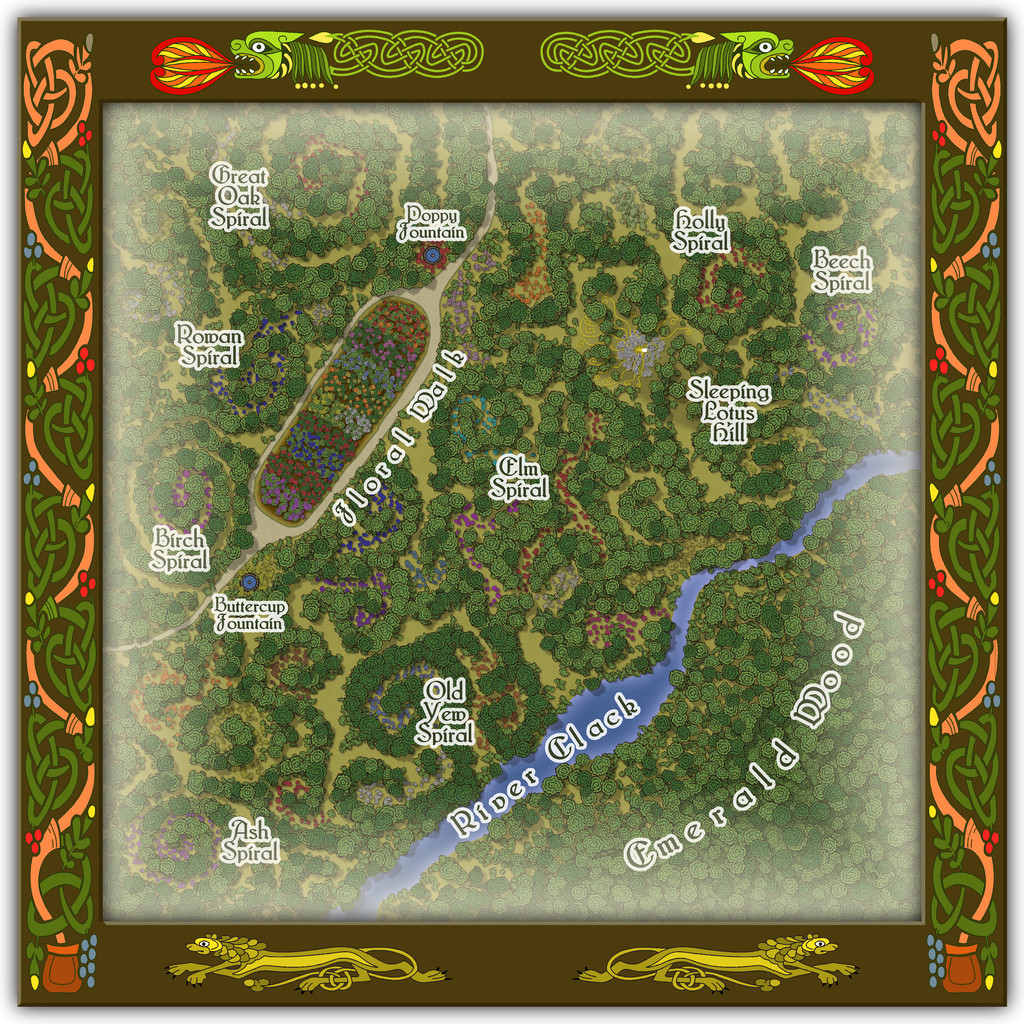
For those wondering, yes, Sleeping Lotus Hill does have a simple sketch of the sleeping Fey woman in white of the map's featured text, and her spiralling golden hair, surrounded by lotus blossoms. There are also a lot more flowers scattered across this map, as with several other of the Embra Places, of course. The PDF and text file notes suggest some possible benefits from traversing the spirals, and a warning regarding the curious grassy hummocks mostly hidden by the lotuses...
-
Community Atlas: Embra - Wooded Places
Wooded Place 2 is the Elfin Stone Ruins, now with extra map-border creatures (don't you just love "Mirror Copy" sometimes?):
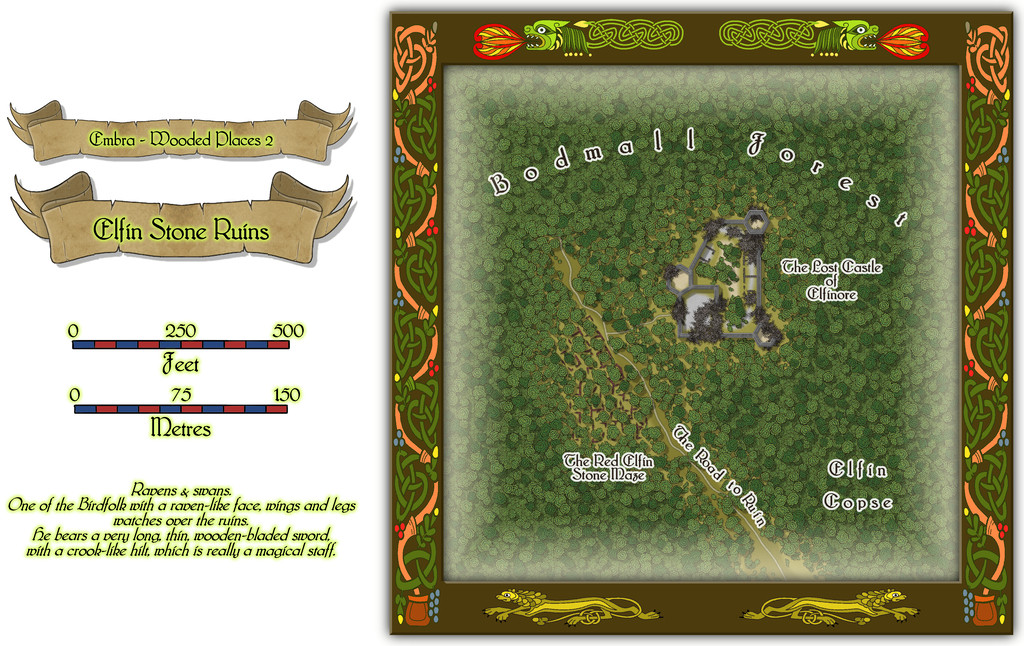
Which also shows I finally gave-in and decided to actually map one of the castles from the original base map as a genuine castle for once - or rather, a ruined version of one. Sort of... As a close inspection will suggest though, the castle doesn't seem to have had an actual gateway. A slightly better resolution image may help:
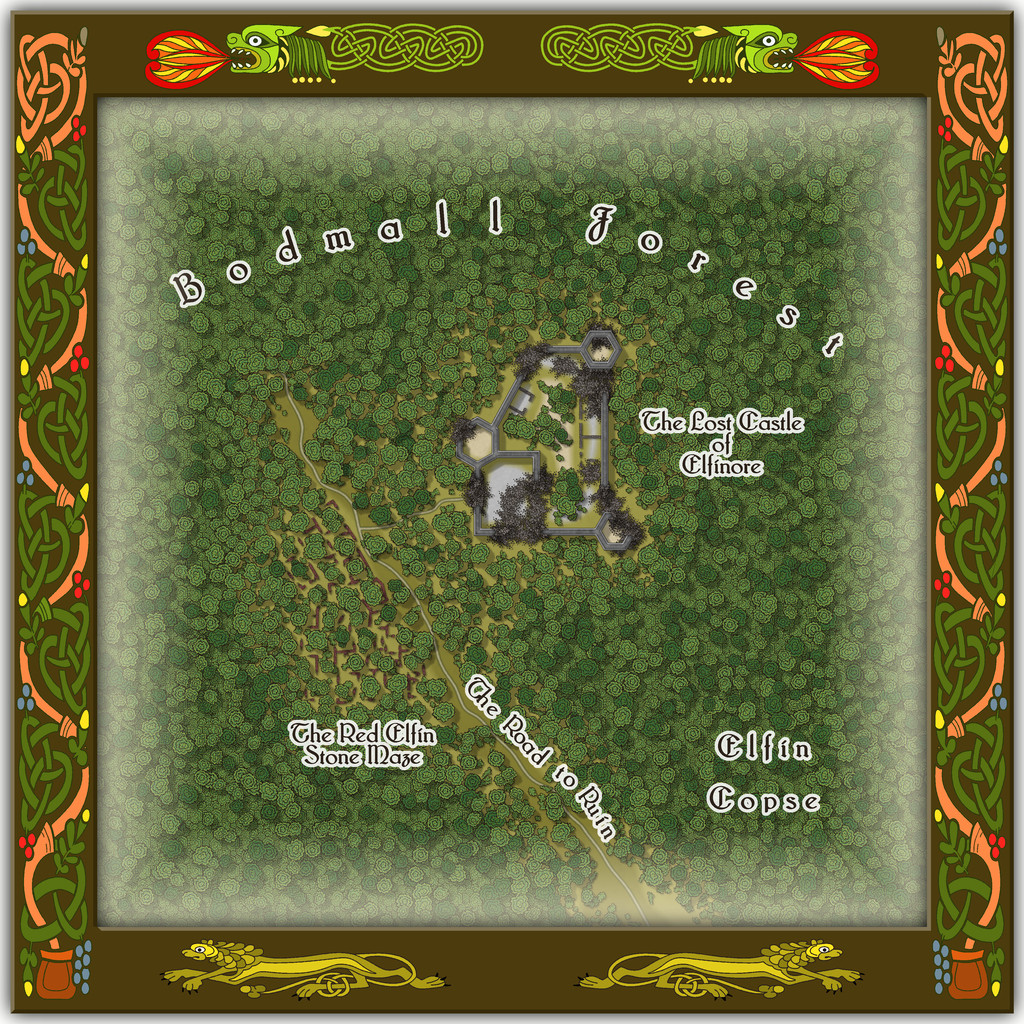
As for The Red Elfin Stone Maze, that's difficult enough to see on the actual CC3+ map, albeit quite deliberately so, since the adaptation of the original base map's features here called for something odder than just ruined walls of somewhat poorly-constructed peasant housing (my reasoning behind the wall-lines on the hand-drawn JG original not being entirely straight in places). If the ruins give the impression they may have been built that way, and are not of earlier buildings that have decayed and fallen apart, that might well be correct.
Oh, and there really is nothing to distinguish that part of the dense woods labelled "Elfin Copse" from any other part of the Forest nearby, incidentally. Come on - this IS Faerie, after all!
-
Community Atlas: Embra - Wooded Places
The opening map in the group, for the Painted Light Monument, was based on a design from the old Judges Guild "Temples I" book. As noted previously, these maps are smaller in scale than those in any of the other JG books being used as bases for the Embra Places maps, so this too needed a smaller CC3+ layout:
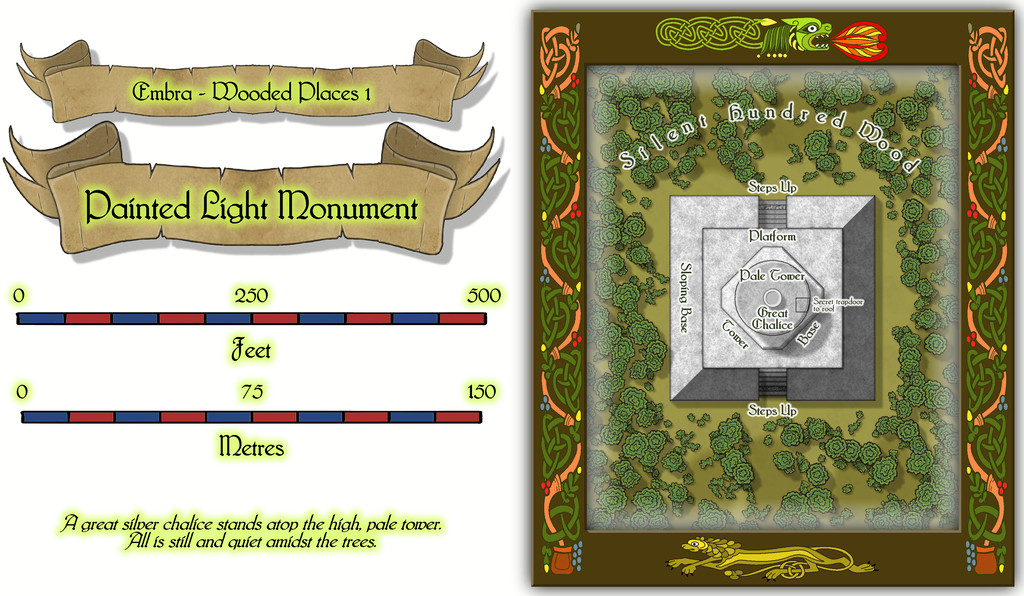
Which of course also reveals the dragon and lion motifs used to further decorate these map frames.
While a deceptively simple map with just a few shapes on it, apart from the omnipresent vegetation (Wooded Places, after all), as the central round tower is almost 90 feet tall (27 metres), there's clearly more to this than meets the eye, which the toggleable (FCW file) interior views should help demonstrate. First the lower level of the Tower Base (the map labels have to be turned-off for clarity when showing the interior):
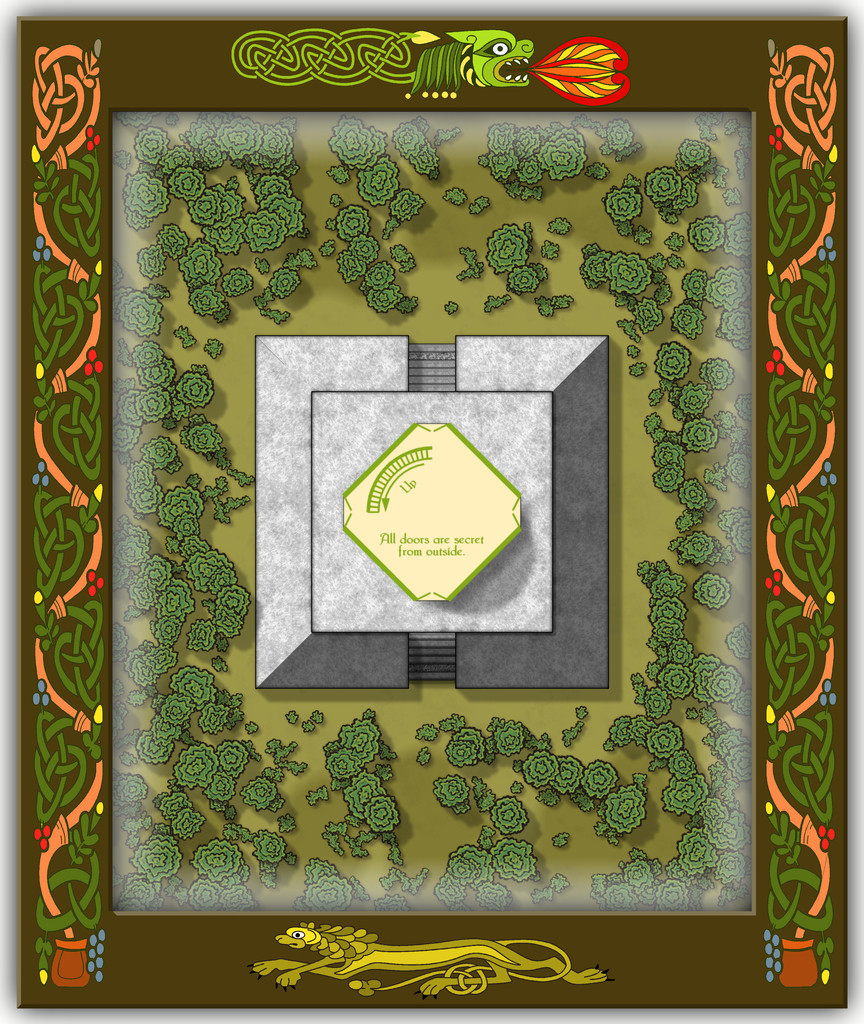
Then a schematic mid-Pale Tower view:
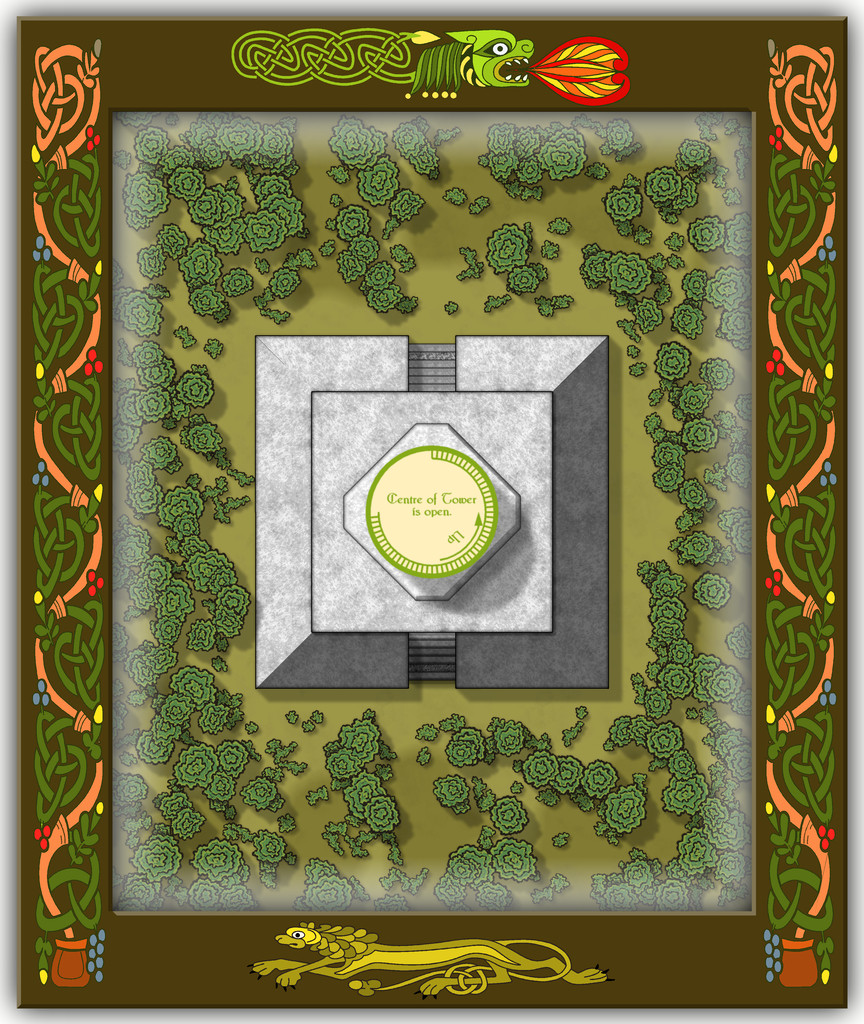
Followed by one more for the highest interior view, just inside the roof:
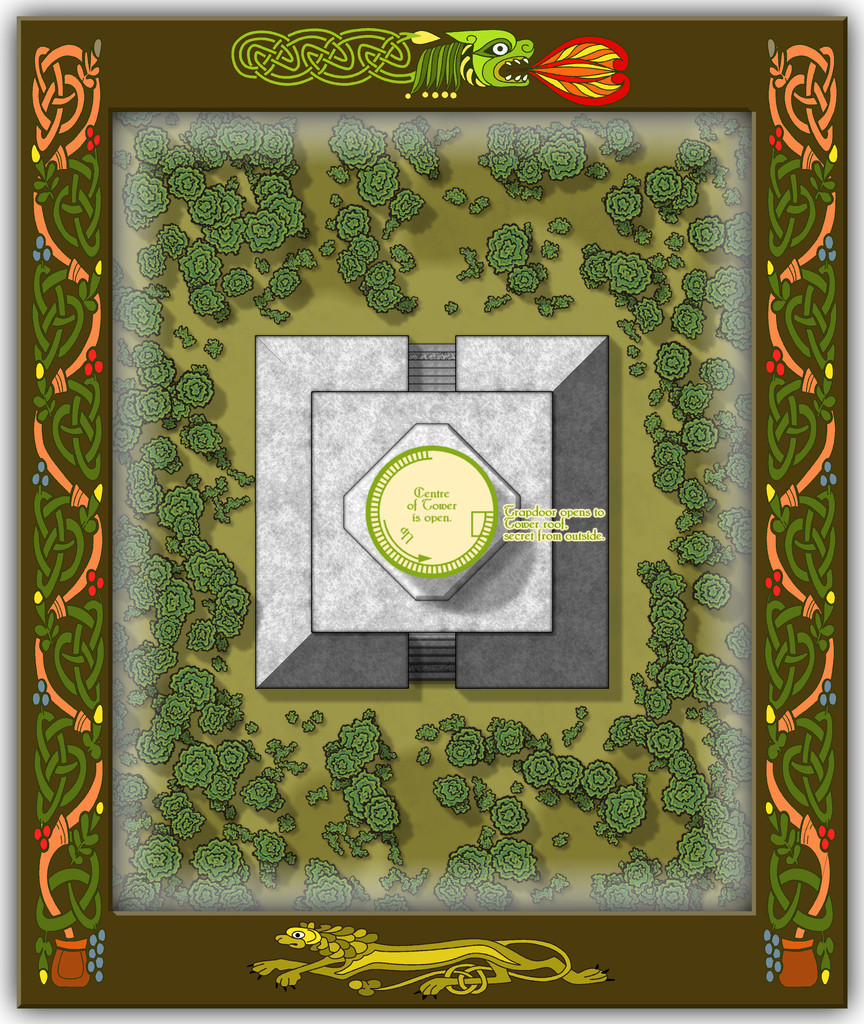
I decided to add a few basic notes to each of the interior views as well, to help clarify exactly what was being shown. And yes, the number of steps IS accurate for the height of the tower, as the accompanying PDF and text files for the Atlas will reveal!
Speaking of steps, I had quite a few problems with the Effects on those little steps leading up the gentle angle of the outer part of the solid Sloping Base, as regardless of what I tried, there was - and indeed still is - a degree of interference between the stacked Sheets comprising them. This final version was the better compromise I decided was liveable with, where unless you're paying especial attention, the markings could be simply a bit of wear across one of the pale step stones.


-
Community Atlas: Embra - Wooded Places
Approaching the end of this "guided" (?) tour of Embra, the penultimate group of sites to visit comprises the Wooded Places of Interest, approached via the relevant central pie-wedge from the "Official Guide" map, as usual:
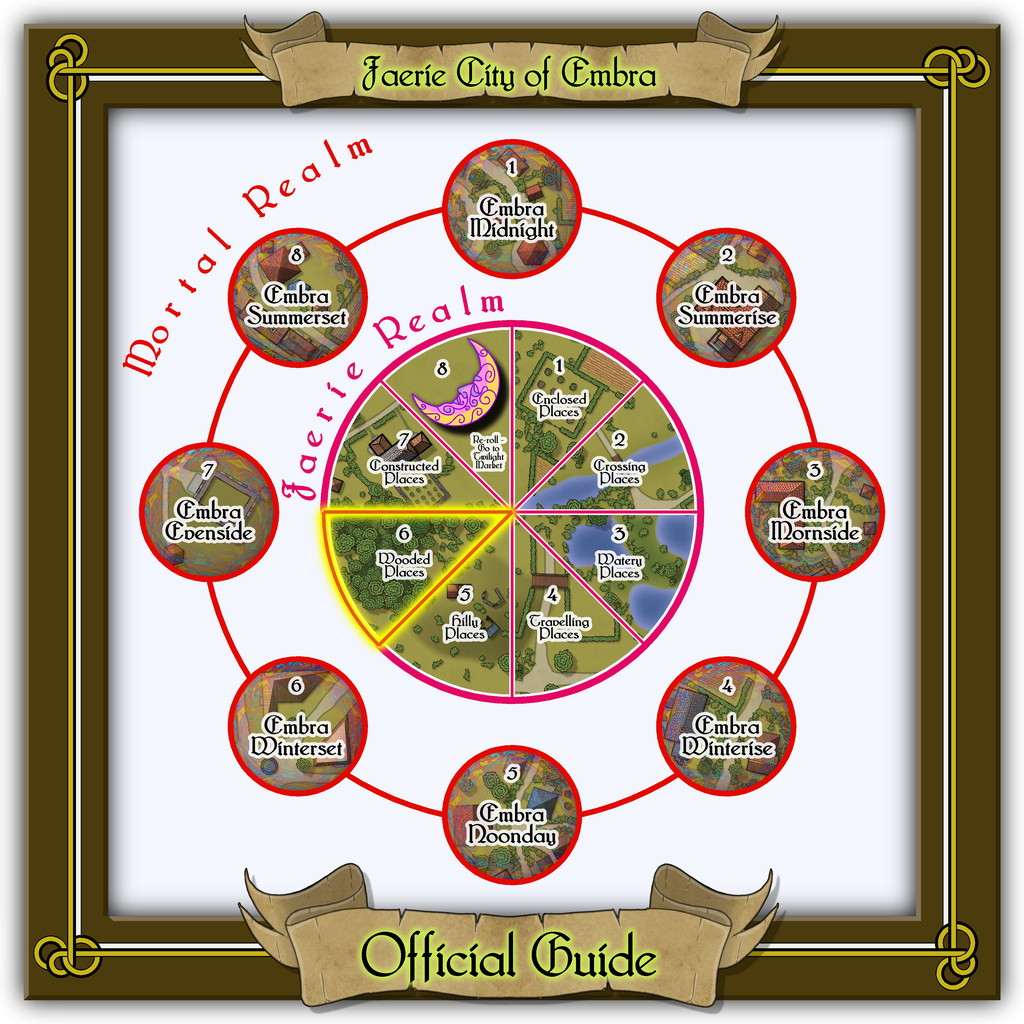
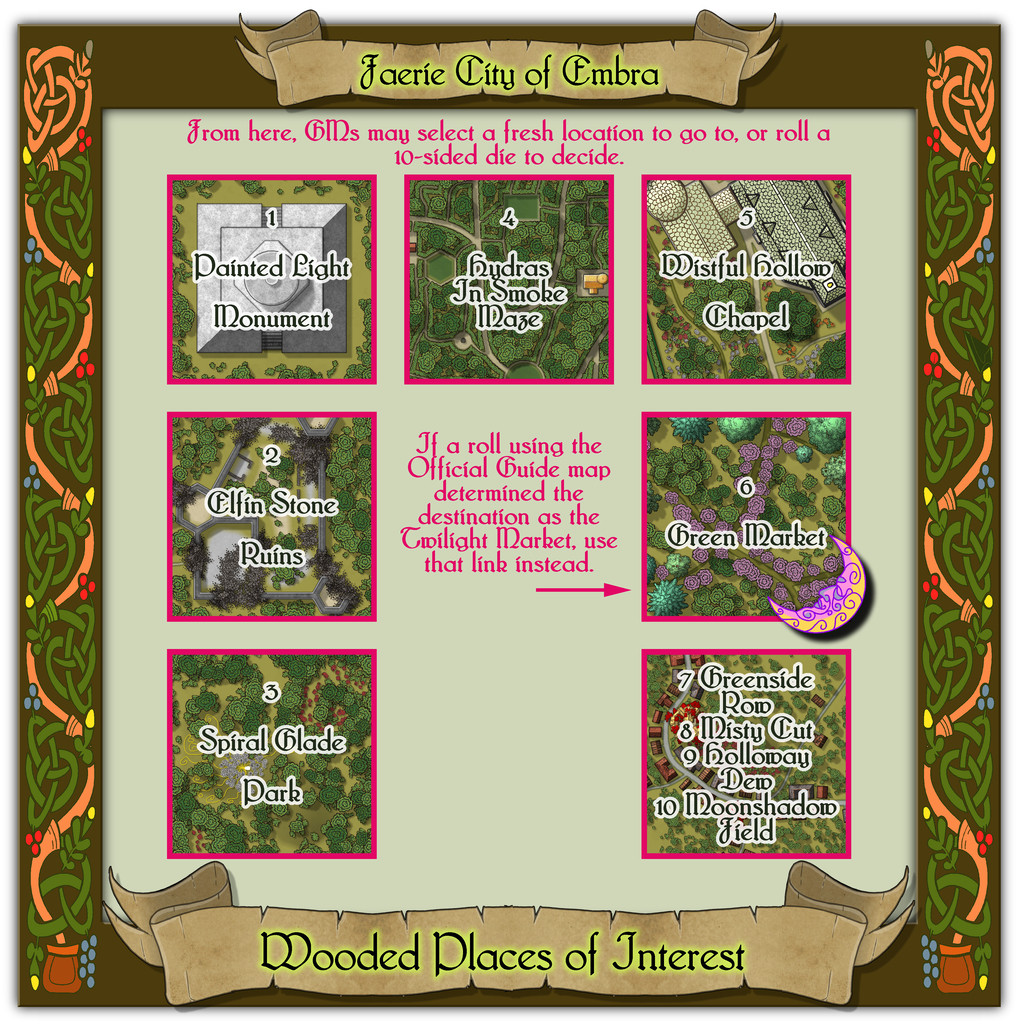
This set, like the Hilly Places, has half-a-dozen individual mapped locations to connect, plus a seventh map for its four "Streets".
From the start with the Enclosed Places at Embra, it always seemed likely I'd be revisiting the foliate borders used there for these Wooded Places map frames too, as nothing else I'd come across seemed to fit the bill quite so well, this time with a reworking of the colours. As we shall discover however, I couldn't resist another couple of the knotwork creature designs from that page of those also in the Dover Clip-Art "Celtic Borders on Layout Grids" book...


