


Royal Scribe
Royal Scribe
About
- Username
- Royal Scribe
- Joined
- Visits
- 9,944
- Last Active
- Roles
- Member
- Points
- 3,476
- Birthday
- February 5, 1968
- Location
- San Francisco, California
- Website
- https://legacy.drivethrurpg.com/browse/pub/31814/Royal-Scribe-Imaginarium
- Real Name
- Kevin
- Rank
- Mapmaker
- Badges
- 16
Latest Images
Reactions
-
How to use the Ball Filter?
Thank you! I was fiddling around with various things like drawing a circular building with 32 side and then layering a Solid 10 transparency with an inner edge fade, but it didn't quite work out the same as the Hachures. Appreciate your help very much!

-
How to use the Ball Filter?
Didn't have a chance to follow the PDF yet but in the meantime, here are two approaches using three concentric rings of 16 panels per ring. The top is a solid fill and the bottom is a light blue set with a 20% opacity. (Copying in a circular array sure saved me a lot of time here.) Also haven't had a chance to experiment more with the Ball.png filter.
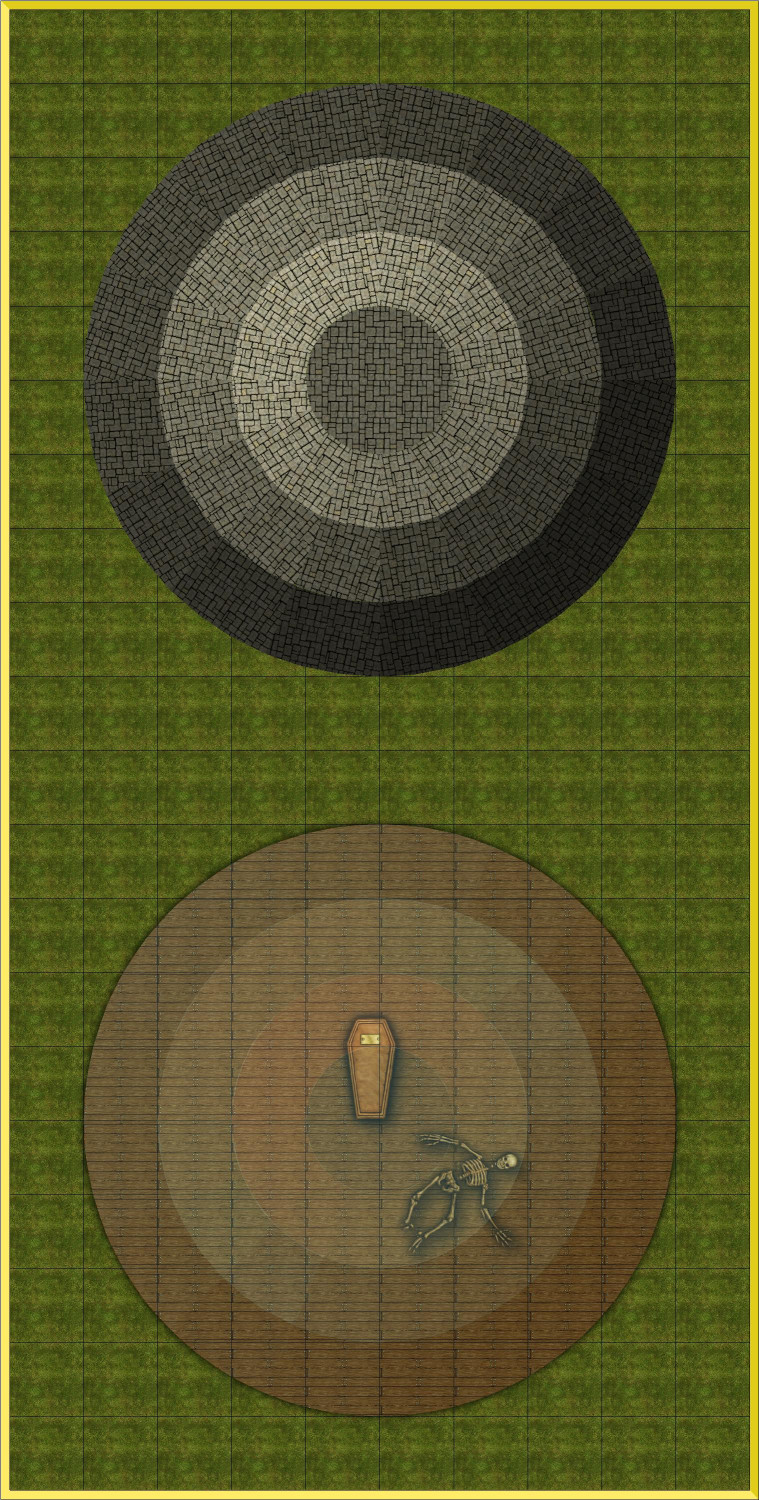
Now I'm thinking my dome might be flat panels welded together (with metal seams) rather than a proper ball. Hmmm. It's for an observatory.
-
How to use the Ball Filter?
(My plans are delayed a few hours so I got back here faster than expected.) I do have City Domes and I love it! Many months ago I bought that annual specifically for City Domes (and then like all of my other Annual purchases, discovered many other things I love about that annual.) But this is a commission that doesn't give me any leeway beyond DD3.
But good tip about the Humble Bundle! What a deal. I happen to already have everything except the Tokens, but I highly encourage anyone who doesn't have everything to take advantage of it.
Continuing my experimentations. Figured out that donut-shaped circles cut into slices aren't proper polygons that respond to the Angle by Edge function. I will have to try manually tracing/drawing my pie slices.
-
What's your rank and points?
I used to work for a community-written search directory. Never underestimate the power of intangible psychological rewards! They work on me. 😉

-
Tracing an existing map on paper or a image file.
That’s a good idea, @KertDawg. I tend to hide the layer it’s on rather than the sheet, because I’m less likely to show all layers than I am to show all sheets. Another approach to keep it from showing inadvertently would be to add a 100% transparency.


