

Autumn Getty
Autumn Getty
About
- Username
- Autumn Getty
- Joined
- Visits
- 351
- Last Active
- Roles
- Member
- Points
- 342
- Rank
- Surveyor
- Badges
- 5
Latest Images
Reactions
-
Chop up a map into even pieces?
Hey folks, I've started up a Patreon where I will be putting up stuff for people to download free. Not advertising here, just wondered if some of the folks here could help with an export problem.
The map below is the one I'm offering, and optimized in terms of export for Roll20, the only VTT I have any real experience with. I'd also like to add an option for people to download printable sections of it for use as battlemaps. The ideal size for letter-sized or A4 printing, from what I understand, is 100 X 80, and this map is 300 X 240, which means I'd need nine evenly-sized exports.
Is there a way to do this? I found an old Youtube video by Joe Sweeney which recommends using grid squares to do it, but that only works if you want square exports.
As a secondary question: I've stayed away from the highly artistic style used by a lot of mapmakers because I wanted a practical map that is easy for GMs to use, although the more artistic style is certainly beautiful. Does anyone have any opinions on this? Would the GMs among you prefer a cleaner style like this, or the prettier styles that seem to dominate the net?


-
WIP: Irish-themed islands
Thanks everyone for the comments. I'm going to keep it as is and continue work on the island to the south of this one.
@Loopysue That is really interesting about the hinterland being flat (and seems obvious now that I've read it).
@jslayton A really amusing way to point this out. I had some inkling of it, but it seems clearer now.
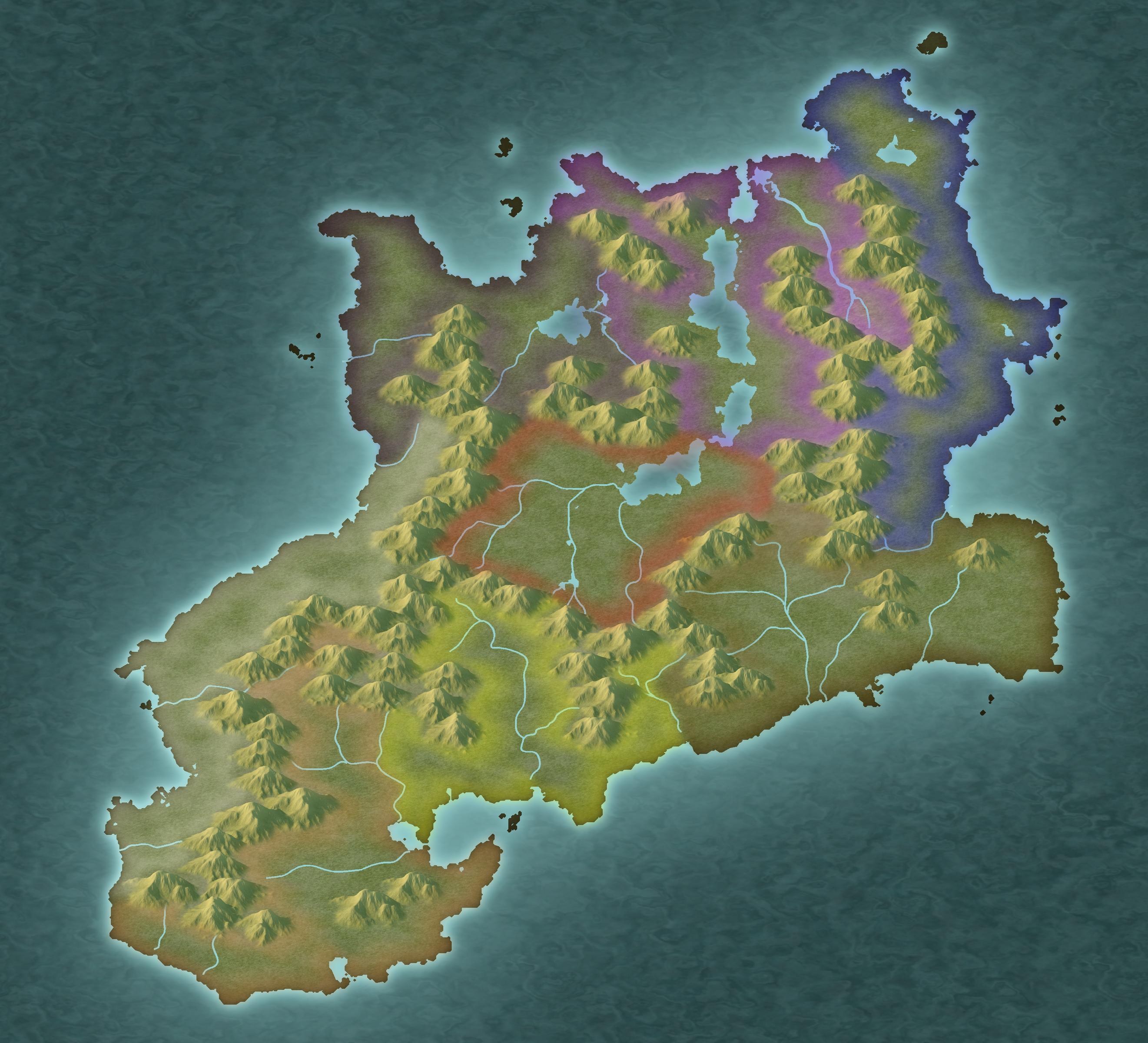
Here is a map of the work I've done so far on the southern island. I ran the region through the One-Day Worldbuilder, as I've been doing this for regional maps and it really helps me define where elevation should go better than coming straight from FT3. I then did a contoursm into CC3 and referred to a tracemap for mountains and rivers. Finally, I've put borders in to denote ethnic groupings.
![[Deleted User]](https://secure.gravatar.com/avatar/c75d9a245b74d9c59be0999ea81ca541/?default=https%3A%2F%2Fvanillicon.com%2F92add7f8c954488718110edc4896ad39_200.png&rating=g&size=200)


-
WIP: Manor house (problem with walls)
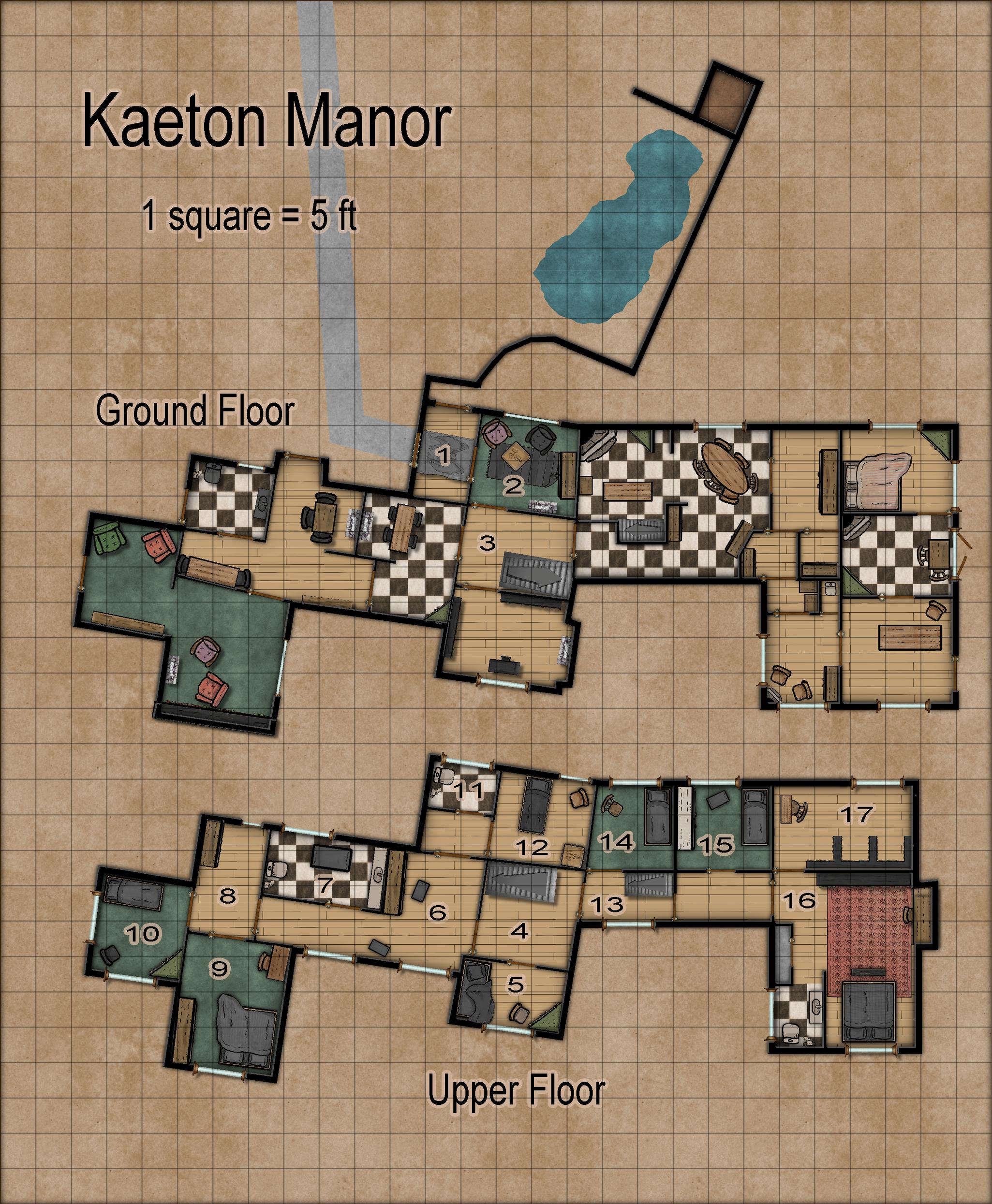
So sadly I didn't have time to play around with the stuff Sue was mentioning, as I had to do a few other things for the project as well. Here is the map I submitted:

-
Community Atlas 500th Map Competition Results
Oh, forgot to thank Jim for donating a prize. What an admirable and generous thing to do!



-
New Mouse
70 million clicks? I think I do more than that in one mapping session... at least it feels like it.

-
Help needed to convert flat world maps to "GURPS Space" icosahedron format
Am I misunderstanding something here? I am able to export from FT3 by going File/Export World/ Icosahedral Image. I've done a couple before, and here is one of them, with gridlines:

You'd have to add hexes manually, I suppose. Not sure how you would do that, but I'm thinking you could pull it off in a photo editor or you could just have the output as a layer in cc3.

-
Three novice questions
Hey, if you're looking for how to print something so that you can use miniatures with it, I found this handy guide on Reddit that works well, but also drives home how impractical it would be to do it for a lot of stuff. It involves exporting the map into a jpg (200 - 300 dpi), and then converting it into a pdf which you print out. The instructions are here: https://www.reddit.com/r/dndnext/comments/ecvbu3/how_to_print_battle_maps_at_home/.
-
Community Atlas 500th Map Competition Results
@daperdepa Really loved your map.
-
First Map
This is a great first map. Certainly much better than my first.

-
Looking for Advice with FT3+
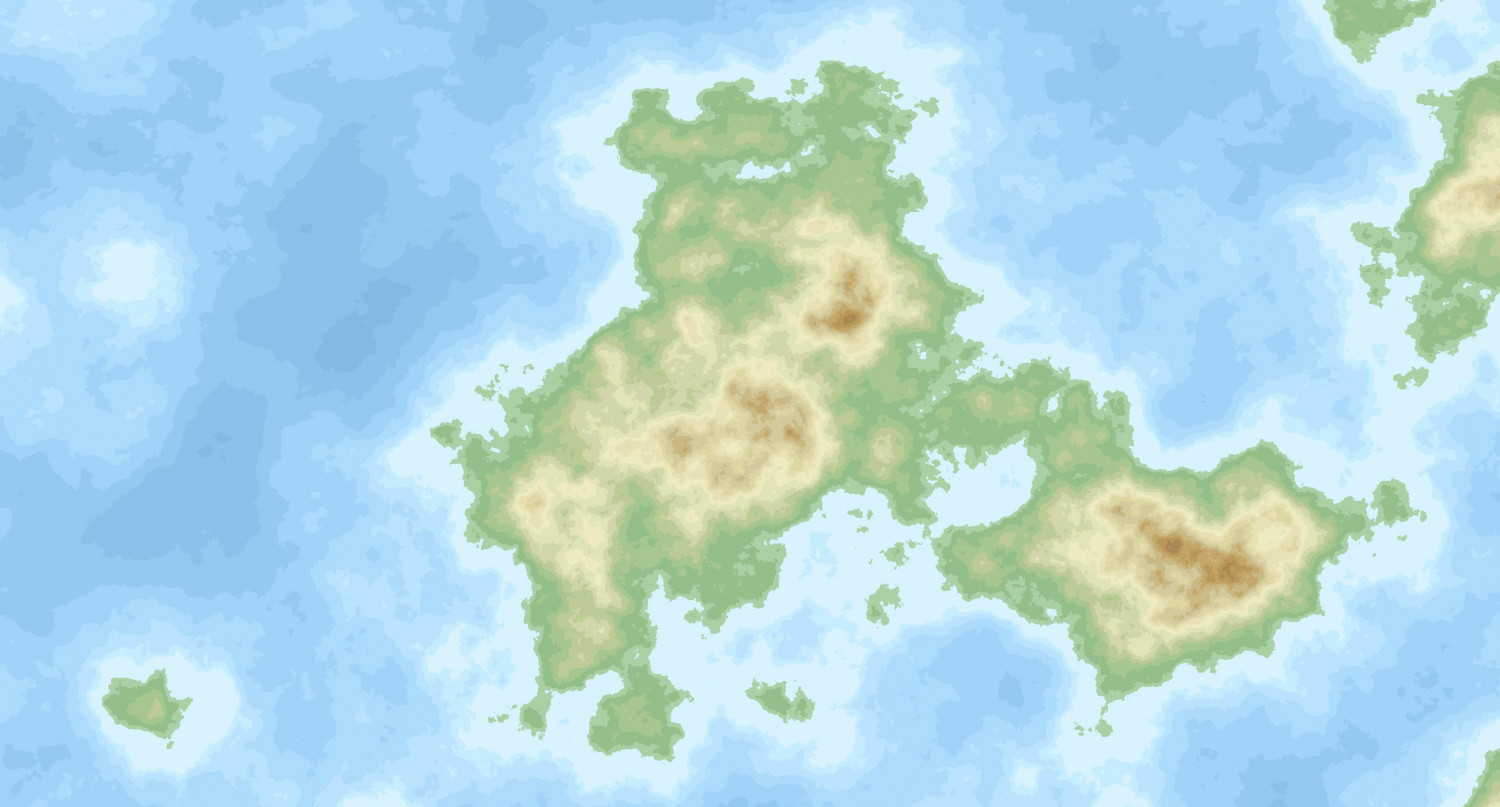
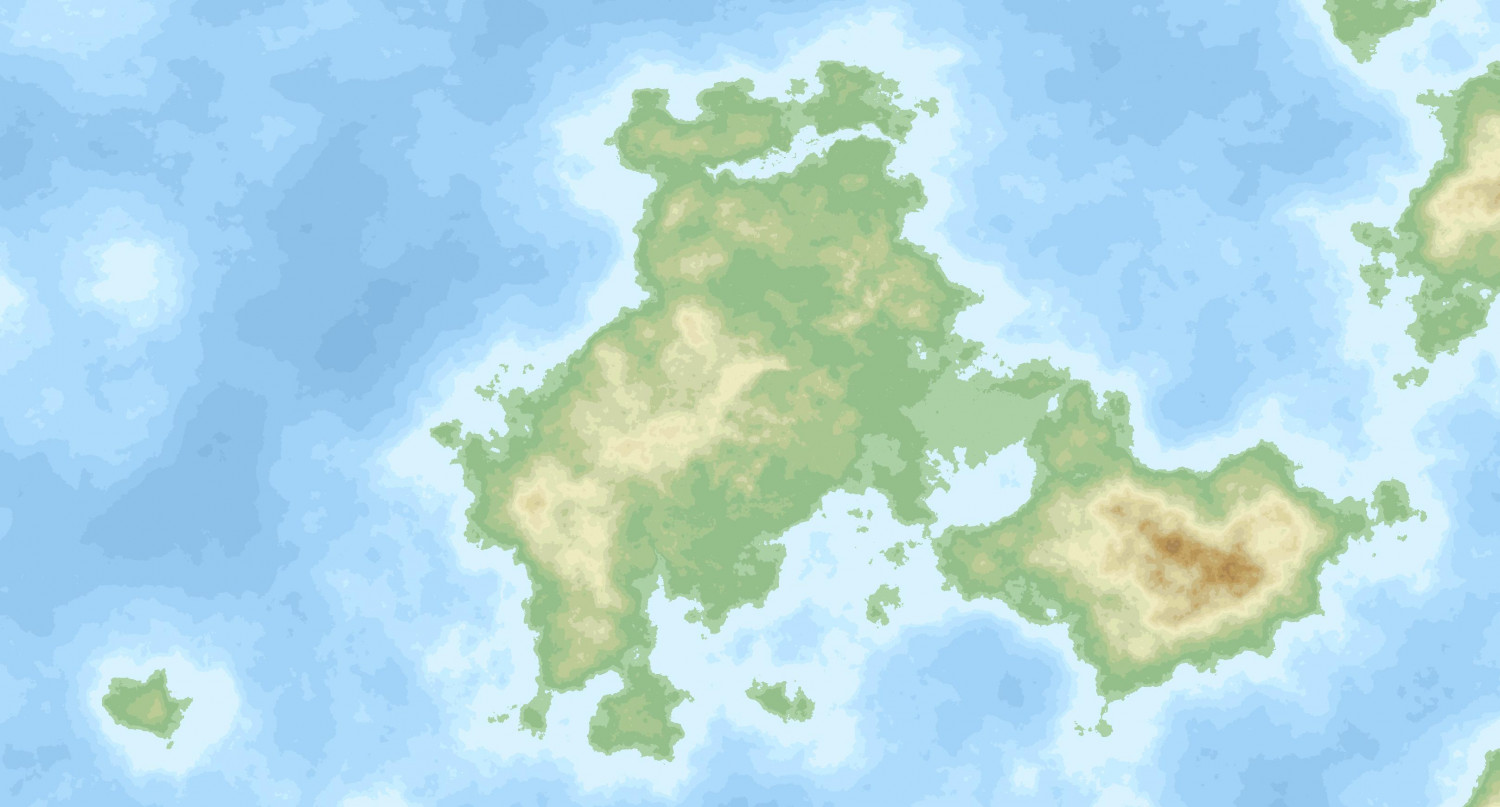
I've actually been experimenting with the Remap Altitudes command on a world I generated for the purpose and I'm pretty happy with how its performing. I generally feel that FT creates too many high altitude areas and to bring these all down using the usual method takes a long time and feels tedious to me. Generally what I'm doing is looking at a landmass, deciding where I want elevation to be, and then creating a series of selections where I use the tool at the 1.1 setting. The first use will remap the altitudes in the selection at a lower altitude. I'll repeat this on the same selection to bring it down to sea level. When I see sea appearing I'll hit the undo to keep everything above sea level. Then I'll move on to another area and do the same. Typically I'll end up doing 3 - 5 in the same area. Once all of that is finished, I'll create another selection that covers all of the former selections and do a global smooth between 3 and 10, depending on what's needed, to get rid of the unnatural looking edges of the selection. In general, I will use a combination of this technique and time-honored lower land clicking to get things where I want them. The two pictures above show the unsculpted version and the working version I have right now, to give yu a sense of the results.
Regarding the coral, you probably could do it using very small brushes but the problem is that at the finest levels of detail the inevitable post-sculpting operations often undue some of your work. You can (and I have) choose not to do those operations, of course. I remember when I first used FT3 I spent a lot of time sculpting small areas and really enjoyed it.
On a side note, I often feel that you only really get a couple of land masses that you really like the look of. I have considered for a while having a kind of composite world made up of continents from different worlds. There's nothing that says everything has to come from the same fractal world. I have yet to experiment with this, however.


