Avatar

Monsen

Monsen

About

Username
Monsen
Joined
Visits
703
Last Active
Roles
Administrator
Points
8,982
Birthday
May 14, 1976
Location
Bergen, Norway
Website
https://atlas.monsen.cc
Real Name
Remy Monsen
Rank
Cartographer
Badges
27

Latest Images

  • Mapping Competition - Final Week

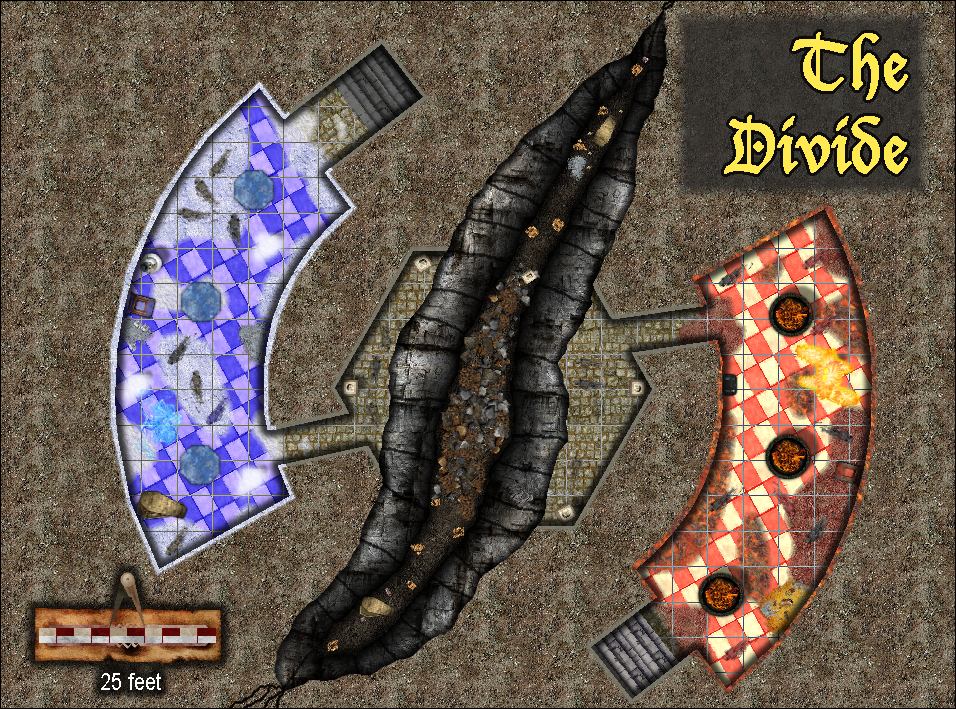
    Well, just one more week to go for our mapping competition. Time to start thinking about finishing up your maps. To make it easier time-zone wise, I am going to accept any entries that arrives in the main contest thread while it is still February somewhere (Quibbling individuals have to adhere to 23:59:59 CET February 28th).

    That said, a week is still plenty of time to make a map if you can find a couple of hours to work on it, so if you haven't started yet, there's still time. If you are still unsure, I say go for it. Competitions are a fun way of challenging yourself.

    If you don't have any ideas, remember that the simplest option is to simply make an ice or fire themed level for our mega dungeon. Even if it is a mega dungeon, it doesn't mean that each level have to be huge. Only requirement here is a single entrance from above, and a single (reachable) entrance going down to link it up with the rest of the levels. Your level doesn't have to be more than a couple of rooms, whatever you have the time

    Check the first post in the main thread for a list of links of those who have already submitted their map.

    Loopysue
  • Community Atlas 500th map and 4 year anniversary competition with prizes.

    Nice work. Thanks for participating.

    Tex
  • Make Walls look High

    Well, the options as I can see them are as follows:

    • Use different shadow lengths to show different wall heights. Standard floorplan/dungeon/battlemap type maps in CC3 are seen from straight above with no perspective, so the way to show difference is by using visual clues like shadows.
    • Use Perspectives instead. Comes with it's own advantages and disadvantages obviously, but here it is easy to show wall heights
    • Manually add a birds eye perspective. This is doable, but it requires manual work, because you need to manually draw the appropriate shapes to generate an illusion of perspective. It will be similar to what I explain when I draw the pit in the DD3 section of the Tome if you have that, and also what I did somewhere in this livestream video (also for a pit, starting around the 40 minute mark). Notice that symbols and everything in CC3+ is 2D, there is no way to subtly rotate these to see the sides of a top-down symbol.
    Telnango
  • Drawings cant be set on a specific sheet

    This can only be changed by editing the drawing tool (Or better, make a copy, and edit the copy).

    But, the best way to do it is to utilize a proper sheet naming scheme.

    Almost all drawing tools look for sheets that STARTS with something in particular, for example, a drawing tool for the outside sheet will be set to draw on OUTSIDE*. That * is a wildcard, and means anything that starts with the text preceding it.

    So, if the drawing tool is set to draw on OUTSIDE*, if your current sheet is called OUTSIDE VEGETATION for example, it will happily use that sheet instead of the default outside sheet. On the other hand, if your current sheet do NOT start with OUTSIDE, it will allways go to the default OUTSIDE sheet even if you have others starting with the word.

    This same behavior applies to symbols as well.

    LoopysueAleDWizardOfFrobozz
  • Questions about converting into a png file

    Unfortunately, you can't make the background transparent, you'll have to do that in post-processing in another program. And if you plan to do that, your anti-alias should be off, since antialiasing is the sworn enemy of proper background removal. Also, antialiasing off will let the map export faster.

    If you are going to convert it to a jpg anyway, you shouldn't worry about the file size of the png though, since that won't really matter in the end anyway. png's are always quite a bit larger than jpeg's.

    LoopysueWizardOfFrobozz