Monsen
Monsen
About
- Username
- Monsen
- Joined
- Visits
- 723
- Last Active
- Roles
- Administrator
- Points
- 9,029
- Birthday
- May 14, 1976
- Location
- Bergen, Norway
- Website
- https://atlas.monsen.cc
- Real Name
- Remy Monsen
- Rank
- Cartographer
- Badges
- 27
Latest Images



-
Self Destructing Hotspots
I don't think that should be any issue.
When deleting an entity, it isn't removed from the drawing list untill the next save anyway, it is just marked as deleted, so even if the code running the macro needs to hold a reference to the entity (which I don't know if it does), it should still be valid.
Haven't tried this though. I recommend you give it a go in a simpler test scenario first.


-
Turn off shading?
Have you tried playing around with the sun a bit? Setting a higher inclination will reduce the relative darkening. Try 75 degrees.
Of course, this will affects the roofs in the same manner.


-
Guide: Ranks, Roles, Points and Badges.
You have probably noticed that there are a couple of words next to each username in the posts, like this:

Those words are my rank and role.
On your profile page, you may also have seen that you might have a set of badges, and some points. So what are all these things?
Role
The role is only shown for users with special rights, such as Administrators and Moderators, or the ProFantasy role which identifies that person as a ProFantasy employee to some extent. Users with roles generally have more rights in the forum than regular members, such as the Moderator's ability to edit or delete anyone's post. Only a few trusted people have these roles.
Rank
The rank is a social ranking system, where ranks are awarded by contributing to the forum. From the image above, you can see that my rank is Surveyor at the time of writing this post, but as any other user, I can gain ranks, so it may have changed by the time you read this.
To gain rank, you both have to reach a certain number of posts, and a certain number of points. This means that just posting isn't enough in itself, other forum members must also like what you post.
As you gain ranks, you will gain some minor perks. First of all, the time you have to edit your posts will increase. And as you reach the higher levels, you will also be able to add a signature to be shown beneath your posts. But mostly this is just a social status that lets other members see how established you are.
Points
Points are earned by posting content other people like. As you may have noticed, there is a set of reactions beneath each post:

When other people gives reactions to your post, you earn points. Like and LOL are worth 1 point each, while Awesome and Insightful is 2. You also earn points from receiving badges, and from answering questions (Questions are a special type of discussion where the poster of the question can select which answer to accept).
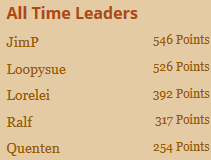
Points are mainly only used for gaining ranks, but the leaderboards found in various spots around the forum show things like this week's leaders and all time leaders if you wish to compare yourself with other forum users. This is just a good-natured competition in the spirit of some community fun, and remember the way to get points is generally to be either helpful or post awesome content (or both).
Badges
Badges are a mark of honor you get for various activities. Some are automatically awarded for things like post count or number of likes received, others are manually awarded for things like participating in or winning contests, submitting community atlas maps or other special events.
You'll be able to see the badges in the sidebar on the user profile
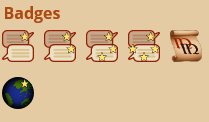
Getting a badge also gives you a set amount of points. The more difficult to get, the more points it will give you.

![[Deleted User]](https://secure.gravatar.com/avatar/c75d9a245b74d9c59be0999ea81ca541/?default=https%3A%2F%2Fvanillicon.com%2F92add7f8c954488718110edc4896ad39_200.png&rating=g&size=200)

-
Welcome to the Updated Forum
@Quayuazue Ok, done.

-
Welcome to the Updated Forum
I don't think there is a read all anywhere, but you have a mark read for each category from the categories page.
I'll see if I can do anything about the Bottom of Page links. Generally, if something isn't here, it is because the new forum doesn't support the feature, so it isn't something I can simply turn on. Bottom of page links isn't a terribly complicated thing however, so maybe I can make something.