


Monsen
Monsen
About
- Username
- Monsen
- Joined
- Visits
- 723
- Last Active
- Roles
- Administrator
- Points
- 9,029
- Birthday
- May 14, 1976
- Location
- Bergen, Norway
- Website
- https://atlas.monsen.cc
- Real Name
- Remy Monsen
- Rank
- Cartographer
- Badges
- 27
Latest Images



-
New Humble Bundle
I seemed to already have an account on there, so gave him an answer, but my answers in this regard are unofficial, I can't give an official license interpretation on behalf of ProFantasy, for that he needs to contact them directly.


-
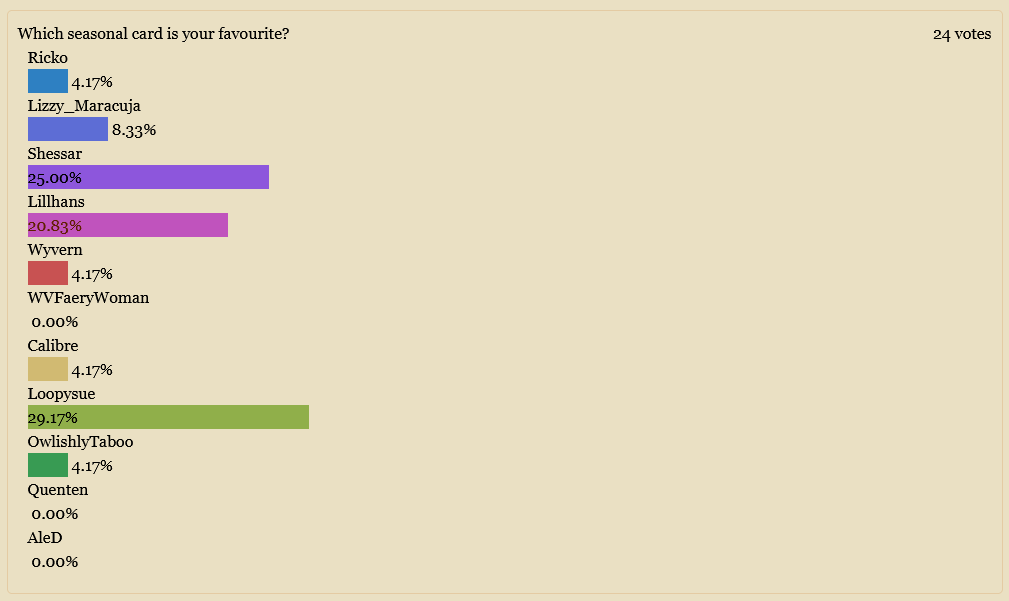
Festive Winter Card Challenge - Ended - Please vote for your favorite
For a small challenge in December, I challenge you to make the design for a festive winter-themed post card in CC3+.
This is just a small friendly challenge, No prizes for this one, except for the eternal glory of a shiny medal forum badge to the winner.
The idea is to design a small map that would fit a post card, so a pretty small map. It needs to be winter or seasonal holiday-themed (For example Christmas, New Years or other observable holiday).
No restrictions on art resources used, you can use imported symbols and fills, but the map itself should be made in CC3+, and no post-processing in external image editors. Obviously, even if you can import external art-resources, making a complete card in an external editor and then importing that as a single image into CC3+ isn't acceptable.
The challenge is now over, please use the poll below to vote for your favorite. All the images are on this page, just scroll down to see them. The poll will close on January 24th.


![[Deleted User]](https://secure.gravatar.com/avatar/c75d9a245b74d9c59be0999ea81ca541/?default=https%3A%2F%2Fvanillicon.com%2F92add7f8c954488718110edc4896ad39_200.png&rating=g&size=200)





 and 3 others.
 -
Map projection in CC3 of imported worlds from FT3
That's the result you get if you export it using the "Cosmographer Template" option (It is basically formatted for the Traveller System).
If you just use File -> Save Campaign Cartographer File, you should get a more "normal" result.

-
Guide: CC3+ Button Images in Posts
This forum has the ability to embed CC3+ buttons in posts, which can be a great visual aid when explaining something to people. There are two versions, image with text (ex: :CC2MCHANGE:), and just the image (ex: |CC2CO|)
Adding these into a post is just a matter of taking the CC3+ button image identifier and putting it between two colons or two vertical bars, like this:
:PERIBOX: ⇒ :PERIBOX:
|GLOBE| ⇒ |GLOBE|
Note that this will just show as the code when you are editing the post, you won't see the actual button until you actually post your comment.
The complete list of codes.


 and 1 other.
 -
CA style development - "Darklands City" (issues for September and December 2021)
@Wyvern said:
the large army and the siege engines
And there you have it, the idea for the next Sue style (or more like the latest to be added to the queue), "Castle Under Siege", a hybrid city/dungeon scale style with siege engines, castle walls in various states of repair mounted and foot soldiers, burning building, dead things (people and animals)
