Monsen
Monsen
About
- Username
- Monsen
- Joined
- Visits
- 723
- Last Active
- Roles
- Administrator
- Points
- 9,029
- Birthday
- May 14, 1976
- Location
- Bergen, Norway
- Website
- https://atlas.monsen.cc
- Real Name
- Remy Monsen
- Rank
- Cartographer
- Badges
- 27
Latest Images



-
Changes to the Gallery Image Viewer
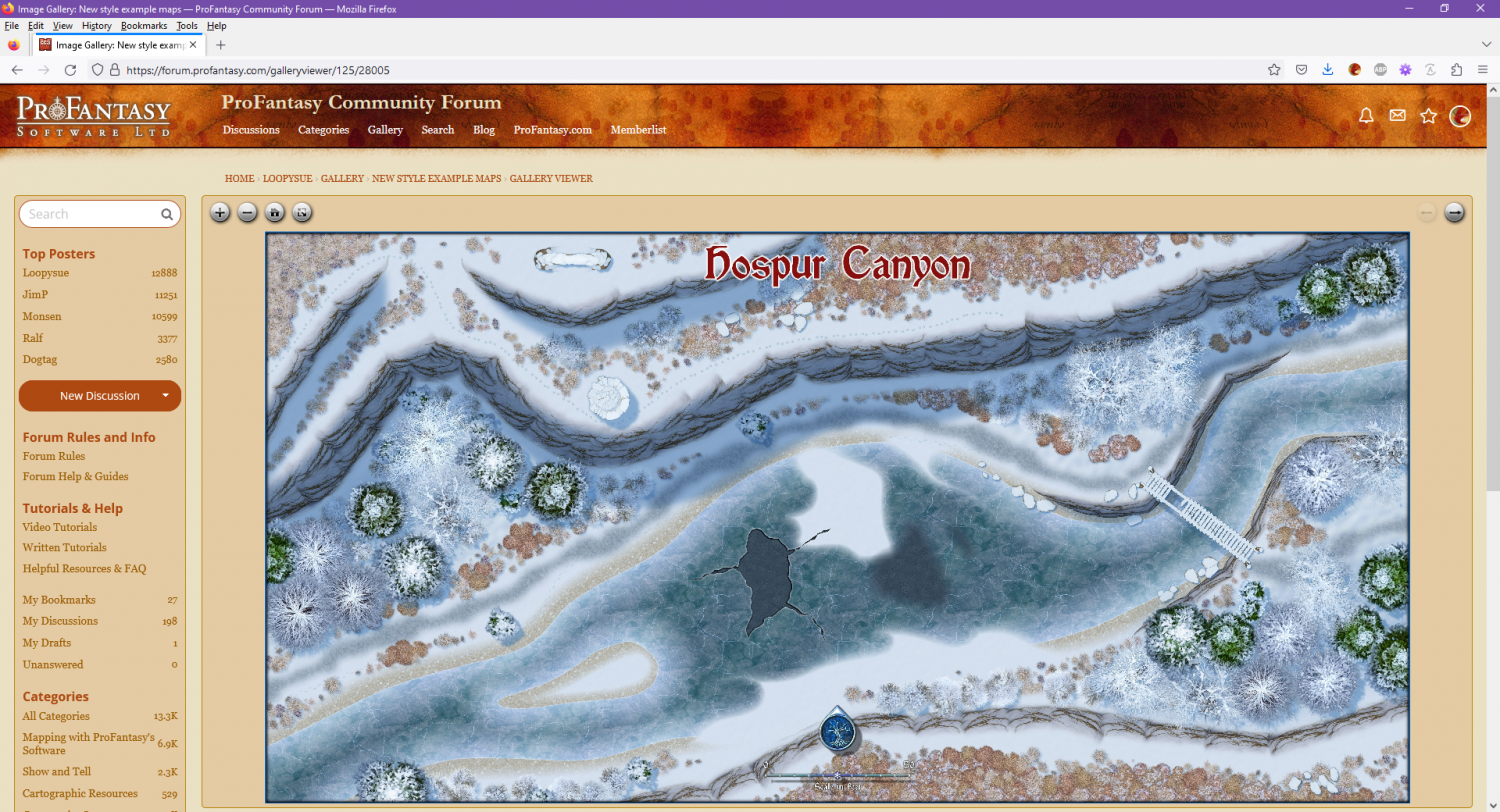
Made another tiny change to make the the forum fill the full browser width when the image viewer is loaded. This doesn't make sense for regular forum posts, because it is really hard reading texts that have lines as wide as a wide monitor, but for the image viewer, it made for a much nicer initial landing page, making it much nicer to use without having to go full screen (of course, full screen is still the nicest view of them all, and highly recommended on mobile devices)






-
Community Atlas 1000th map Competition - with Prizes [August/September]
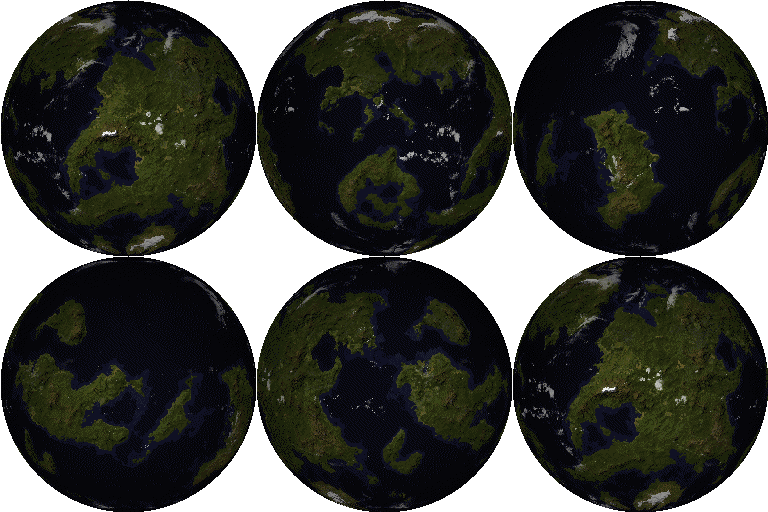
The community atlas is closing in on 1000 maps, and it is time to celebrate this occasion with a fun competition. So come on in, join the competition, have fun, and maybe even win a prize for your effort. Everyone is welcome.
All skill levels
As always, this competition is open to all skill levels. Please don't think you have to be a master mapper to compete. A competition is a great way of testing yourself and have some fun. Everyone is welcome here, and while some of the prizes are dedicated to the best maps, there is an option for anyone who competes to win.
Set in the Atlas - No contribution required
As always, the competition is set in the community atlas, but the competition is open for anyone, even if they do not want to contribute to the atlas. Of course, I hope as many as possible will contribute, and if you wish to contribute, you have to provide me with the .fcw file. I assume everyone who posts their .fcw file here will contribute, if you don't want to contribute, simply don't provide the .fcw file. Note that to be part of the 1000th atlas map draw, you have contribute your map since this prize is for an actual atlas map, but you are still eligible for the other prices even if you don't.
Do the map you have time for
I know people are busy, but keep in mind that competitions, especially with prizes, doesn't come around all the time. If you do have time to do your very best for the competition, that's great, but if you are short on time, consider doing either a smaller or simpler map.
Remember, competitions are held because people participate, without participants, there won't be competitions either. Not trying to guilt trip anyone into participating, if you truly don't have the time, that's completely fine, but I am hoping people can try to find the time to at least do something small and simple rather than pass over the competition completely.
The Competition - Villages of the World
This competition will be a village mapping competition. The idea is to pick an unmapped village location in the atlas and create a map of that village.I won't put too many restrictions on your creativity here, but the idea is mainly to map a small village (maybe around 20 buildings, but up to you) , not a huge city. I'd rather you spent the time making the village interesting rather than a huge collection of generic buildings.Try to make the village interesting, with some exciting features that could make it an interesting adventure location. Maybe it has some interesting ruins? Abandoned and overgrown? A cool graveyard? A particular evil feel? Use your imagination, and try to implement it into the map.Keep in mind it is the map that will be judged, not supplementary text.Since the atlas can feel overwhelming if you are not familiar with it, I've linked a few overland maps below that each contains several village locations. You can pick from the free villages there, or if you wish to go hunting for the perfect location in the atlas yourself, feel free to do so. The only restriction is that you should pick a location that is indicated by a "village-ish" symbol. All atlas maps are different, some use graphical symbols, other dots, but it shouldn't be too hard to interpret the mappers intention (And don't get too hung up if the symbol is supposed to be a hamlet/village/small town, the atlas isn't that precise, just don't pick what is clearly a large city).Determining what locations are free for the taking in the atlas is easy. If there is already a clickable purple hotspot there, it means that that location have already been taken and mapped, otherwise it is free.Once you have found your desired location, please post your claim below so other participants can see what has already been claimed, we don't want multiple people mapping the same location. I am not going to acknowledge each claim, assume it is yours if you are the first person posting it. Simply tell on which map your village is located, and the name. If it was unnamed on the source map, a screenshot of your location would be nice and you're of course free to name the village what you want.Here are the suggested regions. Look for village markers on the maps, not all villages have a text label. Note that some of these have a "Description" button on the top you can click to read more about the map.- Alarius North Central - Cold Northern region of the Alarius continent.
- Southern Scar Environs - Temperate region of the Alarius continent
- Dendorlig Vale - Tropical Region of the Malajuri continent
- Basher Bay - Unamed fishing and farming villages in a Temperate zone on the Forlorn Archipelago.
- Verinress Arl - Many unamed villages in a Temperate zone on Artemisia.
- Bay of Wyrn - Tropical region on Berenur.
(If you have the time and desire, you can of course also make your own local map anywhere in the world and put down your own village location there)Allowed Resources
You can make the map in whatever style you want, it does not need to fit the visual style of the map it is located on.To keep this fair to everyone, the allowed resources are the same as for any atlas map. In simple words, that means any official CC3+ add-on from ProFantasy (including the mini add-ons downloadable from the registration page such as Shessar's Fireplaces and Scott's Celtic Buildings as well as the free monthly symbols), as well as the community add-ons listed under in the "Free Addons" section on this page (but not the Free Artwork further down).
No resources outside these, no custom symbols (includes modifications to official symbols), fills or images (included images exported from another CC3+ map).
The maps have to be made in CC3+ only, no pre/post production in an image editor or similar.
Prizes
The prizes will be vouchers for ProFantasy products. Remember, if you already have all the products, these make excellent gifts to friends who could use CC3+ or just save them for the next product.
Best map: $75 voucher
2nd place: $50 voucher
3rd place: $25 voucher
1000th atlas map: $50 voucher
Best map and runners up will be determined by community vote.
1000th atlas map will be randomly drawn between the submitted maps, so the order they are submitted to me does not matter. You have to submit your .fcw file for inclusion in the atlas to be eligible for this one.
While you can submit multiple maps to the competition, each individual participant will only be eligible for one prize.
Thanks to ProFantasy for sponsoring the prizes.
Entering the Competition
Please indicate that you want to enter the competition by posting your claim to any unmapped village in the atlas below.
To complete your entry you then post the image of your final map in this thread when it is done. Feel free to also post a high resolution version in your personal gallery on the forum.
To contribute your final map to the atlas, you must also attach your .fcw file for the map along with the map image. This is required to participate in the 1000th map draw. but you'll still be eligible for the best map prizes if you don't want to submit to the atlas. I am going to assume that if you post your fcw, you want it included in the atlas.
Time
The competition ends October 1st 2024, 12:00 UTC
WIP Thread
Please consider starting a Work In Progress thread in the forum showing your progress. You can post a link to your WIP thread in this thread. Please do not use this thread as a WIP thread though, it is reserved for competition discussion and posting of the submissions.
Questions?
Please ask below.
Participants
(May not always be fully up to date)- @Loopysue - Elkton, Alarius North Central
- @Quenten - Aretizo, Spiros, Artemisia
- @Royal Scribe - Unnamed village, Verinress Arl, Artemisia
- @jmabbott - Lakeside, The Vale, Doriant
- @ABH_Cartographer - Riverton, Alarius North Central
- @Don Anderson Jr. - Unamed Village, Panaur, Doriant
- @Jeff B - Unamed Village, Seal Island, Alarius
- @Daniel Pereda De Pablo - Efva Taesi, Berenur
- @Richo Hasche - Metzvel, Peredur
- @Monsen - Port Haven, Alarius North Central
- @Wyvern - Multiple villages, Peredur
- @Mathieu Gans - Argenta, Alarius North Central
- @HelenAA - Unnamed Village, Kentoria
- @Quayuazue - Unnamed Village, Verinress Arl, Artemisia
- @Ralf - Rheems, Alarius North Central
- @cyrion - Sibad Oasis, Dungroth, Doriant
- @Shessar - Ober, Southern Scar, Alarius
- @MakeWayForJebus - Order of the Fist Monastery - Malajuri





-
Changes to the Gallery Image Viewer
One thing that I never was quite happy with with out current image gallery solution was the image viewer. The gallery allows people to upload images in quite high resolution, but since the viewer didn't have anyway to zoom, actually enjoying that quality was cumbersome unless you knew how to bypass the viewer and force the browser to view the image directly.
And after a recent conversation with Quenten, I realized it was time to actually try to improve this a bit.
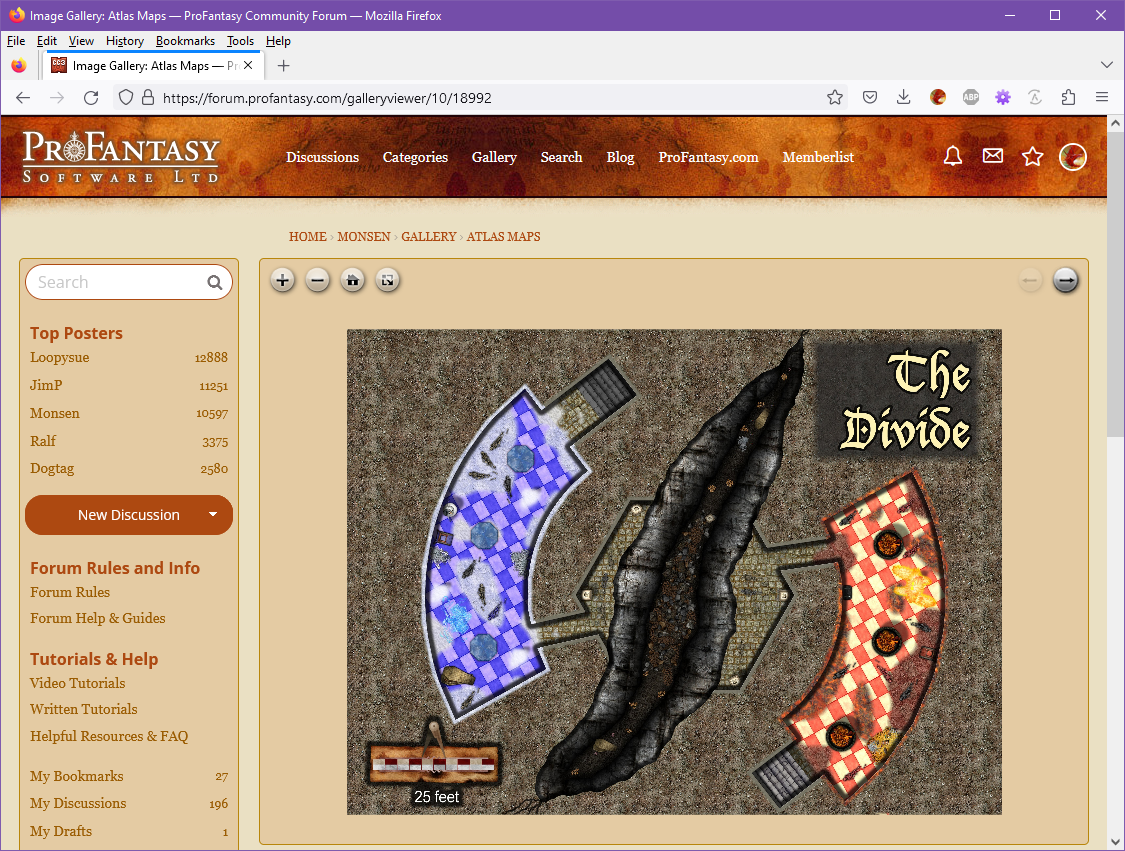
So, I have now replaced the image viewer that is used when you click images in the gallery. The new viewer loads the image into a regular forum page by default (as opposed to the full window used by the previous one), but in return the general navigation experience is better, and the new viewer allows you to zoom in/out on images using the mouse wheel, the buttons above the viewer, or by pinch gestures on mobile. It also has a full-screen button so you can easily bring any map into full screen view for a maximized viewing experience. (Hit the full-screen button again, or the esc key to leave full screen).
As with the old viewer, there are also back/forward buttons (top right) that allows you to click through all the images belonging to the same gallery album as the current image.
I might do some additional tweaking in the future, but for now, it should be up and running just fine (hopefully). Let me know if you encounter any issues (error messages, wrong images loading, etc). Hope you enjoy this improvement.
If you are posting images in the forum and want to include a link to the higher resolution one in the gallery, just navigate to the viewer page for that image in your gallery, then copy the URL from the browser address bar and paste it into the post. The url should look something like this: https://forum.profantasy.com/galleryviewer/10/18992.
Also, please do remember that if you upload images to posts, they will be resized to a maximum of 1500x1500 pixels, no matter the original resolution or file size, so if you want a higher resolution image for viewers to enjoy, you must use the gallery (The gallery will resize to a maximum of 8192x8192 pixels).


-
Live Mapping - Lava Caves & Virtual Tabletops
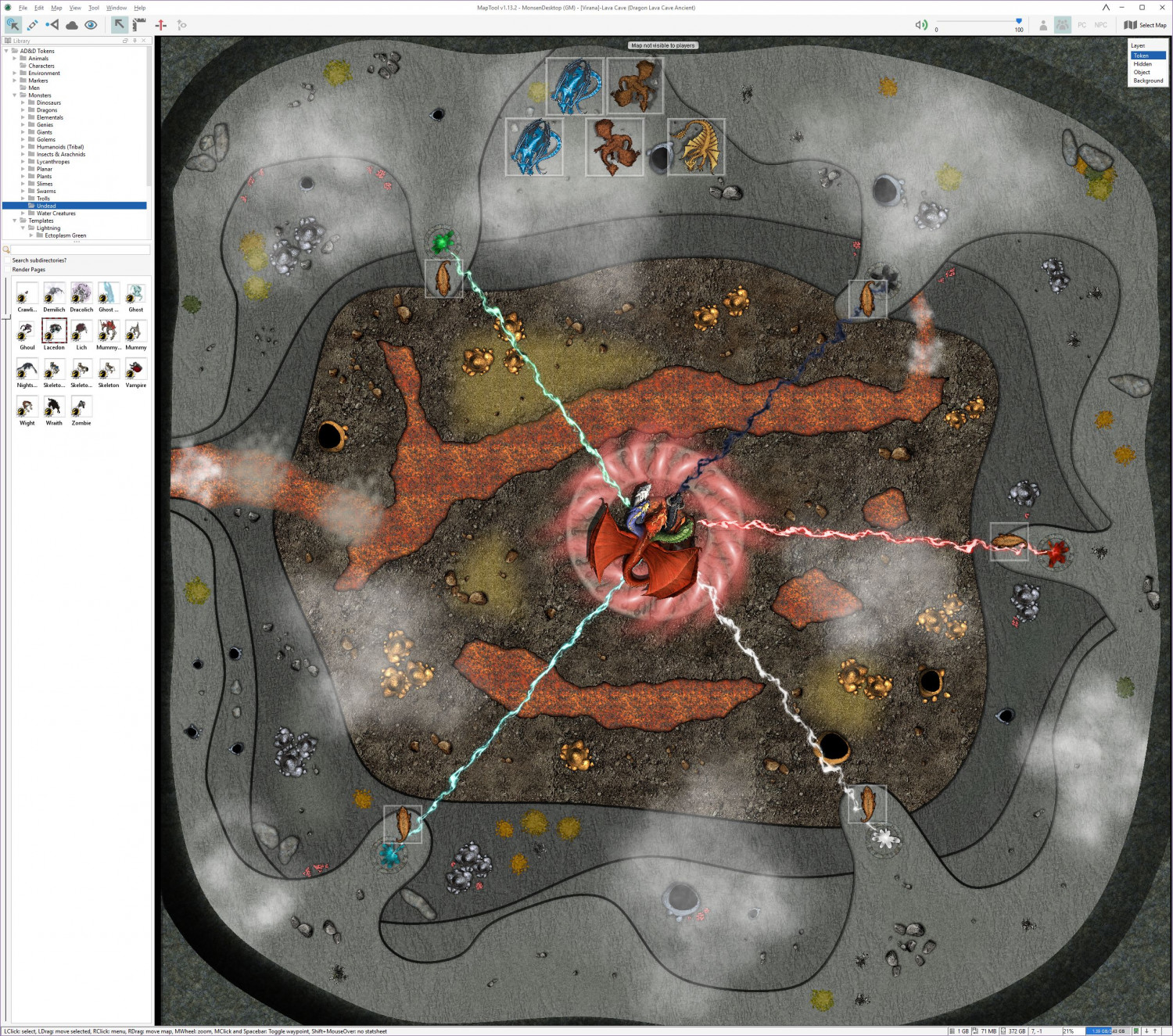
So, the map was put to good use this weekend. Not just for one bossfight, but two, heralding the end of our 11 year long campaign on Virana.
Most of you don't know my campaign, but the the main idea was that the players would play through one of the most important formative periods of the world. And we did that by basically playing two interwoven campaigns. In the standard campaign, we played a rather "standard" AD&D campaign where the players discovered something was wrong with the biggest church in the world, and that an evil entity was behind it, while also playing a campaign set about 5000 years in the past where the player characters played as dragons (Council of Wyrms rules). Basically, actions by the dragon characters would end up having consequences in the current world.
So, the players learned that the evil entity behind the problems where the evil dragon queen Tiamat. She had tried to enter the world several times throughout history, so basically the campaign ended this weekend with first the Dragon characters driving back Tiamat in the past and temporary driving her from this world, then switching to the current world where the standard AD&D characters had to drive her back again, with her power level being affected by what the dragons managed to accomplish, but this time finish the job, thanks to certain artifacts made in the Dragon timeline.
So, two fights, same battlemap, same enemy, but with different character sets with hugely different skills and abilities.
It was two hard fights, and a close call, but the players did manage to win the day and save the world, and they seemed to enjoy the fights. So, mission accomplished I guess.
-
Live Mapping - Lava Caves & Virtual Tabletops
I didn't finish the map during that video back then (Nor did I really expect to, since I spent a lot of time talking about map usage, scale, and other VTT considerations), but as the session where I need this will be this weekend, I have finally finished it.
There are still several things I am not too happy about with this map, in particular the transitions between the different levels, and the symbols doesn't flow with the terrain nearly as well as I could have wanted, but I had to balance several considerations, among them making the map clear and easy to read when loaded into a VTT, how much time and effort I could reasonably use for a single encounter, as well as for the fact that while I am a master in the technical side of mapping with CC3+, the visual arts is not really my strong side. So I guess this is what I consider a "Meh, good enough for it's purpose" map.
I could have made the map a bit more atmospheric by making it darker, and perhaps used some dungeon lighting to make a nice glow from the lava, but I am using it on a projector in a lit room, which means it will be far more usable if it isn't too dark, and have a good level of contrast.
Note that this map is pretty huge for a battle map, 500 by 500 feet, which means 100x100 squares if using the standard 5' battlemap squares. A standard human character (movement 12) would need 4 full rounds just walking in a straight line from one side to the other, before considering any terrain movement restrictions.
I've put links for larger versions of each image.
Here's the finished map in CC3+ (Larger version [7500x7500 pixels])
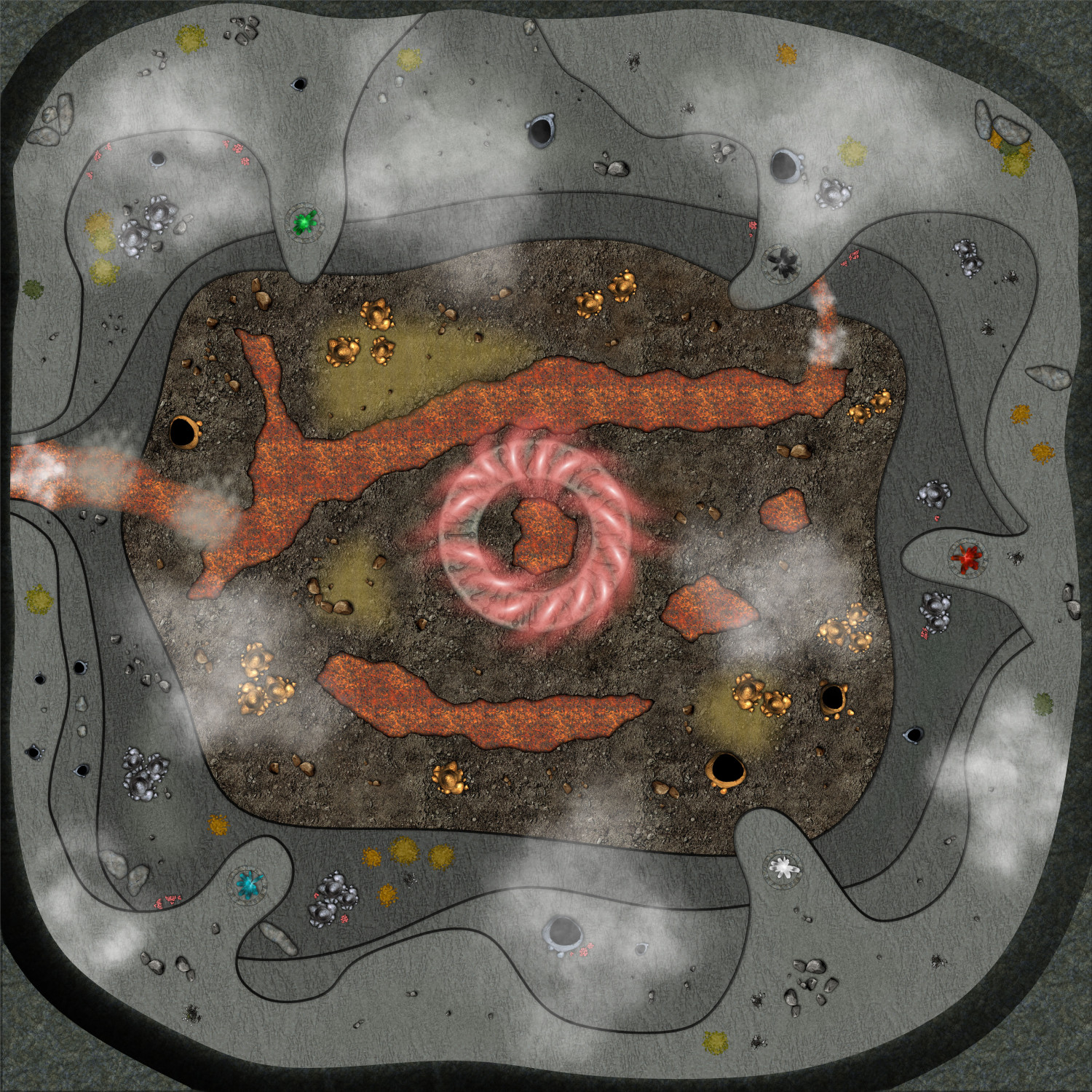
Here's the CC3+ file for it.
And here is the finished map in MapTool, ready to play (Large Version [2544x2248 Pixels])