


Monsen
Monsen
About
- Username
- Monsen
- Joined
- Visits
- 723
- Last Active
- Roles
- Administrator
- Points
- 9,029
- Birthday
- May 14, 1976
- Location
- Bergen, Norway
- Website
- https://atlas.monsen.cc
- Real Name
- Remy Monsen
- Rank
- Cartographer
- Badges
- 27
Latest Images



-
Alien Style - But Yellow CRT
Nice and simple. I like it.
If you use the "Image" button instead of the attachment one when adding the images, the images will display inline in your post, making them easier to view.

-
I Can't Buy Campaign Cartographer And Other Such Products
The currency of sale will always be either UK Pounds or US dollars, no matter the country picked, we don't have pricing available in other currencies.
This shouldn't normally be a problem though. When you pay with your credit (or debit) card, your bank will automatically convert to the local currency, cards can be used to pay in any currency without actually having that currency in your account. This is exactly as it is for me, being Norwegian, my local currency is NOK, but I still use my regular cards to pay in all kinds of various currencies all over the world. Most stores only offer their local currencies, and maybe a few more, only the largest stores have the infrastructure to handle payments in the user's local currency.



-
Video Tutorials
YouTube separates 'Videos' from 'Livestreams', not something we can control. You need to use the 'Live' link on YT, not the 'Videos' one to see them.
The playlist for all live videos also exists, just use the 'Playlists' link on the YT page.

-
Broken Stuff
The best way to check installed products is using the installed apps in the Windows settings. CC3+ itself isn't really aware what a product even is, because all the installers does is to add more files to the relevant folders.
To check inside CC3+, you kind of have to know what is supposed to be there. Do you have the expected templates for the product for example? Or the expected symbol catalogs. Try loading up an example file belonging to the product, is it full of red X'es?
-
Broken Stuff
Your DD3 installation seems to be missing a lot of stuff. Here's what that location should look like
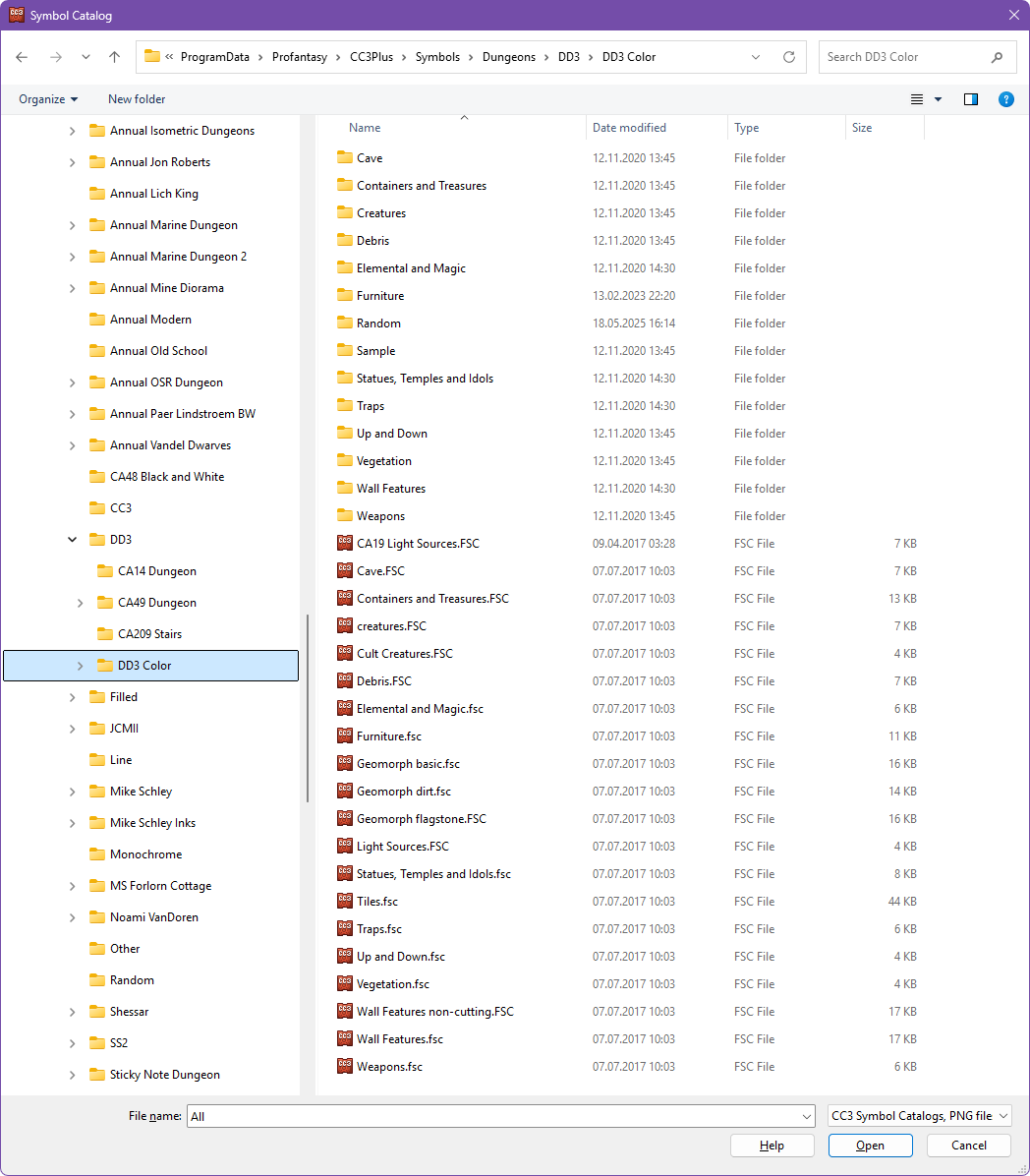
It looks like you maybe don't actually have DD3 installed at all just some random folders that have come with various annuals.
