


Monsen
Monsen
About
- Username
- Monsen
- Joined
- Visits
- 723
- Last Active
- Roles
- Administrator
- Points
- 9,029
- Birthday
- May 14, 1976
- Location
- Bergen, Norway
- Website
- https://atlas.monsen.cc
- Real Name
- Remy Monsen
- Rank
- Cartographer
- Badges
- 27
Latest Images



-
CHK DATA Error using various forest using new purchase SS-1
You say reinstalled, but did you actually install the update, or reinstalled using the original CC3+ installer? The CC3+ installer will only fix CC3+ itself, so running a repair install using that won't help with SS1 problems, but the updates contain the update files not just for CC3+ itself, but for all the add-ons and stuff too. This is why it is important to install the update after installing any new add-on, even if your version number is already at the latest.
If you already did install the update and it didn't work, you should contact tech support. You'll find the form by logging in to your registered user pages.



-
Character Artist 3 symbol creation
500
![[Deleted User]](https://secure.gravatar.com/avatar/c75d9a245b74d9c59be0999ea81ca541/?default=https%3A%2F%2Fvanillicon.com%2F92add7f8c954488718110edc4896ad39_200.png&rating=g&size=200)

-
Need help with making symmetrical tracks on curves
I don't remember what Ralf did in that video, but for curves, Offset is your friend.

-
New here: Cave walls
Have you changed the effects? When I start a new DD3 map and draw a cave using the cave tools, I get the result as you can see in the image below. The glow serves to make the illusion that the cave is cut into the background.
From your image, it looks more like you have an edge fade effect on the FLOORS sheet instead of a glow effect.
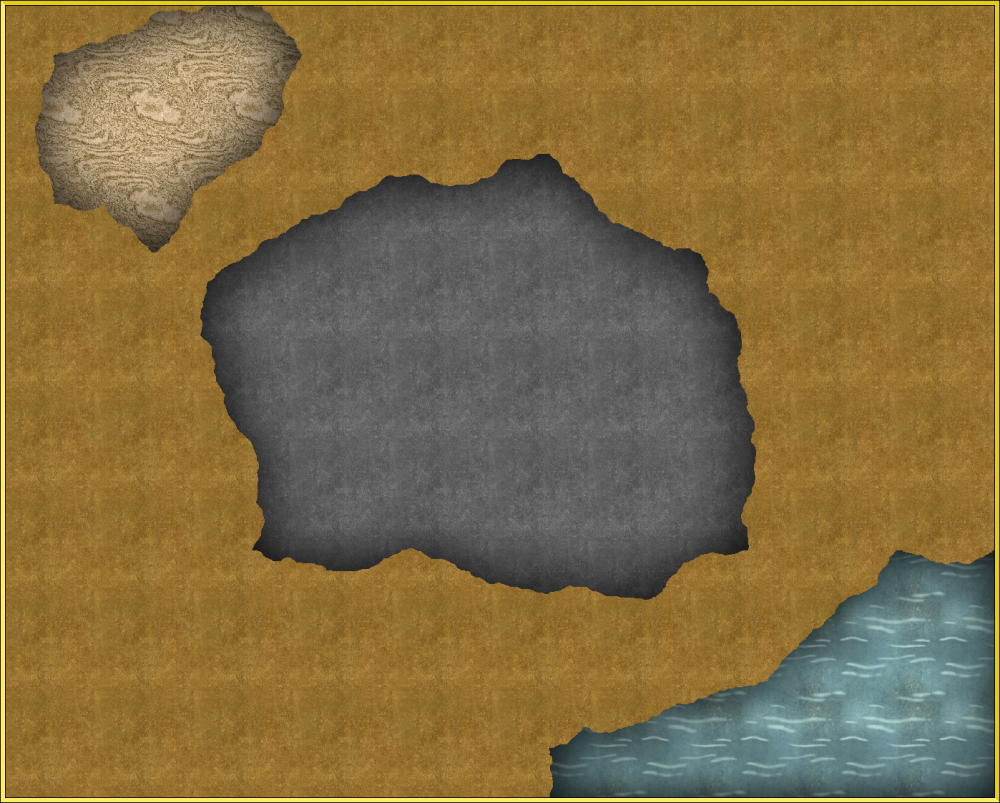
Note that if you do want walls for your caves instead of this effect, and if it is for more than a on-off occasion, remember that you can edit the cave drawing tools by clicking Advanced in the drawing tools dialog. From here, you can select a tool, then hit the new button to clone it, and an then you can use the outline option for your new copy to have the tool draw a wall for you as well as a floor, just set the outline option to draw an extra entity, and set it up with the properties you want. (SHEET and LAYER should be WALLS)
-
Invalid Drive error when using network drive for CC3Plus data directory
One potential problem could be windows UAC causing this. UAC often causes a problem with network drives and installers, because even if the drive is mapped in your normal user session, it is not brought along to the elevated session windows uses when running installers.
