Ralf
Ralf
About
- Username
- Ralf
- Joined
- Visits
- 3,668
- Last Active
- Roles
- Administrator, ProFantasy
- Points
- 2,517
- Rank
- Cartographer
- Badges
- 17
Latest Images
Reactions
-
Changing color settings
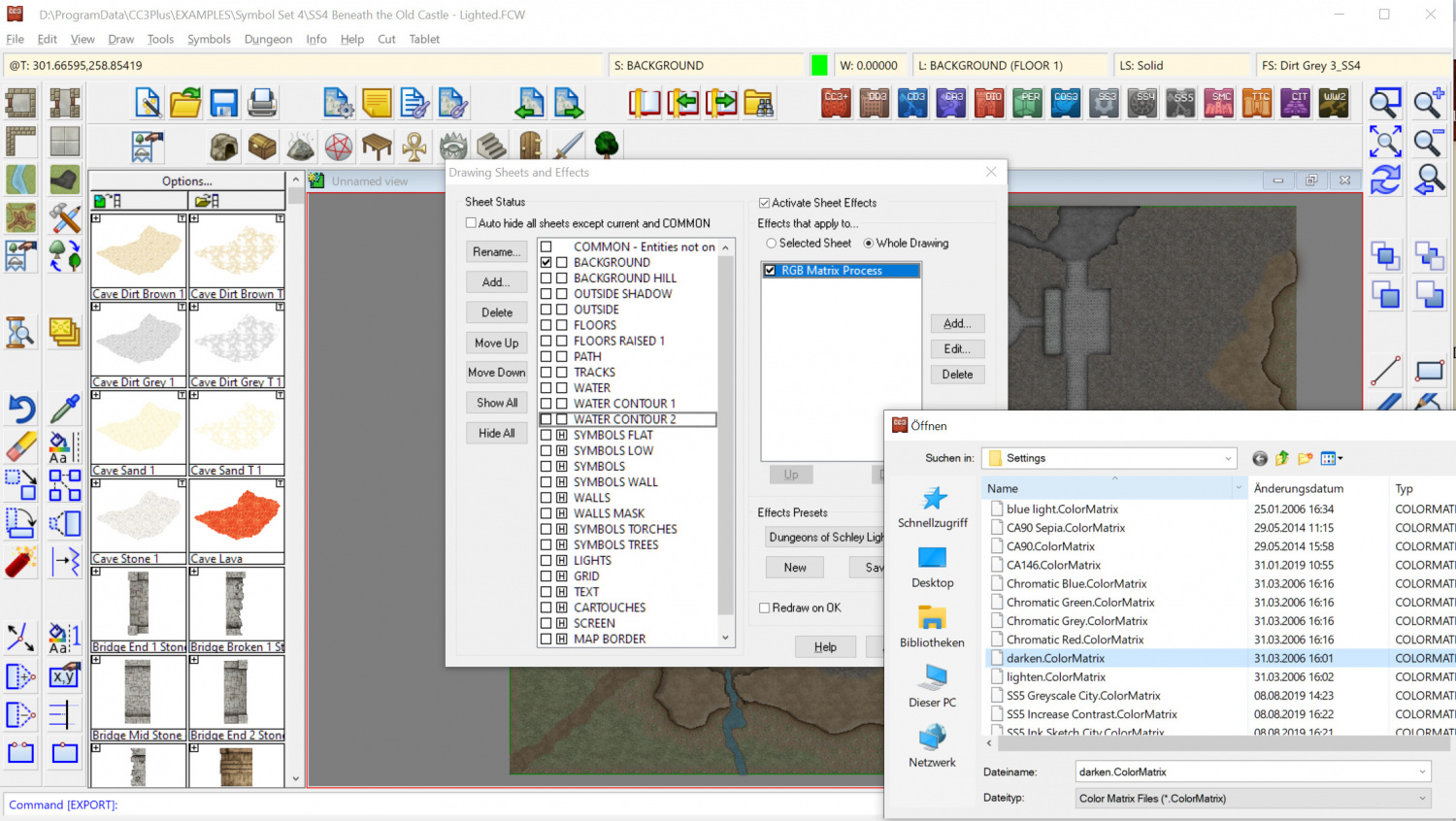
You can try adding an RGB Matrix effect to the whole drawing or just selected sheets. See the attached screenshot (pre-defined RGB Matrix settings are located in the CC3+ program data folder under filters/settings/).


-
Urgent problem - error when saving
Are you always saving in the Dropbox? Can you change to a "normal" folder on your drive, e.g. under My Documents?
Try running CC3+ "as admin" by right-clicking the desktop shortcut and under Properties set it to "always run as administrator". Any change?

-
Weird issue with symbol scale
You can also use the Symbols > Scale Symbols in Map command from the menu to scale symbols centered around their point of origin, if you don't want to affect their default size.
-
Supplemental to Humble Bundle
Thanks for flagging this up., Chrome recently changed their policy and it now automatically blocks download links to a http address if you are coming from an https site. We already updated the links on the registration page, but not here on the public Annual page. I've done so now and the link should work on Chrome again now.




-
Windows 10 not acknowledging CC3+ installation for additional products
Hi Brian! Please try to run CC3+ once by right-clicking the the desktop shortcut and using "Run as Administrator" to execute it. Then close it down and try the add-on setups. Do they then work?
If not, please send in a support request from your registration page and we'll sort it out through tech support.