


Monsen
Monsen
About
- Username
- Monsen
- Joined
- Visits
- 723
- Last Active
- Roles
- Administrator
- Points
- 9,029
- Birthday
- May 14, 1976
- Location
- Bergen, Norway
- Website
- https://atlas.monsen.cc
- Real Name
- Remy Monsen
- Rank
- Cartographer
- Badges
- 27
Latest Images



-
Varicolor and default color symbols
You can do mass replace from the symbol manager. Just pick the symbol to replace, and then pick the one to replace it with. Note that the symbol you wish to replace with already have to be placed in the map once, otherwise it won't be in the symbol manager list.
Note that you can only replace one symbol type at a time, there isn't a way to simply replace varicolor to non-varicolor.


-
Lakes and Rivers disappearing, tried a bunch of tips from other forums, but it is still happening.
And to add what Loopysue said, make sure that your rivers and lakes really are on those sheets. They won't automatically go there even if you have sheets by those names, where they go is determined by the setting in the drawing tool.
You can always check witch sheet an entity is on by using the the List command from the Info menu, or simply hiding all other sheets than the one you wish to inspect.

-
Lakes and Rivers disappearing, tried a bunch of tips from other forums, but it is still happening.
Normally, you shouldn't need to change anything, as the tools and sheets should be set up to make everything just work unless you are trying some more advanced techniques.
Looking at your screenshot, I notice the Sheet setting for the tool is blank. The default setting for that particular tool should be
LAKES*.With that setting blank, it means that CC3+ will NOT attempt to put it on the correct sheet automatically, meaning you'll have to take care of things manually. Basically, that means you need to set the sheet to LAKES manually before starting drawing. I see it is set to LAKES currently in your screenshot, so assuming that your landmass is indeed on the LAND sheet, it should work right now, but if you change the currently set sheet, it will go to that one instead.
If it doesn't, confirm that your landmass is indeed on the LAND sheet, as rearranging sheets won't do a thing if entities aren't on the appropriate sheets.
Basically, use Info -> List on your landmass to check it is on the LAND sheet, on the lake to check that it is on the LAKES sheet, and that the sheet ordering is with LAND appearing higher up in the list than LAKES.

-
CC3+ Connecting nodes (to connect passages)
Yea, as I mentioned above, you cannot edit a multipoly properly, which is why this should be the last thing you do.
To edit the multipoly, you need to temporarily disable it.
- Hide your walls to avoid accidentally messing with them.
- Use :CC2EXPLODE: on the floor entity. You'll notice that your "hole" disappears, but that piece of floor we used to make the hole in the first place should still be there, although it may be difficult to see.
- Show the walls again.
- Do your edits. (Note that we did move your walls to other layers/sheets, so make sure the oultine entity of your drawing tool is updated with the same changes, or it might not work properly)
- Hide the walls
- Use :CC2MPOLY2: again to combine the floor with the hole.
- Show the walls.

-
Guide: Forum Notification Banners
When you visit this forum, you'll see at least two notification banners appearing at the top of every page. One telling you about the latest CC3+ update, the other a welcome message with a link to the posting guidelines.
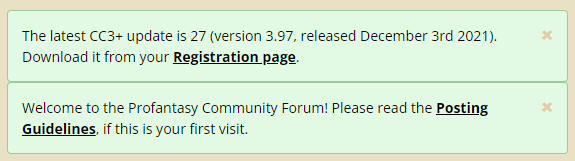
Notice that as long as you are a logged in to the forums, you can dismiss these permanently by clicking the X in the top right corner of each. Don't be afraid to dismiss them, while there isn't a way for you to bring them back, the link to the posting guidelines is always found in the sidebar anyway, and if a new version of CC3+ is released, the banner will be back, you don't need to keep it around to get that reminder. It is actually better to dismiss it, as a new banner popping up is more easy to notice than small text changes in the one already there.
From time to time, there may be other banners there with important information, and some pages have their own banners. These may or may not be closable, depending on the message. If they aren't closable, then they're not designed to hang around for long though, these are typically short-term messages like notifications of upcoming maintenance and the like.
Of course, if you do not log in and just browse as a guest, these won't be closable, as that state is stored in each user's account.

-
Outlining Multipolys
When you outline a multipoly, the outline itself also becomes a multipoly. Amultipoly is always a filled entity, so you cannot set line width on it. That thin outline you initially get is the Hollow fill style, which is the only way to have an outline with a multipoly.
However, the main reason for having a multipoly in the first place is so you can have a hole in the poly. For the outline, this is kind of irrelevant because it isn't a solid surface you need a hole in. So you can explode the outline you get, and then use change properties on it (remember to pick all the entities that made up the outline multipoly), and set the fill style to solid, color to black, and a line width of your choice.
-
Changing symbol setup in a Symbol Set
There won't be an automatic snap grid point in the centre of symbols. The snap grid has it's origin in the origin point, the very point you are attempting to move, and you wanted to move it because it was at the edge and not the center of the symbol to begin width. If the origin is at the edge, there will only be a snap point in the center if it so happens that the distance to the center of the symbol aligns perfectly with the grid size which is just a luck thing. Snap grids are after all calculated as a fixed grid starting in the origin, not magically associated with the image. As Sue says, you'll have to judge by eye.

-
Can I delete part of a symbol like a glow effect?
Effects cannot be trimmed. You'll need to cover it up with something.
Personally, to prevent things from extending through a wall and into the "nothingness" behind, I like to use a mask that is made up from the background with holes punched in it for the dungeon (using a multipoly for that) and put that on top so it basically covers up everything outside the walls, including unnatural shadows.


-
Effects and Layering
This is the Delayed Drawn symbols that strikes. This features reapplies symbols after the effect pass to handle certain visual problems, but it only applies to non-building symbols (And with building symbols, I really mean symbols with built-in roof shading, like that tree also has)
Might be better to separate those into different sheets, but you can also fix it by disabling delayed drawn symbols, juts type DELAYDRAWSYM (enter) on the command line, and answer the prompt with 0 for disabled.
Note that this lasts the current CC3+ session, it is not a per-map setting.

-
Using different bitmap fills for different base maps
You can import them. See this FAQ entry for details:

