


Monsen
Monsen
About
- Username
- Monsen
- Joined
- Visits
- 723
- Last Active
- Roles
- Administrator
- Points
- 9,029
- Birthday
- May 14, 1976
- Location
- Bergen, Norway
- Website
- https://atlas.monsen.cc
- Real Name
- Remy Monsen
- Rank
- Cartographer
- Badges
- 27
Latest Images



-
Deleting / Erasing along a line?
You can use the SYMDELNEAR command to do this.


-
Weird looking forest fill?
I'm still new to precision selection stuff, but I clicked the select button on the left side, right clicked to select not under combine, went down to more category and selected by fill style, selected solid, drew the box and it selected nothing.
You need to draw the selection box first so it selects everything, and then you can do the Combine -> Not -> Fill style -> Solid part.
Thinking about it though, it may be easier to: Change Properties -> Right click to bring up selection menu -> Fill Style -> right click to bring up fill dialog-> Pick the CA101 parchment form bitmap files. There is nothing else in the map that is supposed to use that fill style, so just selecting everything with the wrong parchment works just as well as selecting the forest and then removing the solid lines from the selection.
-
How to show the nodes on a line or polygon, etc?
The weird lines typically happens when you have nodes very close to each other making sharp turns (They're miter joins gone extreme). In many cases, this can be fixed by running the SIMPLIFY command on the polygon. This command automatically deletes nodes that are too close to each other based on the distance you give.
The DELNODEW command will appear in the future.



-
August Mapping Competition - The Results
Here's roflo1's entry, the South Gate, now added to the atlas.
This concludes the contest entries, as I've added the ones I've gotten .fcw files for. Next entry will be one of those others in queue.
I've also updated the contest page on the atlas site to include this one.

-
Importing vector symbols with no background for a parchment background
I see. In that case, Wyverns tips should help. Vector isn't a universal format that can just be shared between programs, so they should be exported from Illustrator as .png (raster) files and imported as raster symbols.
-
Community Atlas - Arthenn / Berenur
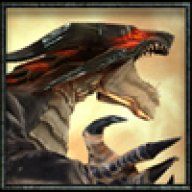
Dragon's lair now added to the atlas.

-
Little Bighorn Battlefield Map
Lovely. I always enjoy visiting historic sites. Hope you had an enjoyable visit, even if it was a bit on the short side.
Maybe you could drop by Norway one day, I have a lot of hills here I need flattened....

-
Community Atlas: Errynor Map 33 - Siolforland
Thanks Wyvern. Maps are now in the atlas.

-
Resize the mountains in Default Terrain
Are you talking about the Mountain Range tool or the Mountain Fill tool here? One is based on symbols, the other on a bitmap fill, so the procedure will be a bit different.
For symbol based tools, they adhere to the default symbol size you can get at by hitting the :CC2PRESETS: button. This must be done before using the tool.
For fill based tools, you need to change the scaling for that particular fill. You do that by clicking the fill style indicator on the status bar, going to the bitmap files tab, find the fill in the list, and then change the values for scaled. This can be done before or after drawing with the tool.
-
Campaign Cosmographer Insert template
Did you try inserting into a new map in a completely different style? Still trying to figure out if this is something spesific to that Cosmographer template, or if it a general problem for you.
Oh, and since nobody remembered to ask this yet as far as I can see, you have installed the latest CC3+ update, right (3.98)?

