Monsen
Monsen
About
- Username
- Monsen
- Joined
- Visits
- 723
- Last Active
- Roles
- Administrator
- Points
- 9,029
- Birthday
- May 14, 1976
- Location
- Bergen, Norway
- Website
- https://atlas.monsen.cc
- Real Name
- Remy Monsen
- Rank
- Cartographer
- Badges
- 27
Latest Images



-
Unable to get Combine Paths to do what I want
Your step 3 is the problem here. You shouldn't be selecting the same line again, it is already part of the combined path. By doing that, you are basically telling the line to combine with itself.
Once you have done 1 & 2, you are ready to use Path to Poly.


-
Community Atlas: Errynor Map 40 - Faerie Land
Thanks for a great submission. The map is in the atlas now.
![[Deleted User]](https://secure.gravatar.com/avatar/c75d9a245b74d9c59be0999ea81ca541/?default=https%3A%2F%2Fvanillicon.com%2F92add7f8c954488718110edc4896ad39_200.png&rating=g&size=200)

-
Panzer sample thread
Well, I believe you already made a style for the annual a few years ago, perhaps the tanks would best fit with that one, or an adapted version of it could follow the tanks...



-
Adding new map packs
All artwork in .png format can be used in CC3+.
Generally just put the .png files in a folder under the Symbols\User folder in your CC3+ data directory, and optionally import them into symbol catalogs.
Of course, CC3+ symbols are more than just the backing image, they have properties and configuration to make things easier, like houses that aligns to roads and doors that cut walls and symbols that automatically go to the right sheet. Artwork not made for CC3+ won't have all these properties unless you set everything up for it.

-
Panzer sample thread
@Lillhans wrote:
Is the three paint schemes sufficient?
Don't you know what happens to people asking such questions? (If not, ask Sue)


-
Community Atlas - Stromphe City - The Islands district
You should work a bit with that sea background. It looks bad because of the amount of repetition. Unfortunately, it isn't as easy to cover up as land, but you should at least be able to increase the scaling a fair bit to at least lessen the effect.
Since this is a close-up map, I would also have looked into adding more depth contours. A detail map of a region will usually have smaller interval between contours than the main map, thereby exposing additional contours that's not visible on the main map. The smaller scale also makes it reasonable to add areas that was too small to include in the overview map. I think I might actually see some indication around the Islands when I look close, but it is a bit too small and subtle.
-
Dungeon Break: Comic Book Annual Overland & Tweaking
@WVFaeryWoman wrote:
And one final thing. Is it good or bad to reply directly to people in the forums using "@". I haven't done it until recently after it was done to me. I thought maybe it was the polite thing to do, but now I am wondering if it could be annoying.
Using @ is completely fine, especially when it is in context, i.e. to refer to someone saying something earlier in the thread. It is also fine when referring to something a user did earlier/elsewhere, for example "I am following the instruction in this blog by @WVFaeryWoman but I don't understand the steps.....". It is bad if you try to drag unrelated people into the thread by spamming your post with @-mentions, for example posting a request for help, and then filling it with @-mentions of the names of people you know gives good help generally.
If people don't like to be notified for @-mentions, they can control it from their notification preferences.
-
Volcano trouble
This can happen if you already have the other volcano in your map (because you have placed it at some point). Open up symbol manager (Symbols Menu -> Symbol Manger) and then either hit Purge (will remove all symbol definitions you have used in the past, but which are not part of the current map, or scroll down in the list until you find the undesired symbol, click on it to select it, and hit the Delete button.
-
Dialog box different from Livemapping session
It's just a case of DD3 vs. SS4 menus. When SS4 was first released, the DD3 tools wasn't part of the core package, so SS4 shipped with a menu set that brought up the standard drawing tools instead of the specialized dungeon tools. Just hit the :DD2: button on your toolbar, and the room button should bring up the desired dialog.

-
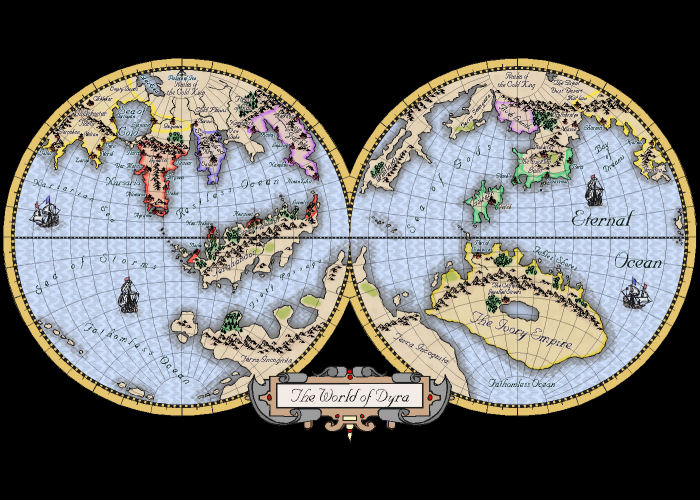
Would a Curved/Globe Map Style be possible?
Anything is possible from a drawing perspective, but there are several of CC3+'s tools that don't work correclty
- Measurements, including distances and angles assumes a a flat map. These can't be used to get accurate data on a curve
- Drawing tools that stop at the map border only work with straight orthogonal lines. This feature doesn't work along a circle or angled line
- Images are rectangular, anything not-rectangular will add empty areas on exports.
- The coordinate system assumes a flat surface, coordinates won't be correct for a curved world.
- Effects also assume a flat surface. This is why many effects cannot be used properly in an isometric map. Not quite as big a problem on a curved map, most things will probably still look fine.
But that said, there are already styles for a curved approach, like the Mercator style from the very first annual (later updated in a newer annual).