

My hex symbols disappeared. How to solve it?
Some time ago I made a hex map using Annual Mike Schley Hex. Now I was going to keep drawing it, and all the hex symbols disappeared. I tried searching the forum for a solution, but my forum foo wasn't good enough.
So, any help on how to get my hexes back?
I attached some pics; hope it helps.
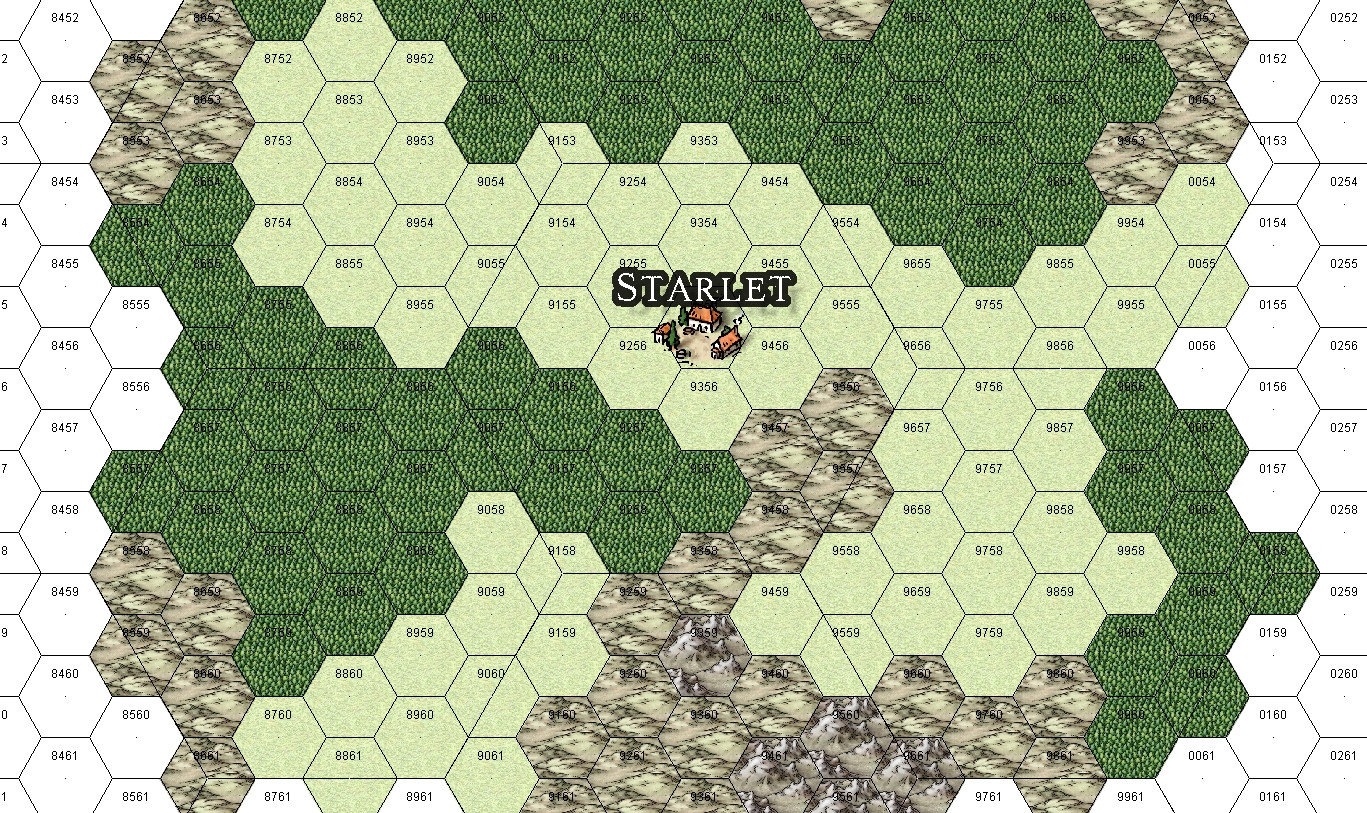
The first one shows that when I created the map, hex symbols were working.
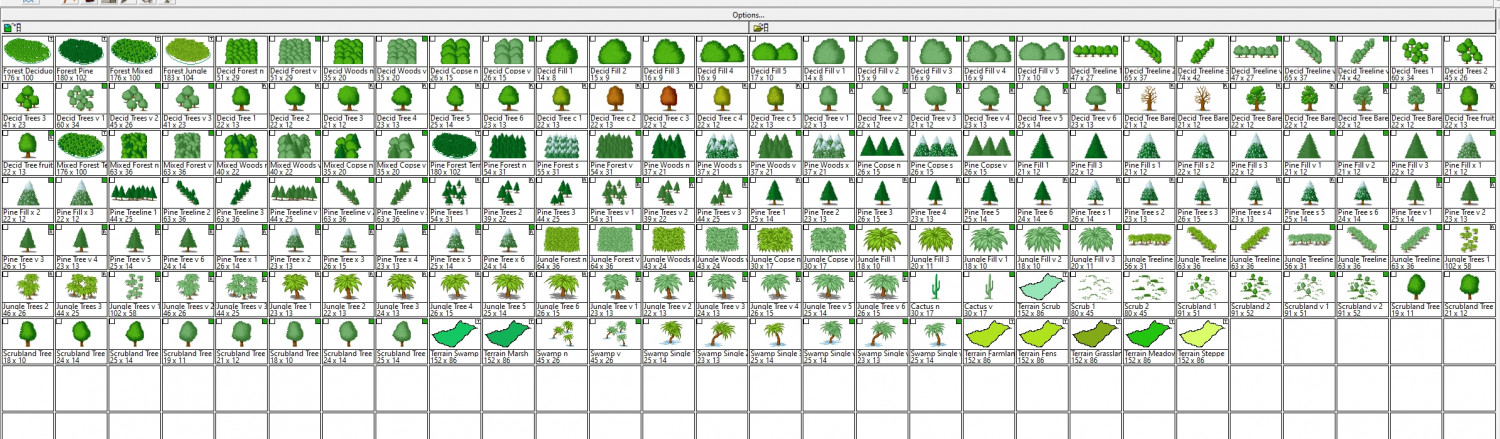
The second one is to show that there aren't hex symbols on the vegetation catalog. Same with the other ones.
Furthermore, when I create a new map and select Annual Mike Schley Hex, none of his symbols are available.
Best Answer
-
 Loopysue
ProFantasy 🖼️ 41 images Cartographer
Loopysue
ProFantasy 🖼️ 41 images Cartographer
It looks like you have the wrong symbol catalogue open.
Click the Open Symbol Catalogue button at the top of the Symbol Catalogue Window
 and navigate to:
Symbols\Maps\Mike Schley Hex
Then double click the file called All.FSC
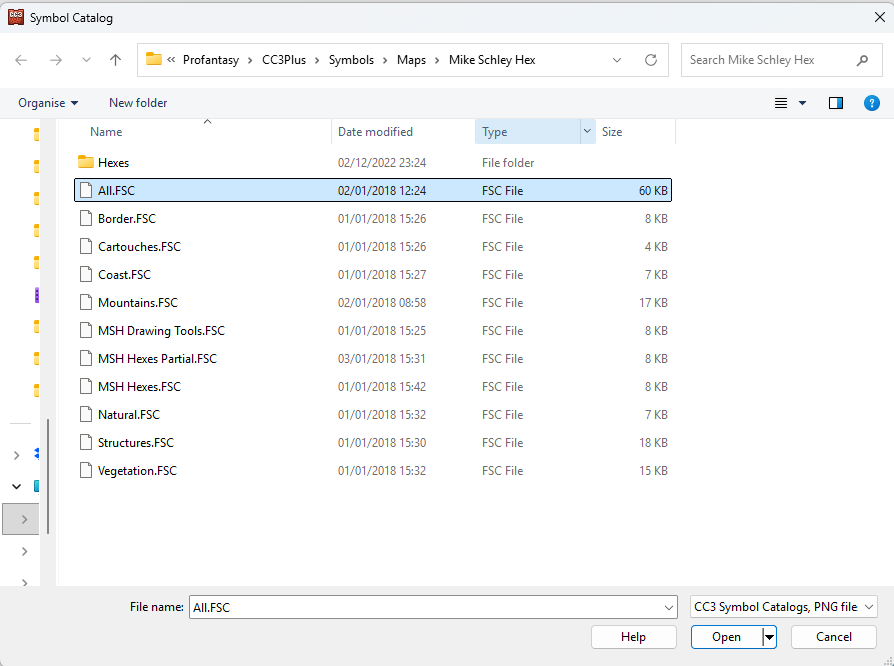
That will open the full catalogue for the style.
...
I'm not sure why you have a catalogue from a completely different style active.

Answers
It looks like you have the wrong symbol catalogue open.
Click the Open Symbol Catalogue button at the top of the Symbol Catalogue Window and navigate to:
Symbols\Maps\Mike Schley Hex
Then double click the file called All.FSC
That will open the full catalogue for the style.
...
I'm not sure why you have a catalogue from a completely different style active.
It worked, but if I try to select something like the vegetation or coast/sea options, they all disappear.
Anyway, now I know how to add the catalogs and will start from there.
TYVM.
If you want to make it so the All.FSC catalogue opens with the map as it opens each time you can edit the map note called OnOpenMacro like this:
SYMICONMR
SYMICONFLOAD CC3MH
MENUDM @fcw32.mnu
CATALOG @Symbols\Maps\Mike Schley Hex\All.FSC
Make sure there is still a single blank line after the last line of text, but only one. And don't forget to save the map before closing it.