

Calibre
Calibre
About
- Username
- Calibre
- Joined
- Visits
- 1,746
- Last Active
- Roles
- Member
- Points
- 1,327
- Rank
- Mapmaker
- Badges
- 10
Latest Images
Reactions
-
Watabou City REVISED (annual 157)
Mr. Quenten, thanks for the hard work. I feel confident it will be awesome
Cal

-
WIP: Shymar Hovel, Pirate City
Well, is my face red. I never paid attention to the obvious fact that the buildings in Watabou style are on 2 sheets. Previous maps I've done, I had to do the process I explained above---well, I believed I did. So, to be clear (and I'm doing this as I type) hide the Buildings outline sheet (Literally, SYMBOLS BUILDINGS OUTLINE) to select only the brown buildings. THEN simply select the buildings you want to change color and then do so.
I was happy to do it the laborious way, oh yes. I found my own way LOL. I have one excuse: trying to post on the forums after very little sleep while dealing with a monstrous cold 😓
I just love this program! Once you get yourself into it and realize what you can do, man it just ROCKS heh.
thanks
oh PS: when I have the buildings and new key done, there will be an update.
Cal

-
WIP: The Citadel
Take a look, Wyvern:
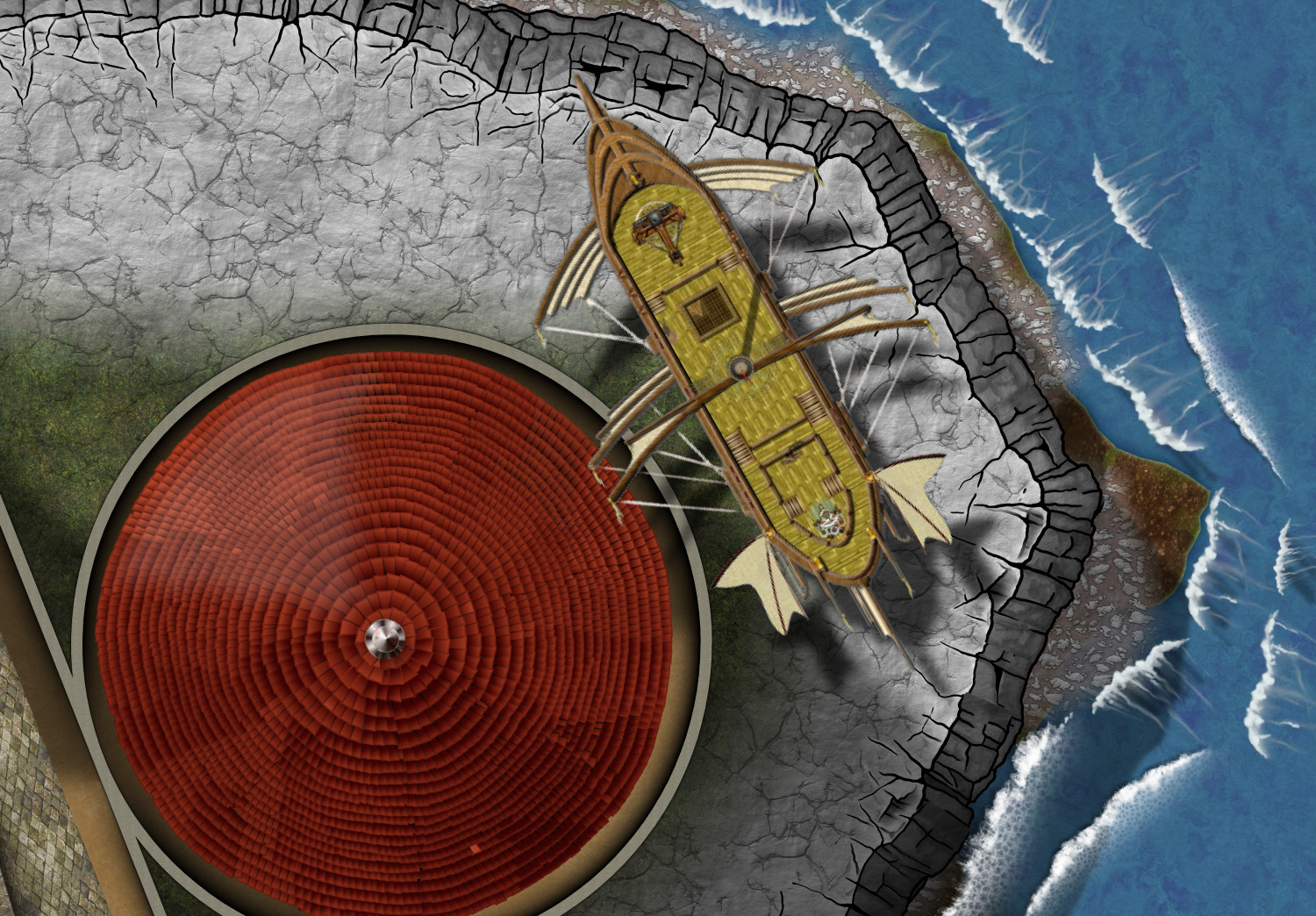
The drop shadow is displaced by 45x 55y. It does cross the ramparts of the tower, but not the tower top! Grrrrr.
Also, LOL, the flags on the ends of the sail heads makes it seem as if it's torn into the tower roof 😁. I suspect the captain will face charges of Drunk on Duty...or, at least the Pilot will heh.
Cal

-
Birdseye Continental - style development thread
Oh, Ms. Sue
Speaking of mountain symbols/fills. Could we have a top down volcano option?
Cal


-
WIP: Dominion of Ostia
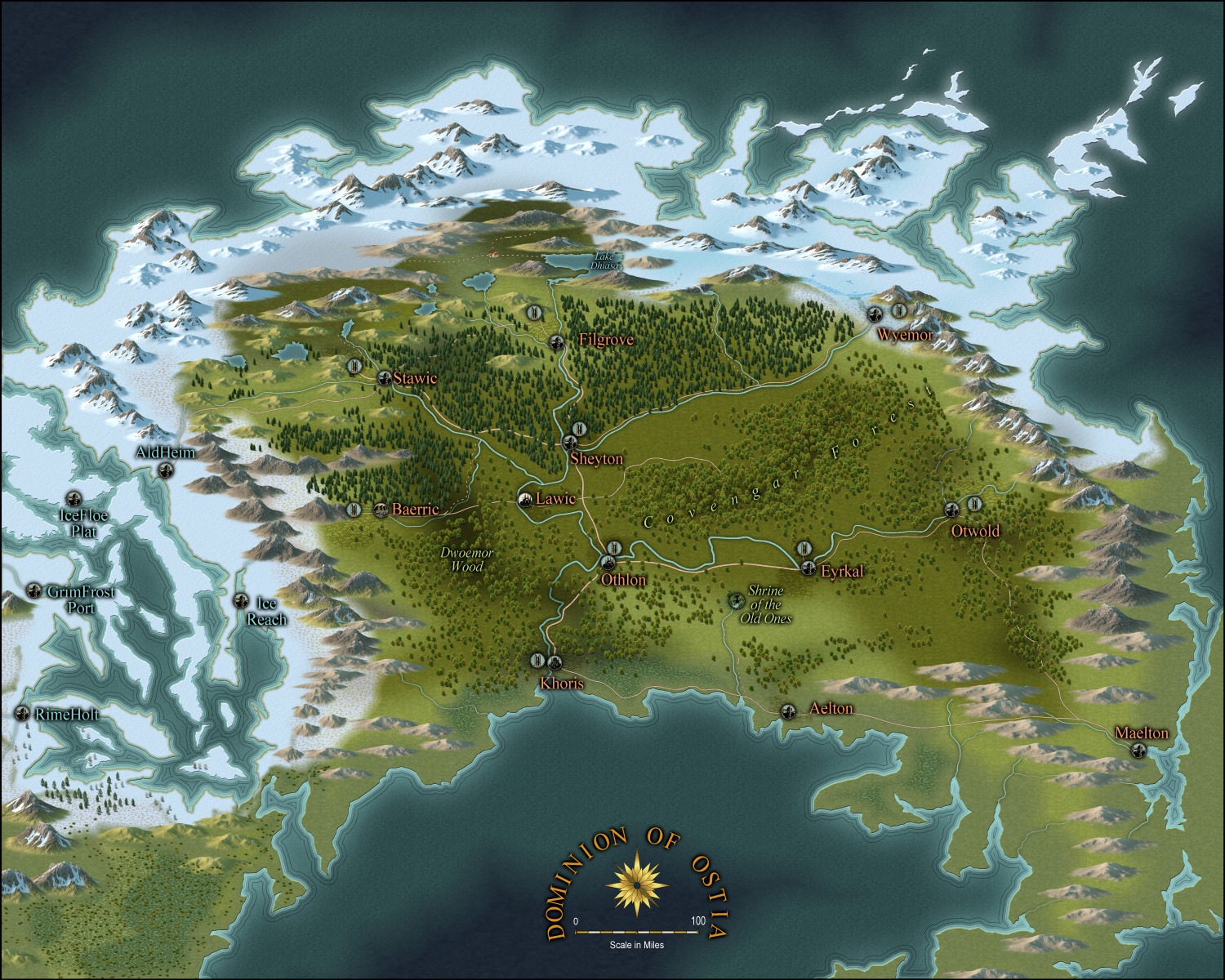
Well, continuing on. I have issues heh.
1: Hard edge to snow line
2: Can't decide whether edge striping is good or bad heh
3: I dislike the dashed 'track' line, but can't find the dotted line in styles
4: Not sure if vignettes are large enough
5: I can't find suitable structure style for inns, towns, etc.
Any advice on these and other issues would be very helpful, please.
thanks
Cal

-
Difference between layers and sheets
Hey all!
Sheets separate various effects. Use them to separate effects. For example, say you want a blur on specific fill, or a colorize, or a blend or whatever: Make as many sheets are you feel you need, partitioning off effects.
Layers organize the specific elements of your drawing: like mountains on one layer, reliefs on another, rivers on another etc and so on. Forests go on Vegetation.
Doing this, you can manipulate your maps as you see fit. Use both to your advantage. Always check which aspects of your drawing are on which sheet or layer. Choose which one goes to each.
Cal
-
Forest Trail project - part 1
I simply MUST have this.
thanks, Sue
Cal

-
Birdseye Continental - style development thread
Argh, Ms. Sue
Now I'm going to have to halt new version of my continent, Estonisch, to use this style!
ARGH!
😁
Strange but some of those fills are close my own.
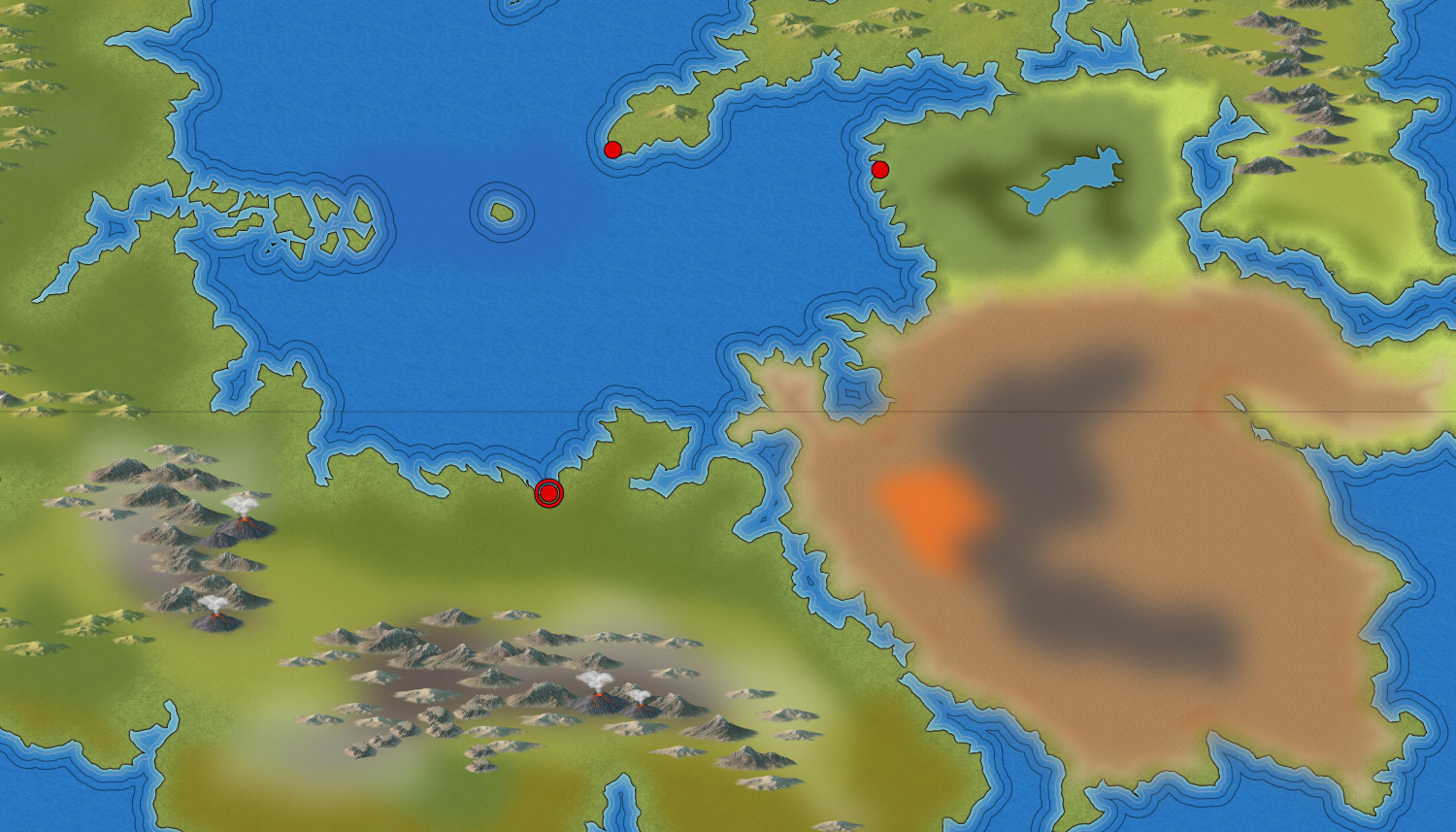
Nowhere near as good as yours, of course. So, I'll put this on hold till the new style comes out! I can't wait.
thanks, Ms. Sue
Cal

-
Ukbur Valley
Mr. Ricko
You have such an artistic eye for design. I envy you 🙂
-
Ukbur Valley
Thanks, Ricko
Wracking my brain trying to recall this from photo class when I was in Graphic Arts/Design. Hmm. We had to do photography but I wasn't much interested in focusing on that aspect. I passed the course, but didn't retain much from it, I see---to my loss.
Cal
