Quenten
Quenten
About
- Username
- Quenten
- Joined
- Visits
- 8,147
- Last Active
- Roles
- Member
- Points
- 3,110
- Birthday
- November 29, 1950
- Location
- Australia
- Real Name
- Quenten Walker
- Rank
- Mapmaker
- Badges
- 16
Latest Images
Reactions
-
[WIP] Marine Dungeons Lighthouse (more May Annual Stairs & Steps)
It is vital, and totally illegal otherwise, that ALL fantasy D&D buildings must comply with the correct USA stair regulations, otherwise they will be fireballed!




-
Community Atlas - Irisian City States - City of Tiresia using revised Watabou.
Here is my version of the city of Tiresia, using the forthcoming Watabou Cities revised annual coming out in July.
I discovered one further problem with the drawing tools being applied to the imported DXF. Regardless of the import parameters, the walls remain as 2D polygons. The work around is to use the break command on each section. Click on the icon labelled x,y in the left hand of the screen, and select the object. Untick closed.
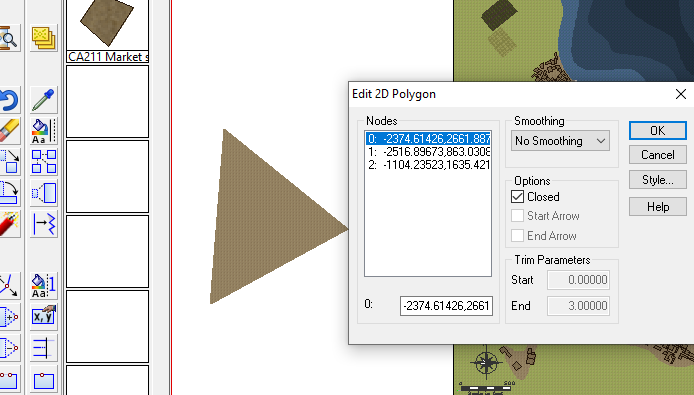
Then apply the drawing tool. This is the method I used.
Alternatively, just use the tool to draw the walls along the lines without using Change Like Drawtool command, which is probably easier. The lines will be removed when you delete the IMPORT sheet at the end of the process.
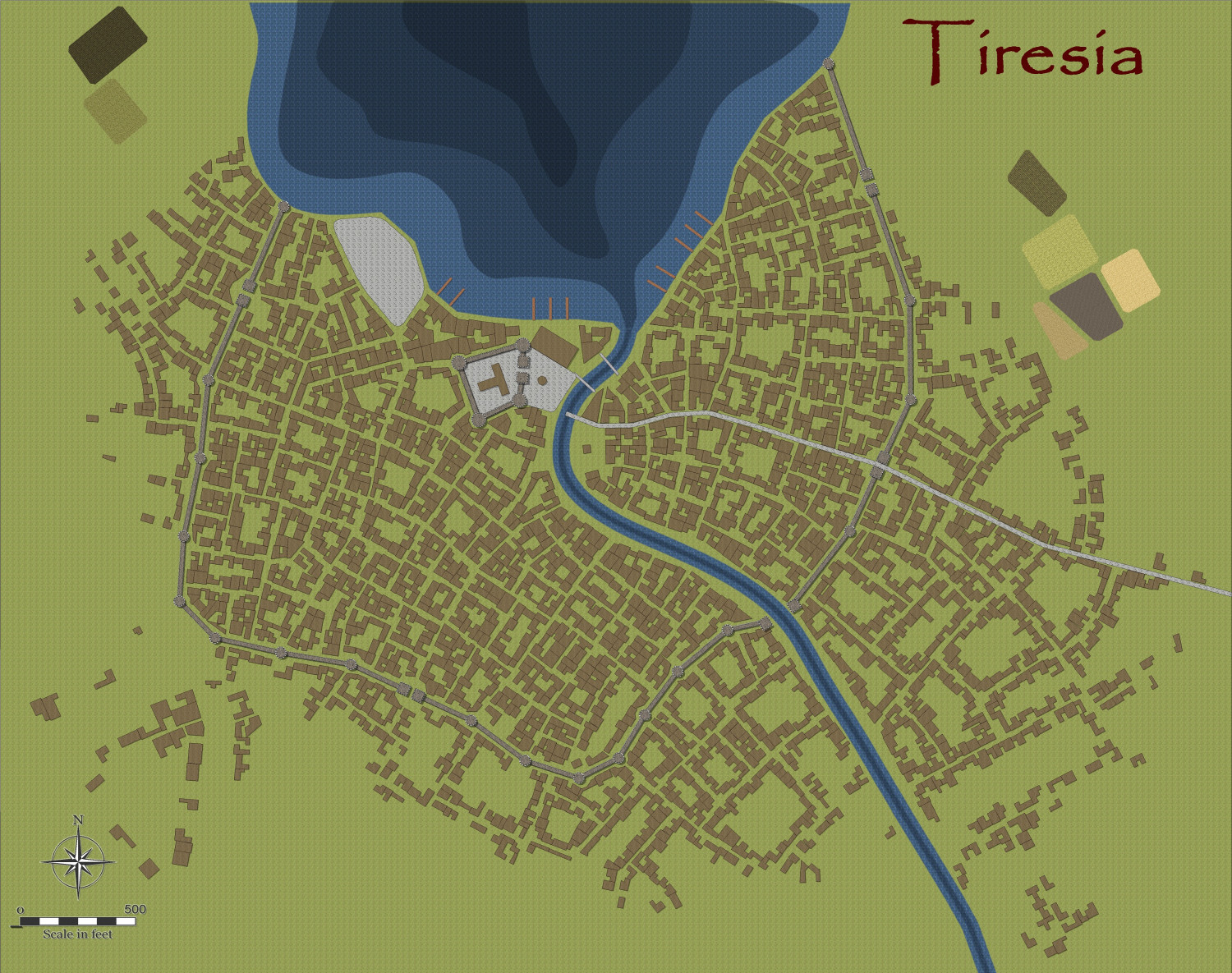
This is the result, for a fairly big city, using the Change Like Draw Tools command only.
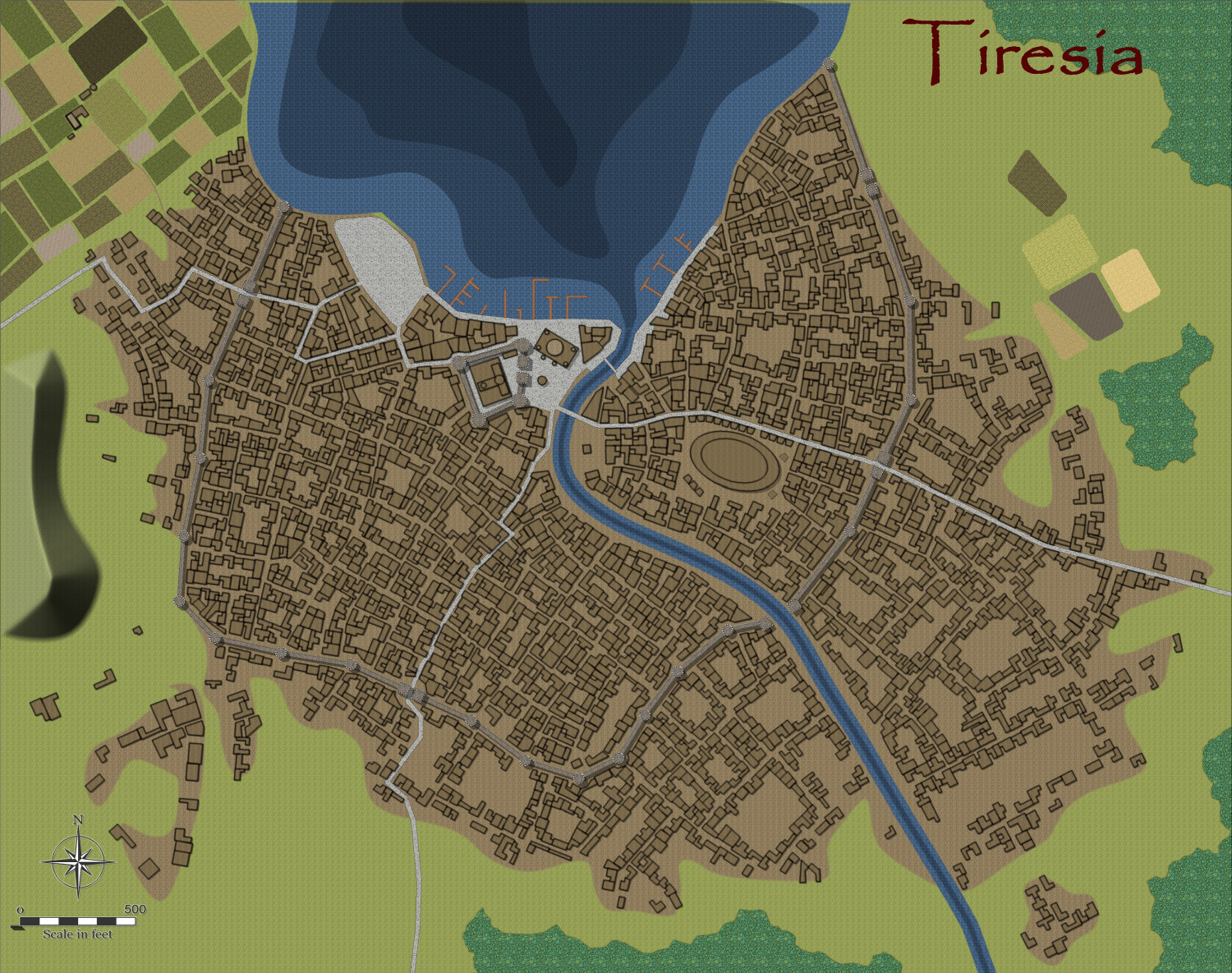
And after a few alterations, I am designing the city more to my liking and fleshing out the surroundings, redoing the fields using the Drawtools to get field furrows aligned automatically with the fills from Sue's Darkland City. Did a demolition job to erect a large amphitheatre/football ground.


-
Trinajarnia
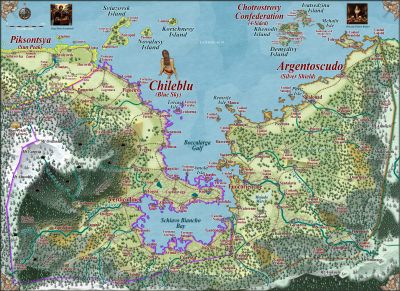
This is a revision of a continent in a previous world I started. I think this will be my main project. The main land mass is about 25% bigger than Australia, and extends from the arctic north to the tropics. And has all biomes represented.
I have already started on smaller areas.
All the names mean something in English, but I have used various languages (via Google Translate) to represent the various ethnic groups, eg Ukrainian for Kratirim, Icelandic for Vynlings, Georgian for Dwarves, Hungarian for orcs, Persian for reptilians, Irish for Elves, Italian for Norvians, Swahili for Swabentu and Maori or Yamatji for Dingadau.
All the 'civilized' nations are marked in with their capital cities.
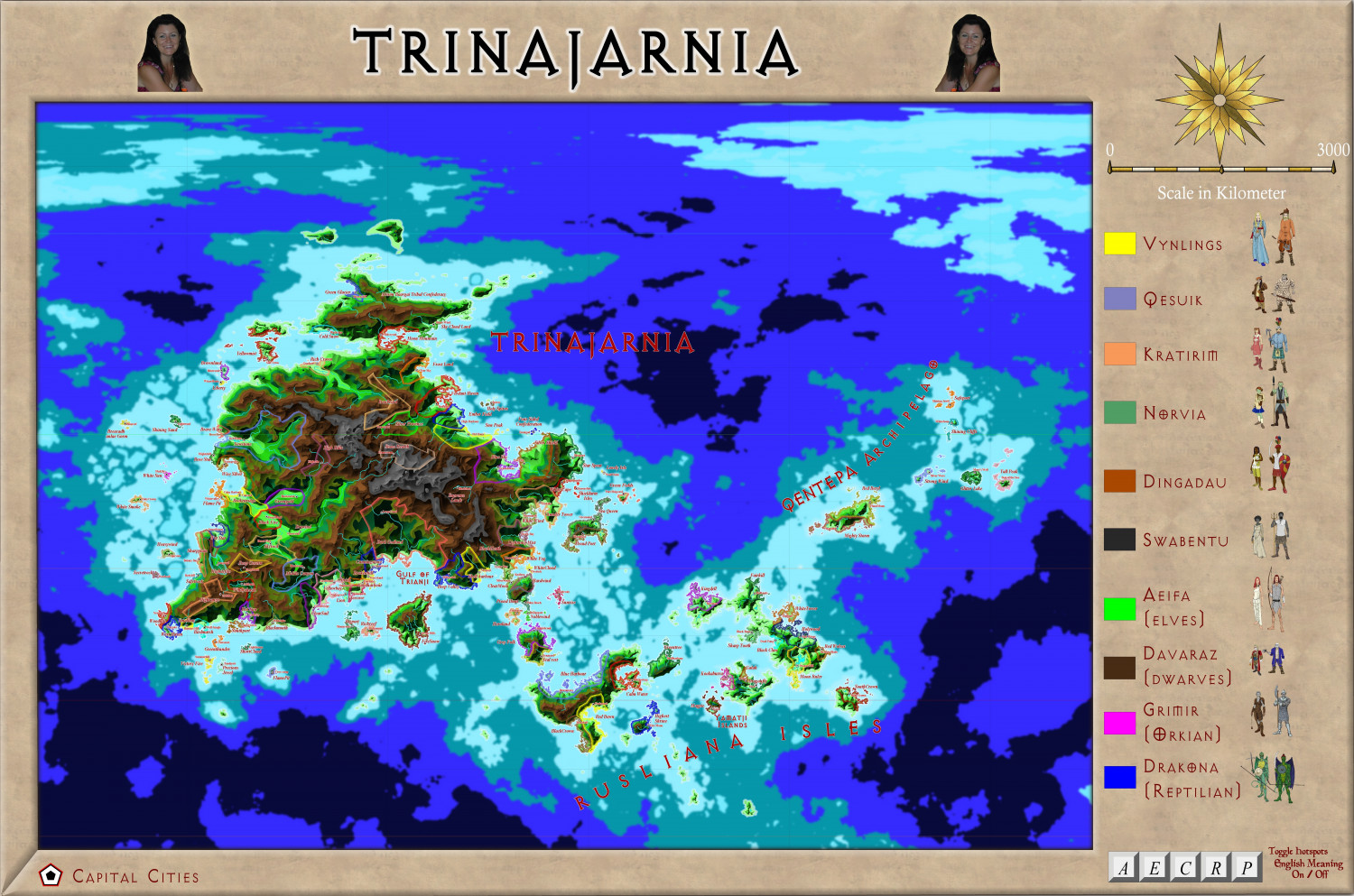
A larger version is in the Gallery.

-
Community Atlas - Irisian City States - Tiresia City State
The Map notes for the City State of Tiresia.
Tiresia City State
Tiresia is the smallest in power, both militarily, and economically, of the five Irisian City States. However, compared to the rest of Artemisia, it still ranks highly. The mainstay of the economy is agricultural, especially the olive oil industry, with a minor tin extraction industry. Most of the tin is exported to be refined elsewhere, with the State collecting both royalties, and a newly raised resources rent tac, to bolster the faltering economy of the City-State after a few years of devastating drought wrought havoc on the agricultural economy.
The olive oil industry is by far the most lucrative for the City-State, with large government holdings in one of the main Olive Oil companies, called The Popeye Oil Consortium. The purity, and special flavour of the oil is prized throughout Artemisia and beyond. The special flavour is imparted by pollinating bees of a unique kind, and causes the subsequent oil to have a faint honey-flavoured scent.
Tiresia is ruled by a Senate composed of 25 Senators, voted into office by all property holders with over 50,000 Drachmas in value ie only the wealthy families can vote. They then elect three Magisters, who hold office for three years, staggering the elections so that one is elected each year. This staggers the office holders so that the government is unusually stable, but also more likey to fall into corruption – which it has, leading as it does to a monopolization of power and wealth into the hands of a few families, a high level of corruption, (the highest of all the City-States), and a very unequal society.
Subsequently, demands from the rest of the populace, who cannot vote in any election, and have had their needs ignored for far too long, have grown stronger, accompanied by greater and greater civil unrest. The capital of Tiresia is most affected, but the more violent acts of arson, theft, destruction of government and senators’ private property, and abductions occur in the countryside, which has suffered extensively because of the three year drought. Various groups are calling for abolition of the Senate, replacement with an Assembly of the People and universal suffrage, including both genders, and a government headed by a directly elected Tribune. Finally, they are calling for trials of all corrupt officials – the one thing that sends tremors down the backbone of most of the Senate and government, and stiffens their resolve not to give an inch to those calling for change.
The increasingly radical and tense political situation has drawn the worried attention of the other City States, some of whom are wanting to send troops to quell the increasing unrest. However, Stromphe, the largest and most powerful of the City-States, has vetoed this and insists on non-interference. It is well-known that Stromphe, the least corrupt, and most democratic of the City-Sates, has contempt for the government of Tiresia, and would happily see it fall, and so extend their direct influence over the island. The other States, especially Otykos and Arete, have thus decided to keep their aid to an increasingly beleaguered government at the clandestine level, with moles in the radical groups, passing information to the Tiresian Magisters, and financial loans to the Senate to enable them to increase the ‘bread and circuses’ policy that they hope will have effect. Cake, rather than bread, is offered!
Unknown to all is that the mysterious Purple Daffodil (a rare bloom found in western Tiresia), leader of the most influential, and violent, of the groups calling for reforms, is in fact Demetrios Kaluthenas, younger son of one of the Magisters, Gerolimeo Kaluthenas. He seems motivated by a genuine disgust of the corruption of the present system, as well as anger at his treatment as an unwanted child by his authoritarian father. He has already drawn up a list of those he wants executed for corruption – and strangely, includes leading figures of the other three reformist groups. His own group is now the largest and most influential, and calls itself the Directorate of the People. His identity is known only by his closest friend, Brutos Skipianas, who is even more in favour of violent revolution than his leader. Not even Demetrios’ wife and children know of his true identity, and he plays the role of an incompetent fop and socialite very well. After every atrocity committed by the groups, and every murder or abduction, a purple daffodil is left as a sinister calling card.
The cycle of increasing violence and harsh counter-measures has the whole City-State ready to explode in violent revolution – and perhaps get beyond the control of even the manipulative Demetrios.
The religion of Tiresia, like that of all south and western Artemisia, is that of worship of the Olympian Gods, but especially Athea, Poseidon and Demeter. The clergy are calling for peaceful negotiations between the people and the Senate, but increasingly, their pleas are falling on deaf ears, and many of the would-be revolutionaries are casting the priests as fellow-travellers of the privileged classes.
The stage is set for events which may become world-shattering!
-
Hardin region of Myirandios
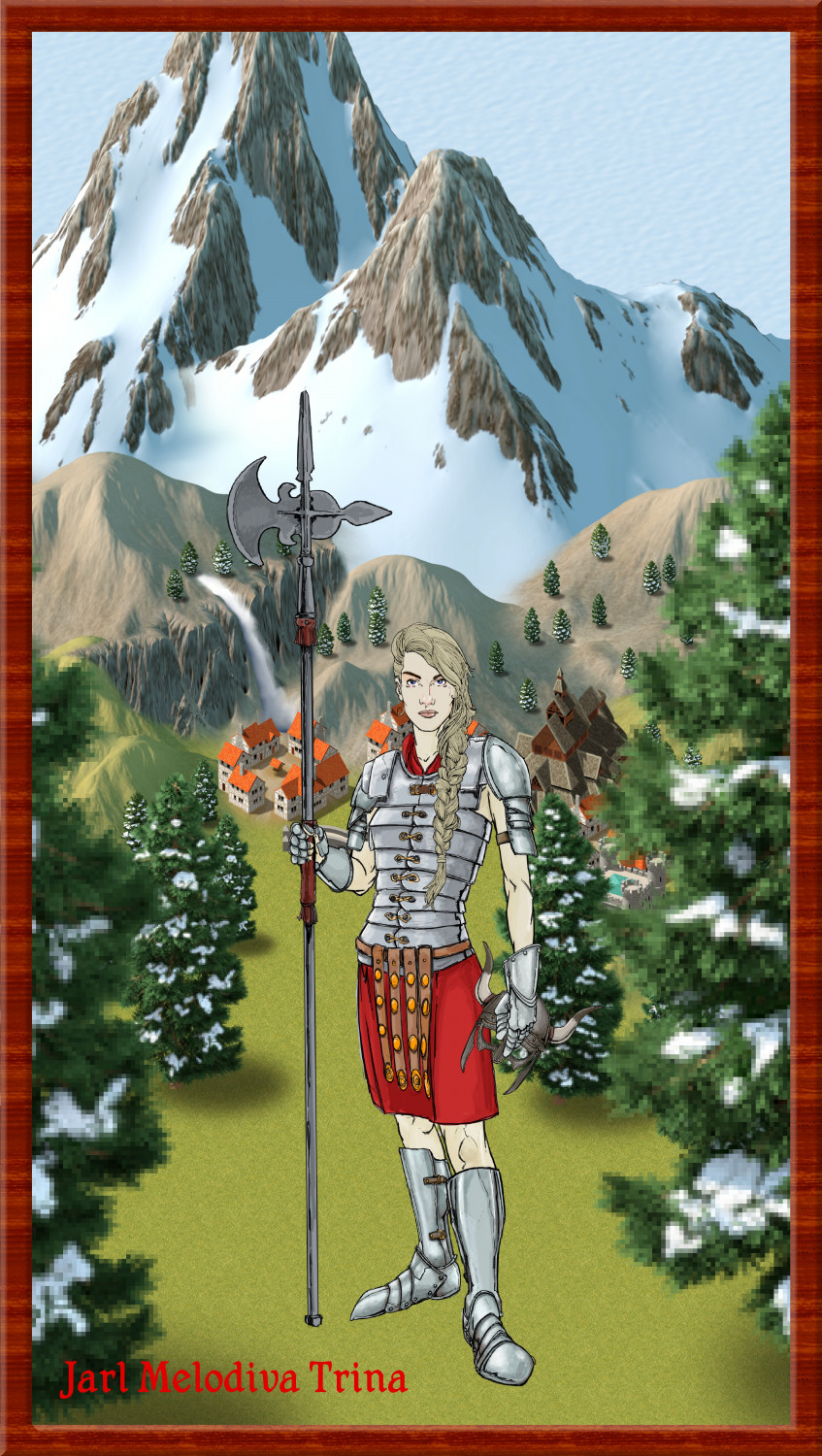
Jarl Melodiva Tirina
-
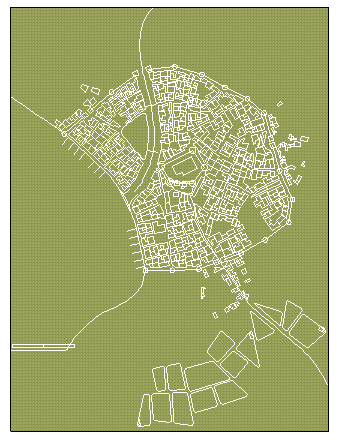
Watabou City REVISED (annual 157)
The next step is to convert the SVG into a DXF. I use the tool mentioned in Annual 157:
Cloud Convert: SVG to DXF | CloudConvert
Open a map in the Style Cities >Annual Watabou City Revised. (When it comes out). For cities, I estimate the size using the scale that comes with the generated map as a guide. The scale in the generator is in Metres, so multiply by 3 to get feet (a rough estimate is all that is needed).
The example map is about 1000 m wide, or about 3000 feet. Against my long held principles, I will do the example in Imperial measurements, to cater for all you imperialist lackeys!! 🤣 So the map will be 3000 wide x 4000 tall.
Make sure the Layer is set to 0, and the Sheet to IMPORT.
Use Draw Menu, Insert File, to insert the DXF at origin 0,0 (the default).
Right-click the scale button and choose Non-visual Scale. Right-click on the map to open the selection menu and choose Prior. The just previously placed import is now selected. Right-click again, select Do It and enter a scale factor of 5-10, or whatever seems appropriate to fill the map with the city. The previous annual showed the DXF as a small Dot, and required a scale factor of 400, but the revised version shows the DXF much larger, and requires a bit of juggling to get it just right. Make sure you scale origin is still 0,0 though. The map should now appear, roughly matching your drawing area, with some of the entities extending beyond the map border.
Here is the map of Lowrock with the dxf imported onto the IMPORT Sheet, 0 Layer.

And here it is, rescaled non-visually by a factor of 10, and then moved, non-visually, up a bit on the map to centre the city better.

-
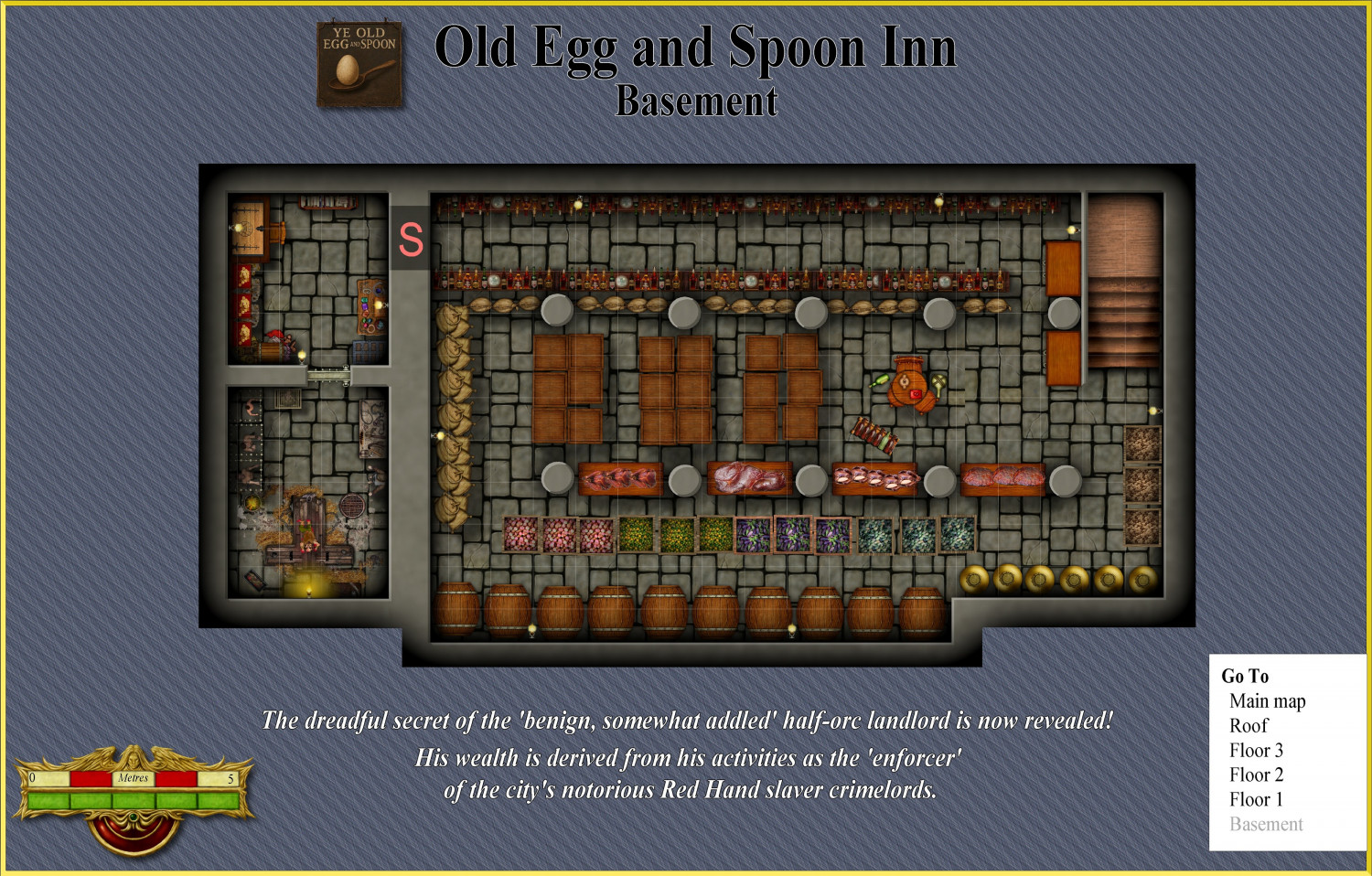
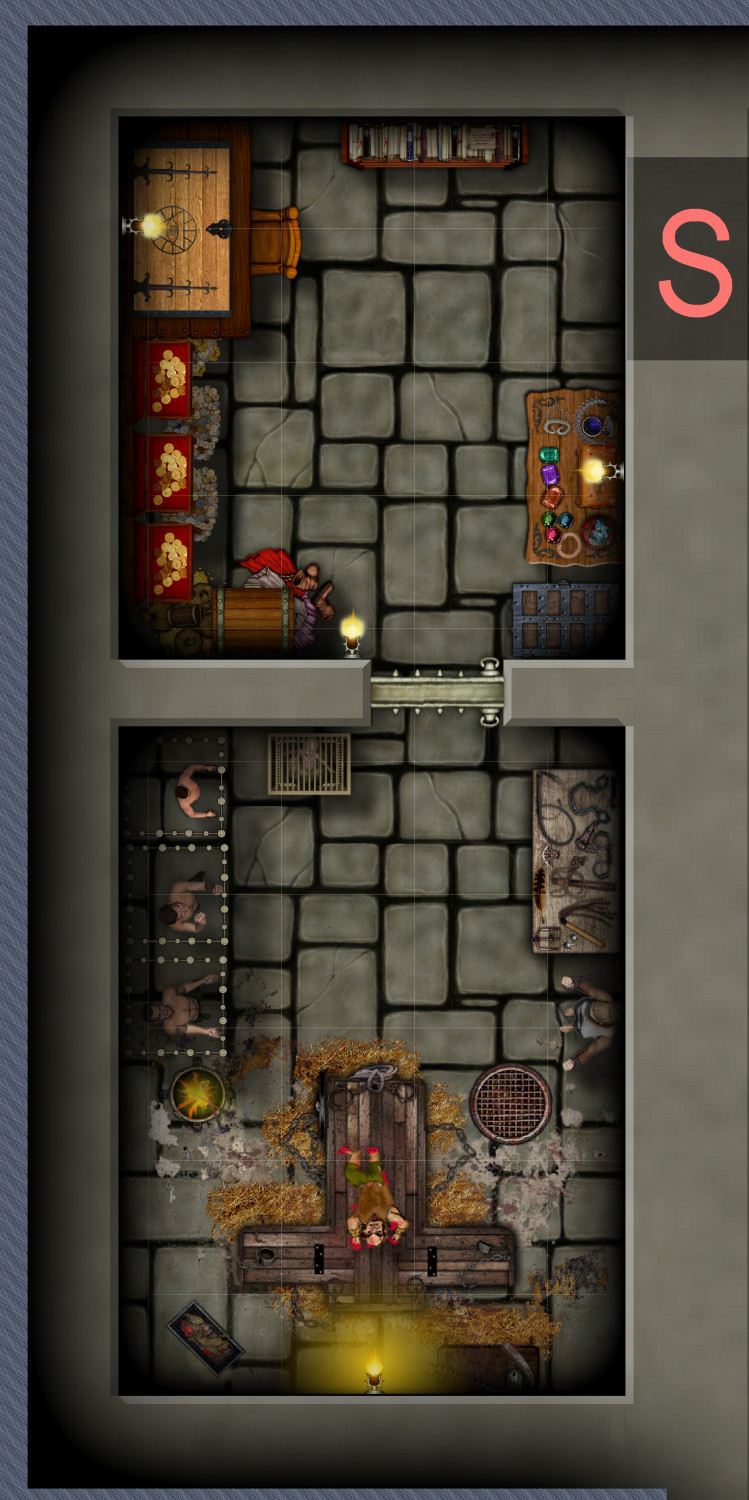
Vejorvik - Ye Old Spoon and Egg Inn
THE SECRET IS REVEALED!!!! X-RATED!!! CRIME LORD BUSTED!!! IMPEACHMENT PENDING!!!

-
Community Atlas - Irisian City States - Dimitrios island
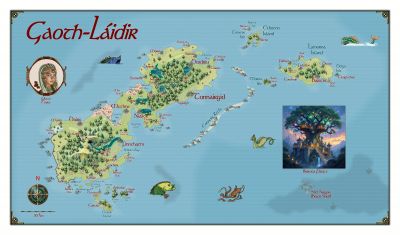
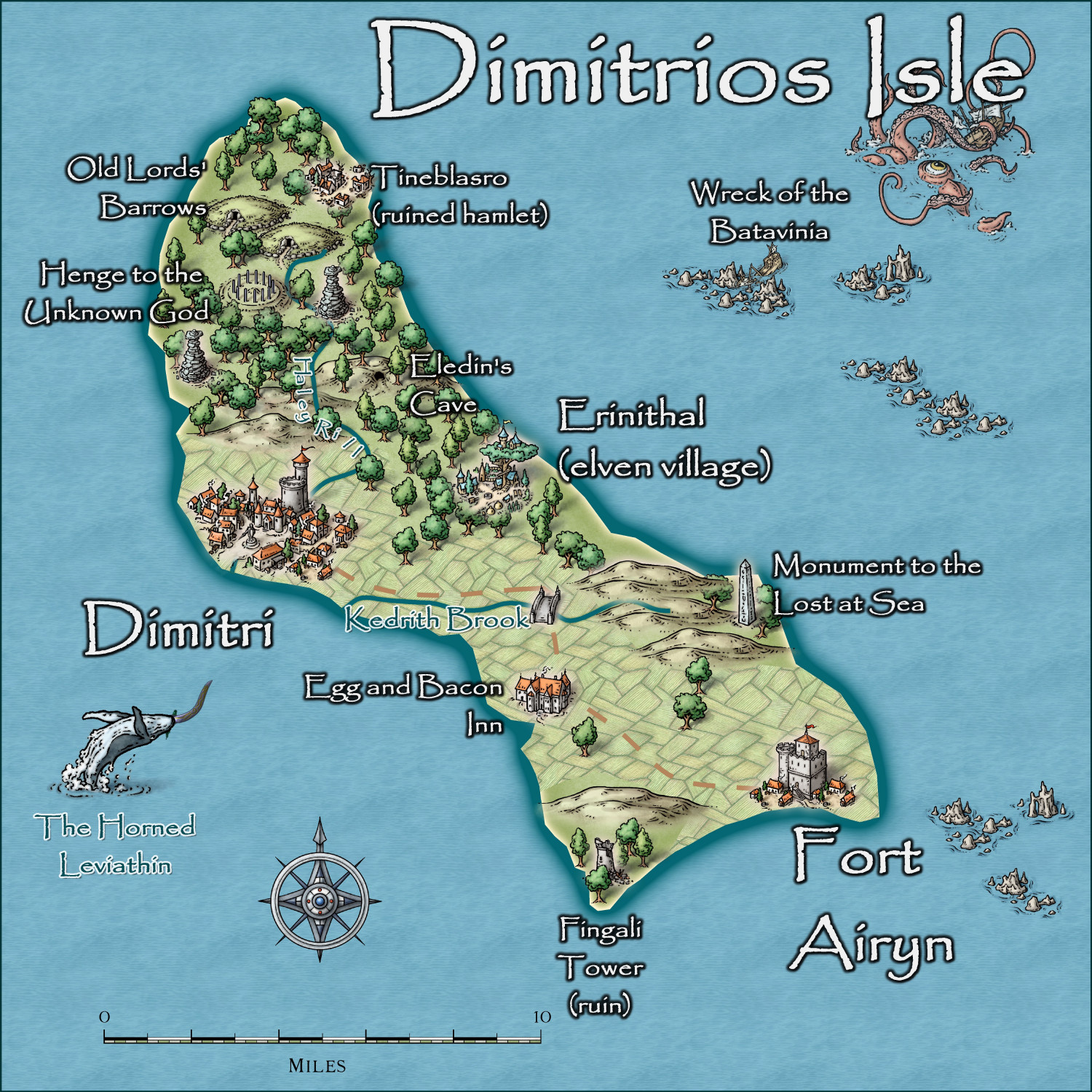
The final map. Map notes to come, then off to the Atlas. Next island coming up.
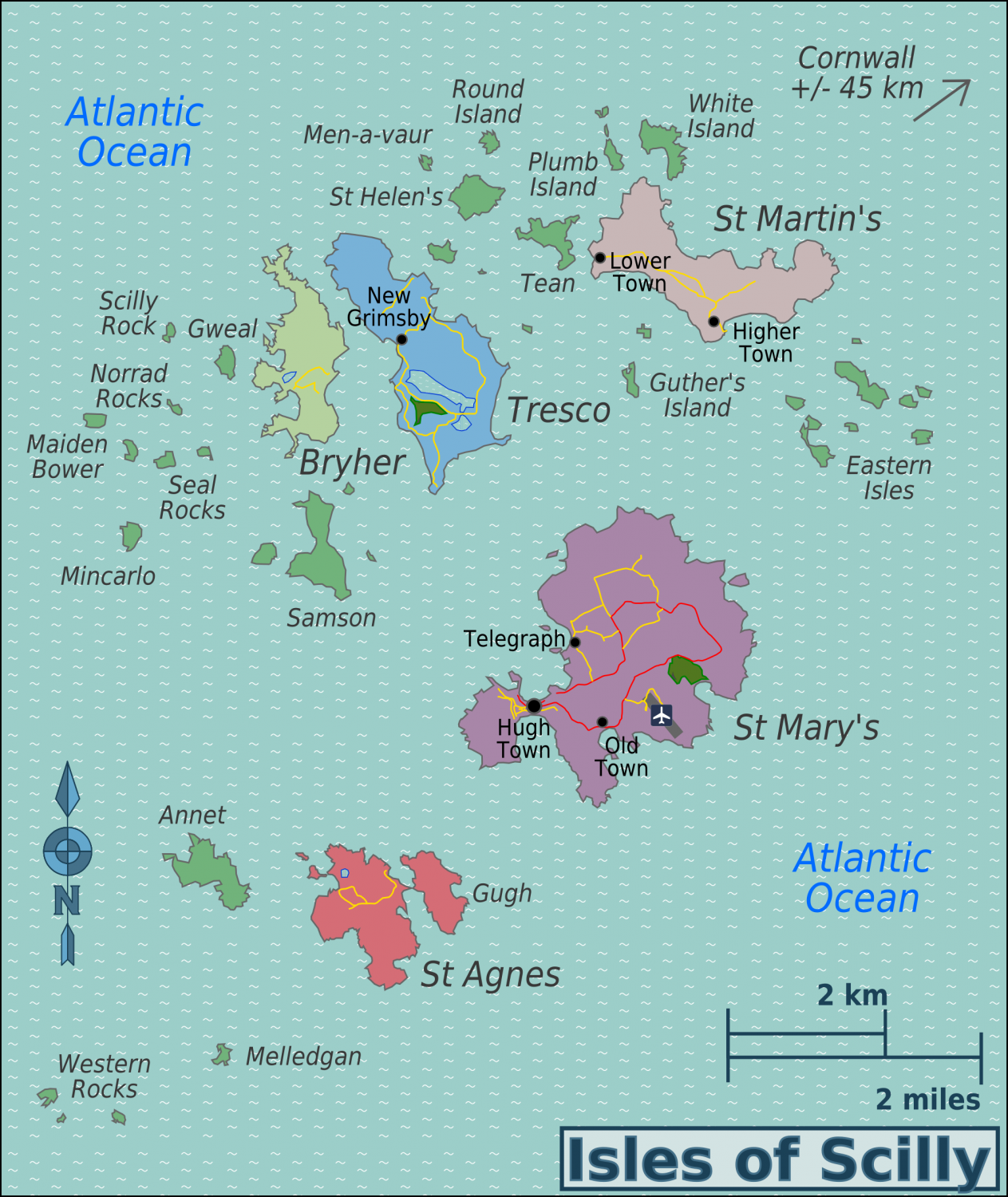
For those (including me) who wonder how much could be reasonably fitted on such a small island, I attach this map of the Scilly Isles. the largest island, St Mary's, has many interesting prehistoric ruins, and other features, and is only a fraction the size of this island.
-
Creating large cities without crashing
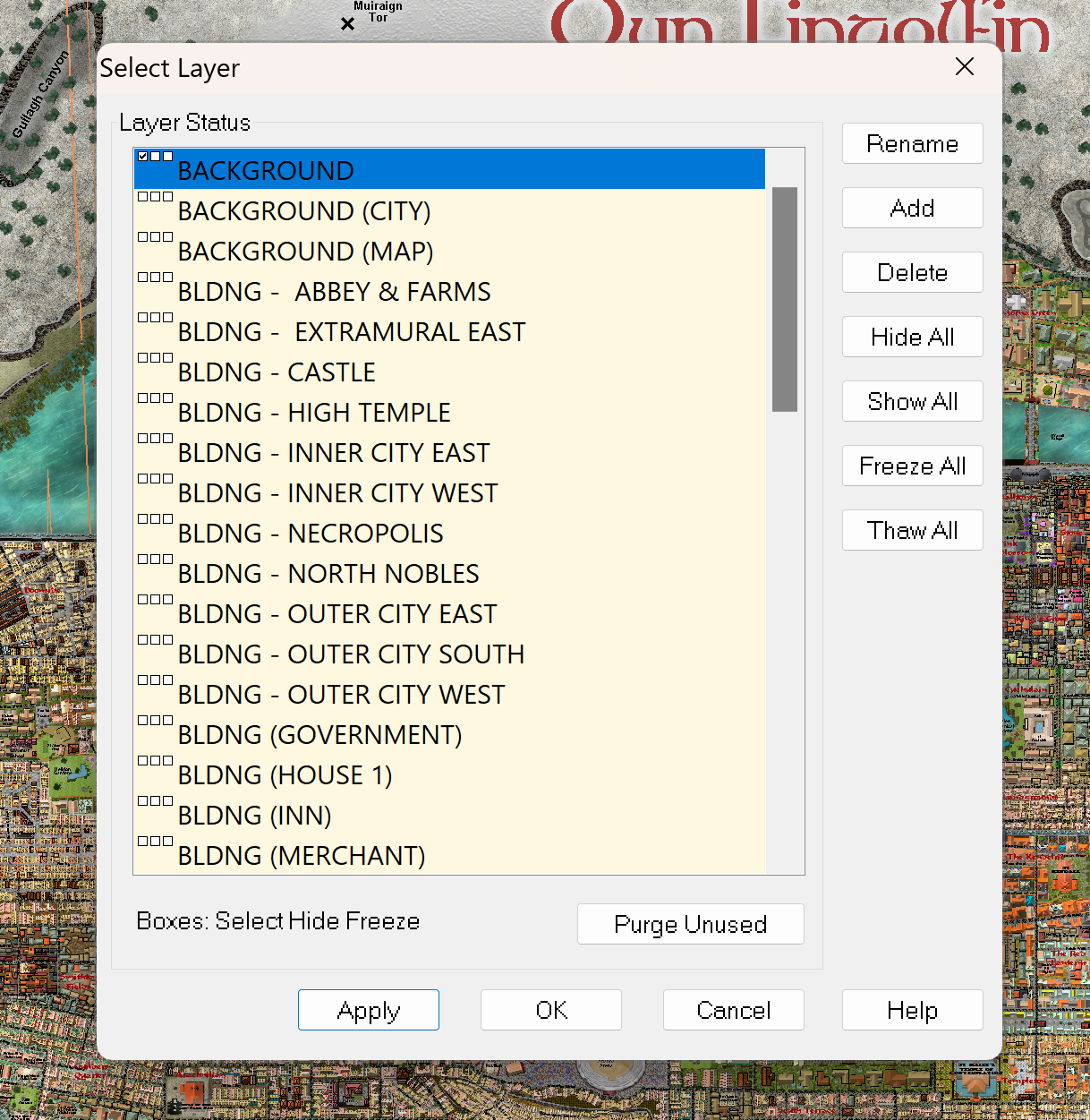
And here are the Layers that I used to do each district separately.

-
WIP: Bleakmoor Harrow - Continent of Estonisch
OK, then if that is the case, nothing needs changing - though perhaps the open areas need explaining. Google maps shows the true density of the Amazon, and the open spaces are either economic activities or settlements or tribal lands (though the latter are also quite densely covered with forest).
This is just one aerial view of the Amazon - so if anything, your jungle is less dense!!! LOL