Quenten
Quenten
About
- Username
- Quenten
- Joined
- Visits
- 8,146
- Last Active
- Roles
- Member
- Points
- 3,110
- Birthday
- November 29, 1950
- Location
- Australia
- Real Name
- Quenten Walker
- Rank
- Mapmaker
- Badges
- 16
Latest Images
Reactions
-
Ukadarlia
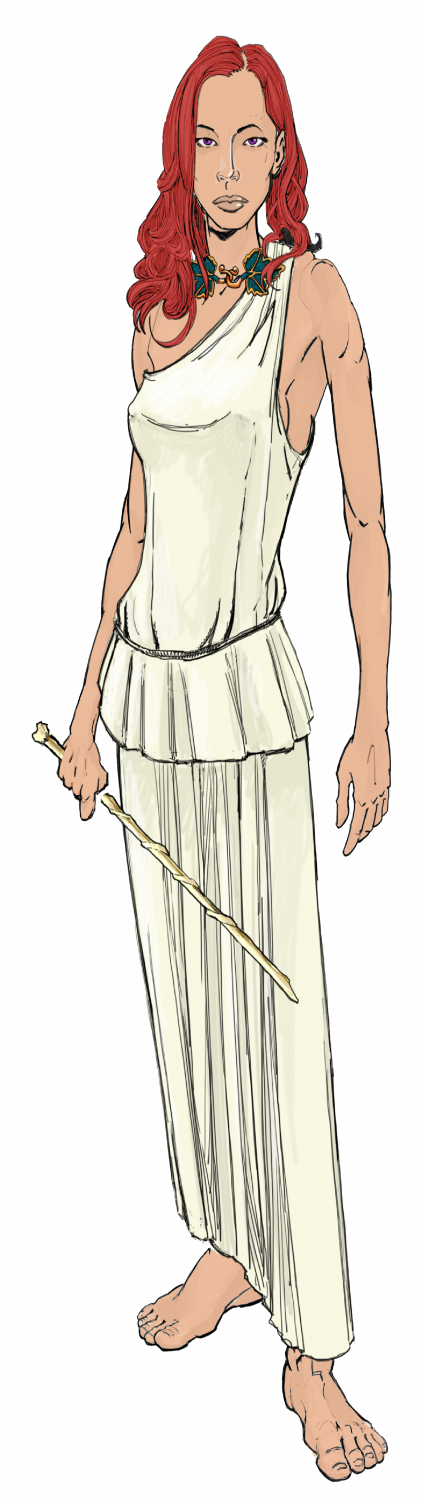
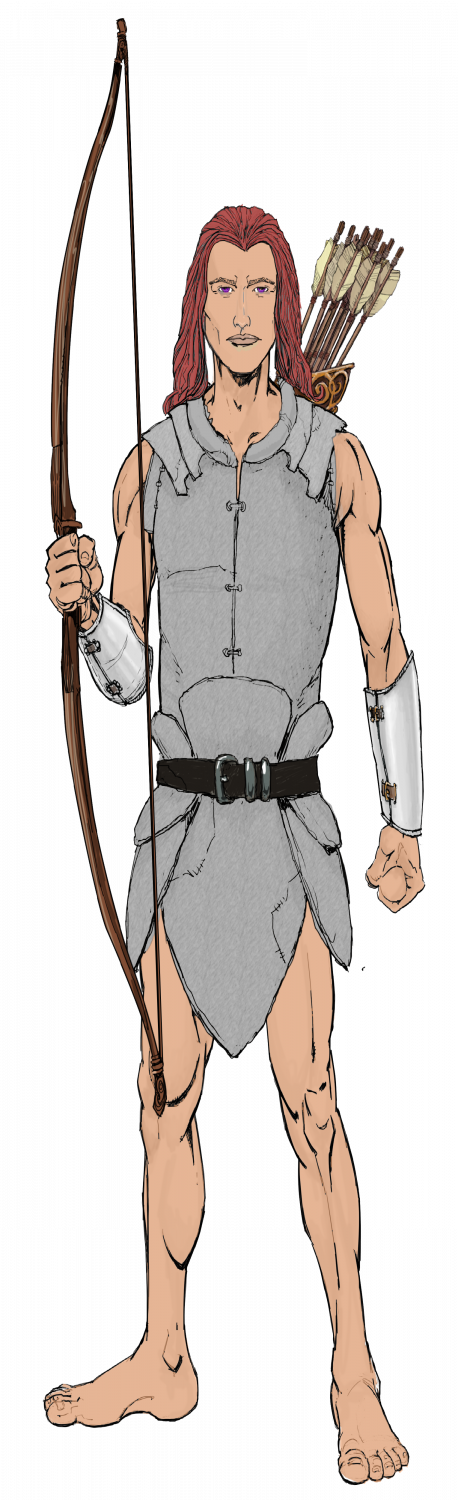
The Aeifa - 'elves' of Ukadarlia. These really are just a human variant, though more so than the other human ethnic groups. They have purple eyes, and can see into the UV range; they nearly always have red hair; and are very tall and very thin. They have extended life spans up to 300 years, due to biochemical changes that slow aging.




-
WIP: Bleakmoor Harrow - Continent of Estonisch
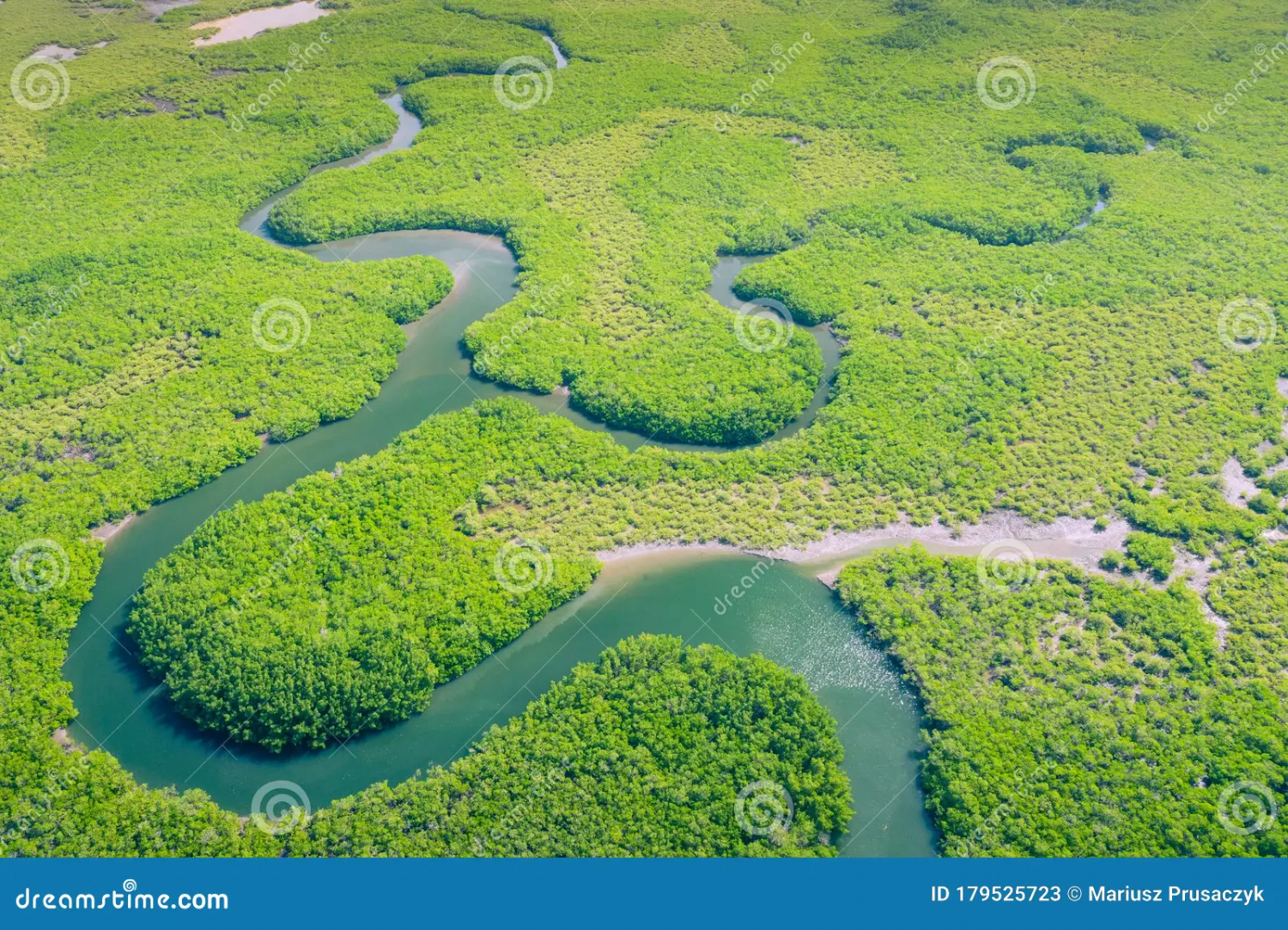
OK, then if that is the case, nothing needs changing - though perhaps the open areas need explaining. Google maps shows the true density of the Amazon, and the open spaces are either economic activities or settlements or tribal lands (though the latter are also quite densely covered with forest).
This is just one aerial view of the Amazon - so if anything, your jungle is less dense!!! LOL


-
Hardin Region (Myirandios) - Isle of Kalihirin, and Isle of adventure for low level characters.
Here is a setting for a series of low level adventures to get a beginner D&D party on its way to fame and glory ... or grisly death.
Kalihirin Island (nowhere near complete, of course). Of course, adventure sites etc are yet to be added.
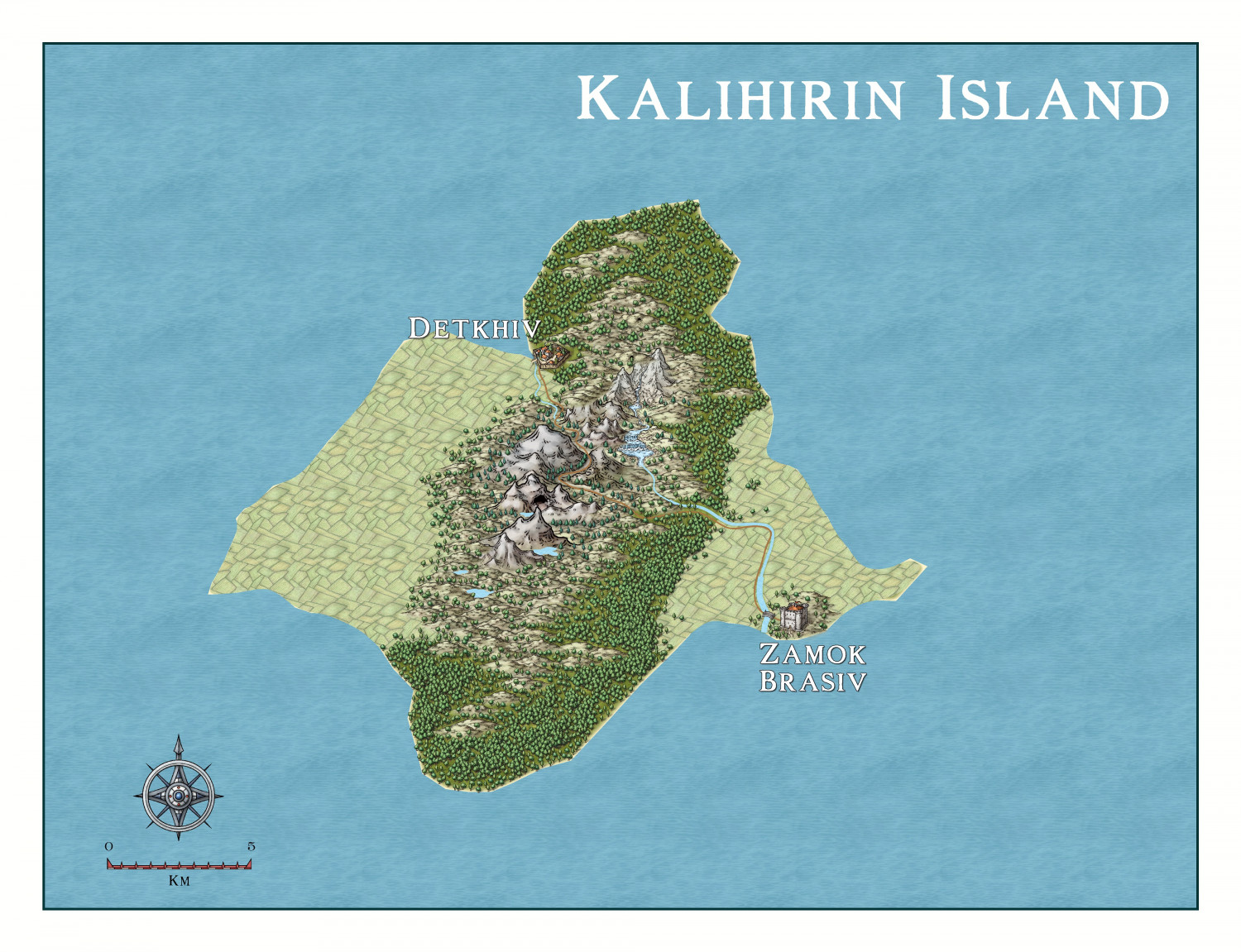
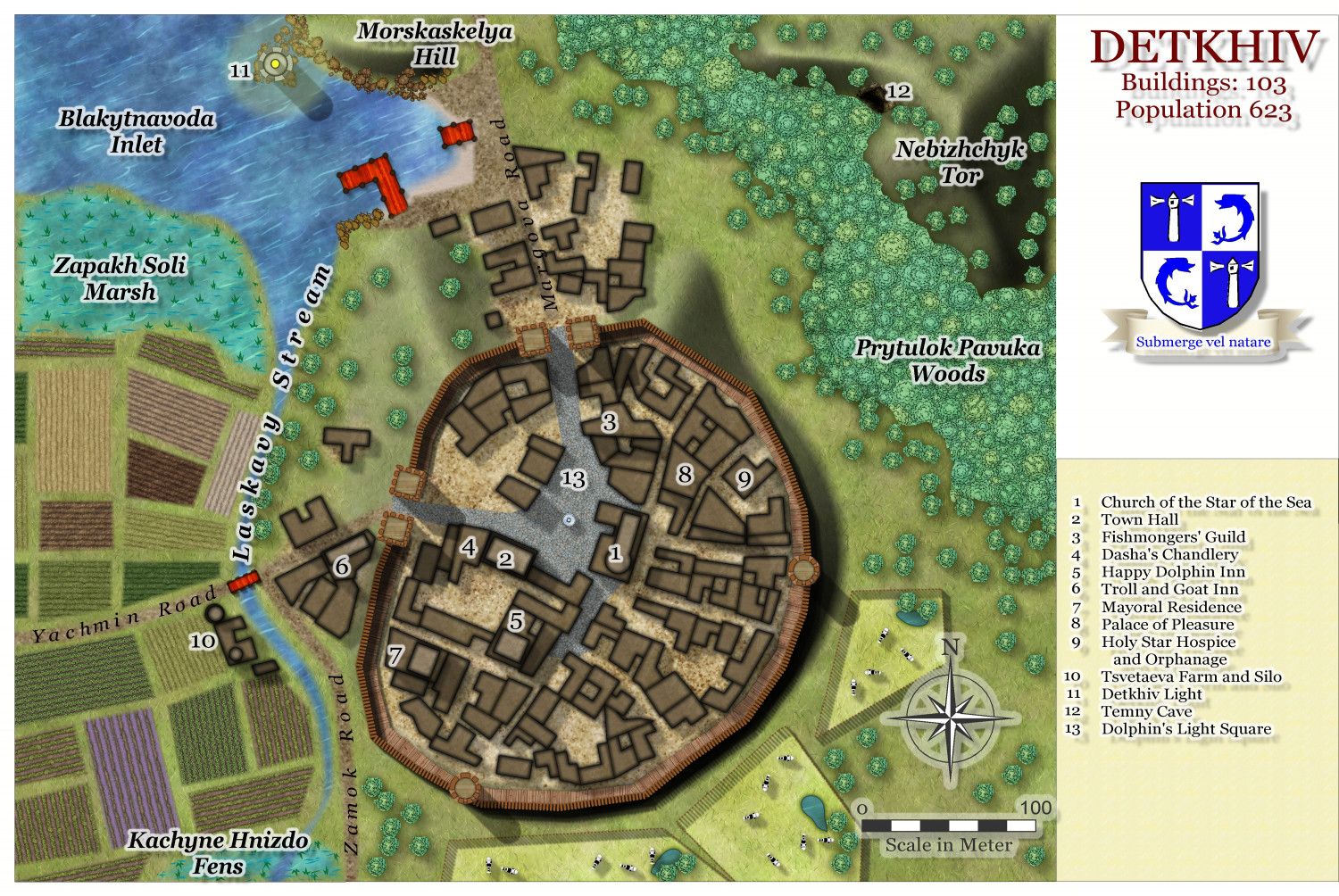
Detkhiv, the main settlement with a population of over 600.

I have made use of the draft version of the Watabou revised city annual to come later this year.



-
Hardin Region (Myirandios) - Isle of Kalihirin, and Isle of adventure for low level characters.
Update on the village.

-
Hardin region of Myirandios
Here is each island close up.
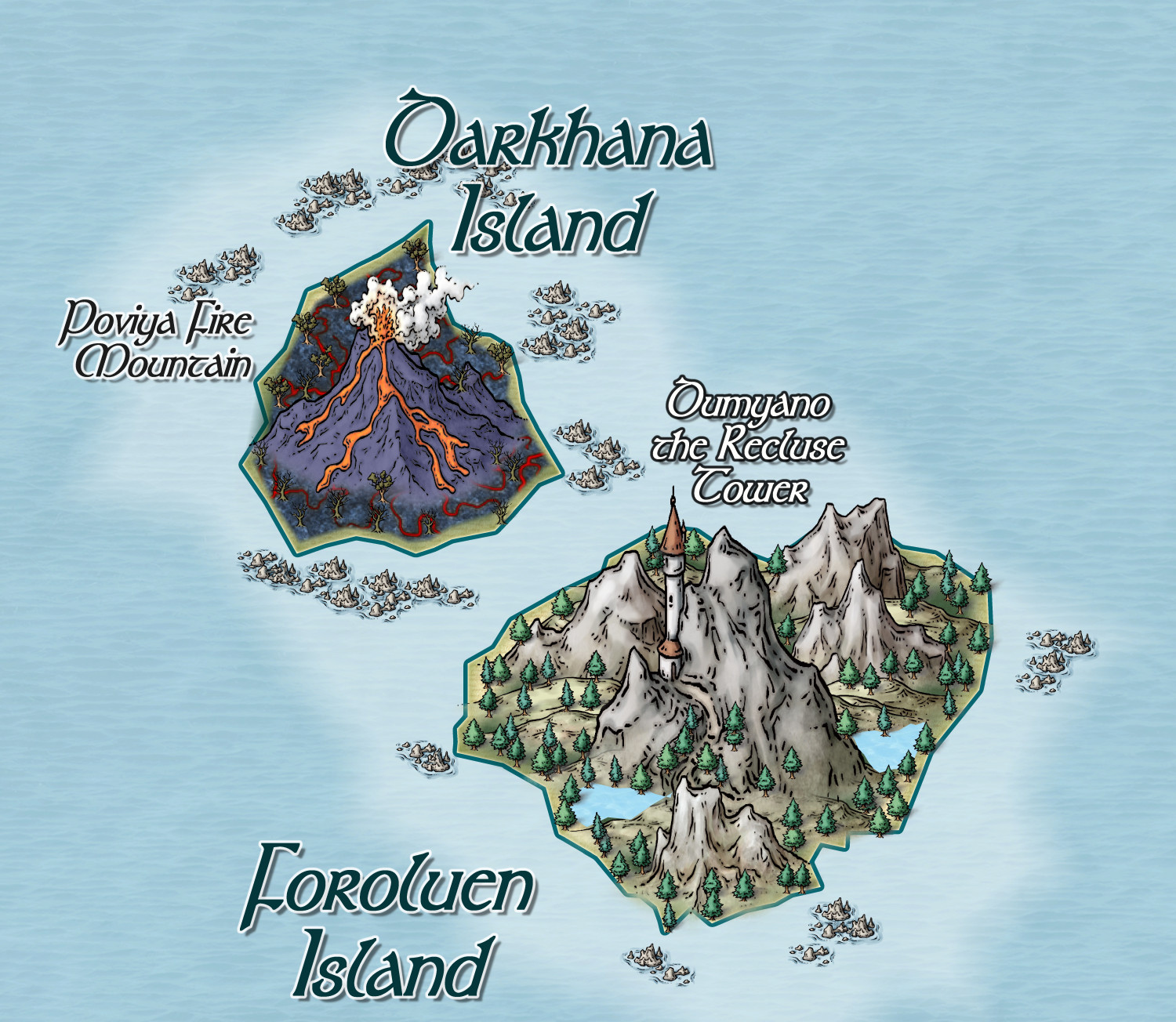
Two rather 'evil' islands, and a major reason why the region hasn't consolidated into a nation state.

-
Community Atlas - Irisian City States - Tiresia City State
Got bored! Here is the Haunted Island south-east of the main Isle of Tiresia.
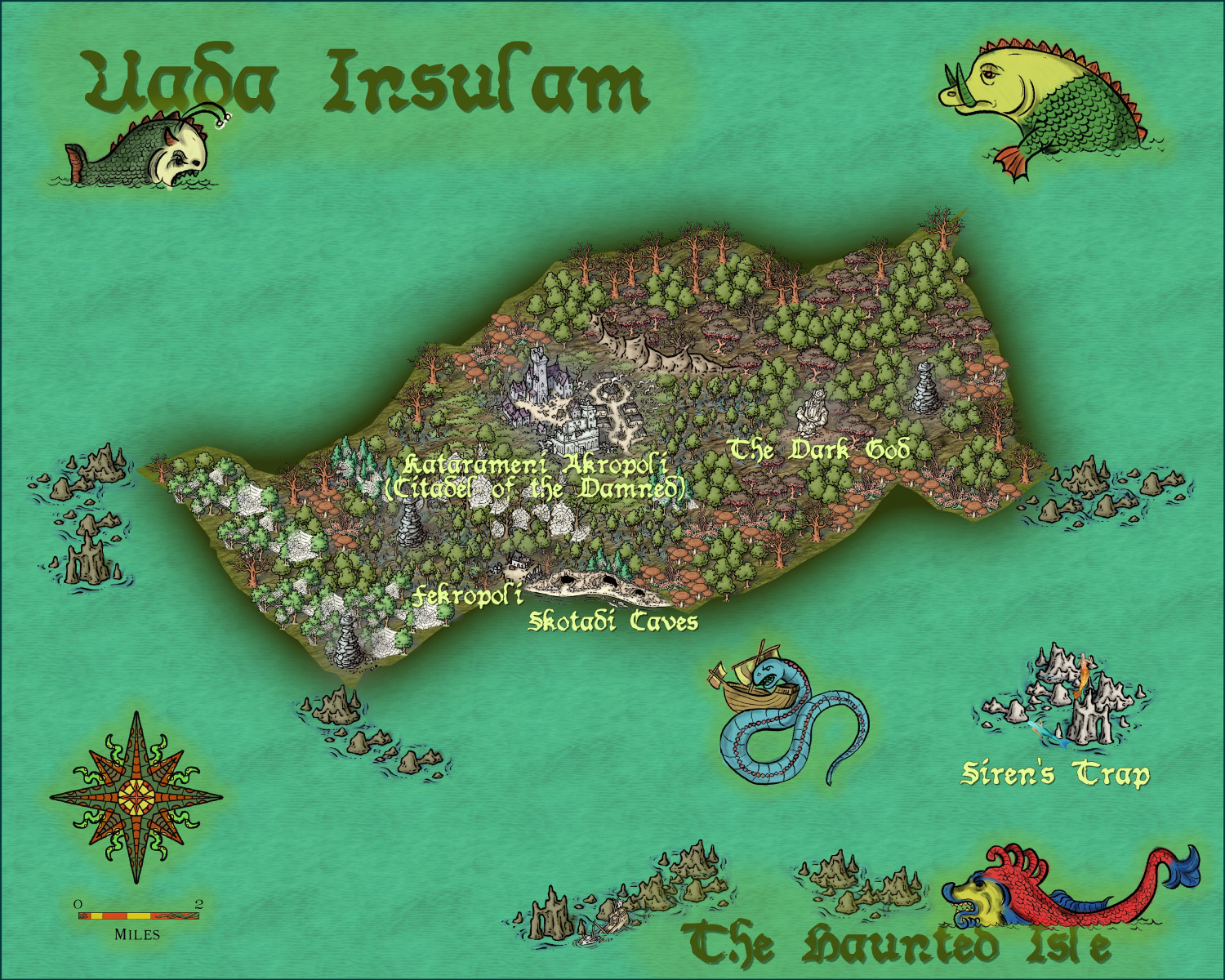
Feel free to make suggestions, otherwise it is ready for the Atlas.
-
Community Atlas - Irisian City States - Megalith island
Next Island - decided to have some fun. I may put the tourist blurb on a scroll, and perhaps use non-white text.
Suggestions welcome. Including names in keeping with the 'spirit' of the island.
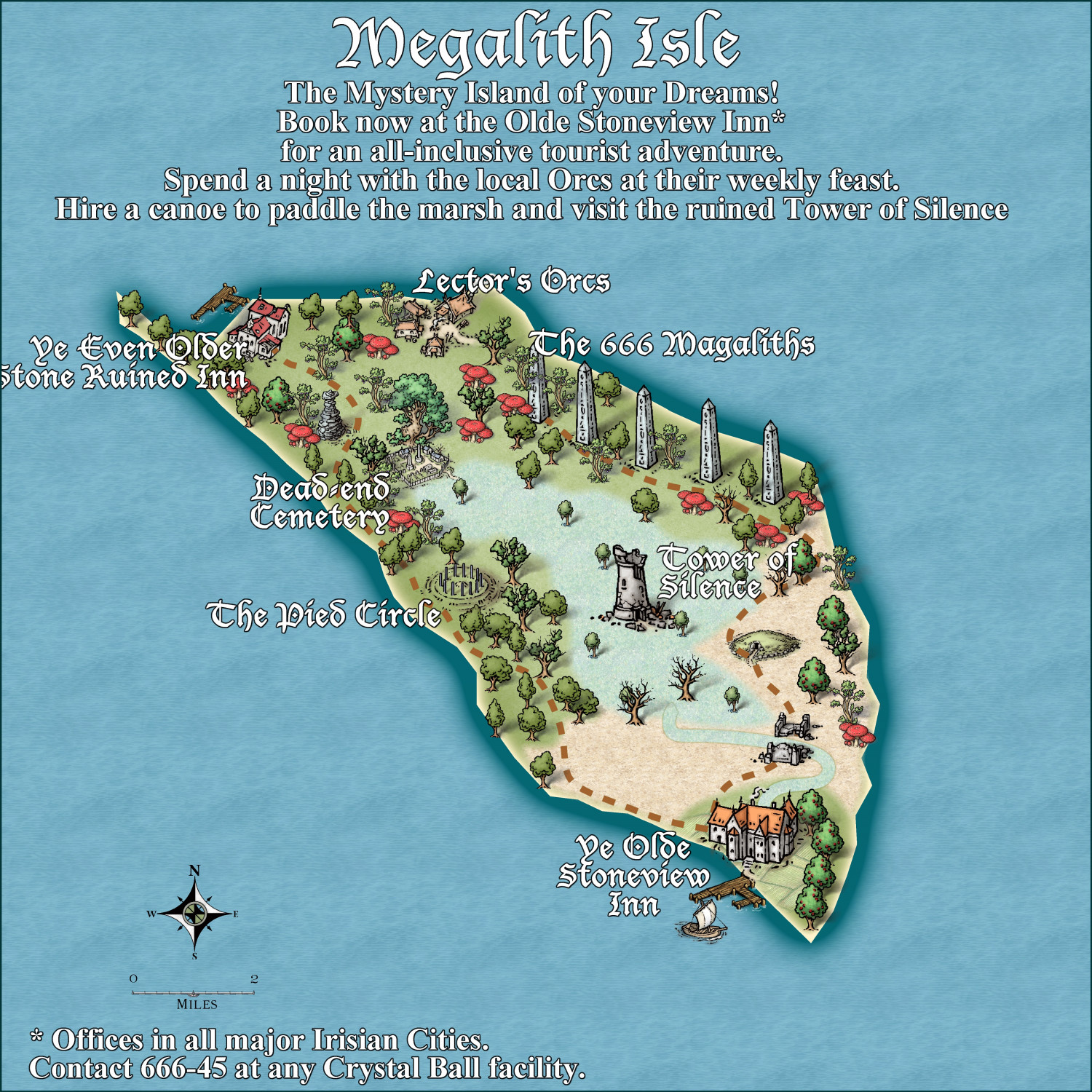
And the mispelling of Megaliths was a genuine error - but I think I'll let it stand.

-
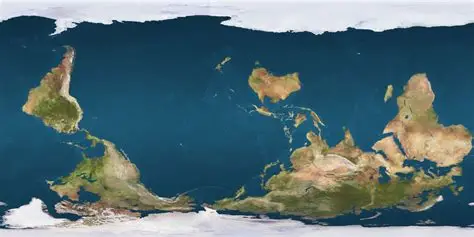
Interesting Political Take on the Mercator Projection
OK, Aussie here. We need a far more radical revision. Not only a map reflecting true land size (good bye England), but the South pole in its rightful position at the top of the page!!!!!

-
[WIP] Marine Dungeons Lighthouse (more May Annual Stairs & Steps)
It is vital, and totally illegal otherwise, that ALL fantasy D&D buildings must comply with the correct USA stair regulations, otherwise they will be fireballed!

-
Community Atlas - Irisian City States - City of Tiresia using revised Watabou.
Here is my version of the city of Tiresia, using the forthcoming Watabou Cities revised annual coming out in July.
I discovered one further problem with the drawing tools being applied to the imported DXF. Regardless of the import parameters, the walls remain as 2D polygons. The work around is to use the break command on each section. Click on the icon labelled x,y in the left hand of the screen, and select the object. Untick closed.
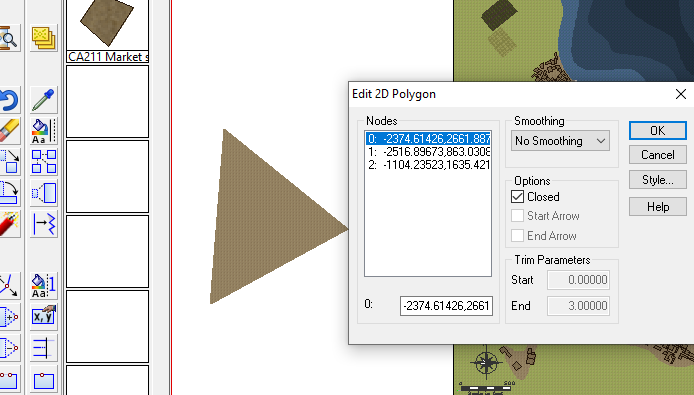
Then apply the drawing tool. This is the method I used.
Alternatively, just use the tool to draw the walls along the lines without using Change Like Drawtool command, which is probably easier. The lines will be removed when you delete the IMPORT sheet at the end of the process.
This is the result, for a fairly big city, using the Change Like Draw Tools command only.
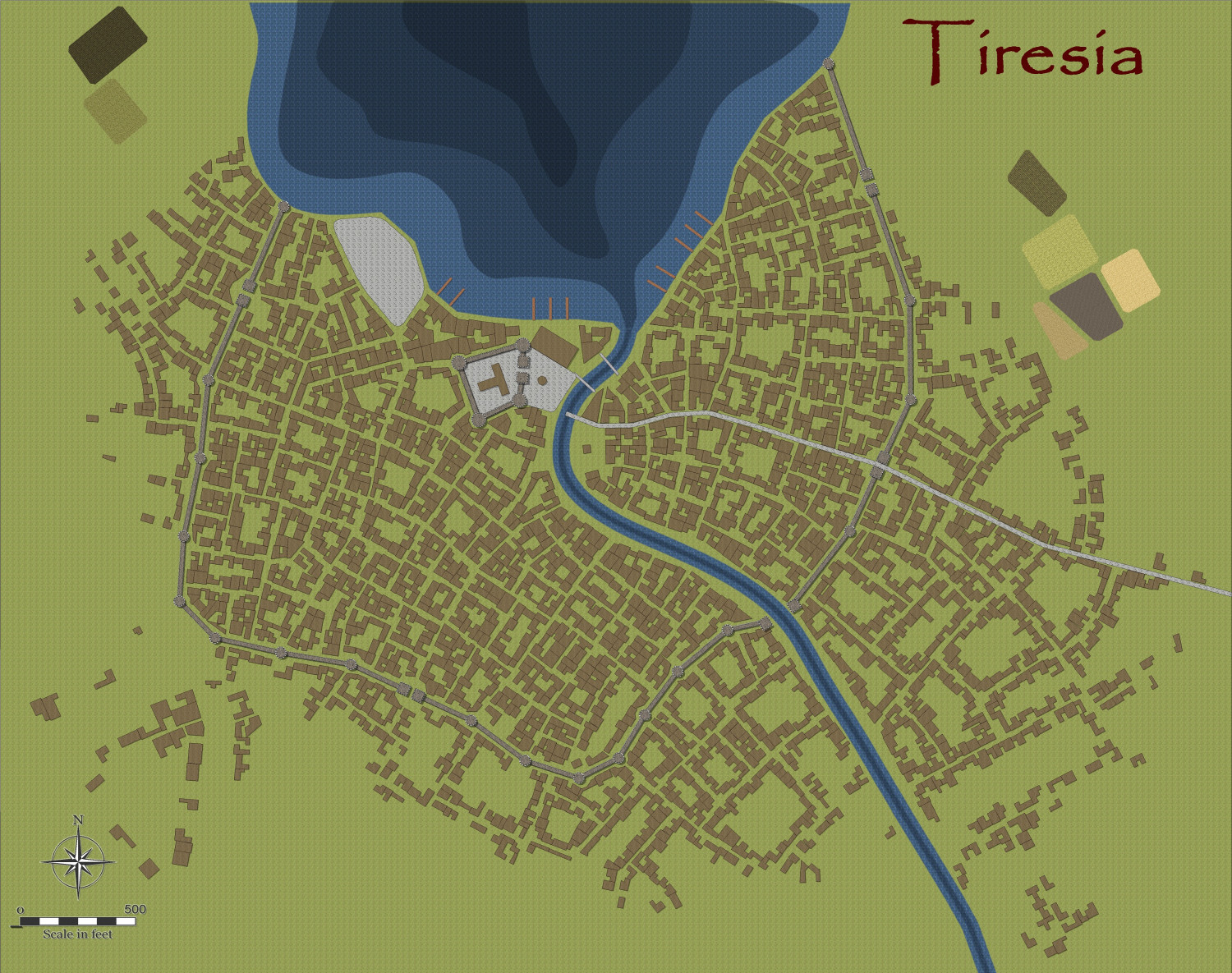
And after a few alterations, I am designing the city more to my liking and fleshing out the surroundings, redoing the fields using the Drawtools to get field furrows aligned automatically with the fills from Sue's Darkland City. Did a demolition job to erect a large amphitheatre/football ground.