


Wyvern
Wyvern
About
- Username
- Wyvern
- Joined
- Visits
- 3,237
- Last Active
- Roles
- Member
- Points
- 5,515
- Rank
- Cartographer
- Badges
- 24
Latest Images



-
A Hand-Drawn Fantasy Map of Jack Vance's Dying Earth
Heading further south in the main landmass area now:
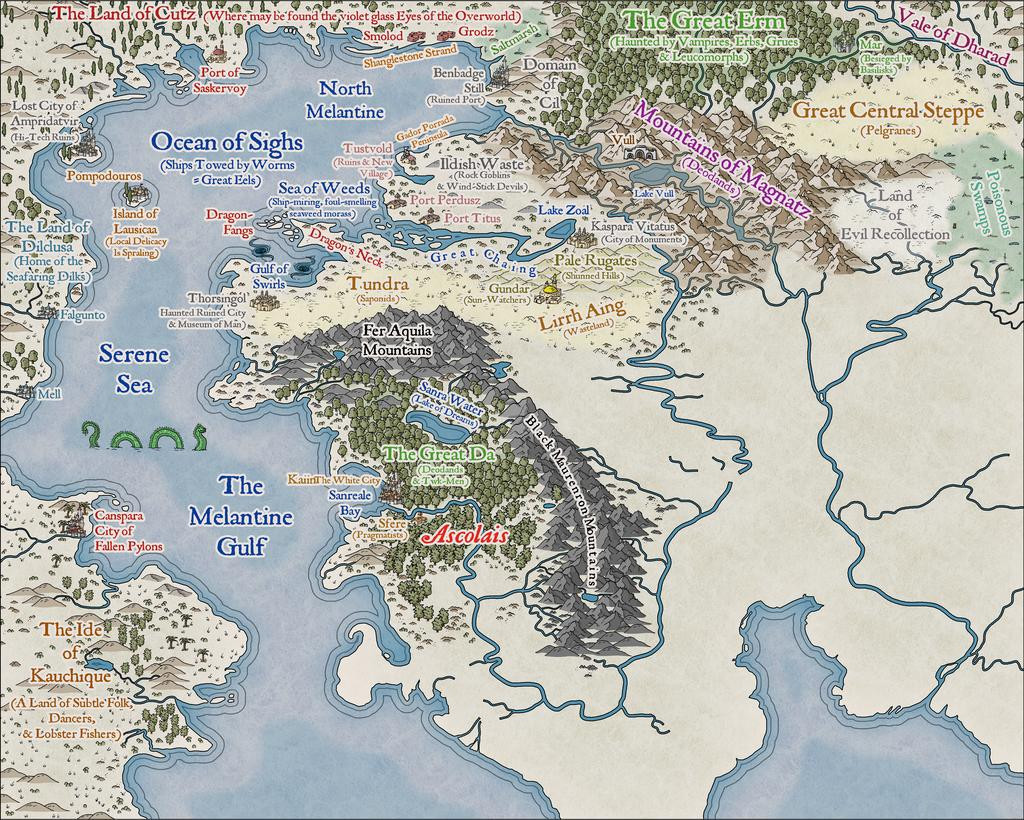
Plus making tweaks to a few labels previously-placed. Every now and then, something just doesn't look right, or something's been forgotten. Or occasionally realising there's more space than was thought before, etc...
Everything here has been placed individually, incidentally, except for some of the areas of wasteland/steppe symbols, where the black outline drawing fill designs were used instead (mostly because few of those outline versions are available as separate symbols too - only the grass and dead trees, in fact). As those fills can look a little sparse, I did a mixture of adding some extra symbols by-hand, and duplicating the filled polygon to a separate sheet, then changing its fill type. There are several sheets for different terrain types in the default style setting, so there's a choice of picking sheets that do or don't have effects on with these - the black outline drawing fills don't usually need the edge fade effect some sheets like the mountain background terrain one has, for instance. As an example, for the Tundra, Lirrh Aing Wastes and Steppe areas, I began by adding a coloured polygon using the Desert Terrain drawing tool, and then just copied that polygon onto two or three more sheets to add the black-line symbol-fills (using separate sheets in case I needed to remove one after its "test fitting").
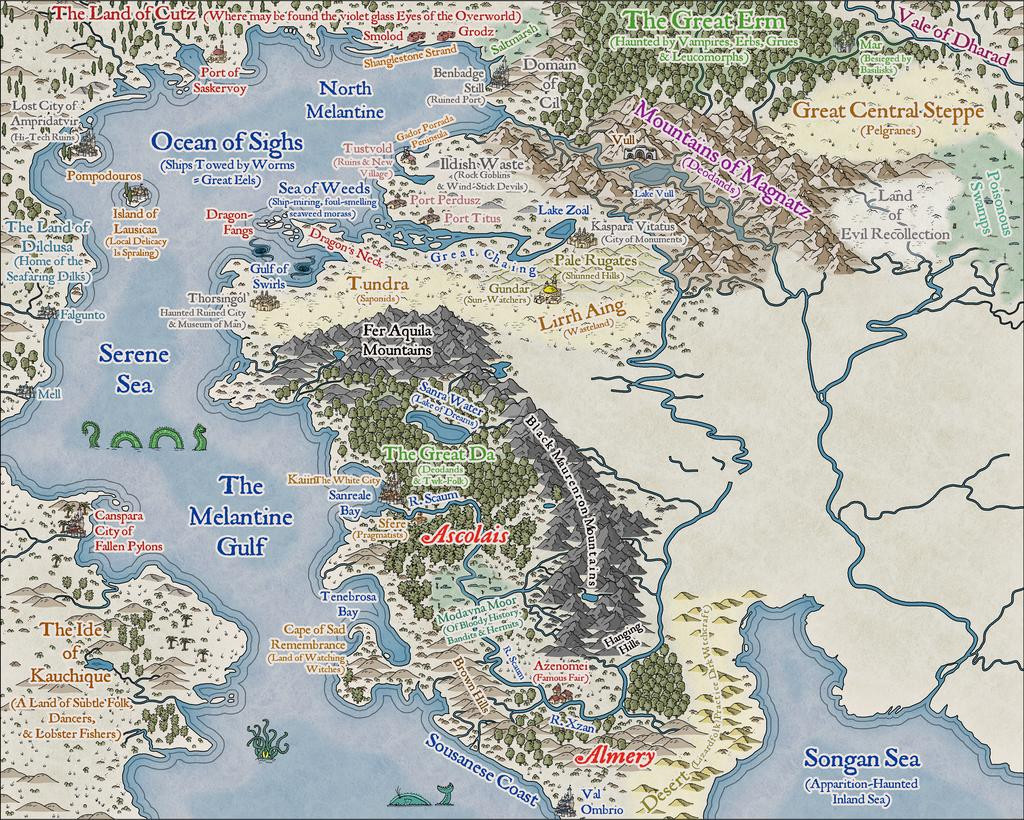
Down to the map's southern edge next, giving a chance to play with some sand dunes in the unnamed Desert (although I'd already added a few dunes to Kauchique in the early stages, these were more concentrated here). Not to mention sneaking-in a couple more sea creatures:
The results of the last session for this update finally sees the label added for perhaps the most evocative of the Dying Earth place-names, The Land of the Falling Wall, where may be found the dark-eyed necrophages and the great Walking Serpents (couldn't quite find space to squeeze in a label saying this, unfortunately, after a couple of failed attempts; at least I'll remember!):
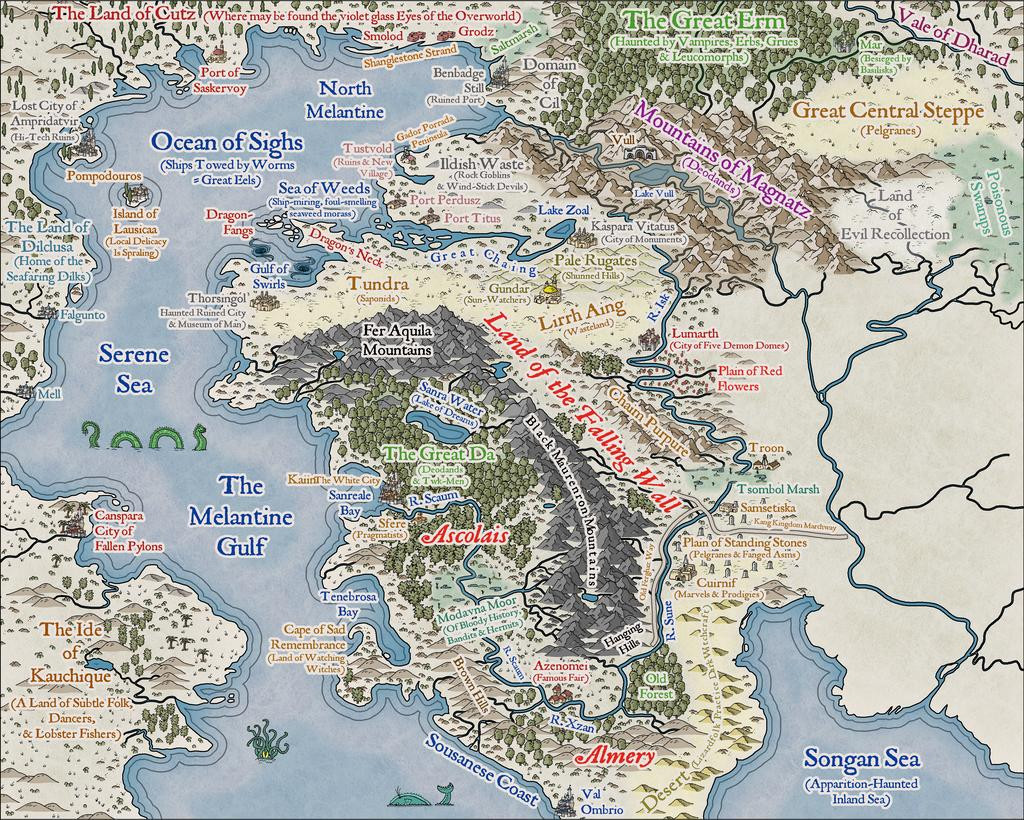
I didn't actually realise until I was typing-up these notes and checking through the images, that for some reason, without having altered the image size or resolution, or changed the map effects, the sea lines just off the coasts are slightly different on this image to all the rest - fractionally thicker and further from the shore-lines. No idea why though! One more mystery of The Land of the Falling Wall, mayhap?
Last segment to complete - needing maybe just another couple of sessions...









-
[WIP] Community Atlas - Town of Shessaria
"I've forgotten what I had intended for many of them, so I'll have to wrack my brain to either remember, or come up with new ideas."
Best I can suggest is to keep written notes, and then hope you can remember what they meant when you come back to them however long it may be later! 😊 I look at my notes sometimes and think, "What was that again..."
-
A Hand-Drawn Fantasy Map of Jack Vance's Dying Earth
The one downside is you need to remember to have a sea/water sheet below the land sheet you're cutting through, of course! This is an issue if you're doing a landlocked map, and changed the default sea-fill background to a land one during the New Map creation process. Not saying I've done this, but, y'know...😊
I have become very attached to this Hand-Drawn overland style; just something about it that's very appealing overall. I think my next Atlas maps are going to stick with it for a while too.
-
A Hand-Drawn Fantasy Map of Jack Vance's Dying Earth
Thanks everyone for the positive comments!
Progress update from the next couple of sessions today, heading south in the main landmass:
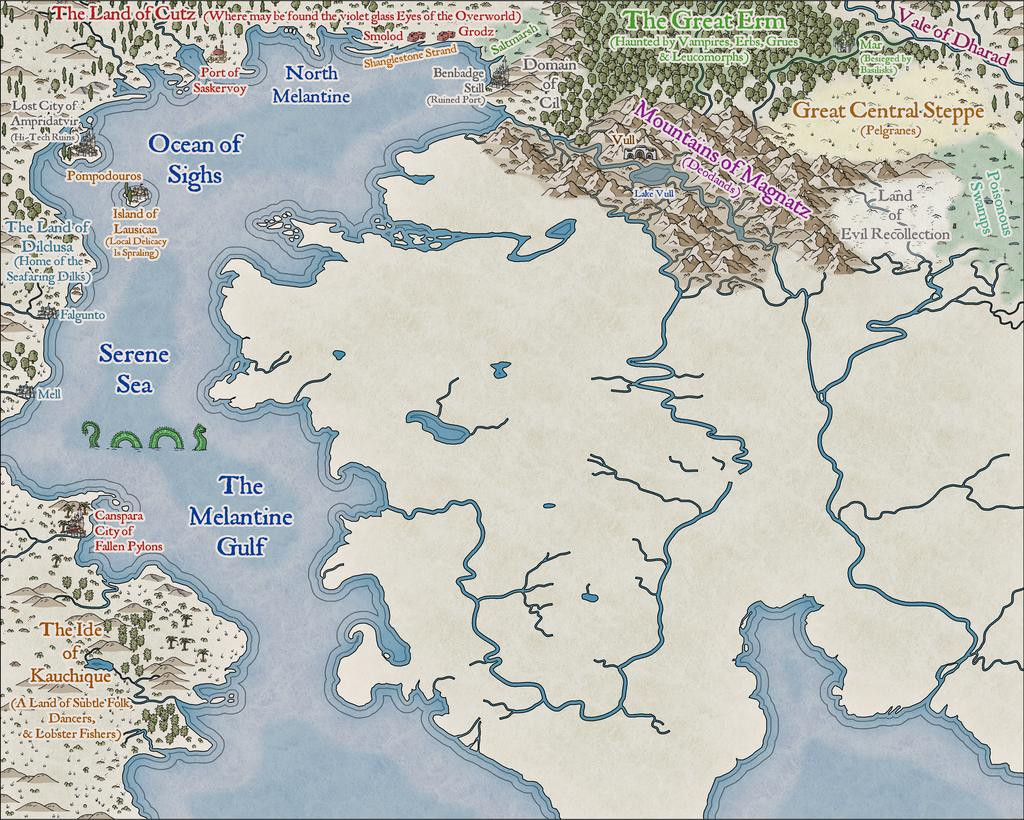
The perceptive may spot a new annotation saying "Pelgranes" in the Great Central Steppe - so yes, that is the same as Pelgrane Press (who have some peripheral connection with ProFantasy, I believe 😉), who also have their own, very detailed, Dying Earth RPG and its book-derived setting (first published in 2000; DriveThru RPG link), later including maps with actual scales on by Sarah Wroot (from 2002)! The maps are only available on Pelgrane's own website, however - link, on which site also are various free downloads about the game and its setting. Pelgranes in the Dying Earth though are gigantic flying creatures, with furry bodies, capable of intelligent thought and speech, apt to eat you just as soon as they can spot you, and swoop down to feed.
And so to the present state of play:
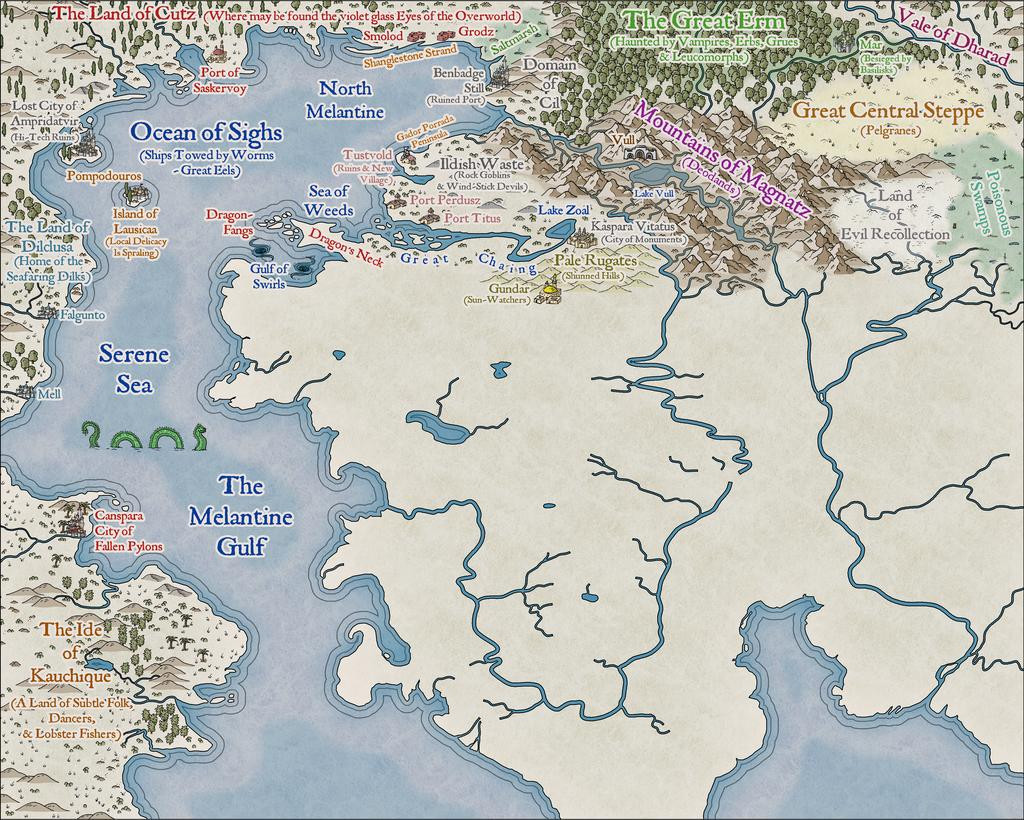
That amount of blankness though still argues for a lot more mapping to follow...


-
A Hand-Drawn Fantasy Map of Jack Vance's Dying Earth
Having seen several Forum topics in recent months regarding the creation, and recreation, of maps from various past fantasy settings, both literary and in role-playing games, and despite having several ongoing mapping projects for the Nibirum Community Atlas, I've lately become distracted into trying a map of the Dying Earth, based on the fiction of Jack Vance that used this setting. Vance's Dying Earth writings were one main fantasy influence on the original Dungeons & Dragons RPG, and they continue to resonate in numerous other games now.
In approaching it, there's the complication that there are no definitive maps created or authorised by the original author himself for the complete world he created, and the story descriptions are sometimes vague enough to make constructing one tricky. Prior to the post-pandemic period, there'd been probably no more than five attempts, all of which show sometimes considerable variations between one another, and sometimes split between different maps. This post on the Lost Delights blog from 2020 discusses the five, with image links.
Over and since the pandemic, there has been one more, by Doug Kovacs, created specially for the boxed set for the Dungeon Crawl Classics RPG by Goodman Games, following their hugely successful Kickstarter campaign to produce a Dying Earth setting for the DCC rules in 2021. There are some images of the map on the Goodman Games store page for the boxed set. Even so, despite this being perhaps the most colourfully lively and more nearly complete of all the maps, the vagaries of the tales mean all such attempts are based on personal interpretations, and thus none are truly definitive.
I'd had my own vague notions of trying to map the Dying Earth, going back more than 40 years to when I first read the stories, deterred previously by that vagueness. Having recently managed to secure a copy of the DCC boxed set though, I thought it might be fun to try to redraw the Kovacs map (and maybe some of the others later) as a CC3+ version. Hence this topic.
For those unfamiliar with the setting, it is in Earth's 21st Aeon (an unimaginably vast time ahead of our own). The following is a snapshot provided in one of the earliest tales, "T'sais", first published in 1950 in "The Dying Earth" anthology of six stories. "T'sais" is the third of the six. Pandelume, a near-god-like mathematician-magician, whose form must never be seen as it would cause utter madness, speaks:
""Earth," mused Pandelume. "A dim place, ancient beyond knowledge. Once it was a tall world of cloudy mountains and bright rivers, and the sun was a white blazing ball. Ages of rain and wind have beaten and rounded the granite, and the sun is feeble and red. The continents have sunk and risen. A million cities have lifted towers, have fallen to dust. In place of the old peoples a few thousand strange souls live. There is evil on Earth, evil distilled by time… Earth is dying and in its twilight…""
Add to that that the Moon is long gone, stars in the night sky are very few, that the world is filled with marvels and dangers both magical and technological (there is no difference between them) and has been visited by creatures and beings from what were once distant stars and galaxies, all too now largely long gone and forgotten, and you start to get an impression of where we are!
So, preamble done. Now to the mapping. I chose Ralf's Hand-Drawn Fantasy overland style, as it had worked very well for my attempt at redrawing the Blackmarsh partial world map previously, and this was going to be a similar project. The first complication was there's no scale on the Kovacs map (or indeed, on most of the others), largely thanks to the vagueness in the tales. So I simply went with an approximation of the ratio, and doubled the normal map area to 2000 by 1600 mapping units. Dropped-in a copy of the Kovacs map to trace on the normal BITMAP Layer and Sheet, and started drawing. This is an early screenshot:
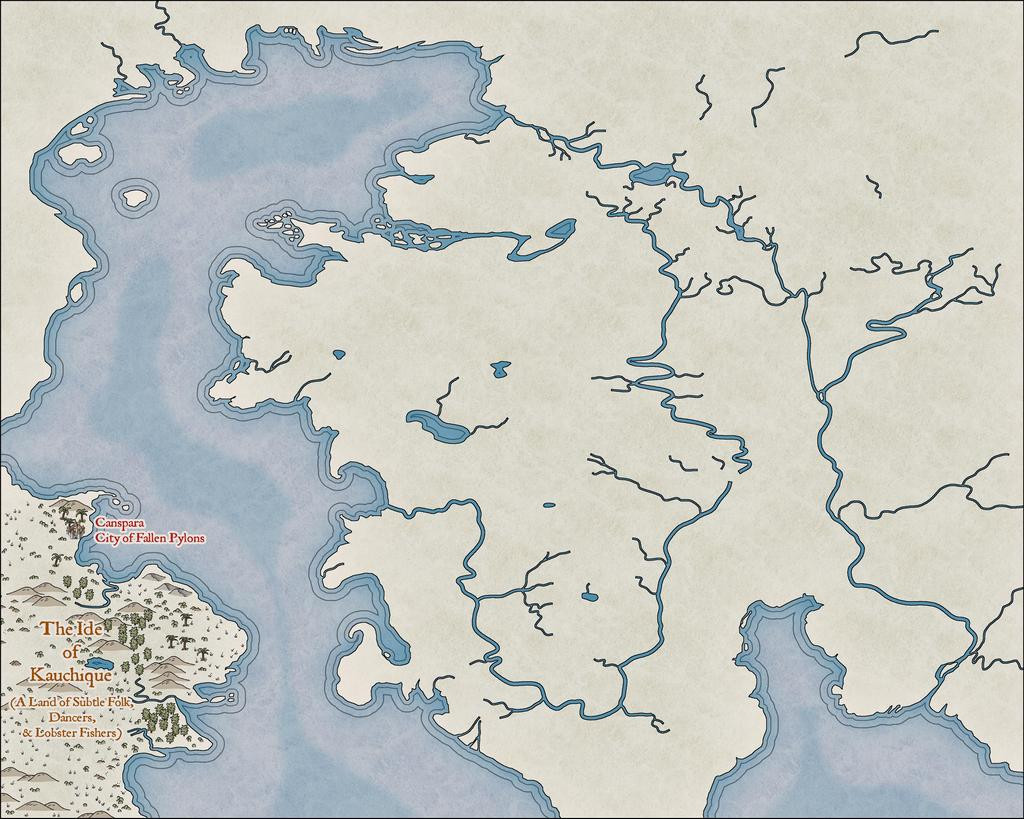
It was taken some way in to the mapping, as I'd had a couple of false starts by this point. At one stage, I'd thought it might be possible to split the main landmass in two along the line of that curious river that apparently connects the northern and southern oceans, but it proved much too tricky to get the river width to look right. Given that this style uses the Color Key effect to cut through the land to the sea, that wasn't really necessary anyway.
Most of what's visible here is a test, to see what works and what doesn't, and the odd-looking, truncated river lines will be tidied-up as mapping proceeds. It has been strange to stick with the default Effects settings that use the Percent of Drawing Extents Width here, which I'd ordinarily swap-out for Map Units instead, but as they work very nicely at this level of viewing, all seems well.
The next image shows how the river lines are going to be tweaked, added-to and adapted along the way, just in that Kauchique quadrant for now:
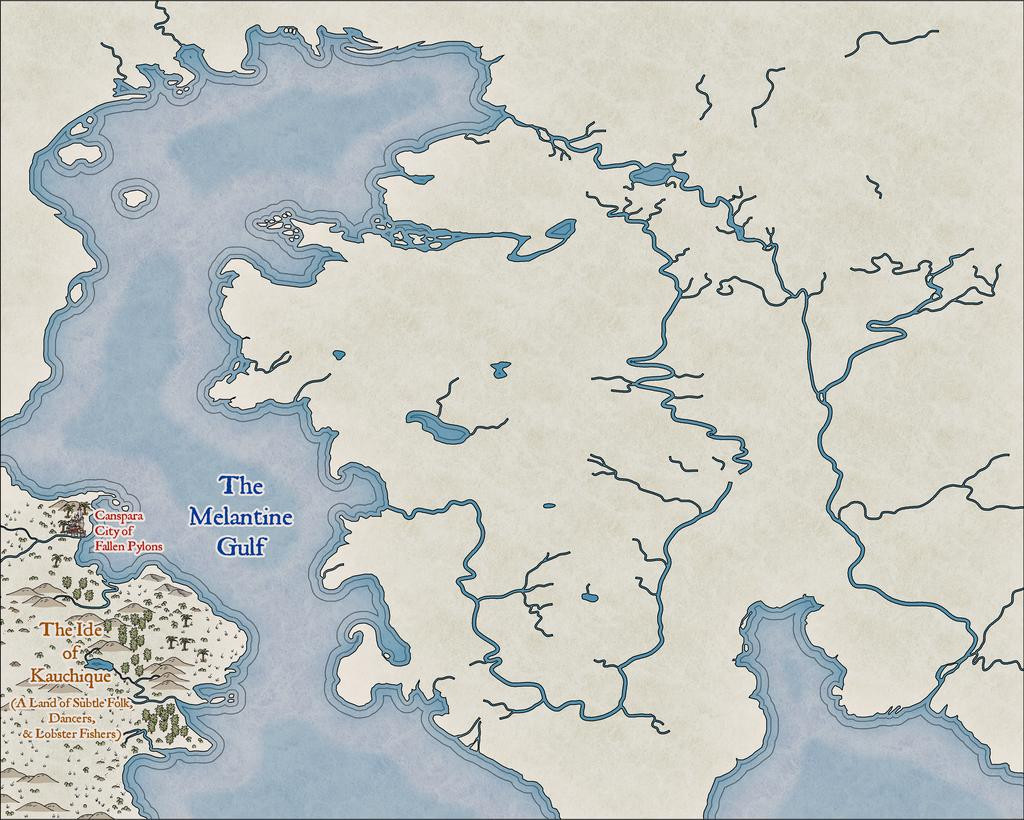
Other adjustments have been made too, in changing the deeper sea contours, and such processes are liable to recur frequently as the journey proceeds, given this is not going to be a rapid process, because of the detailing involved.
Somewhat strangely, I found I was adding the map detail much as if it were hand-drawn in reality, from left to right:
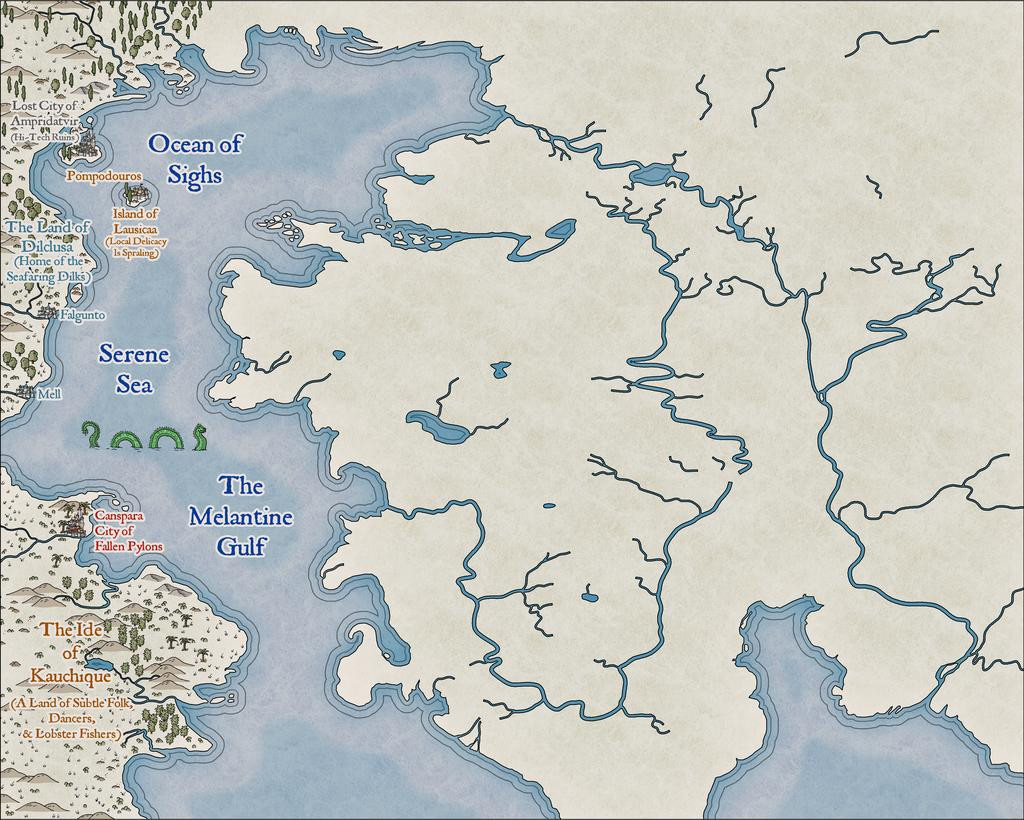
As each of these snapshots shows the progress from an individual mapping session, it took several days to get to this stage:
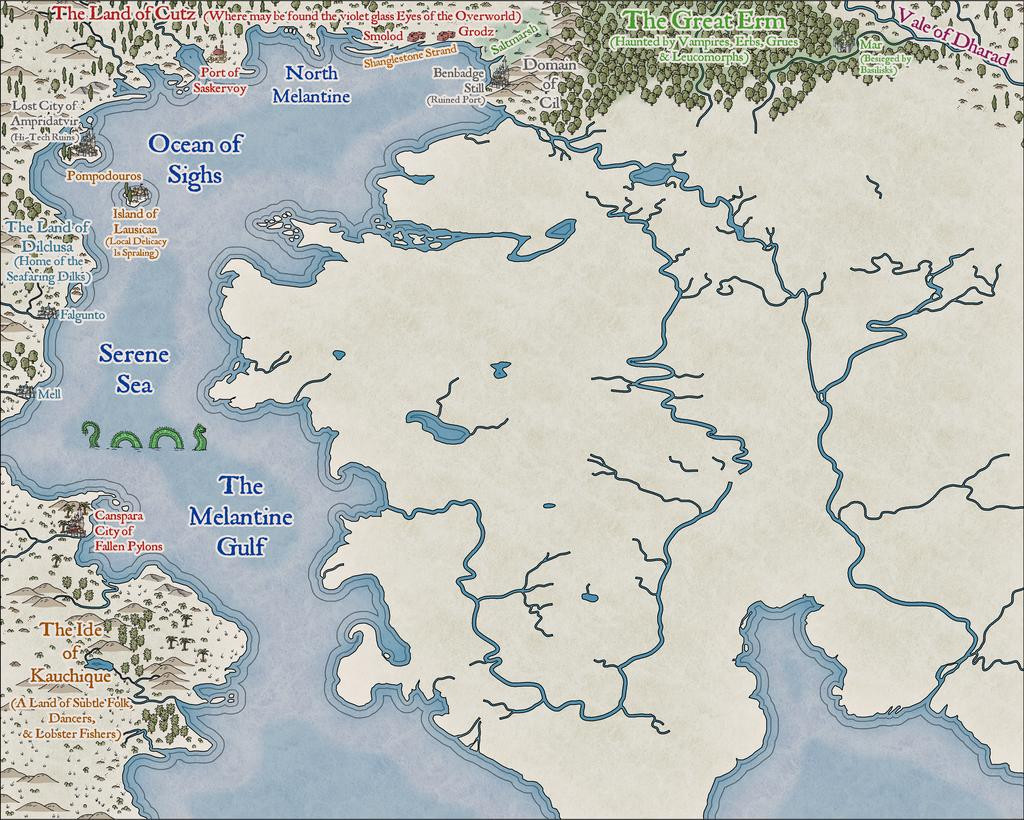
Which is where things are currently; clearly, with lots more still to do!
 and 2 others.

