


Wyvern
Wyvern
About
- Username
- Wyvern
- Joined
- Visits
- 3,238
- Last Active
- Roles
- Member
- Points
- 5,516
- Rank
- Cartographer
- Badges
- 24
Latest Images



-
My new City Style (Sumerian Kinda)
Happy I could help a little!
For a "proper" Sumerian settlement though, you need some canals passing through it, and maybe a bit less city planning 😉!
-
Gobi Desert Map
You can certainly get an effect like that just using the normal DD3 symbols and drawing tools. I did something of the sort for Wyvern Citadel in the Community Atlas in 2021. The Forum topic on that's here, which gives an idea as to how I arrived at the final concept. That's shown on this shot of the ground level of the fortress (which shows the cliff lines the clearest):
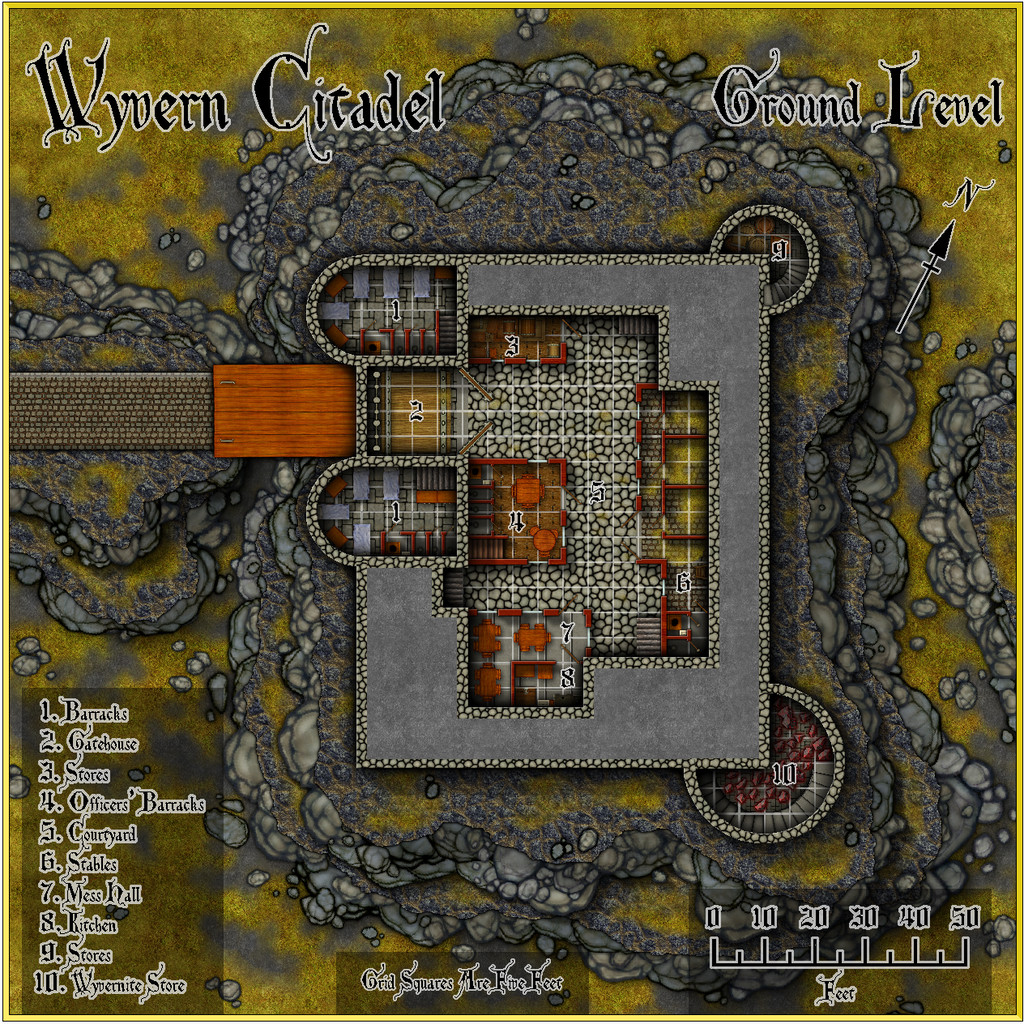
There are higher res versions of all the maps in my Gallery, while you can pick up copies of the Atlas FCW files for the drawings here.


-
Trying to create a simple style
Glad the shaded relief concept has helped - and very nicely executed too!
In case you haven't seen it, there is this Annual issue that deals specifically with watercolour-look map designs using CC3+ too. You may also get more ideas on this theme by searching through posts on the Forum by Lillhans, who was for some time our resident expert on creating this type of drawing style.
-
Trying to create a simple style
Shaded relief might be the way to go to be more convincing on the higher or more rugged terrain. There's this Cartographer's Annual from 2008 that would help in that regard, if you have it, or if not, try this free PDF tutorial by HadrianVI from 2017, elsewhere on this Forum.

-
Advice on what looks better, please, on a completed map
Yeah, as someone who's been preparing illustrations, diagrams, graphs, etc., for print publication for decades, draw it in black and white from the start, and keep things simple. Some of the delicate lines and shading on the cliffs, for example, may not look great on a BnW print, especially if the size is to be reduced to something like a typical paperback novel page, and the mottled fill will likely end up looking just grubby. Line clarity is often key too; the use of ruled-line hatching and dot-shading in printed drawings and maps didn't end up that way by-chance, after all.



