Royal Scribe
Royal Scribe
About
- Username
- Royal Scribe
- Joined
- Visits
- 9,539
- Last Active
- Roles
- Member
- Points
- 3,353
- Birthday
- February 5, 1968
- Location
- San Francisco, California
- Website
- https://legacy.drivethrurpg.com/browse/pub/31814/Royal-Scribe-Imaginarium
- Real Name
- Kevin
- Rank
- Mapmaker
- Badges
- 16
Latest Images
Reactions
-
[WIP] Hei Shan Si monastery
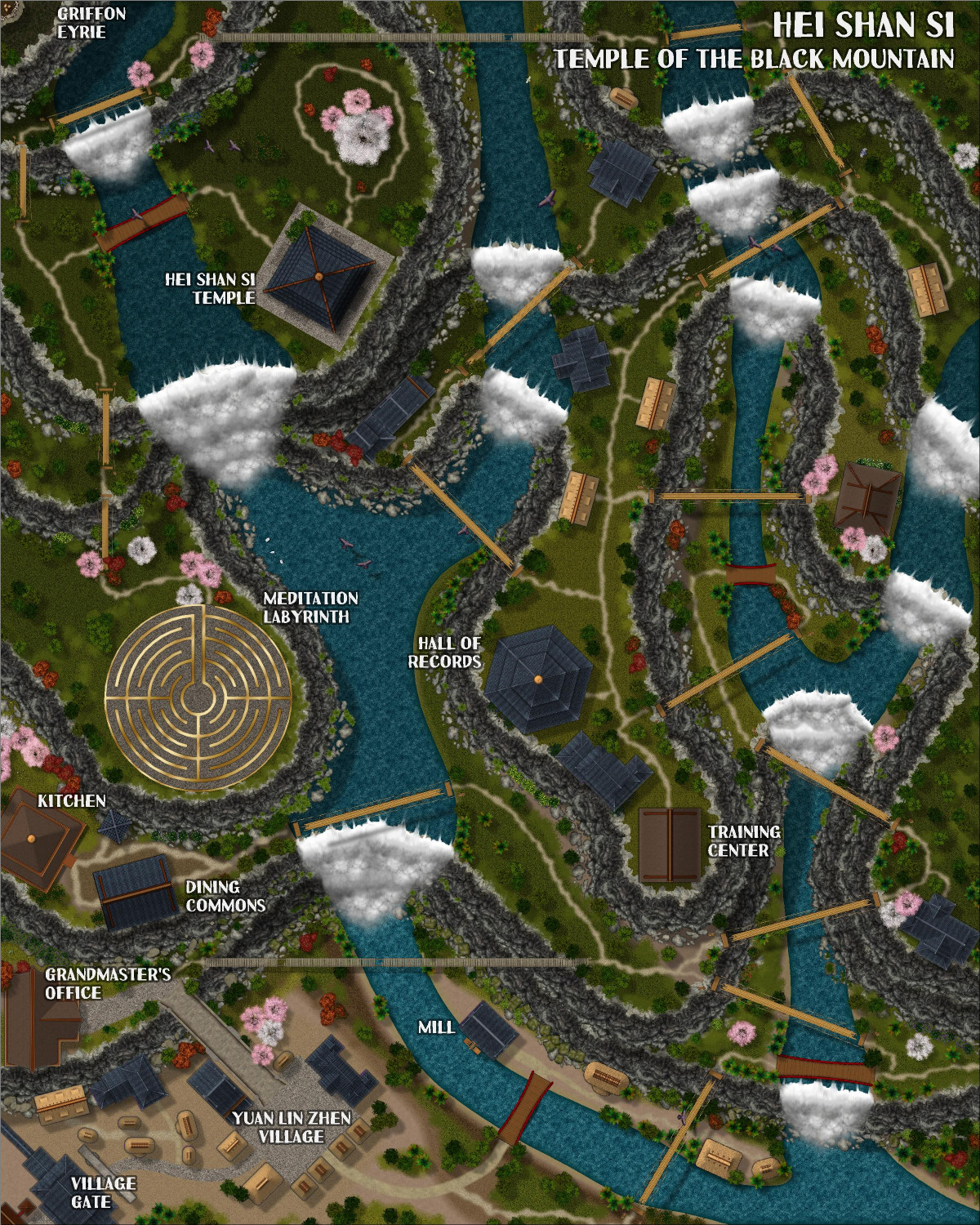
Okay, here it is again with the cliffs back in their original sheet order. I moved it because I wanted buildings to be potentially covered by a higher cliff's shadow -- but we saw above how some of those buildings end up being partially covered by the cliffs if they are too close. I thought about replacing the cliffs that have rubble with the plain ones, so that the houses can be closer without touching the cliff symbols. But in the end, I'm not so sure it's that noticeable that the buildings aren't in shadow.
Here it is with the SOLID 10 terrain.
And here it is with a SOLID 20, so that it's darker and more mysterious higher in the mountain. Not so sure, though -- might be a little too dark.
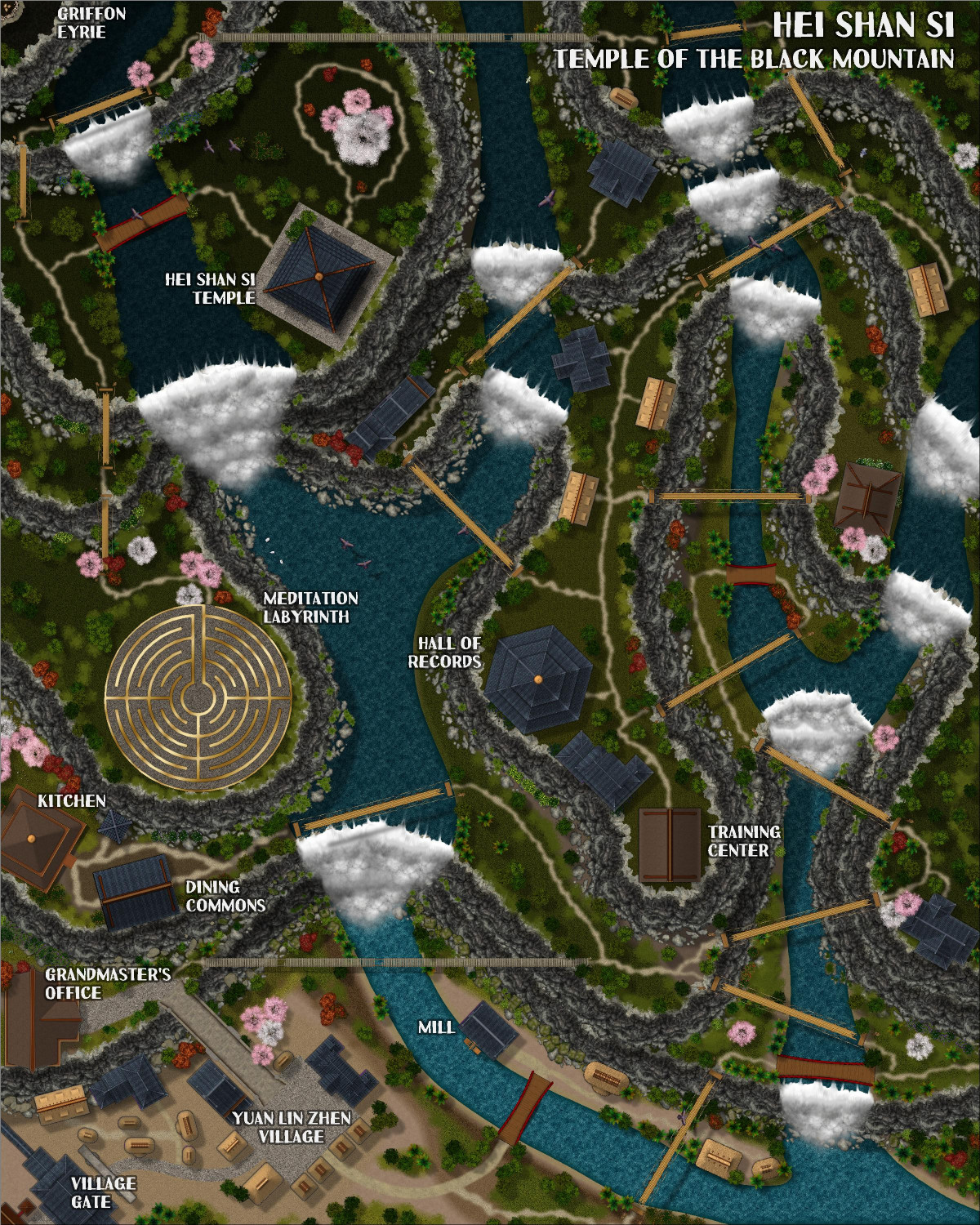
Also, there's a bit of an Easter Egg hidden in there.



-
Best Map Style(s) for Creating a Set of Maps from Large Scale, to Medium, and then Small
I will be curious to see what others think. I don't think there are any with a fraction of the assets that Schley has for overland, city, and dungeon scale.
I really like Spectrum, but haven't tried it at a continental/global scale. The largest map I've used it for was 1000 x 1000 miles. (But now I really, really want to try it with something bigger.) You can make cities with it using unwalled cities/towns/villages, but it's really limited in how you can use it. I would love it if that style had a city expansion. In the meantime, I think the Darklands City style is complimentary enough if you used that for the city style and Spectrum for the overland style.
I believe there are Job Roberts styles for overland, city, and dungeon, but I haven't worked with those styles enough to see if they scale in a complimentary way. I thought Herwin Wielink might as well, but now I'm not sure.

-
[WIP] Hei Shan Si monastery
I did move the cliffs down. Thanks! I will have to go back and fix.
-
[WIP] Hei Shan Si monastery
I've been experimenting with three different approaches for adding cliff shadows.
- Wall Shadow on the sheets with Cliff Symbols: This is the most straightforward approach. However, the shadows render on both sides of the cliff, below it but also above. This can be mitigated by drawing in a terrain mask over the shadow above the cliff on a sheet that is lower in the list than the cliff symbols. In some cases, though, that terrain mask ended up covering up other things. I would have had to do a lot of reordering sheets, which I would have done if this was the nicest-looking approach, but there were other options.
- Draw in Shadows: This approach is similar to how the shadows on the cliff/riverbanks in Forest Trails are done. There were two ways I could do it: have the shadow layer behind the cliffs, or in front. If they were behind, it covers up any messiness in drawing the shadow, but it also means that the rubble at the base of the cliffs built into the cliff symbols end up "popping" out of the shadow. I could draw it on top of the cliffs but that would require careful work so it's not too messy.
- Wall Shadow on a Clifftop Terrain. This is the approach used with City Cliffs. That would still require either using a terrain mask, or having the terrain go all the way off the top part of the map, which would require putting those terrain sheets early in the rendering, with the cliffs themselves towards the end. But then I got the idea of trying a SOLID 10 fill instead of grass. Loved it! The Wall Shadow works on the terrain the same way whether it's a grassy fill or the SOLID 10. And the Wall Shadow still worked the same when I made the SOLID 10 only 5% opaque. But I ended up liking it without the transparency, because it made the valley seem more mysterious the higher you go in the mountains.
So here's a screengrab of the types of sheets I set up for each level of the cliffs going higher into the mountains:
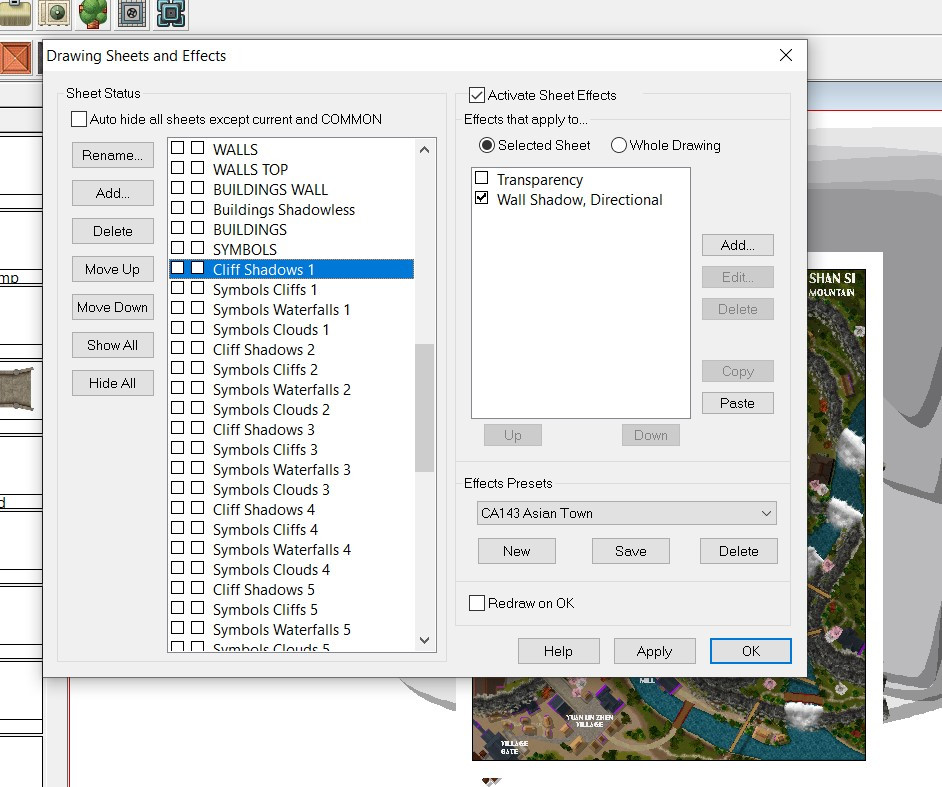
There are Clouds sheets but I haven't started to experiment with Alyssa Faden's clouds yet.
Here's a screen grab of what it looks like in CC3, with all of the SOLID 10 layers running off the screen:
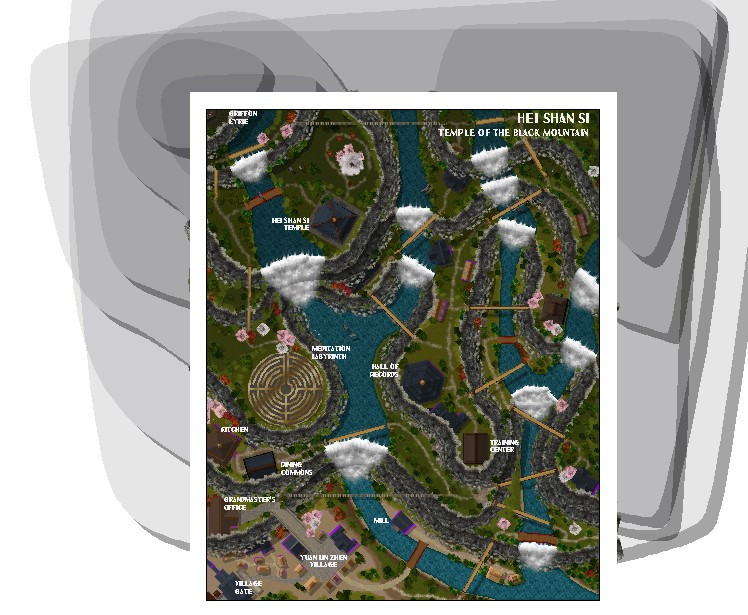
And here's how that looks as a JPG export:
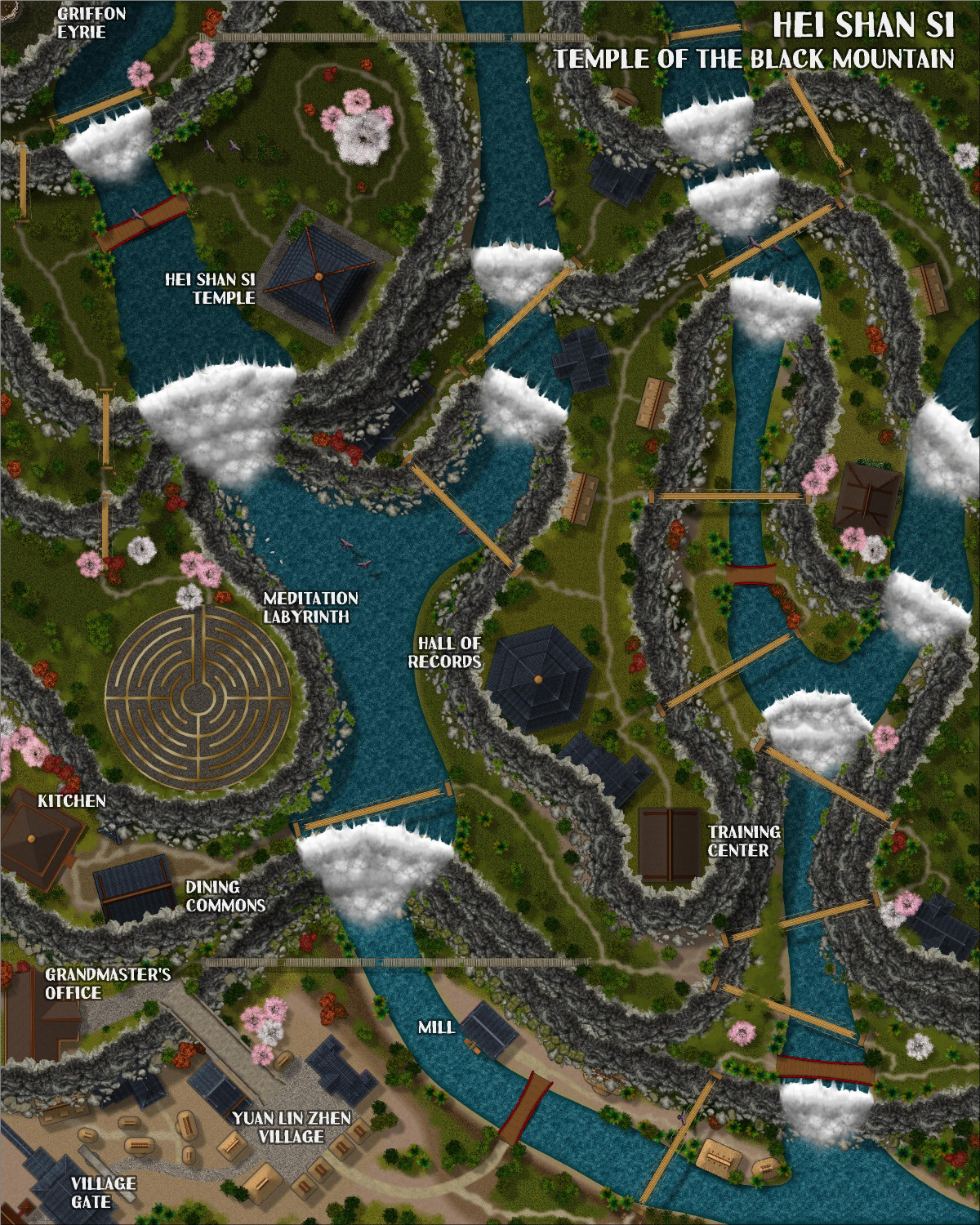
The shadows off the cliffs are 35 map units. I could make them longer if you think that's better.


-
[WIP] Wizard's Tower - Interior
Because I always have at least three mapping projects going on at once, I decided to work on the interior of my Wizard's Tower while I work through experimenting with three different approaches for cliff shadows for the Hei Shan Si monastery.
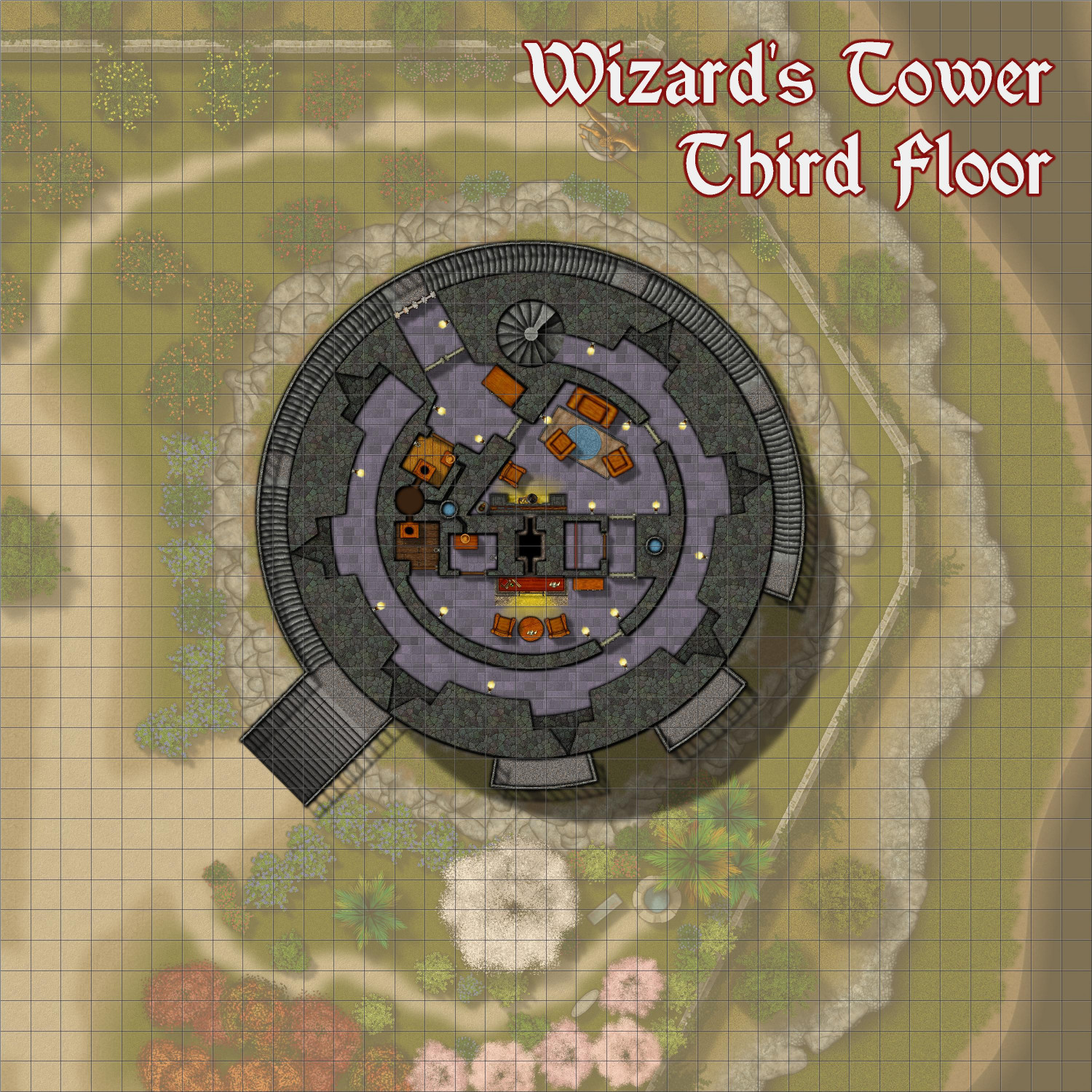
I decided to start with the third floor, because that's where the main entrance is. Here, visitors can ring a bell at an outer gate to be admitted into an entry foyer, which has a wardrobe for storing cloaks and such, as well as access to a water closet (complete with a wash basin with water pumped up through an interior well). From there, guests can wait in a waiting room (complete with fireplace) until the wizard is ready to receive them in a more comfortable
Arrow slits allow the wizard or other defenders to guard the tower. The arrow slit that is immediately counterclockwise to the entrance is about waist-high to people on the stairs. The next two counterclockwise would be above anyone on the stairs; the others clockwise would be below the stairs as they continue to ascend. Plenty of magical torches keep the interior bright. In D&D terms, they have been enchanted with a Continual Flame spell that produces a smokeless, heatless flame forever, or until dismissed. (Sure, you have to spend 50 gp in spell components for each, but you'll never have to replace them.) In addition to the exterior stairs, an interior spiral staircase provides interior access to both levels two and four.
This uses Creepy Crypts as the base, with extensive use of Beaumaris Castle assets (plus vegetation from Japanese Temple and furnishings from DD3. And a few tidbits from Forest Trail.