

Aerdyn Continental Map WIP
 smhollingsworth
Traveler
smhollingsworth
Traveler
After a very long break, I have finally started working on this again and have got it to a place with which I am pretty happy. It's not done, but getting closer, I think. I've definitely learned a lot on this one. The map is of the continent Aerdyn and part of a large island called Norfell. I apologize to any German speakers for the bastardized German in the place names. As a former Warhammer Fantasy and Zweihander player, I really love the 17th-century, Holy Roman Empire feel for a grim and perilous world and the map is, of course, mostly from the Imperial perspective.
Looking for any advice for improvement.
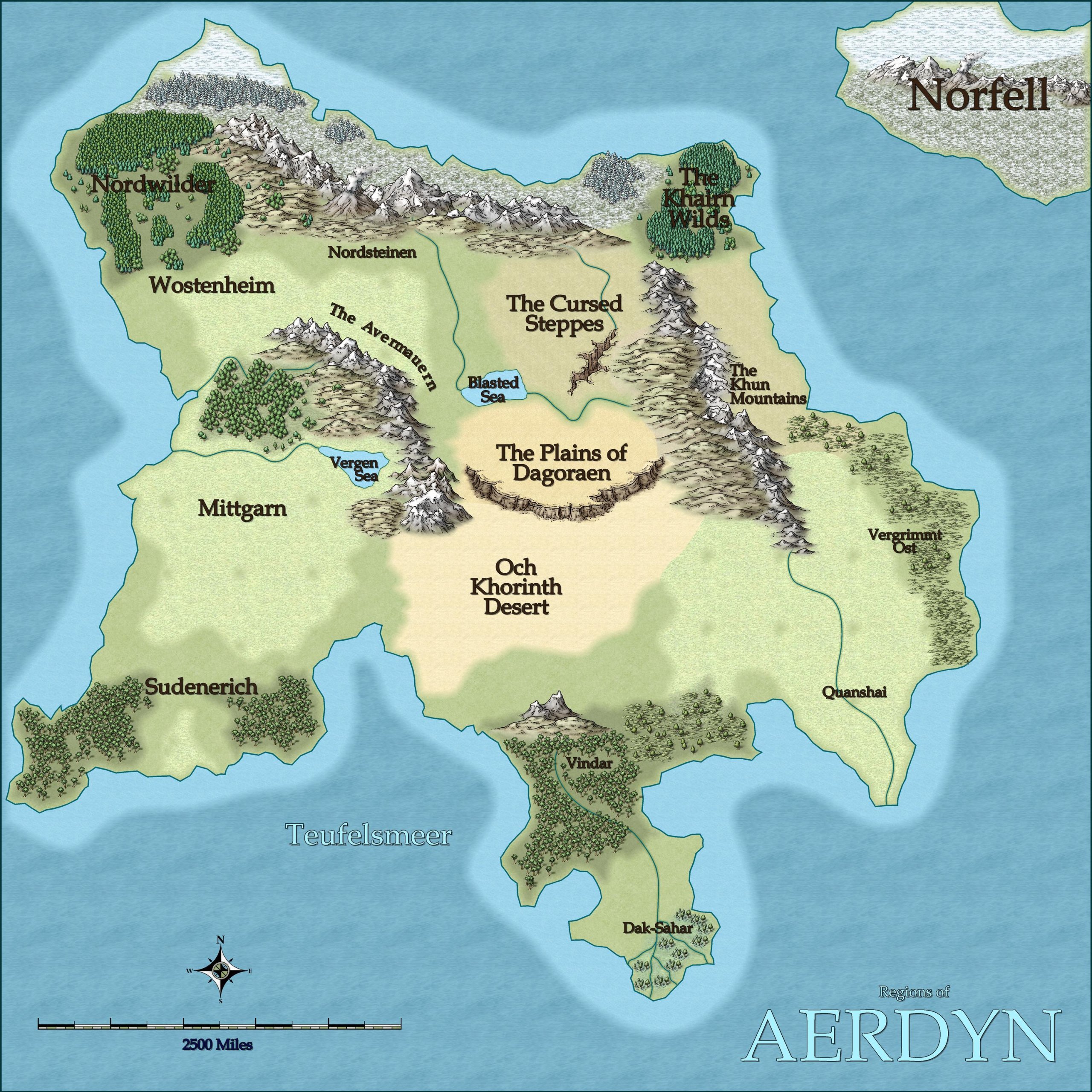
Edit: Changed the color of the water text. Thanks, Sue!









Comments
It looks really good :)
I was momentarily confused by the name Teufelsmeer until I realised that a meer was probably a sea (as the French is mer). If I had any suggestions it would be to make a more obvious difference between the land labels and the sea labels - perhaps make the sea labels a little paler blue?
One thing I don't understand are the little circles in a grid pattern in the light plains terrain. They don't show up in the map, just in the exported image. Any idea what is causing those to appear?
We call that transparency acne.
Sometimes when the pixels in an overlying texture are the same color as the pixels in the underlying texture, and there is a glow, edge fade, inner, or bevel of either type on the overlying texture's sheet, the rendering engine gets confused and fails to recognize there's anything there on the overlying sheet. So it's read as a pinhole exactly one pixel in dimension. That's why the holes are all the same size.
I have noticed that this is quite frequent with when all the fills have coloring in the various terrain fills..
Place a new sheet with nothing on it between those two sheets which does sometimes work, or if it doesn't, copy the top polygons onto that new sheet along with the sheet effects. That can also sometimes work without further effort. If that doesn't work either, try changing the fills of the new copy polygons to Solid, and a color that isn't in either texture. If you have to go that far you may need to increase the width of the edge fade to make sure it doesn't show through.
I had to go the color-fill route and expand the edge fade quite a bit, from 0.8 to 8
Thanks for the help, Shessar