

Weird artifact outside my map border

Hey, can anyone help me to figure out why there is a vertical line at the edge of my map (above the map and also below the map that extends to full length of the screen.
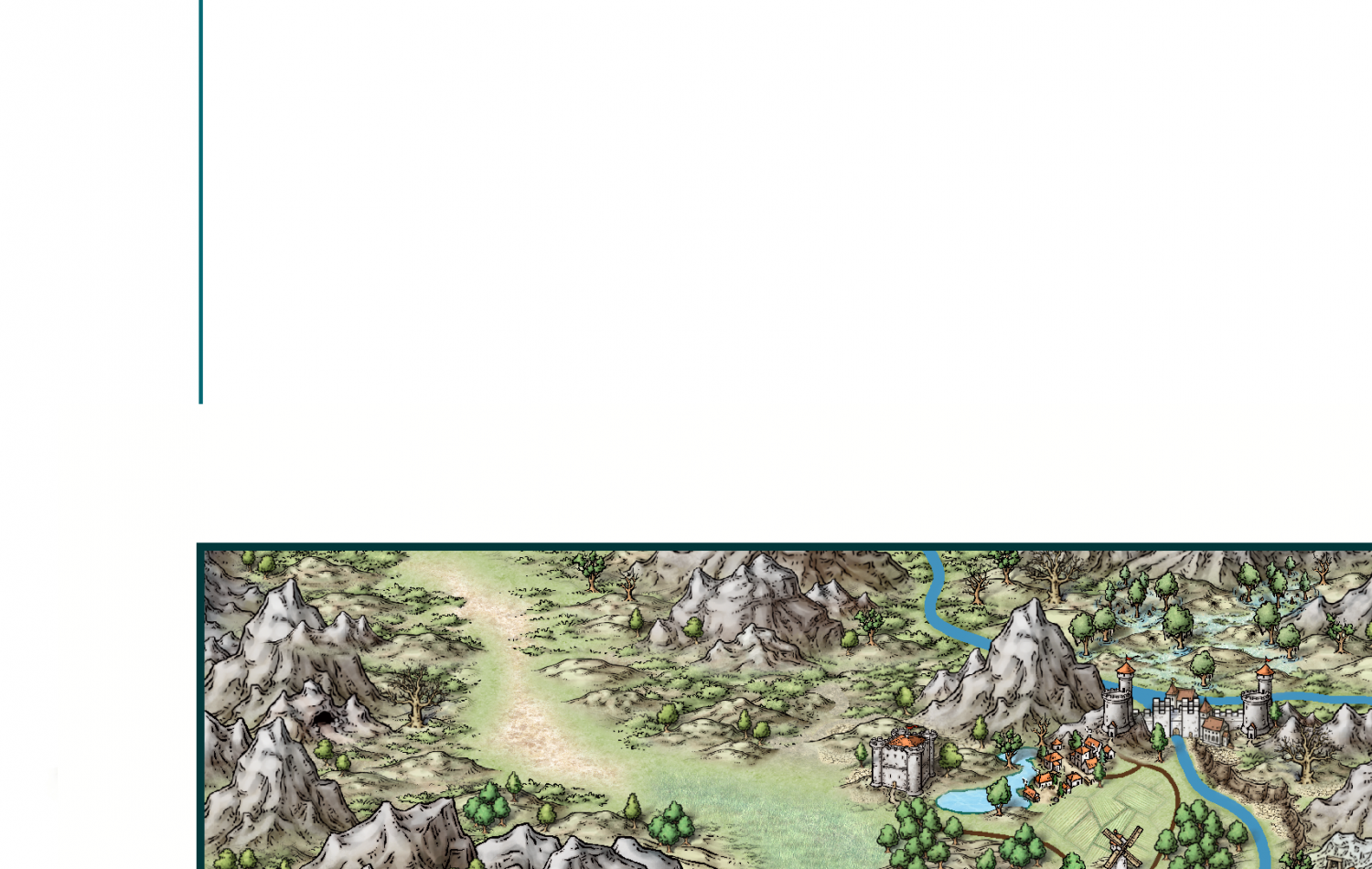
Hey, can anyone help me to figure out why there is a vertical line at the edge of my map (above the map and also below the map that extends to full length of the screen.
Comments
Can you select/manipulate it, for example use Erase on it? Or do the commands behave as if wasn't there at all?
I cant select it at all. It was not on previous iterations of the map. One day I just noticed it. Its above the map and below the map in line with the left map border. Maybe I clicked on something by mistake? then saved?
By the way, thanks for helping me to figure this out.
Most likely it is just a display artifact. They are sometimes caused by wide lines having nodes that causes a very sharp bend. Is there anything with that color (a river perhaps?) that extends all the way over to somewhere along the left border of the map? If so, I am betting it has en extra node right there at the end causing this. If you have such an entity, you can easily confirm that it is probably it by hiding the sheet it is on (or simply save -> delete the entity -> undo or reload)
That was it. It was tied somehow to my land contour on the coastline sheet. I deleted my coastline border edge and it disappeared. Is there a way to redraw the coastal border?
I figured it out. I found the defective node and edited the contour. I would have never found that defect if you had not pointed me in the right direction with hiding and finding the sheet that it was on. Thanks for the help. You're the greatest!